



Instagram for a long time has been a platform where users can curate their experience by following accounts and engaging with content that aligns with their interests. From travel inspiration to fitness tips, the platform offers feeds that reflect your needs.
However, there are moments when you lose interest in some content or have too much to watch, that your feed becomes cluttered, which can lead to a less enjoyable browsing experience as you sift through posts.
Fortunately, this guide has curated four steps to help you clean up your feed on Instagram, ensuring it remains a source of inspiration and enjoyment.
Steps to Clean Up your Instagram Feed
Step 1: Unfollow Irrelevant Accounts
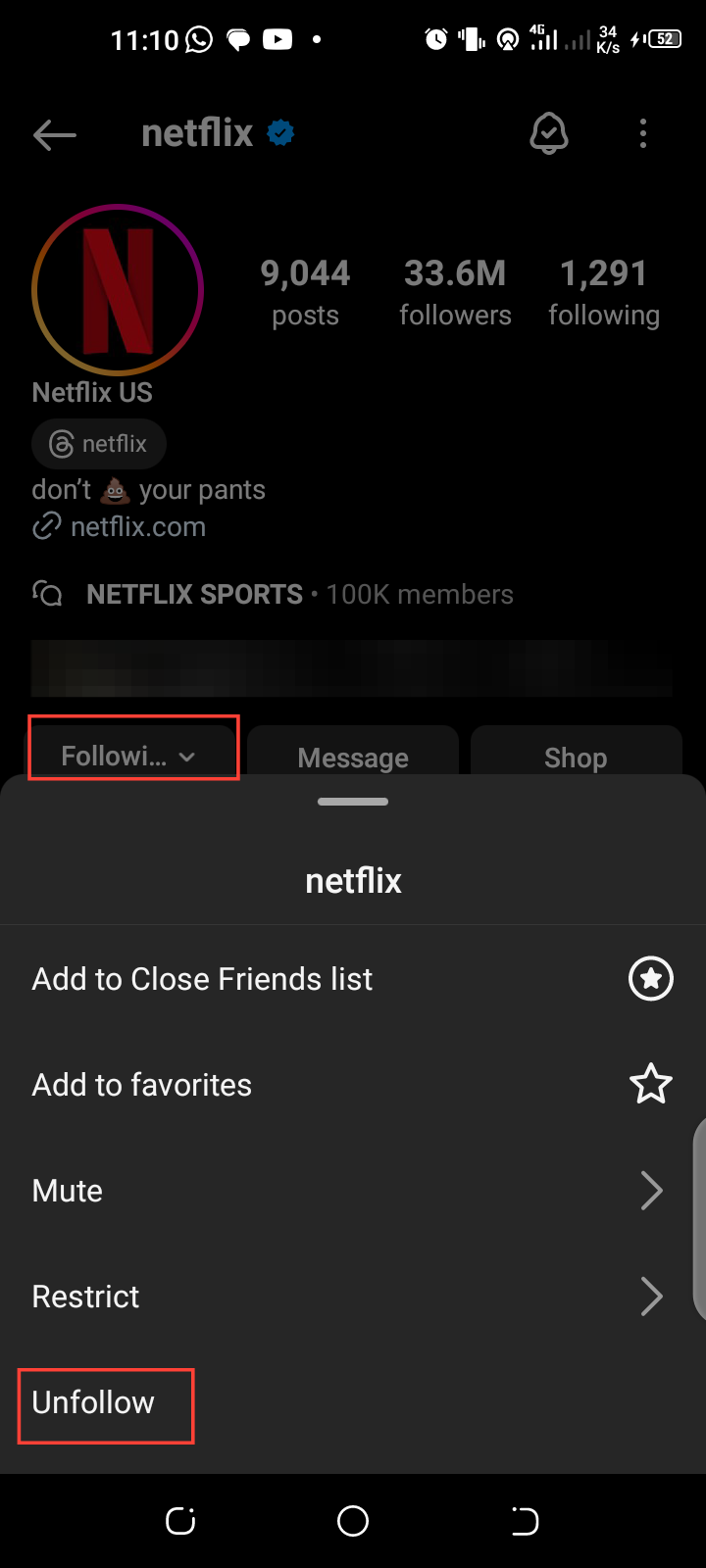
- For you to clean up your feed, it is important to unfollow accounts that no longer align with your interests. You can do this by tapping on the account's name, selecting the "Following" option, and then choosing "Unfollow.”

Step 2: Mute Stories and Posts
When you mute someone on Instagram, it hides the user's content from you, helping you to control the posts you see.
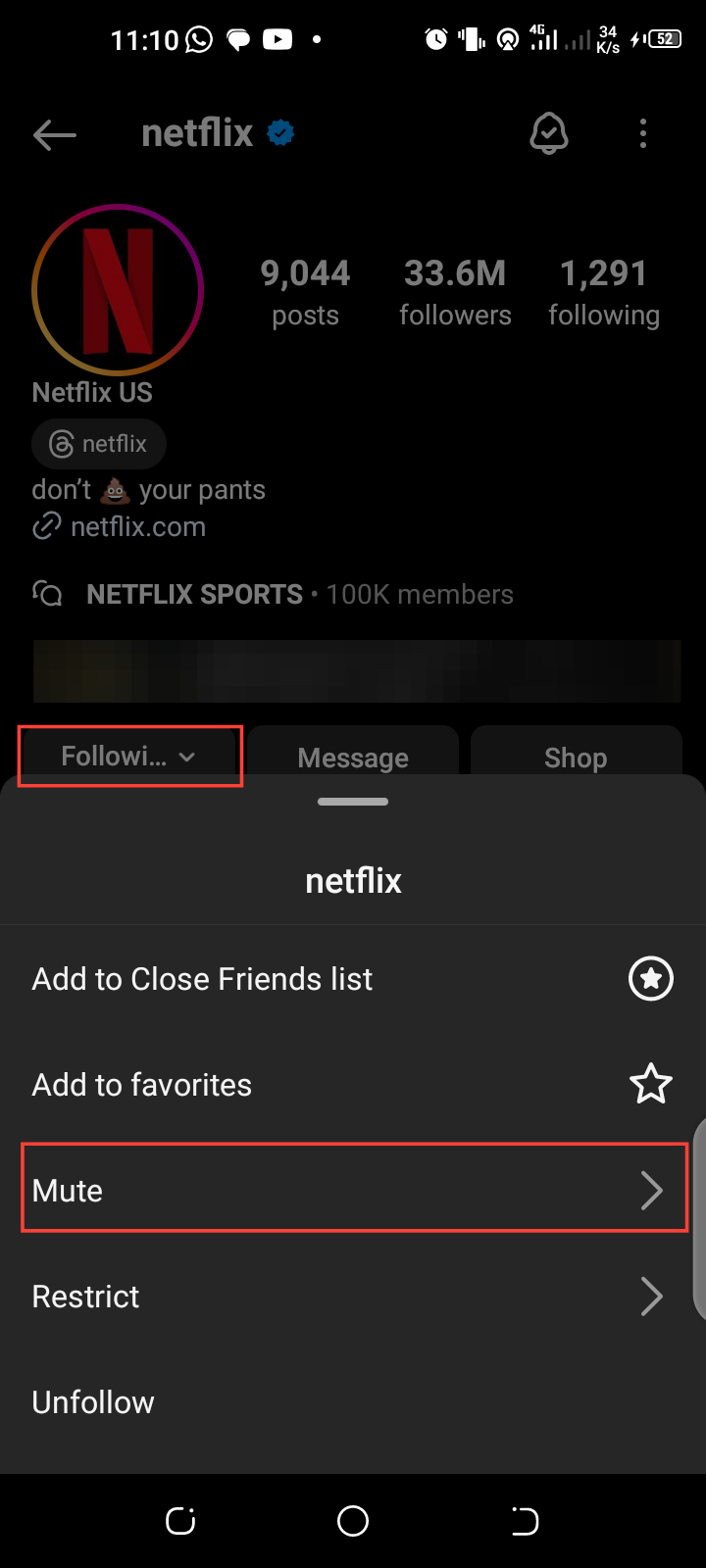
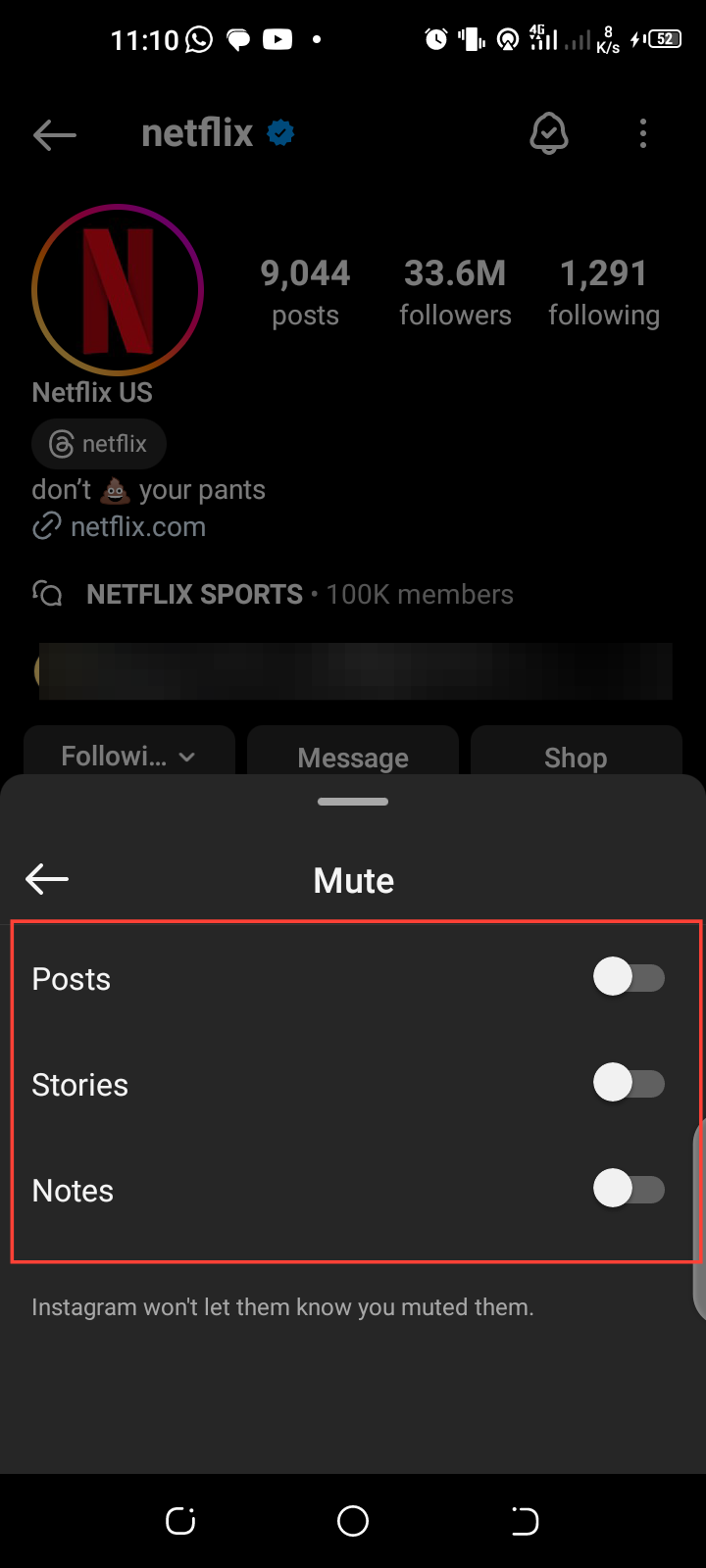
- To do this, go to the profile you want to mute, tap the “Following” button, and select “Mute.” You can choose to mute Posts, Stories, and Notes.
Step 3: Hide the Ads You're Not Interested In
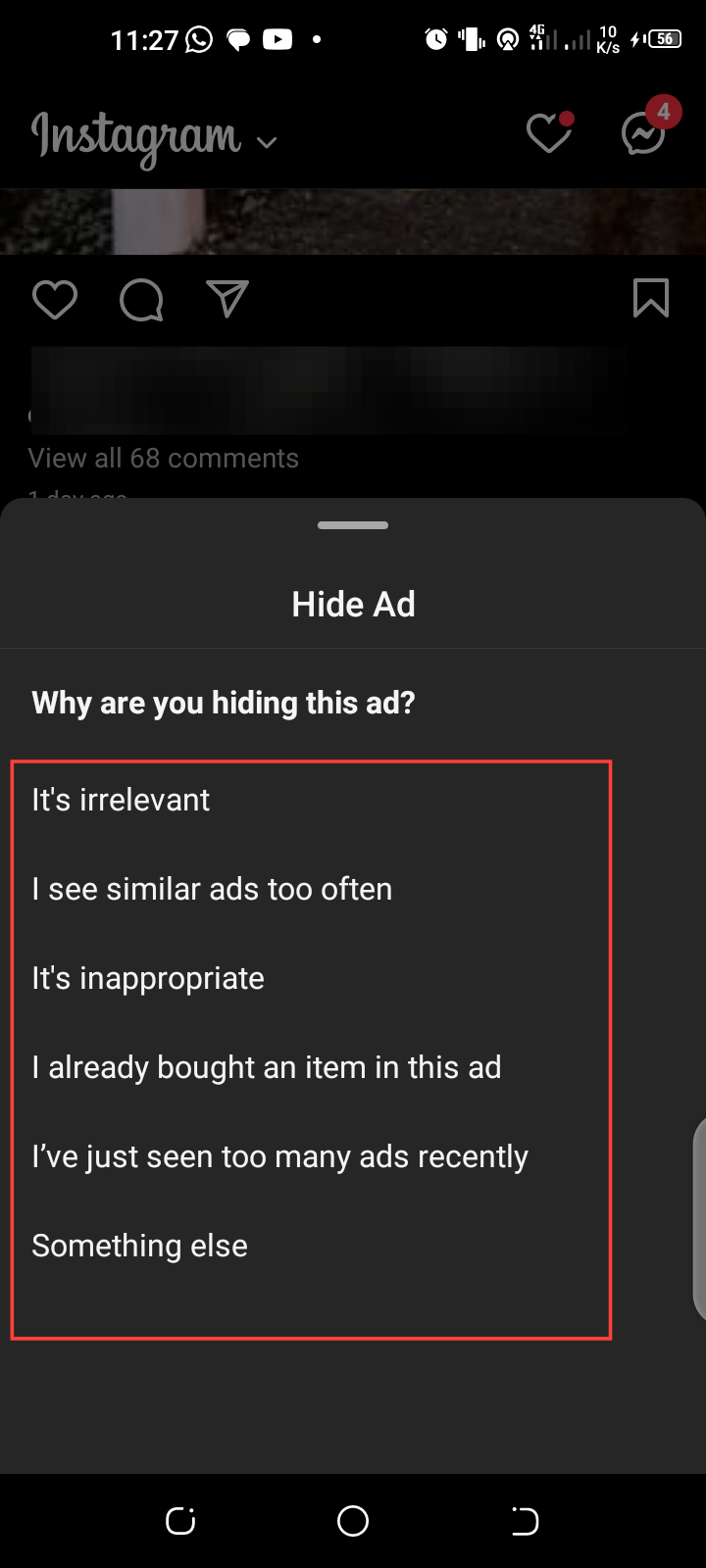
- Instagram Ads are shown to you based on things you typically search for. So, if you want to stop seeing some ads, tap the three dots next to the account name that posted the ad, and then choose "Hide Ad." After that, select the reason for hiding the ad.

Step 4: Engage with Content You Love
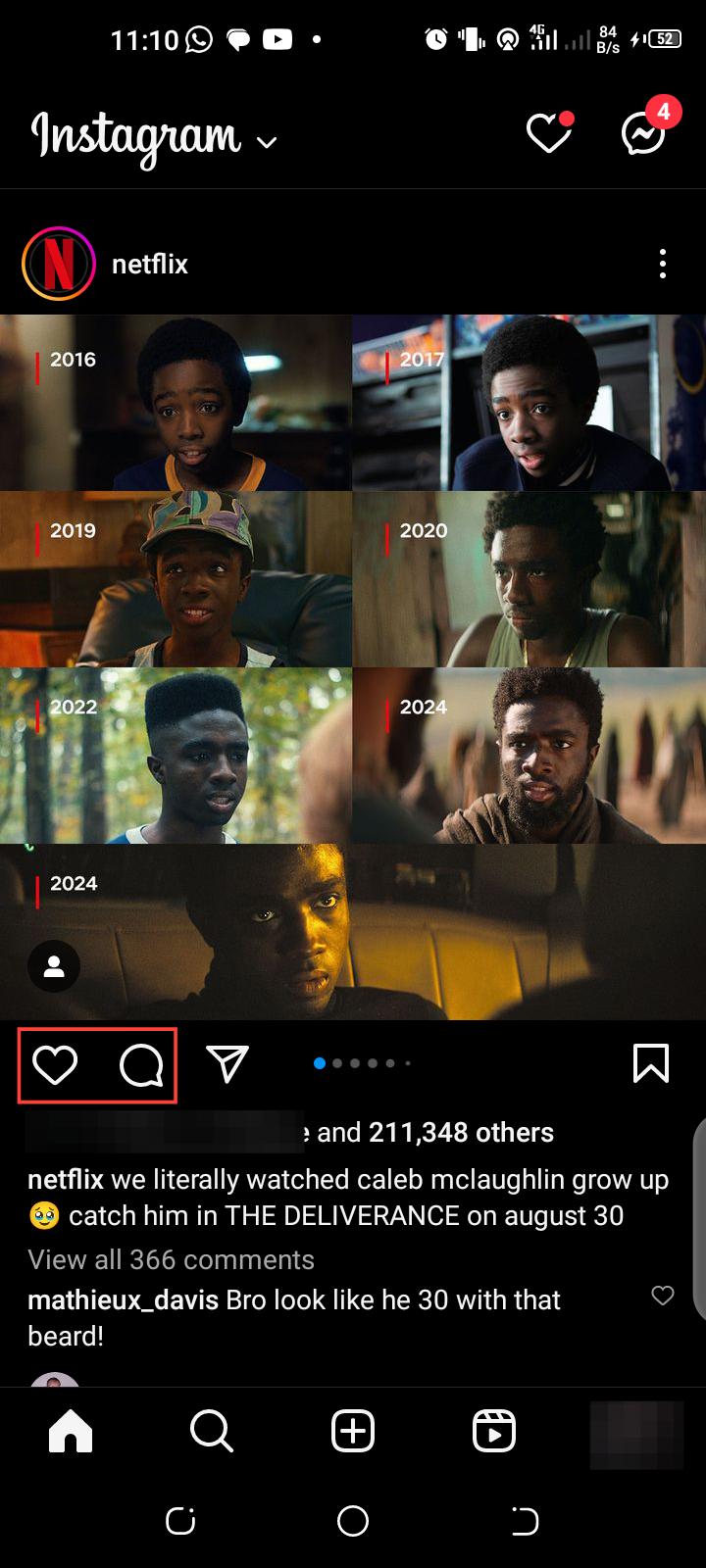
Instagram’s algorithm prioritizes content you engage with, so liking, commenting, and sharing posts from accounts you enjoy can help improve your feed.
- To do this, like and comment on content that resonates with you, and Instagram will adjust your feed accordingly.
Conclusion
Clutter on your Instagram feed can lead to a less enjoyable browsing experience, as you sift through posts that no longer align with your current interests. Whether outdated trends, brands that have lost their appeal, or simply too many accounts vying for your attention, a crowded feed can diminish the value of your Instagram experience.
For this reason, you can follow the outlines above to help you take control and clean up your feed, ensuring it remains entertaining.
Image credit: David Adubiina/techloy.com


