



Recently, I noticed the Facebook app on my phone was sluggish and acting oddly. Videos took longer to load, and everything just felt slow. Upon checking storage, I found the cache had ballooned into gigabytes of saved data, including old images, preloaded posts, and other temporary files.
Clearing the cache gave the app a fresh start and a noticeably smoother performance. Think of cache like a temporary memory bank where Facebook stores files to speed things up.
Over time, that can backfire if the data gets outdated or bloated. Clearing it can help restore app performance and free up space, without affecting your photos or account info.
 Oluwaseun Bamisile
Steps to Clear the Cache on Facebook
Step 1: Open the Facebook app and click the menu button at the top-right corner (bottom-right corner for iPhones)

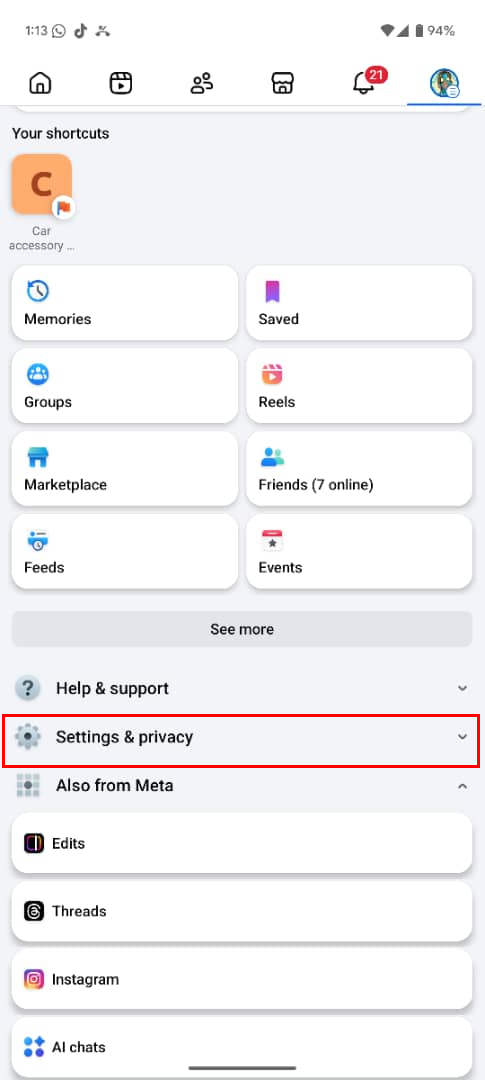
Step 2: Click "Settings & privacy"
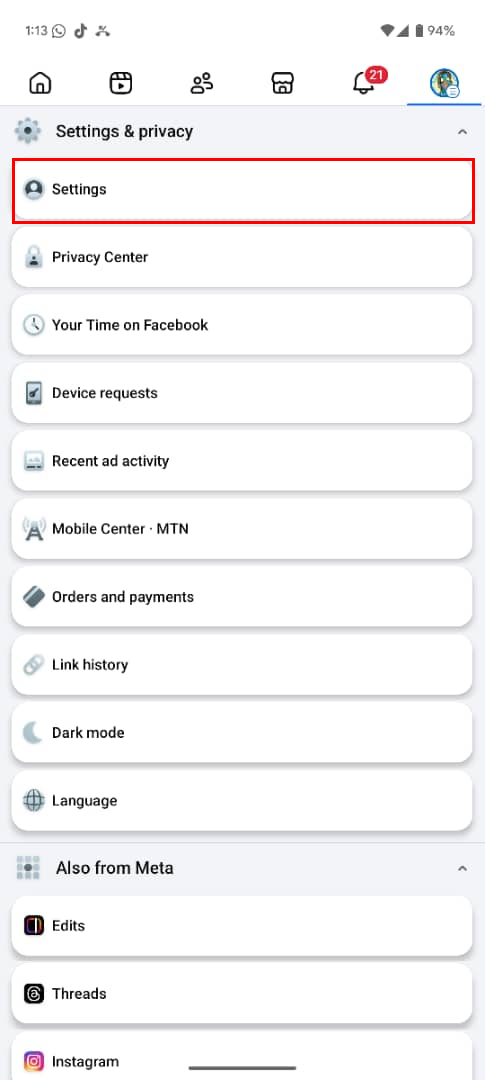
Step 3: Now, tap "Settings" under the Settings & privacy category
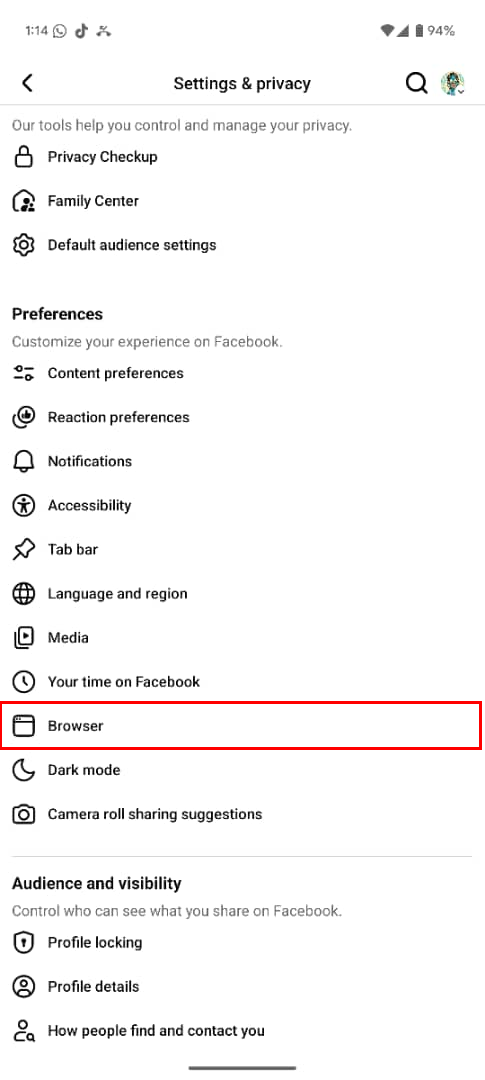
Step 4: Select "Browser" in the Preferences category (the Permission category for iPhones)
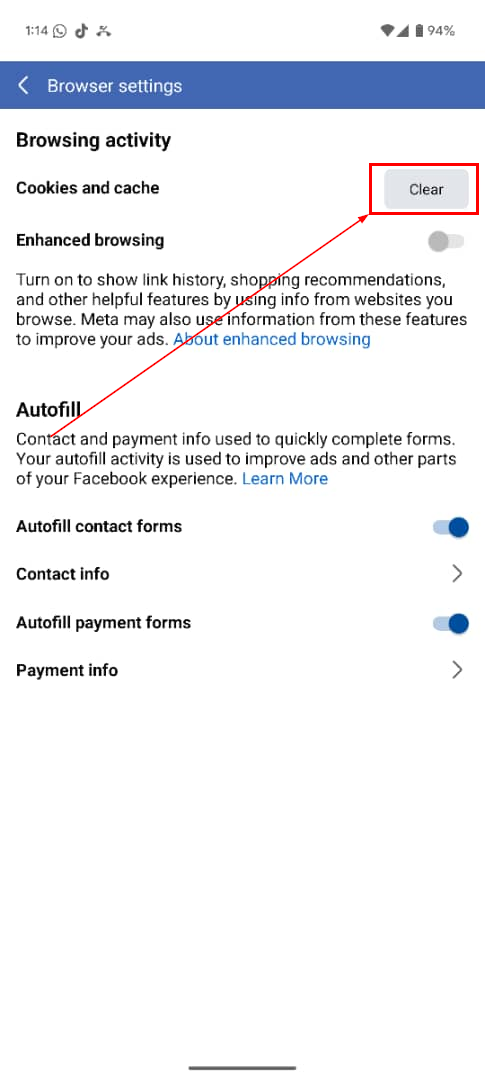
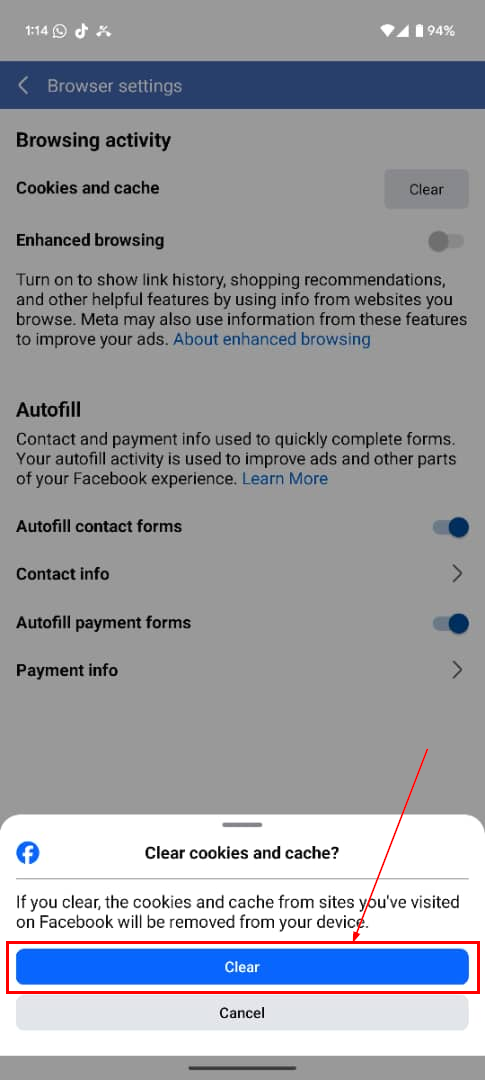
Step 5: Click the Clear button next to Cookies and cache
Step 6: Finally, click the Clear button again in the prompt that appears
 Gabriel Ojeh
Conclusion
Clearing the Facebook cache is fast, safe, and effective. It solves performance issues and reclaims storage without touching your account or photos. You can clear just the cache, or go further by reinstalling the app if problems persist.
Make it a simple monthly habit if you use Facebook heavily, especially on Android, where the cache can build up rapidly.
Image credit: Oluwaseun Bamisile/Techloy.com


