



Loading the Elevenlabs Text to Speech AudioNative Player...
When your phone rings and you can’t answer, sending a quick message can be a polite way to let the caller know you’ll reach out later.
But typing out a reply every time you miss a call isn’t practical. Instead, iPhone's Respond with Text feature lets you set up personalized quick responses that you can send with a tap.
Here's how you can set up custom responses on your iPhone, so you’re prepared to reply in seconds when a call comes at an inconvenient time.
How to Lock and Hide iPhone Apps on iOS 18
This will help you protect your apps from prying eyes.
 David Adubiina
4 steps to set up custom quick responses on your iPhone
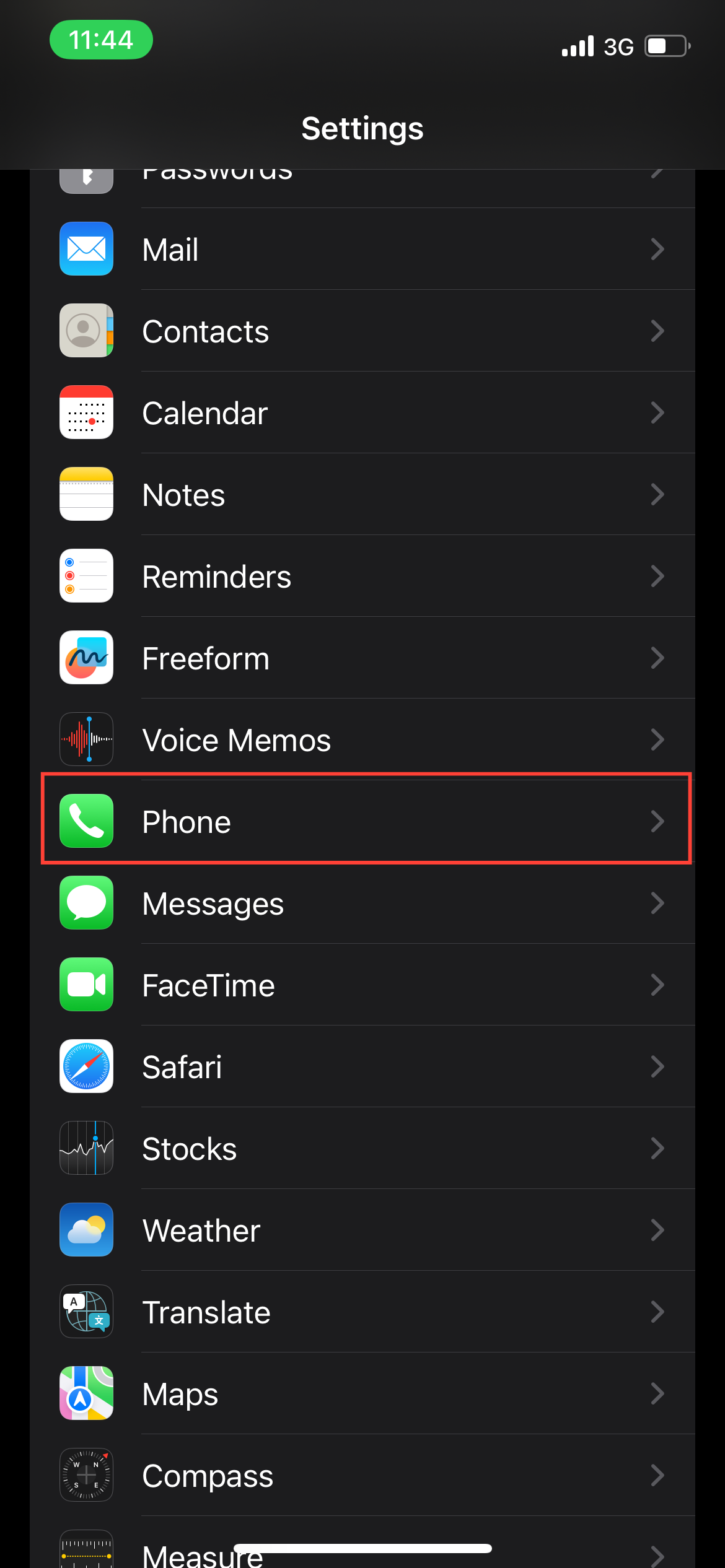
Step 1: Go to the Settings app to begin. Then, scroll down and tap Phone to access call settings.
Subscribe for free to continue reading this article
Subscribe SubscribeAlready have an account? Log in


