



Sometimes you just need a clean break. Maybe you're switching to a different messaging app, taking a digital detox, or just tired of the noise. Whatever your reason, deleting your WhatsApp account is a big step, and it’s permanent.
Unlike simply uninstalling the app, deleting your WhatsApp wipes your messages, groups, and backups, so you’ll want to be sure before hitting that delete button.
In this guide, you will learn how to delete your WhatsApp account.
 David Adubiina
How to delete your WhatsApp account
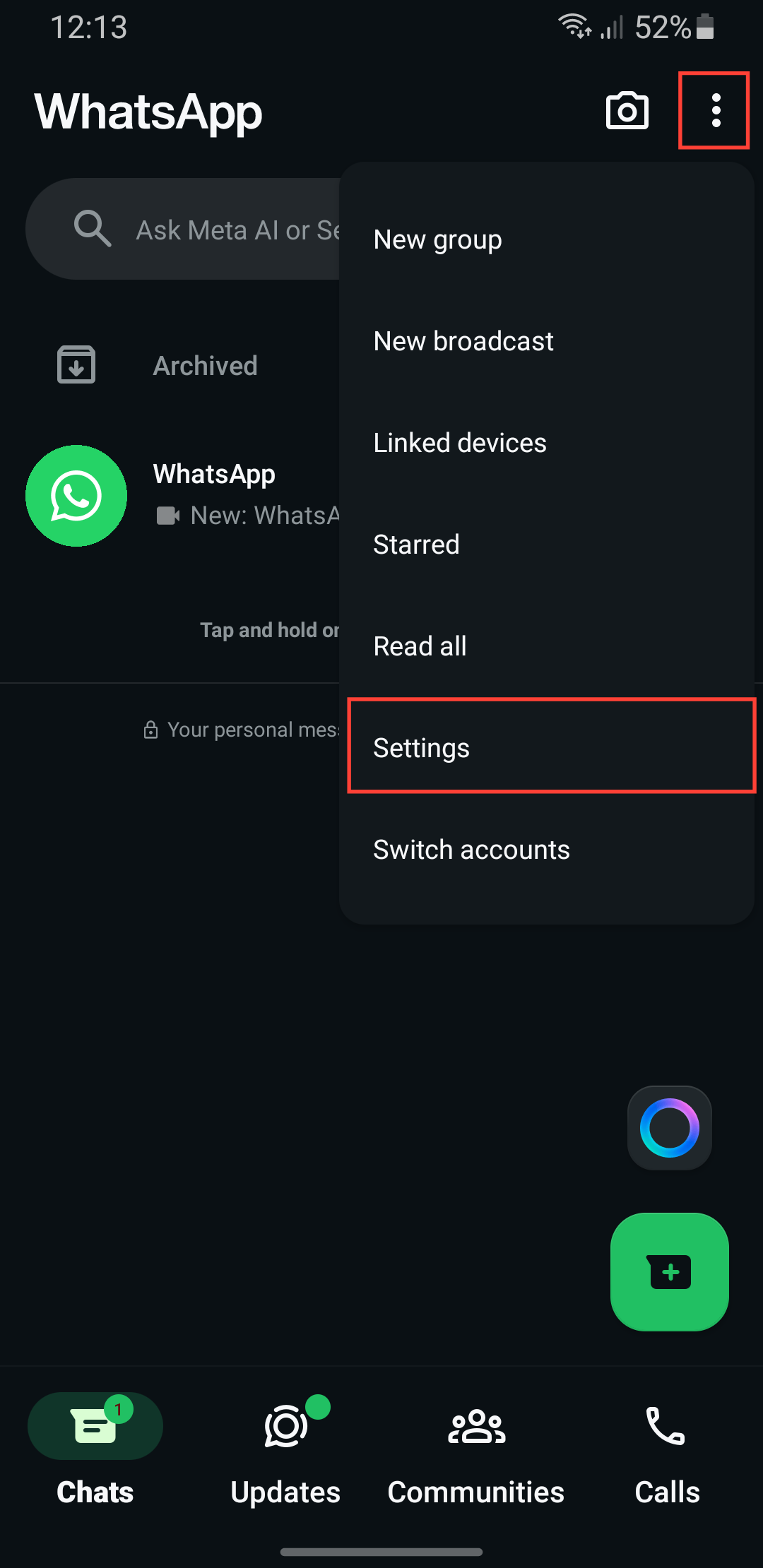
Step 1: Open your WhatsApp and tap the three dots at the top right and select Settings.
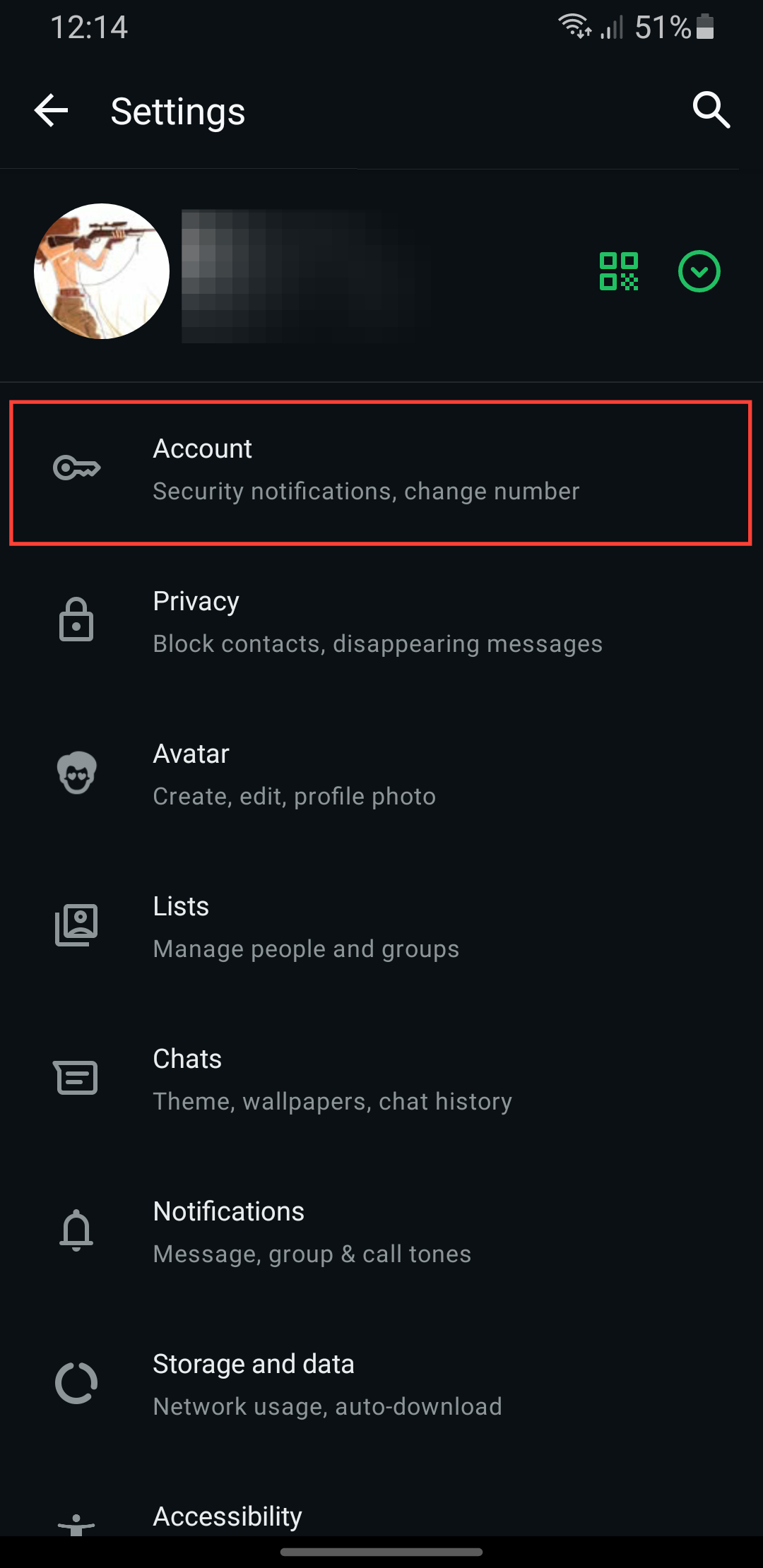
Step 2: Select Account.
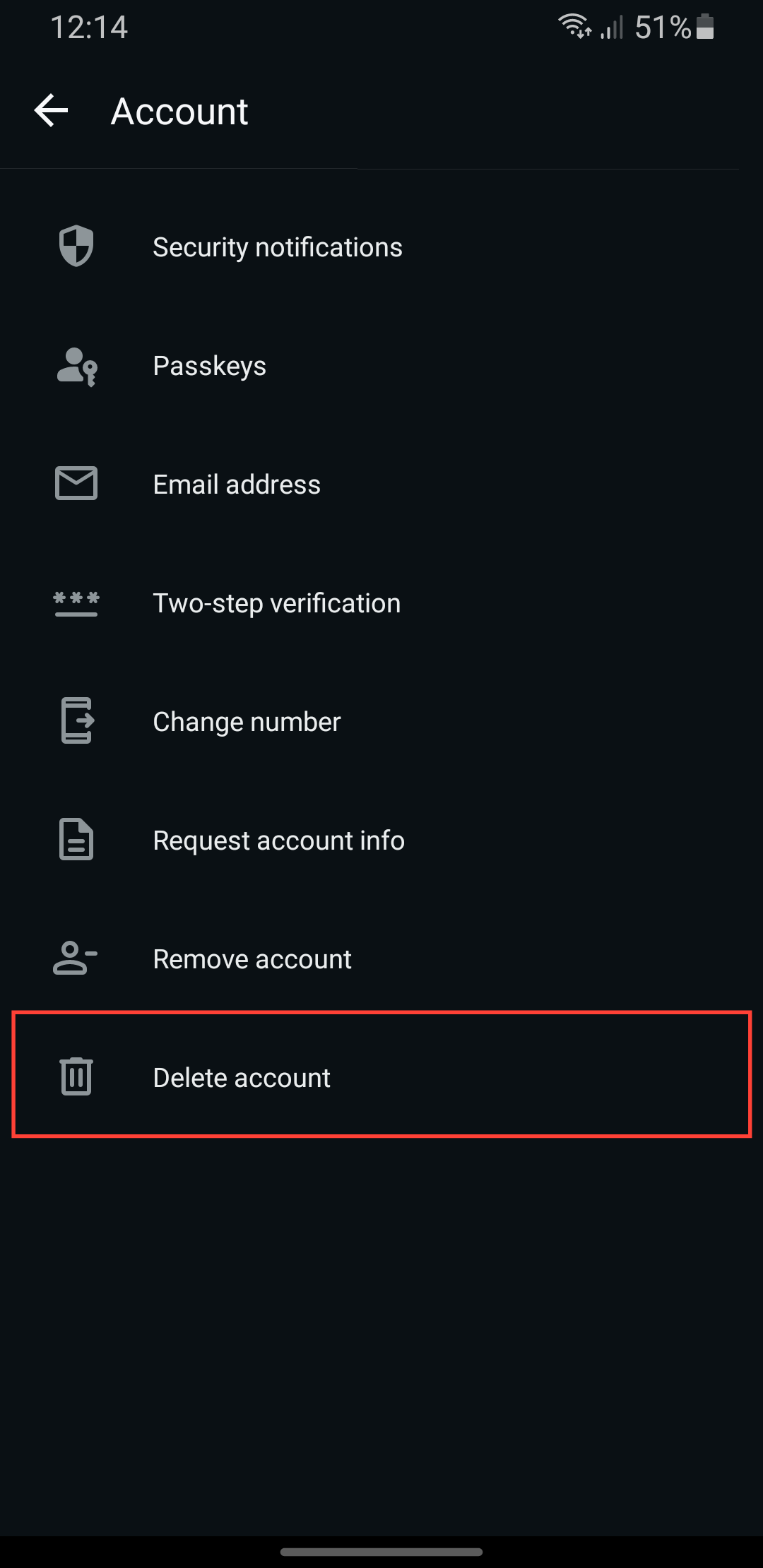
Step 3: Select Delete Account.
Step 4: Enter your phone number and click Delete Account.
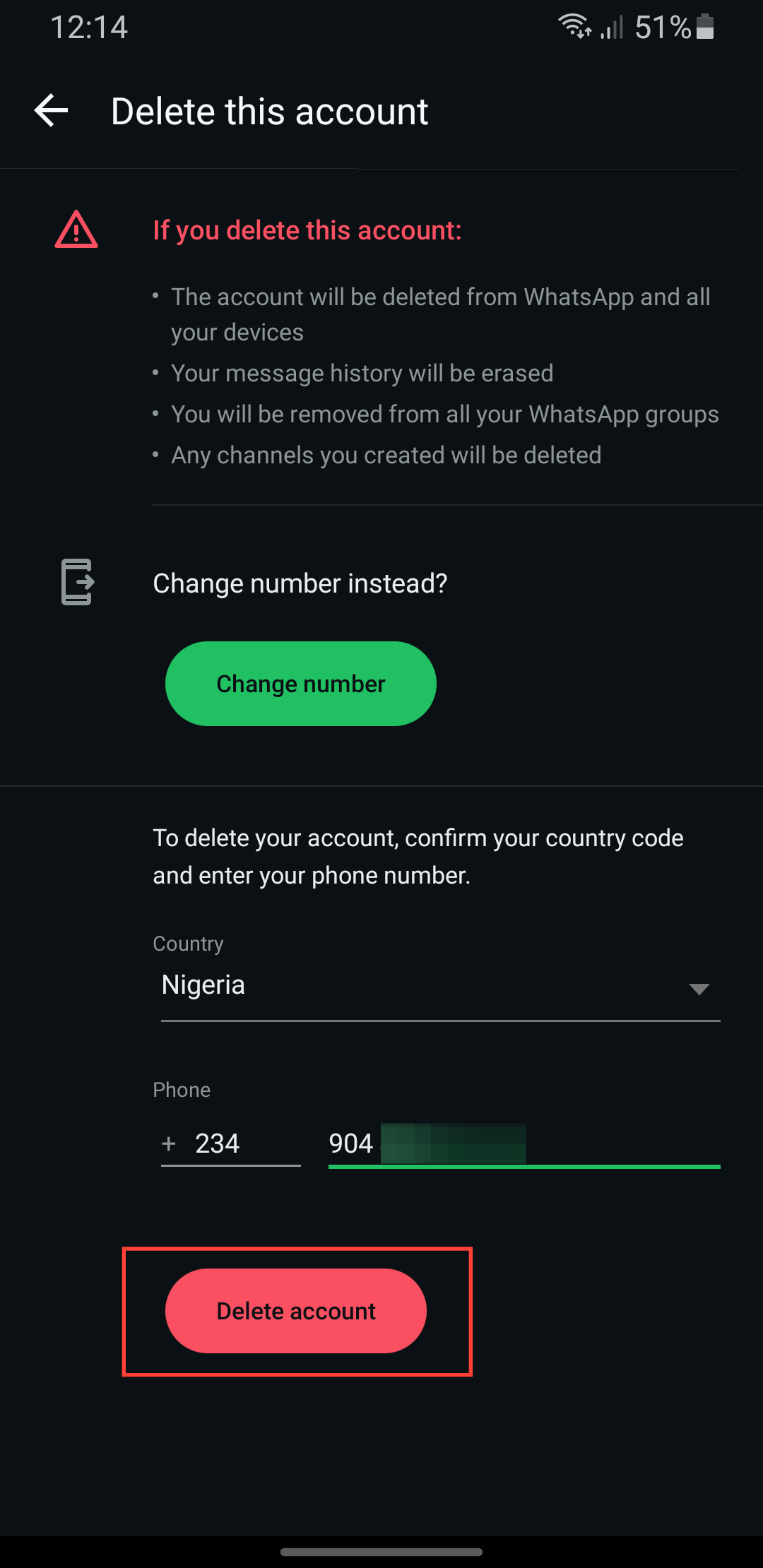
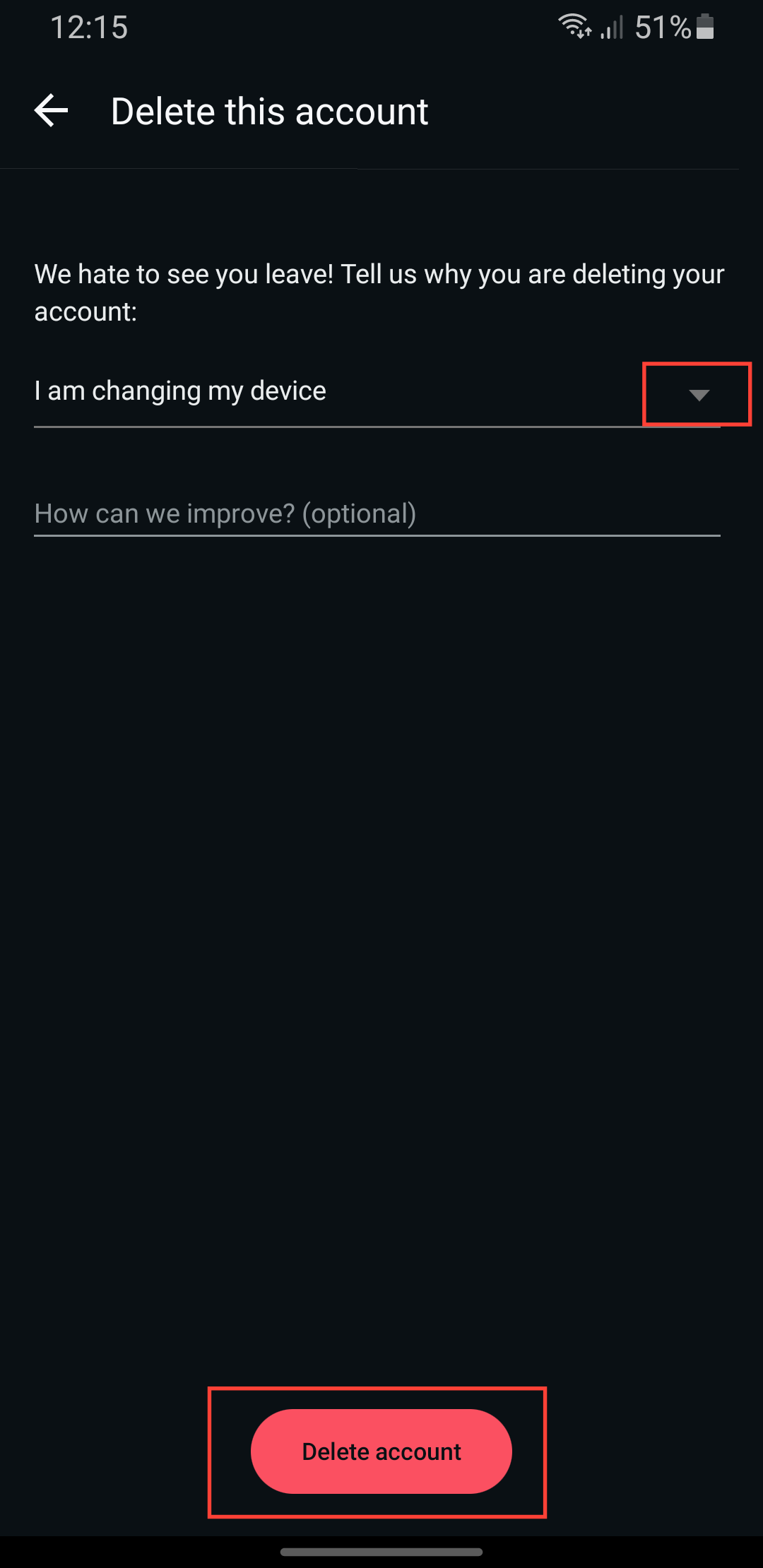
Step 5: You'll be taken to a menu to state your reason, select any from the dropdown, and tap Delete Account.
 Oyinebiladou Omemu
Conclusion
And just like that, you’ve officially left the WhatsApp universe. No more blue ticks, no more last seen updates, and that's it, you're out. If you ever change your mind, you can always create a new account, but remember, your old messages and groups are gone for good.
If you just needed a temporary break, uninstalling the app is a better option than deleting your account. Your data stays put unless you manually wipe it.
Image Credit: Oyinebiladou Omemu/techloy.com


