



Google Assistant is quite useful for setting reminders, answering questions, or playing music, just by using your voice. But the thing is, it can be active on your lock screen, and anyone could potentially access your phone without needing your passcode. Imagine someone sending messages, making calls, or even checking your info just by saying, "Hey Google." Scary stuff.
That’s why you might want to turn off Google Assistant when your phone is locked. It adds an extra layer of security, ensuring only you can use voice commands after unlocking your device.
In this guide, learn how to disable Google Assistant from taking commands when your phone is locked.
 Oyinebiladou Omemu
How to disable Google Assistant from listening on locked screen
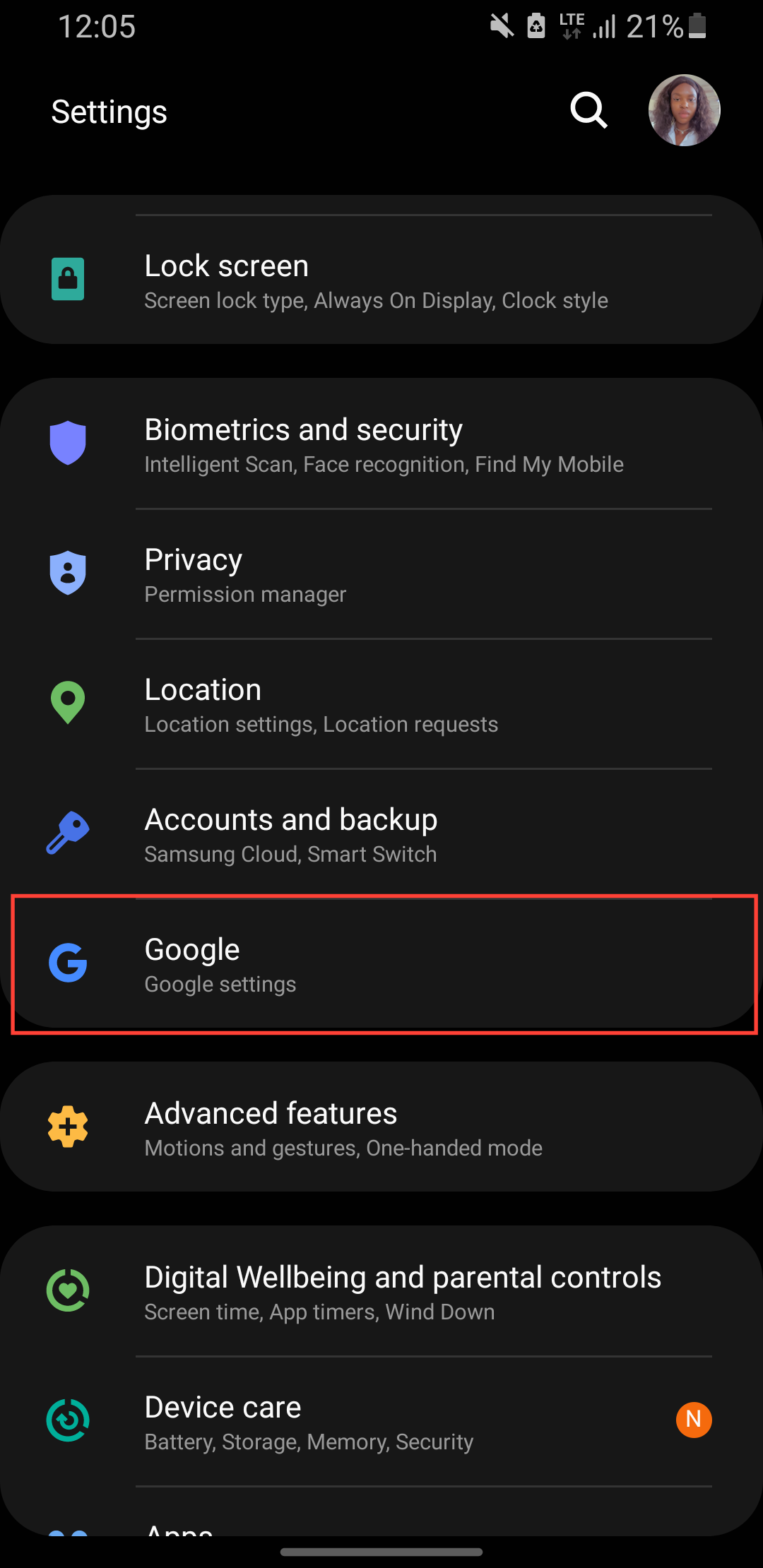
Step 1: Go to Settings on your phone and scroll down and select Google.
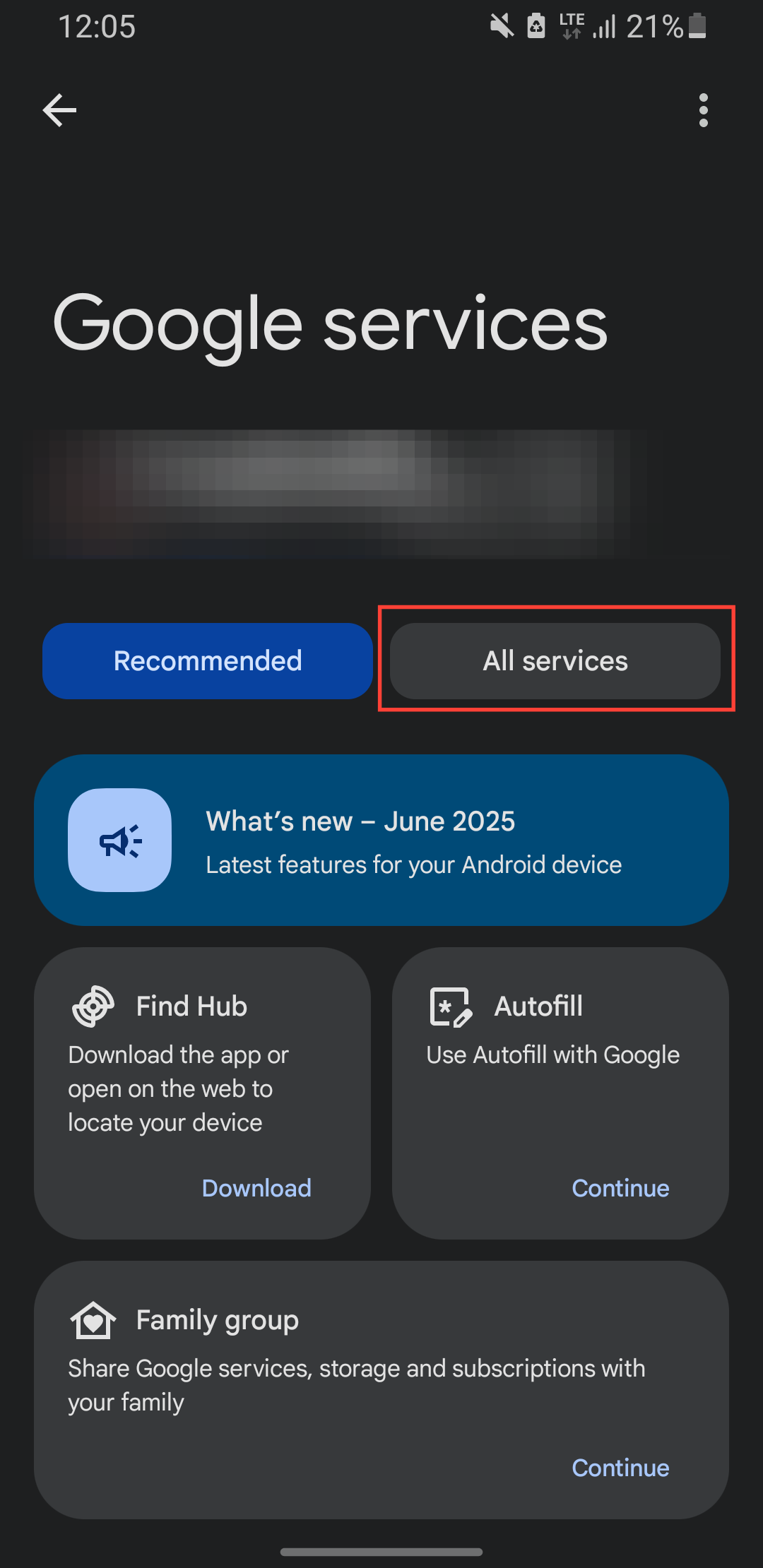
Step 2: Select All Services.
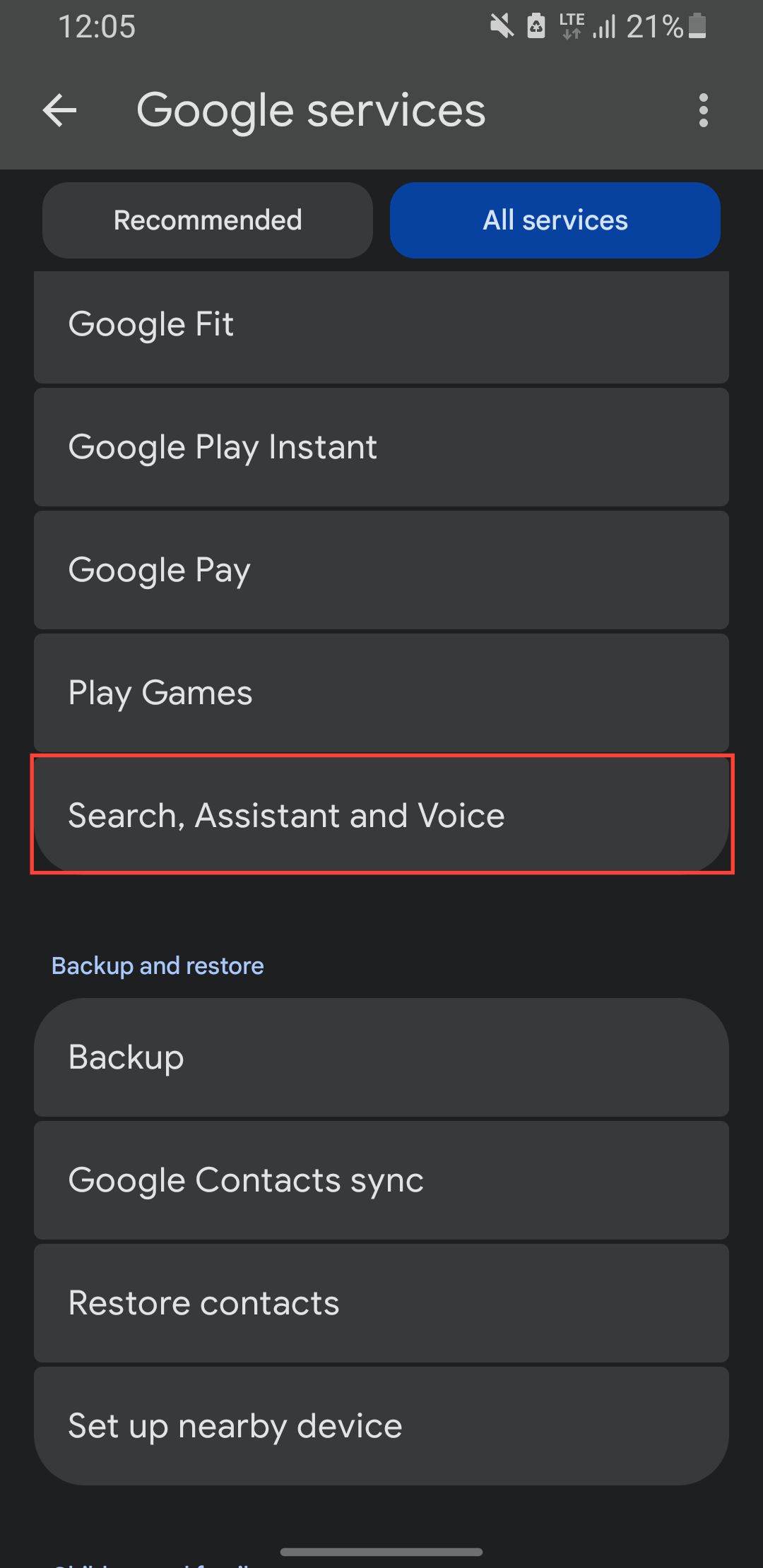
Step 3: Select Search assistance and Voice.
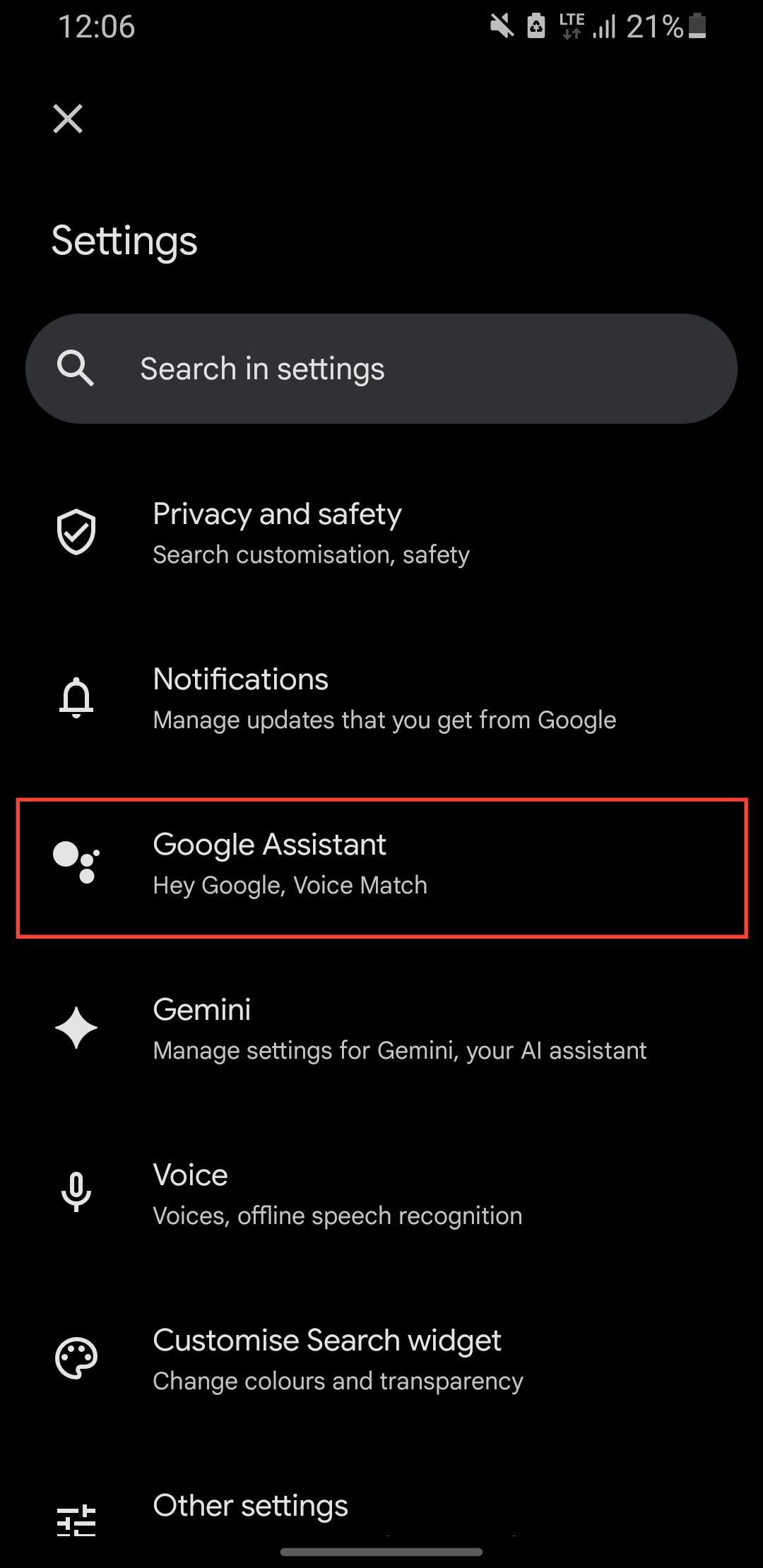
Step 4: Select Google Assistant.
Step 5: Select Lock screen.
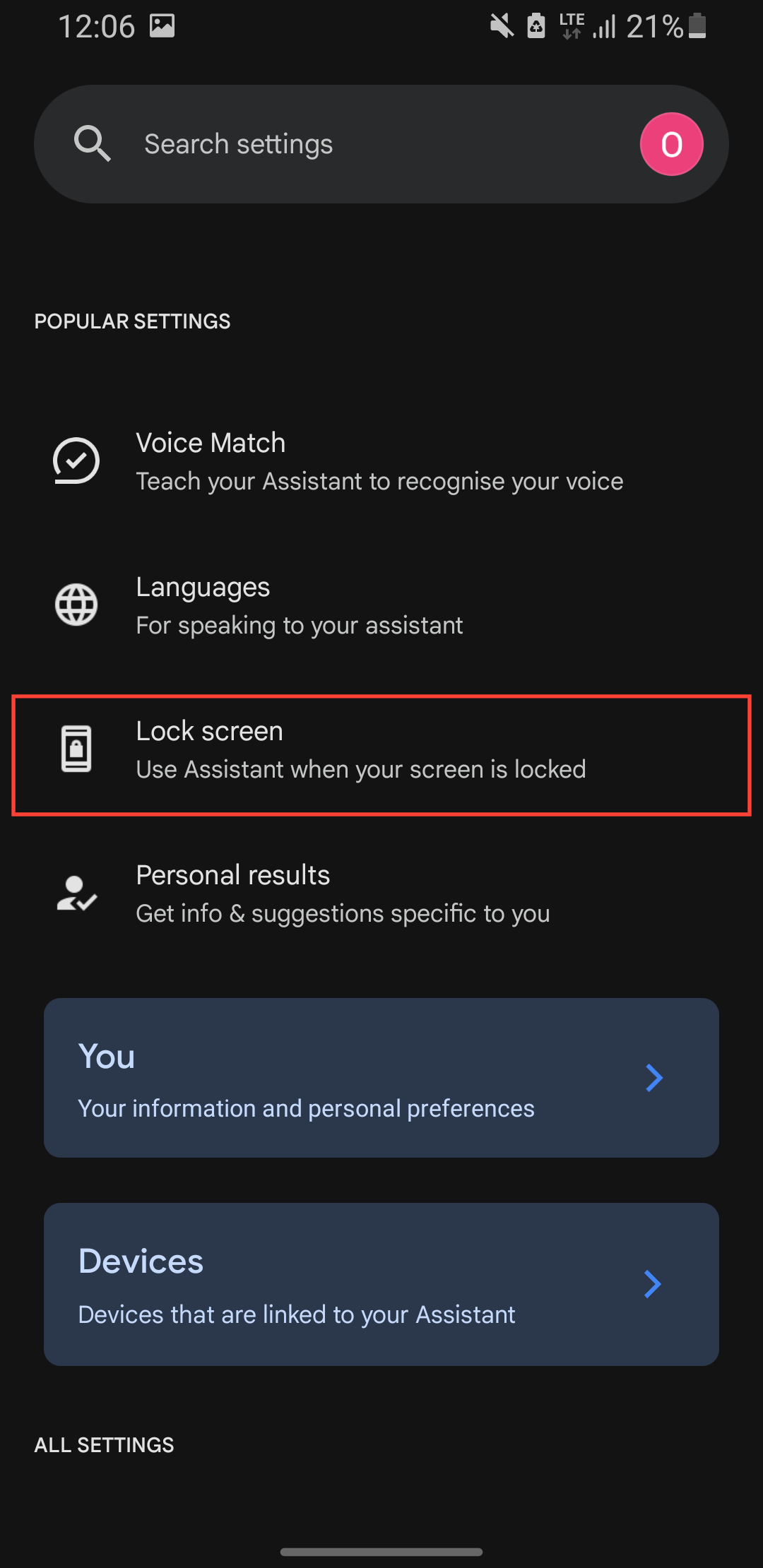
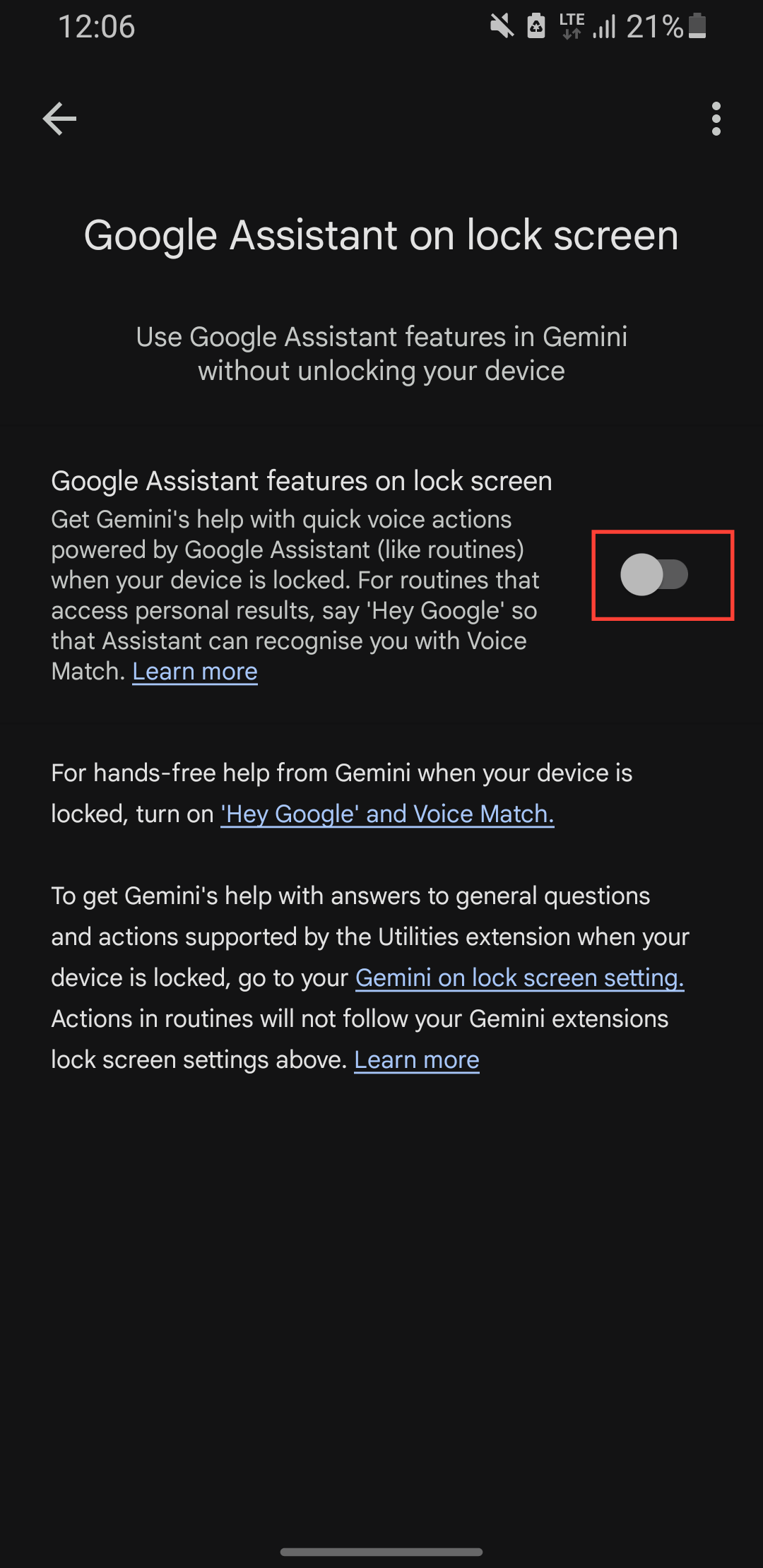
Step 6: Toggle off Google Assistant features on the lock screen.
 David Adubiina
Conclusion
And that’s it. By turning off Google Assistant on the lock screen, you’ve just made your phone more secure. No more accidental triggers or unauthorized access, just peace of mind knowing your device won’t respond to voice commands unless you unlock it first.
If you ever change your mind, you can always toggle the setting back on. But for now, enjoy the added security, and rest easy knowing your phone listens only when you want it to.
Image Credit: Oyinebiladou Omemu/Techloy.com


