



You click on a skincare ad once. Next thing you know, Instagram’s serving you moisturiser, exfoliator, and a five-step Korean beauty routine you never asked for The weird part? You never searched for any of it on Facebook or Instagram.
That’s the trick of Your Activity Off Meta Technologies. It’s a behind-the-scenes system that lets Meta track what you’re doing on other apps and websites what you click, what you browse, even what you almost bought and then uses that info to shape what shows up on your feed.
It’s how that hotel you peeked at once suddenly becomes the star of your ad carousel. And while it’s technically explained in the settings somewhere, most people don’t realise it’s happening until the ads start hitting too close to home.
But if you're like me and that feels too invasive, there’s a way to shut it down. You can limit what Meta sees and stop it from using your off-platform activity to shape your online experience. Here’s how to do it.
How to Disable Your Activity Off Meta Technologies on Facebook
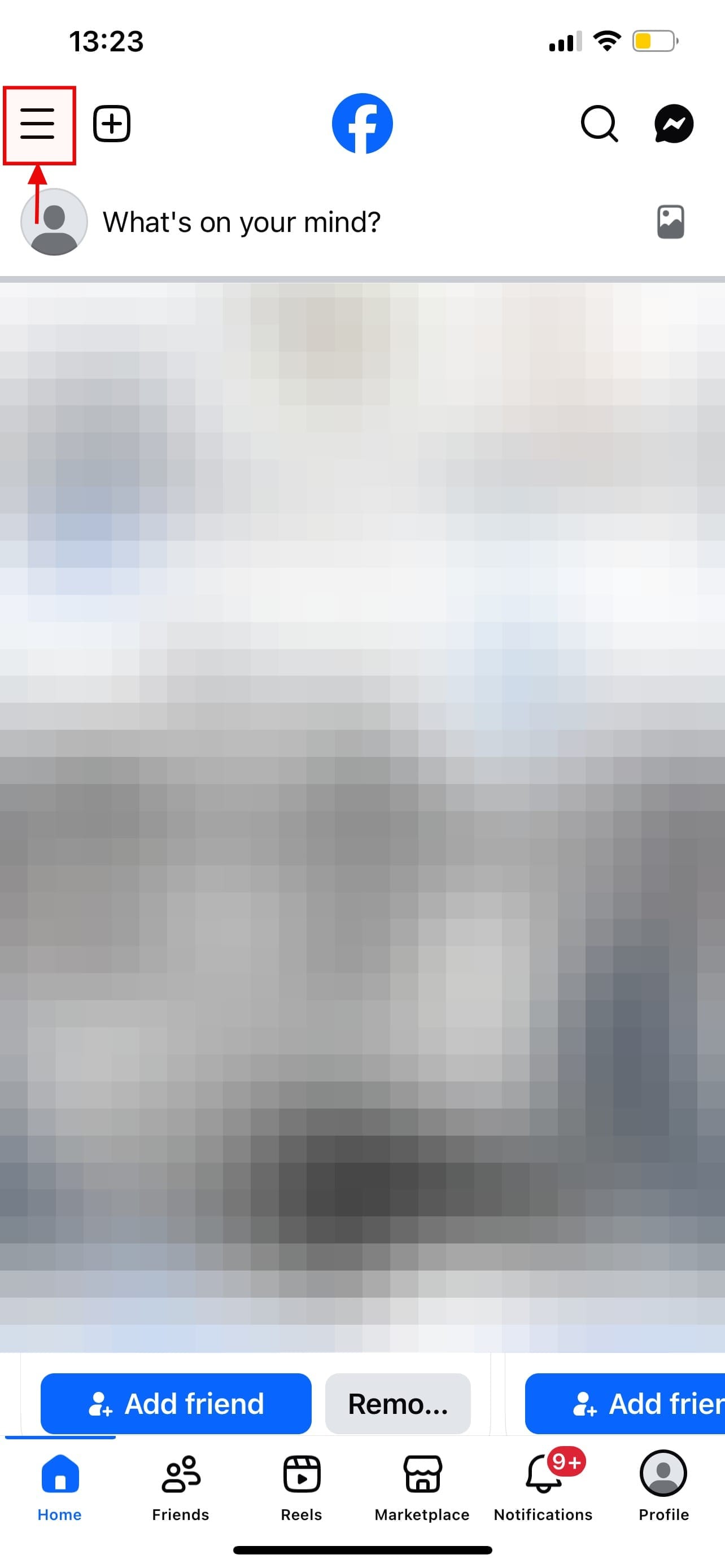
Step 1: Open the Facebook app on your device, then Tap the three horizontal lines in the top left (iPhone)
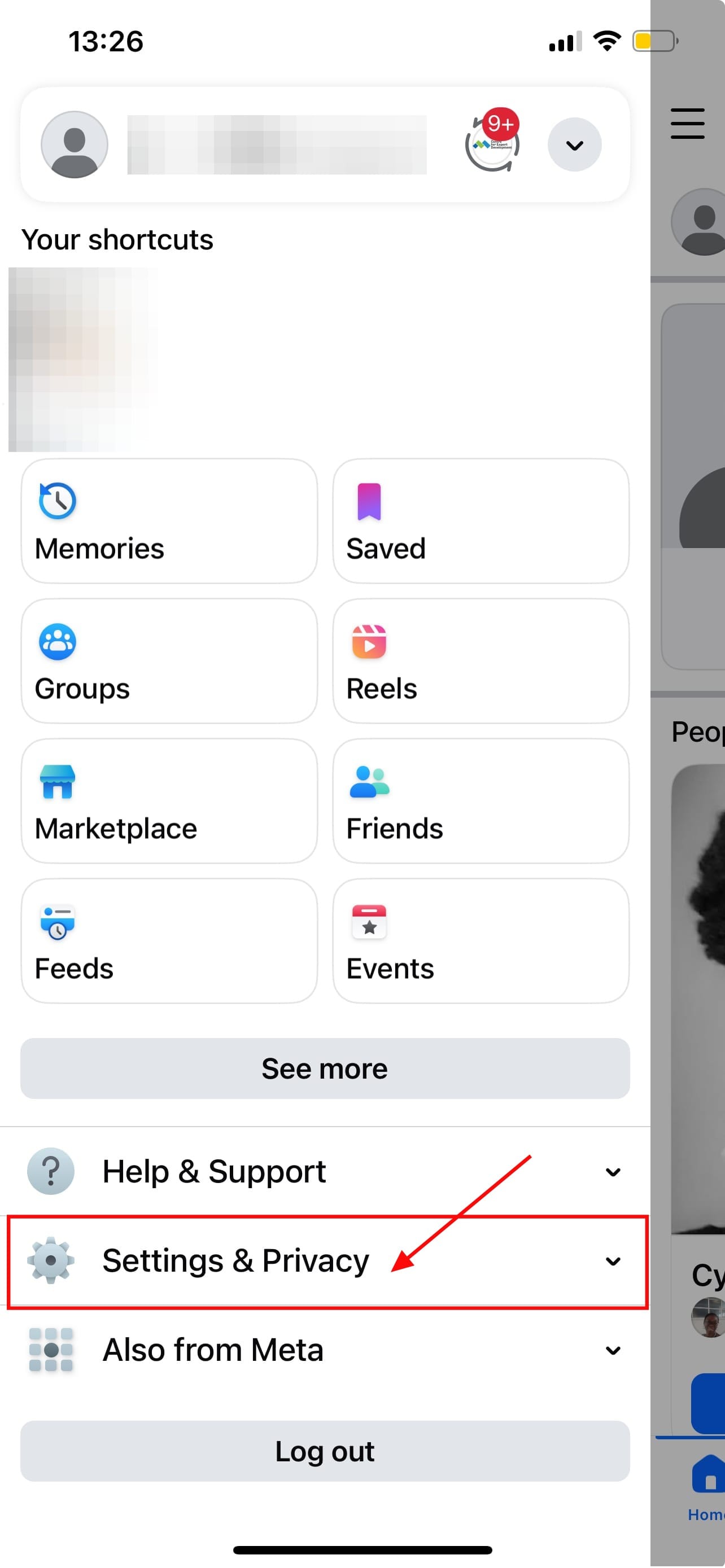
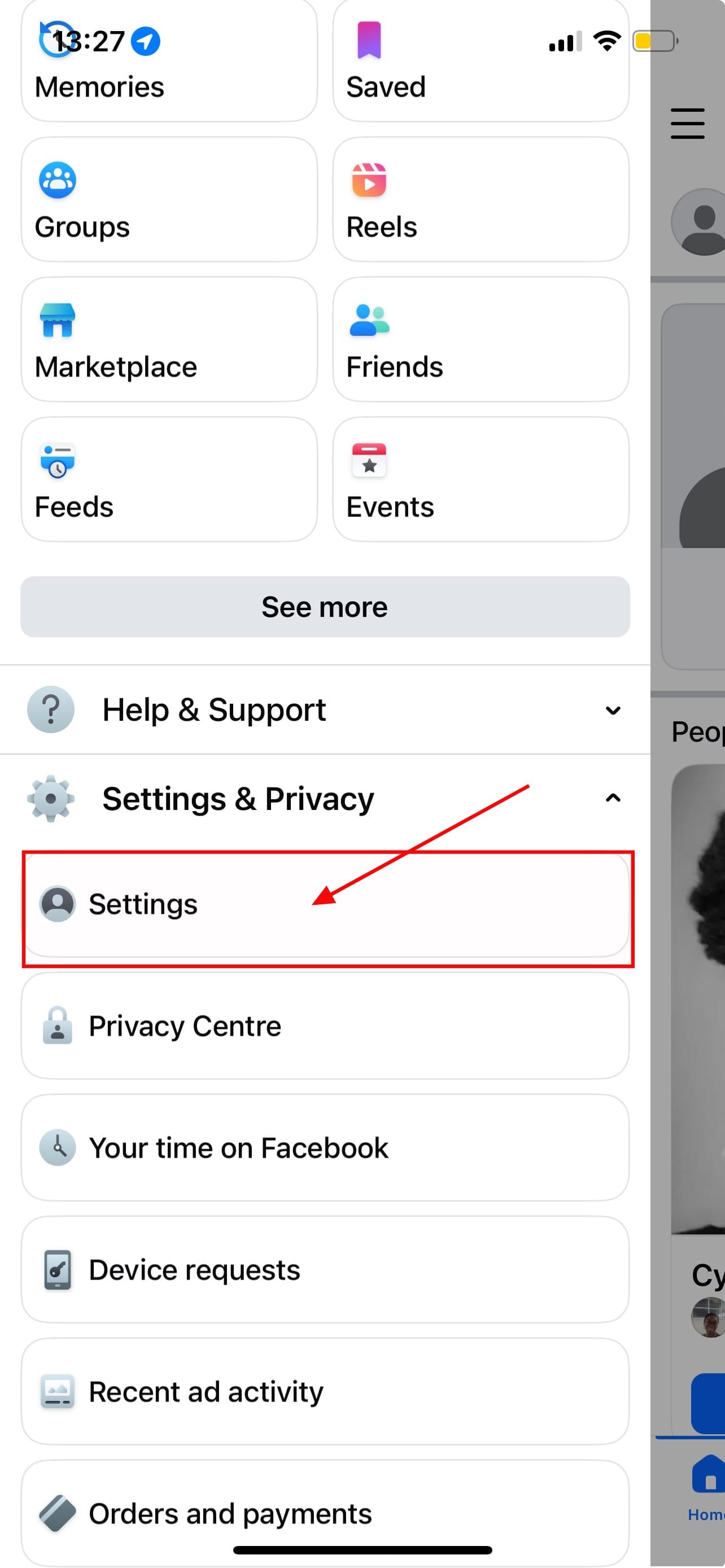
Step 2: Tap Settings & Privacy, then Settings
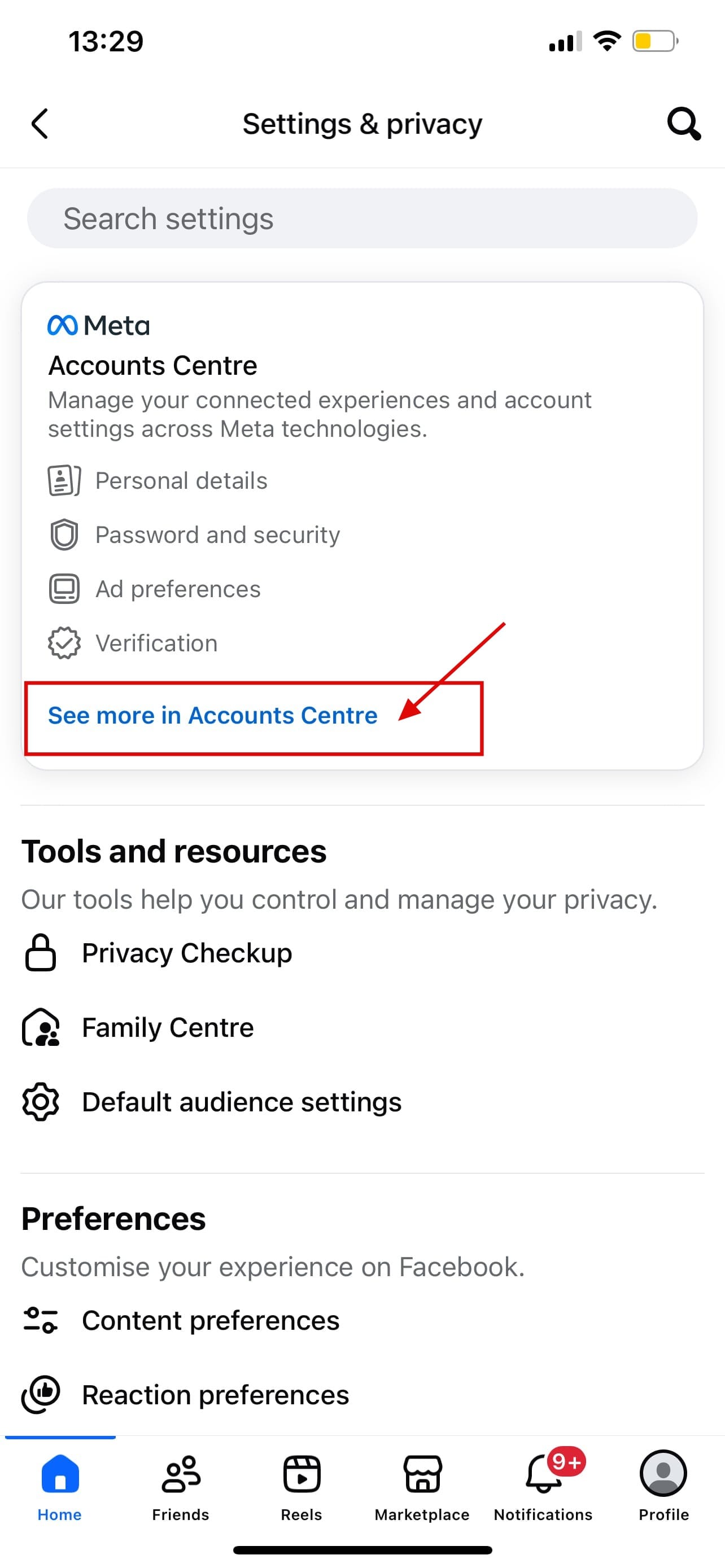
Step 3: Tap on See more in Accounts Centre
Step 4: Scroll to Account settings, tap Your information and permissions
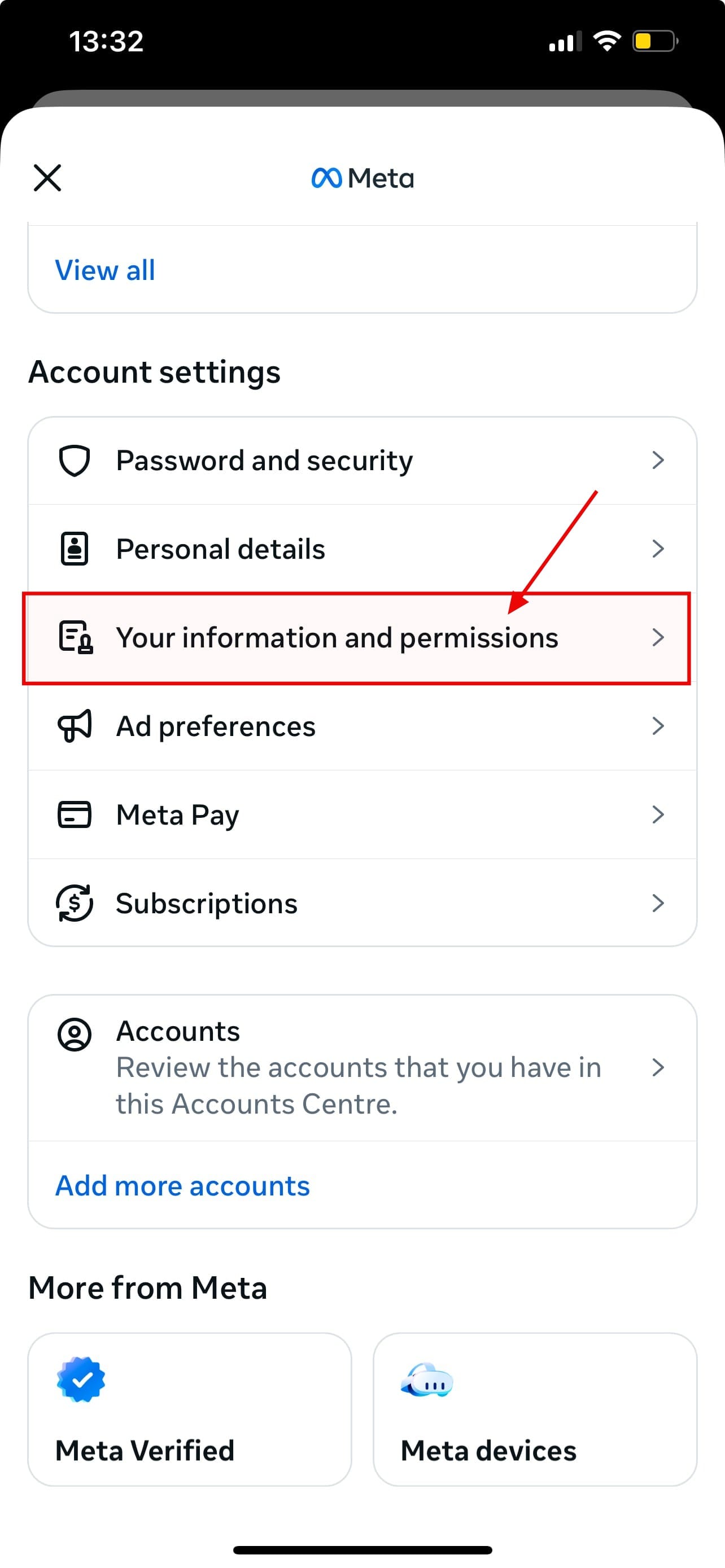
Step 5: Tap on Your activity off Meta technologies
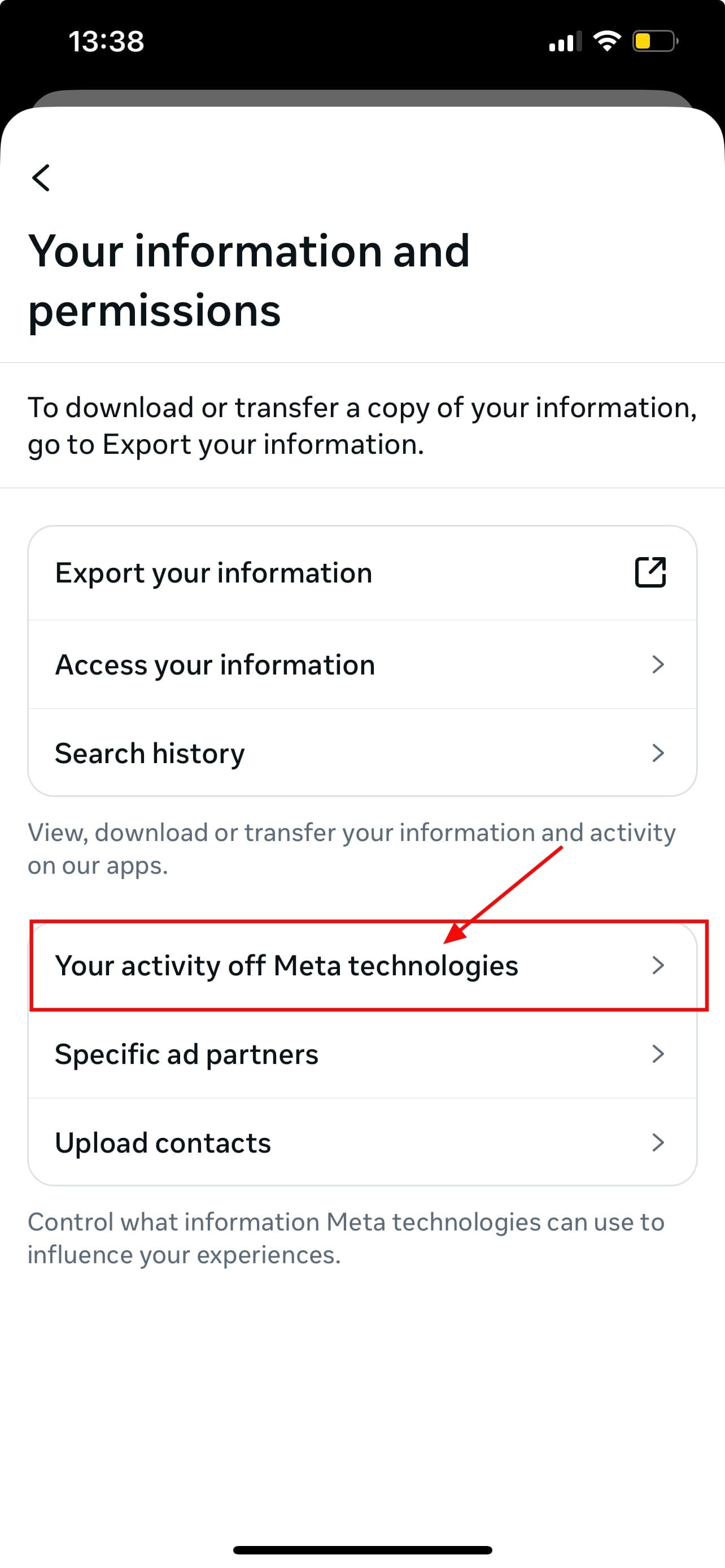
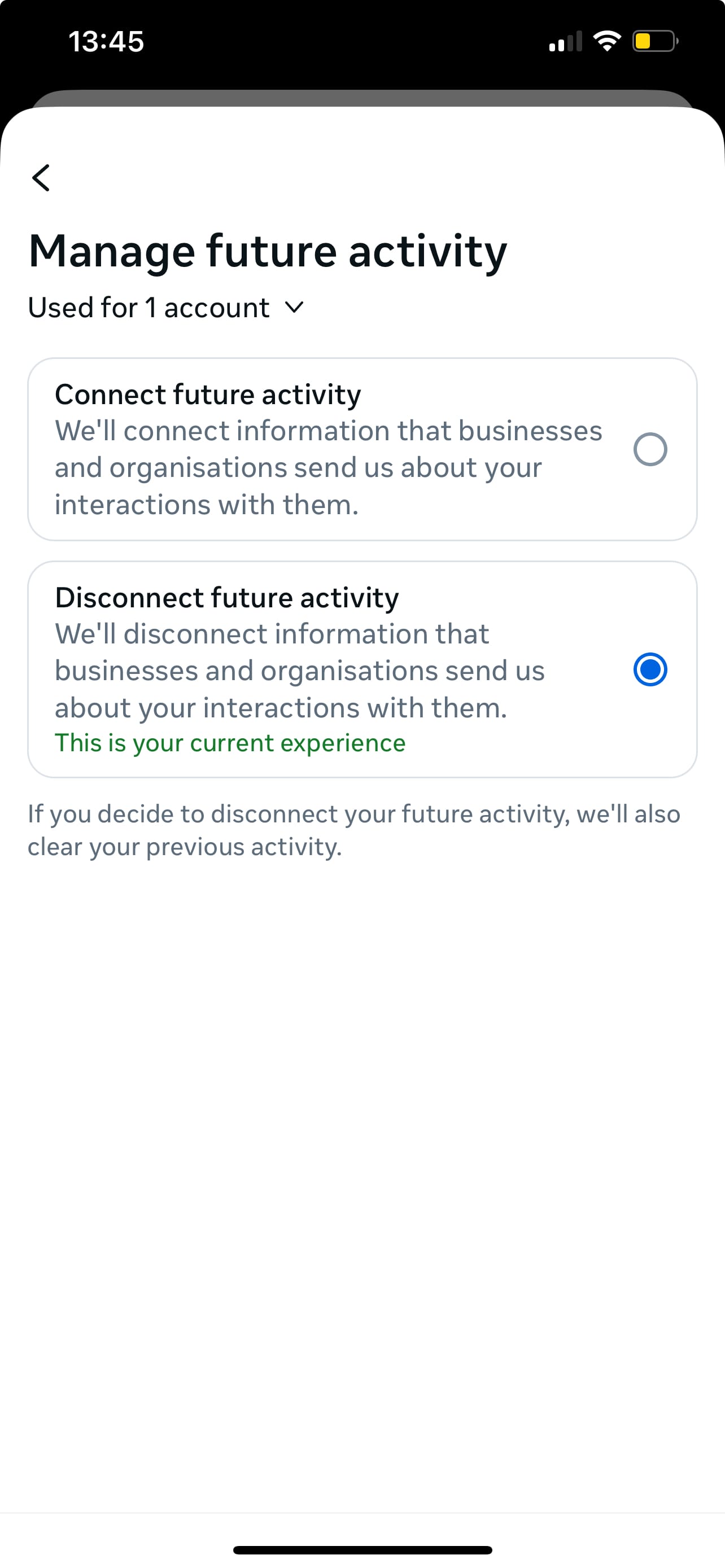
Step 6: Tap Manage future activity
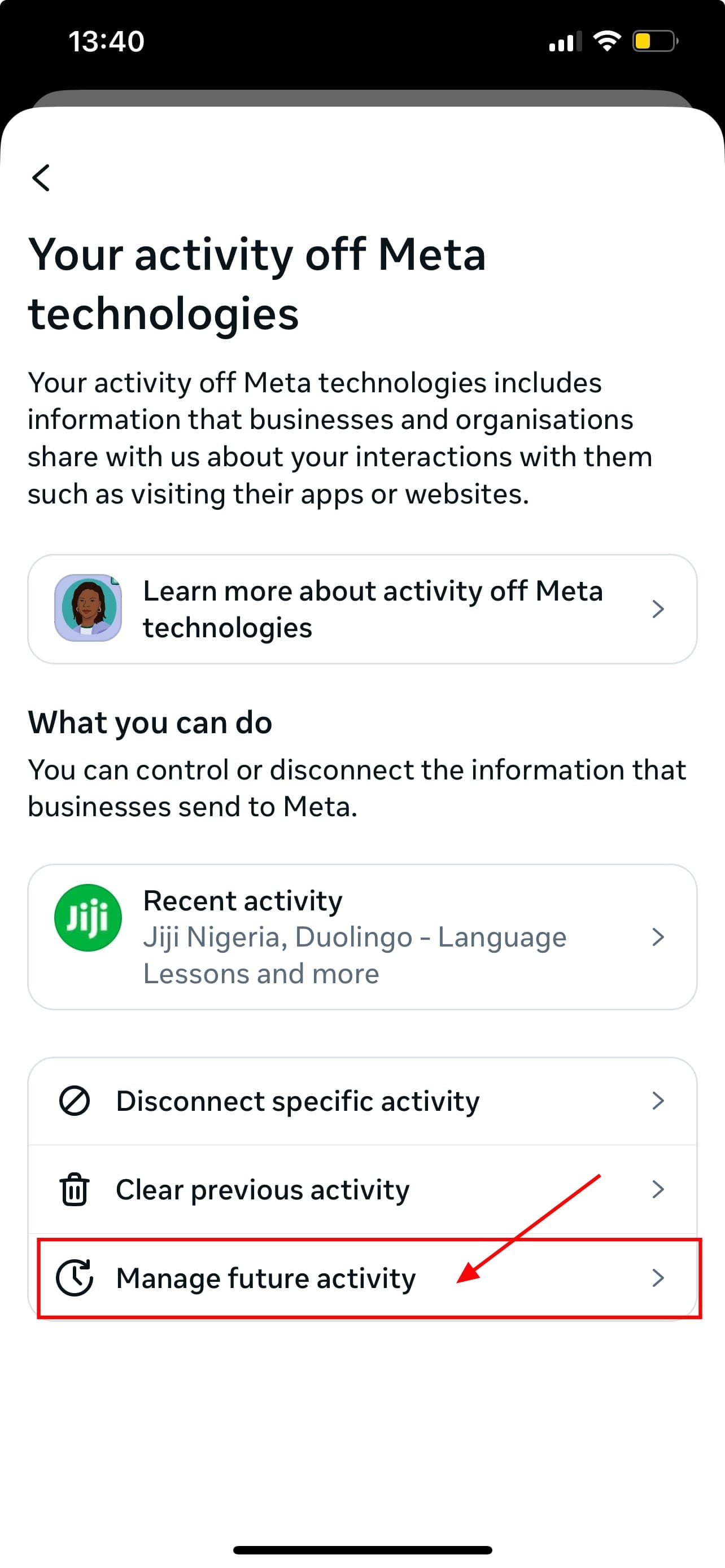
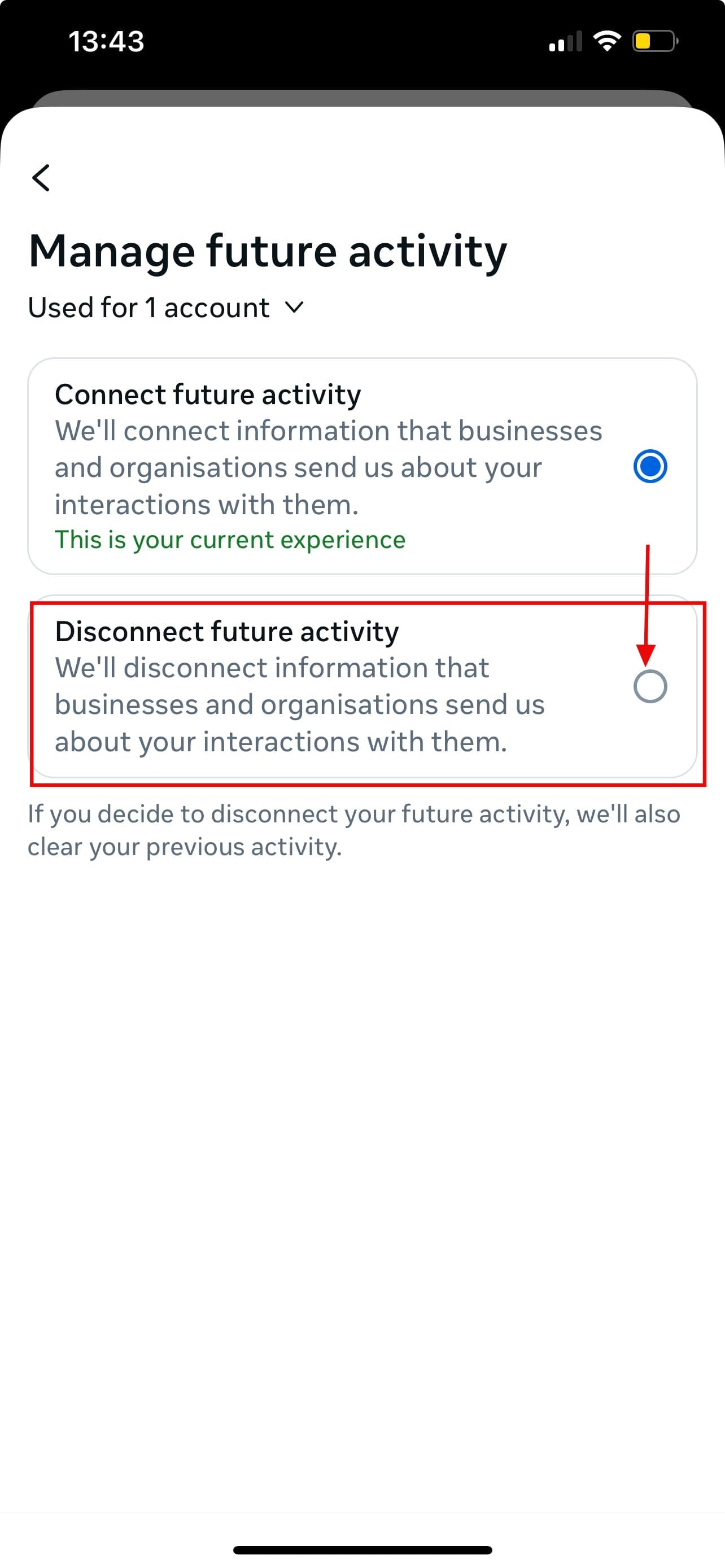
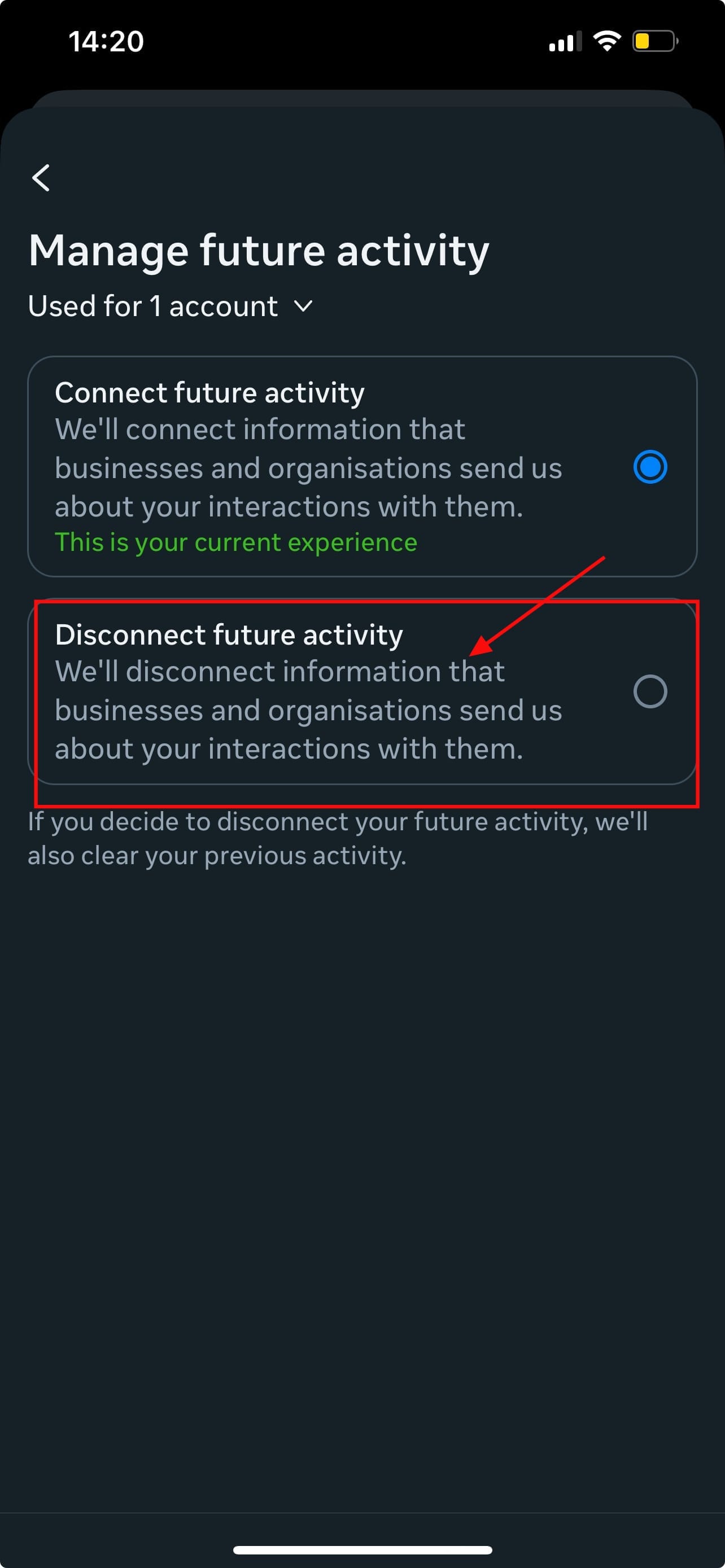
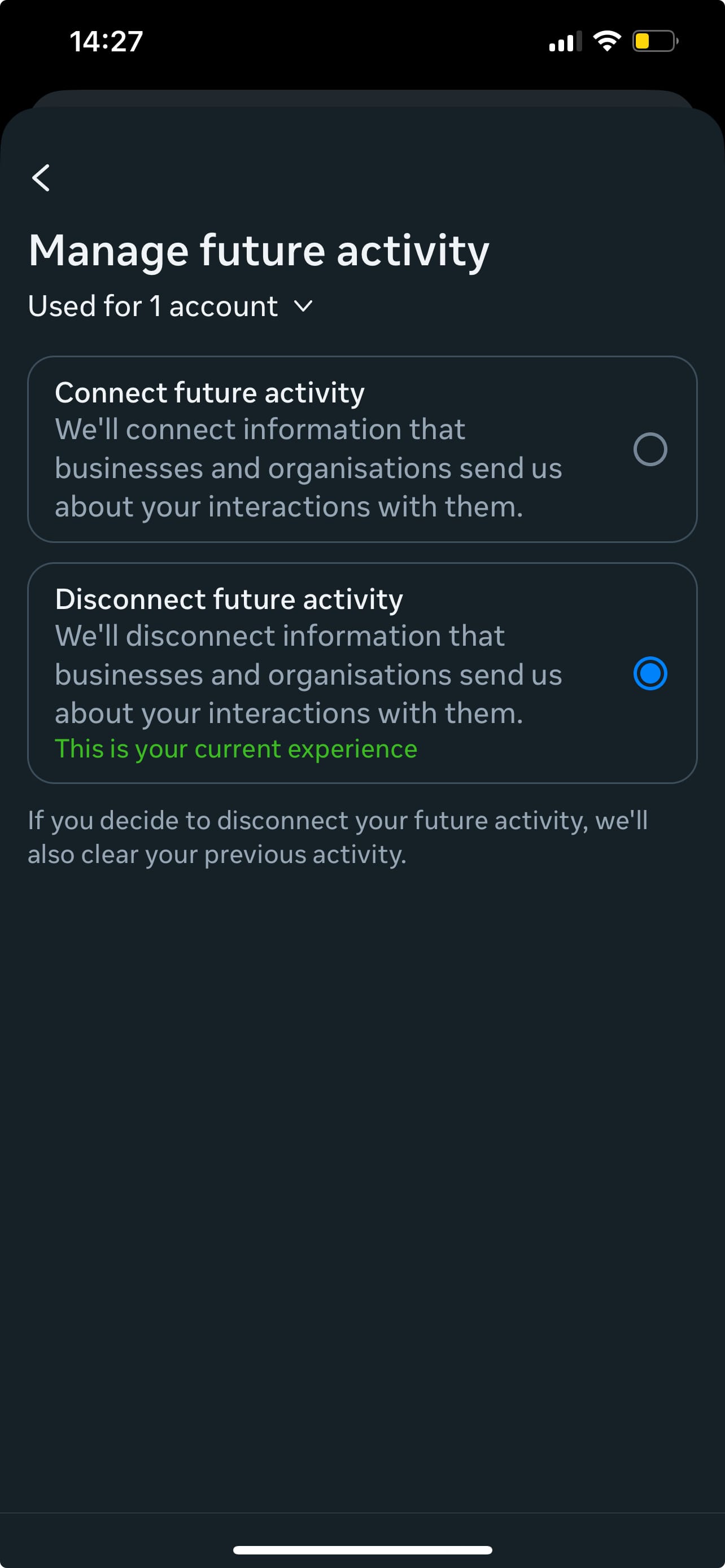
Step 7: Select Disconnect future activity to disable Your activity off Meta technologies
How to Disable Your Activity Off Meta Technologies on Instagram
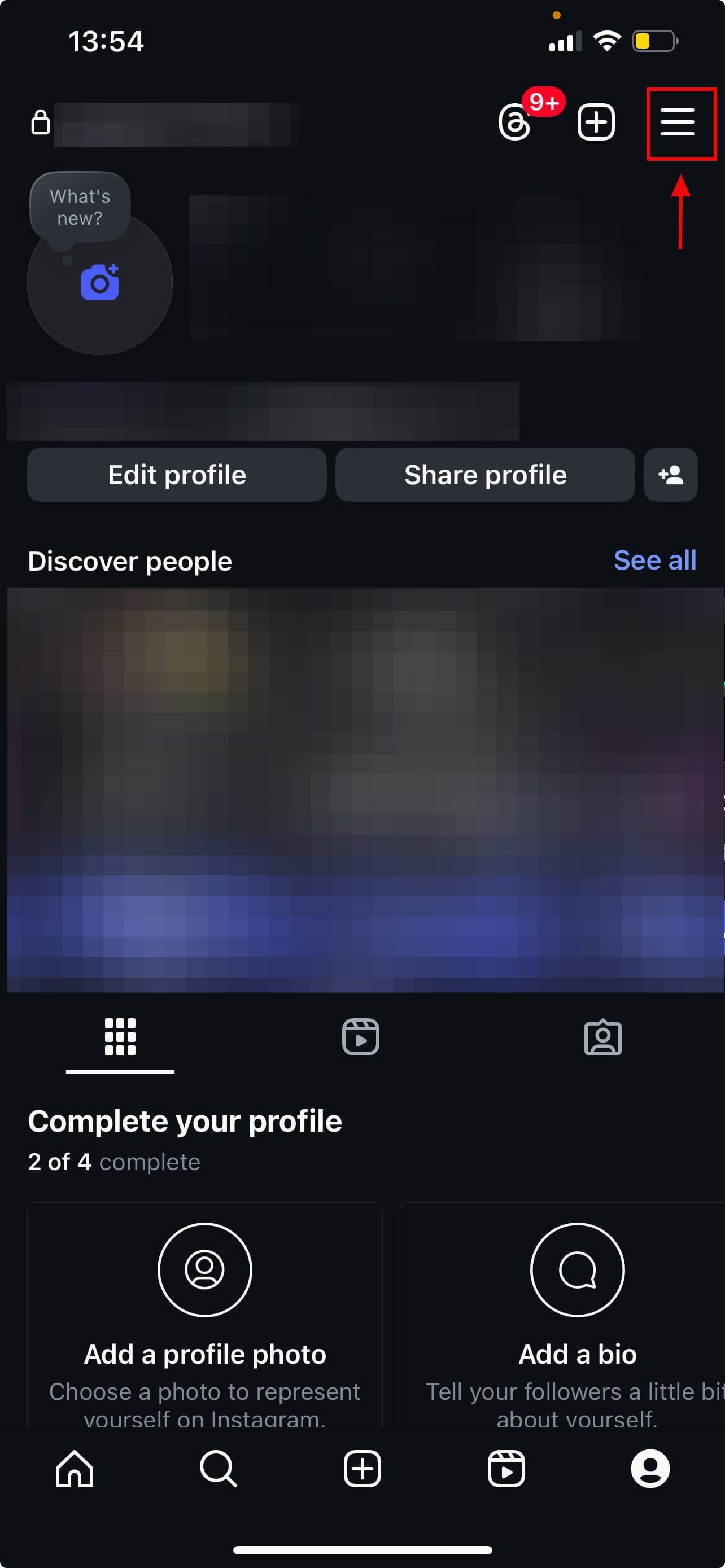
Step 1: Go to your Instagram app, then tap your profile picture

Step 2: Tap the three horizontal lines in the top right
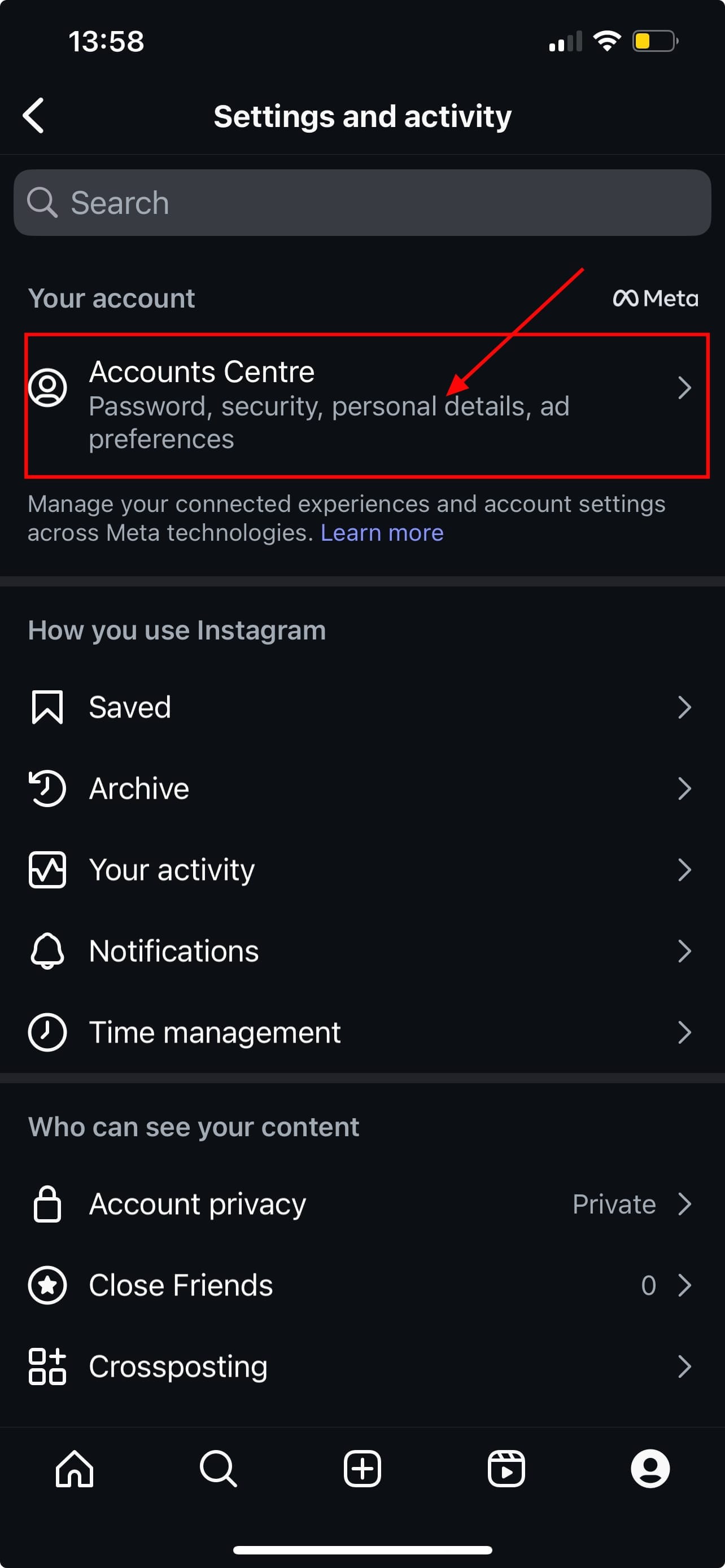
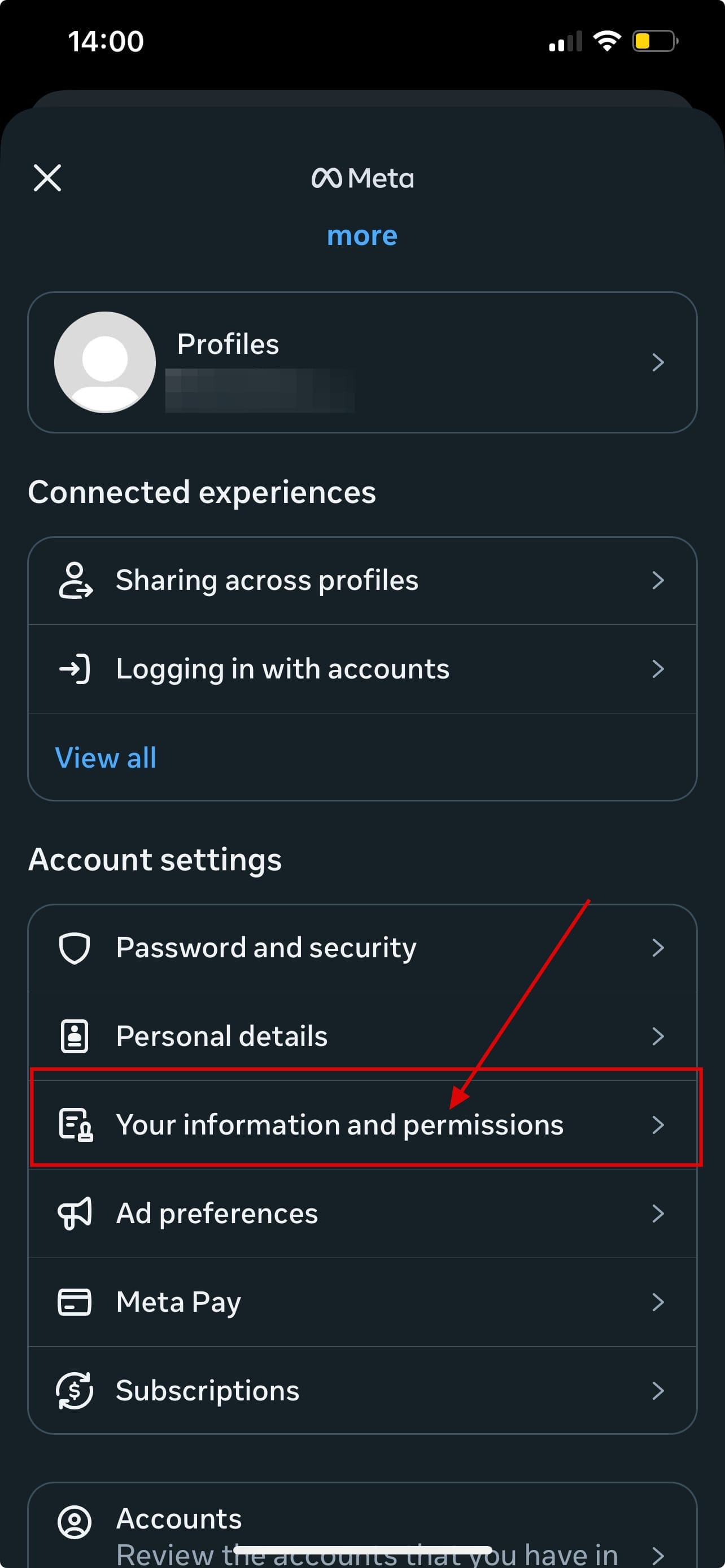
Step 3: Tap on Accounts Centre, then in Account settings tap Your information and permissions
Step 4: Tap on Your activity off Meta technologies, then tap Manage future activity
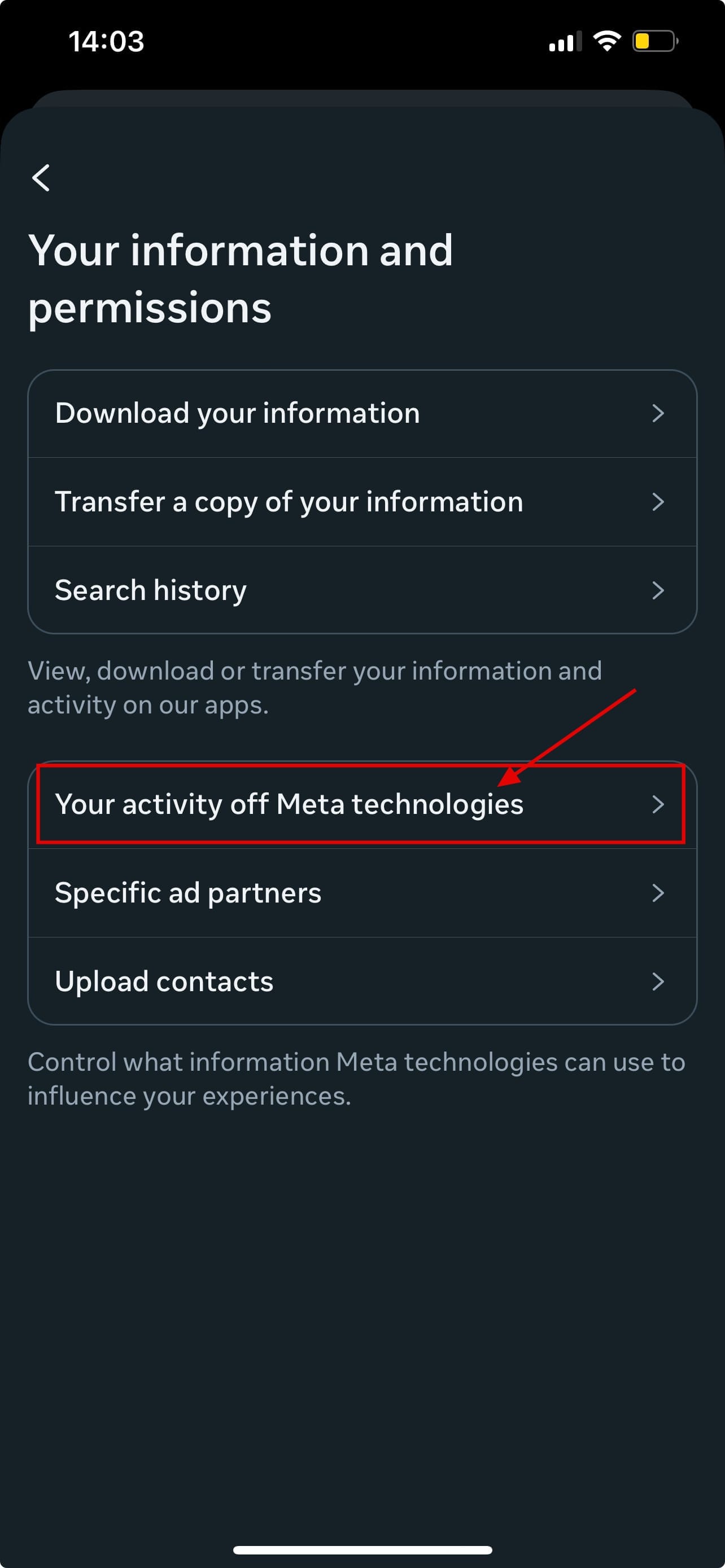
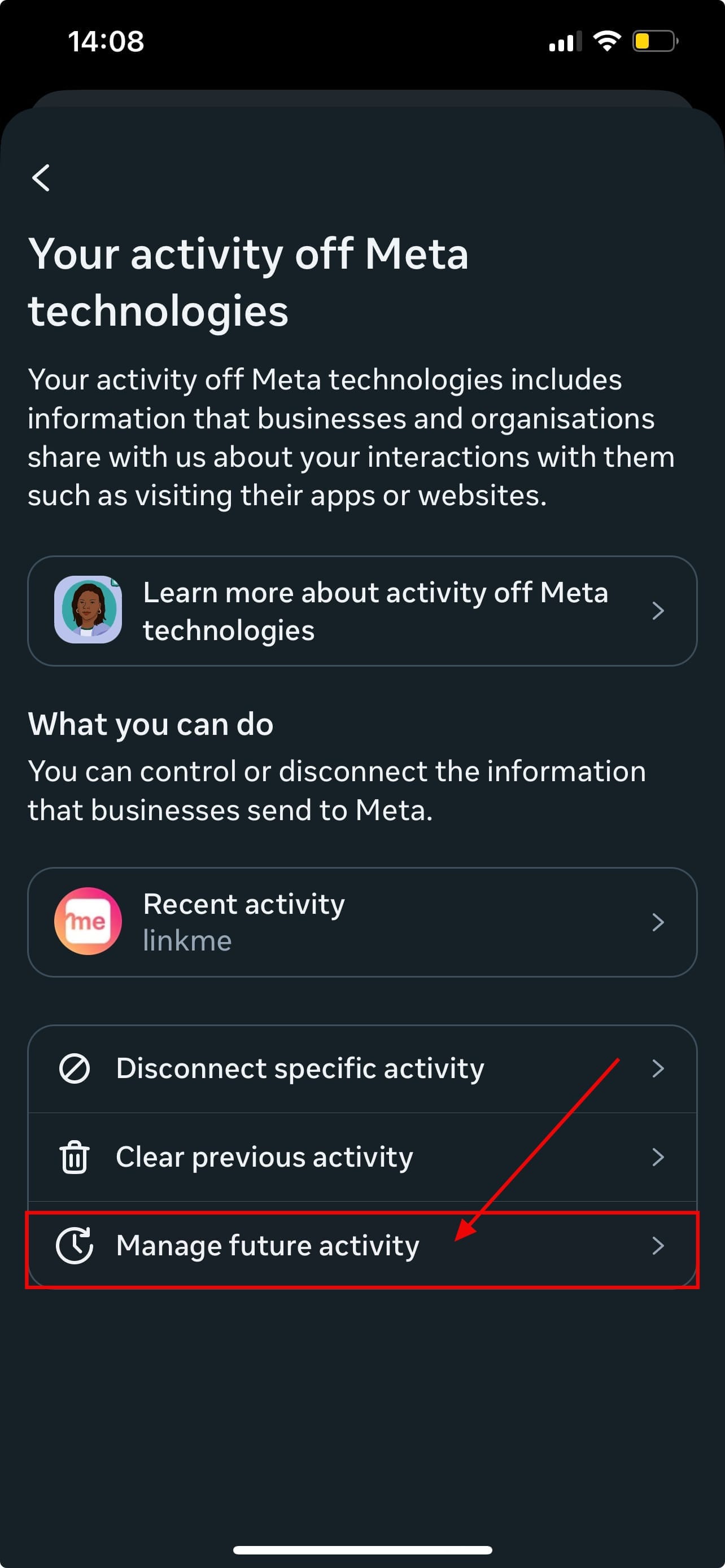
Step 5: Select Disconnect future activity to disable Your activity off Meta technologies
 David Adubiina
Conclusion
Disabling your activity off Meta Technologies won’t shut off all ads, but it puts you back in the driver’s seat. It’s one of the few privacy levers you can still pull in a data-hungry ecosystem. Whether you're shopping online, checking out a blog, or using a fitness app, Meta doesn’t need to know about it. Taking 60 seconds to turn off this feature can make a real difference in how your data is used across the interne


