



You can't download a WhatsApp backup from Google Drive as a regular file because it's stored as protected app data, not as a document you can open in Drive. To access your chats on a PC or move the backup to an iPhone, you'll need a third-party tool such as Tenorshare iCareFone WhatsApp Transfer. For a free option, restore the backup in WhatsApp on an Android phone, then export chats or copy a local backup file to your computer.
Part 1. How to Download WhatsApp Backup from Google Drive: 4 Ways Compared
Wondering how to get backup of WhatsApp from Google Drive? Pick the route that fits your goal.
|
Method |
Where the backup ends up |
Readable chats? |
Cost |
|
1.
iCareFone WhatsApp Transfer |
PC,
iPhone or Android |
Yes
(view on PC) |
Paid
(free download) |
|
2.
Restore in WhatsApp |
Android
or new Android phone |
Yes,
in WhatsApp |
Free |
|
3.
Copy the local backup file |
PC
(encrypted file) |
No |
Free |
|
4.
Export chats |
PC,
email or any phone |
Yes
(.txt and media) |
Free |
Part 2. How to Download WhatsApp Backup from Google Drive (4 Methods)
1. Download WhatsApp Backup from Google Drive to PC or iPhone Easily
This is the only route that lets you download WhatsApp backup from Google Drive to iPhone or a computer in one go, and preview chats before restoring. WhatsApp on iPhone only restores from iCloud, and its computer apps can't open Google Drive backups.
iCareFone WhatsApp Transfer signs in to your Google Drive, downloads the backup to your computer, and lets you view, export or restore it to an iPhone or Android phone.
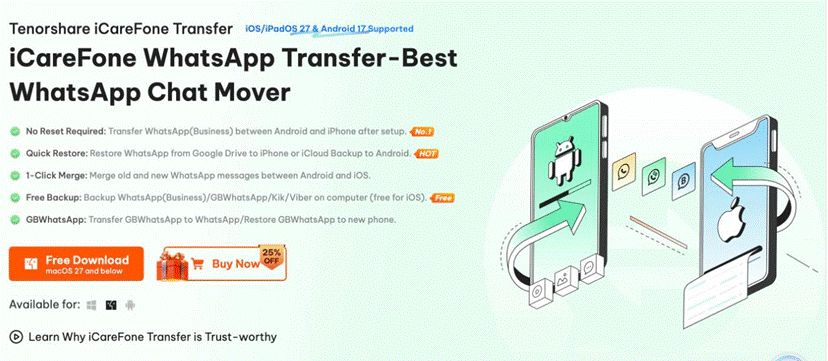
Key Features:
- Google Drive Backup Download: Download WhatsApp backups from Google Drive to your Windows PC or Mac.
- Full Backup Preview: Preview chats, photos and videos before exporting or restoring.
- Flexible Backup Export & Restore: Export chats and media, or restore Google Drive backups to an iPhone.
- Cross-Platform WhatsApp Transfer: Move chats between Android and iPhone without factory resetting either device.
How to download WhatsApp backup from Google Drive to PC (and iPhone)
Step 1. Open iCareFone Transfer and choose WhatsApp. Click Backup, then the From Google Drive tab.
Step 2. Sign in to the Google account that holds your WhatsApp backup.
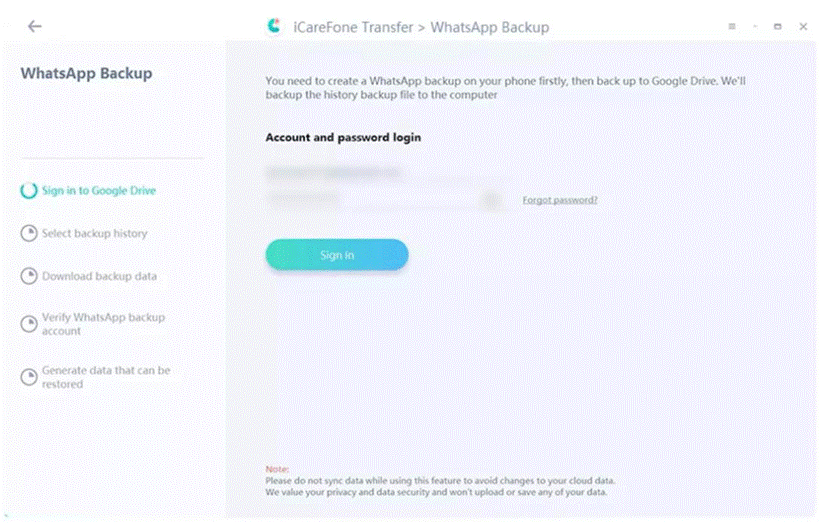
Step 3. Select the backup and click Continue. Verify your WhatsApp number with the code sent to you, then wait for the data to generate.
Step 4. Click View Backup to browse your chats, then choose Export to computer, Restore to iOS or Restore to Android.
2. Restore WhatsApp Backup from Google Drive to Android or a New Phone (Free)
WhatsApp's own restore is free and lets you download WhatsApp backup from Google Drive to Android, and the same steps work to download WhatsApp backup from Google Drive to new phone. You'll need the same phone number and Google account, and your password or key if the backup is encrypted.
Step 1. Install WhatsApp on the Android phone (reinstall it if it's the same phone).
Step 2. Open WhatsApp, verify your number and confirm the Google account when it finds your backup.
Step 3. Tap Restore, enter your password or key if asked, then tap Next.
3. Copy the WhatsApp Backup File to Your PC (Free)
After Method 2, your phone keeps a local backup copy. Copy it to a PC as a free offline safety copy; it stays encrypted and only WhatsApp can restore it.
Step 1. Open the Files app and go to Android > media > com.whatsapp > WhatsApp > Databases.
Step 2. Connect the phone to your PC by USB and copy the newest msgstore file, plus the Media folder for photos and videos.
4. Export WhatsApp Chats as Readable Files (Free)
This is the only free way to get chats you can read outside WhatsApp. Restore the backup first (Method 2), then export your chats.
Step 1. Open the chat and tap More options (⋮) > More > Export chat, then choose Include media or Without media.
Step 2. Pick Gmail, Quick Share or another app to send it to your email, Google Drive or PC.
Part 3. Where Is the WhatsApp Backup in Google Drive? Why You Can't Open It and Common Fixes
You can manage or delete your Google Drive backup for WhatsApp through your Google Account Dashboard or Google One storage page, but you can't open it like a regular file. Tools found by searching "download WhatsApp backup from Google Drive GitHub" are unofficial, often break, and may ask for your Google credentials.
Why You Can't Open the Backup in Google Drive
- A Google Drive backup for WhatsApp is tied to the phone number and Google account that created it and stored as app data, not in My Drive.
- Since 2026, some Android users can also back up to WhatsApp's own cloud (beta), not Google Drive.
WhatsApp Can't Find the Google Drive Backup? Quick Fixes
- Use the same Google account and phone number that created the backup.
- If the restore gets stuck, connect to Wi-Fi, free up storage and update Google Play services.
FAQs About Downloading WhatsApp Backups from Google Drive
- Can I get a WhatsApp backup from Google Drive without WhatsApp for free?
No. Google doesn't let you download a WhatsApp backup as a readable file. You can restore it in WhatsApp on Android and export chats for free, or use a transfer tool on a computer.
- Can I download WhatsApp backup from Google Drive to iPhone?
Not directly, since WhatsApp on iPhone only restores from iCloud. However, you can use a compatible transfer method to restore WhatsApp backup from Google Drive to an iPhone.
Conclusion
Downloading a WhatsApp backup from Google Drive isn't as simple as downloading a regular file. For free, use WhatsApp's built-in restore to download WhatsApp backup from Google Drive to Android or a new phone. For a PC or iPhone, Tenorshare iCareFone WhatsApp Transfer lets you download, preview, export and restore your data.