



If you pay attention to your browser, you'd have noticed that Chrome is kind of quick. This speed is by design, powered by a hidden Chrome feature, Website Preloading, which helps speed up your browsing, even when dealing with a sluggish connection.
With website preloading, Chrome predicts which pages you might visit next and starts loading them in the background before you even click. It uses cookies (those tiny bits of data websites store) to remember your preferences, making pages load almost instantly when you finally land on them.
While Basic Preloading is usually on by default, Extended Preloading takes things further by preloading more pages and even using Google’s servers to help. With extended preloading, you get faster browsing with less waiting.
But there’s a small downside to this. Since Chrome loads pages ahead of time, it might use a bit more data and battery. Still, if speed matters to you, it’s worth trying.
In this guide, learn how to enable extended website preloading on Chrome.
 Gabriel Ojeh
How to Enable Extended Website Preloading on Chrome
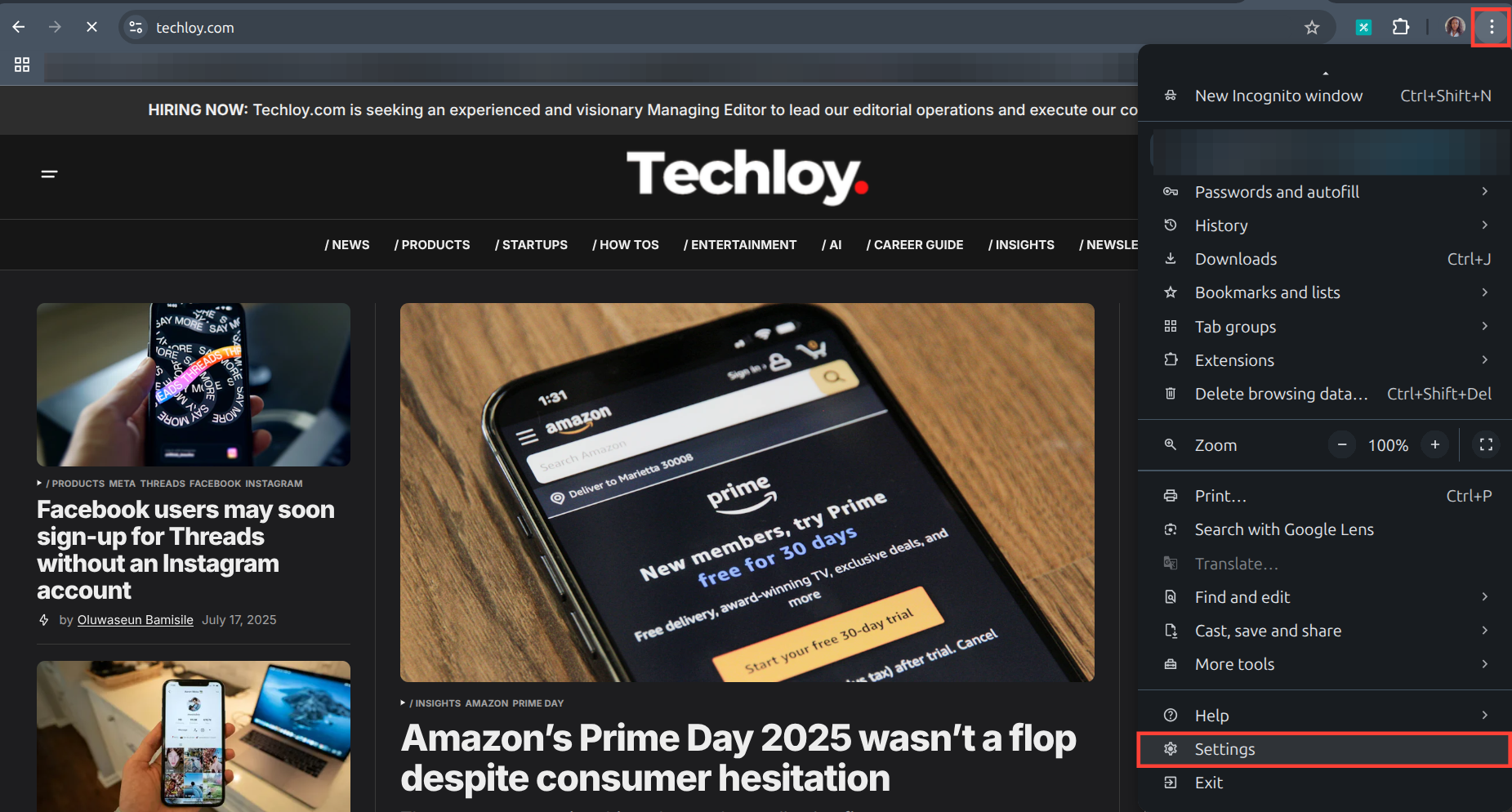
Step 1: Open your Chrome browser on your laptop and click on the three-dot icon on the top right and select settings.
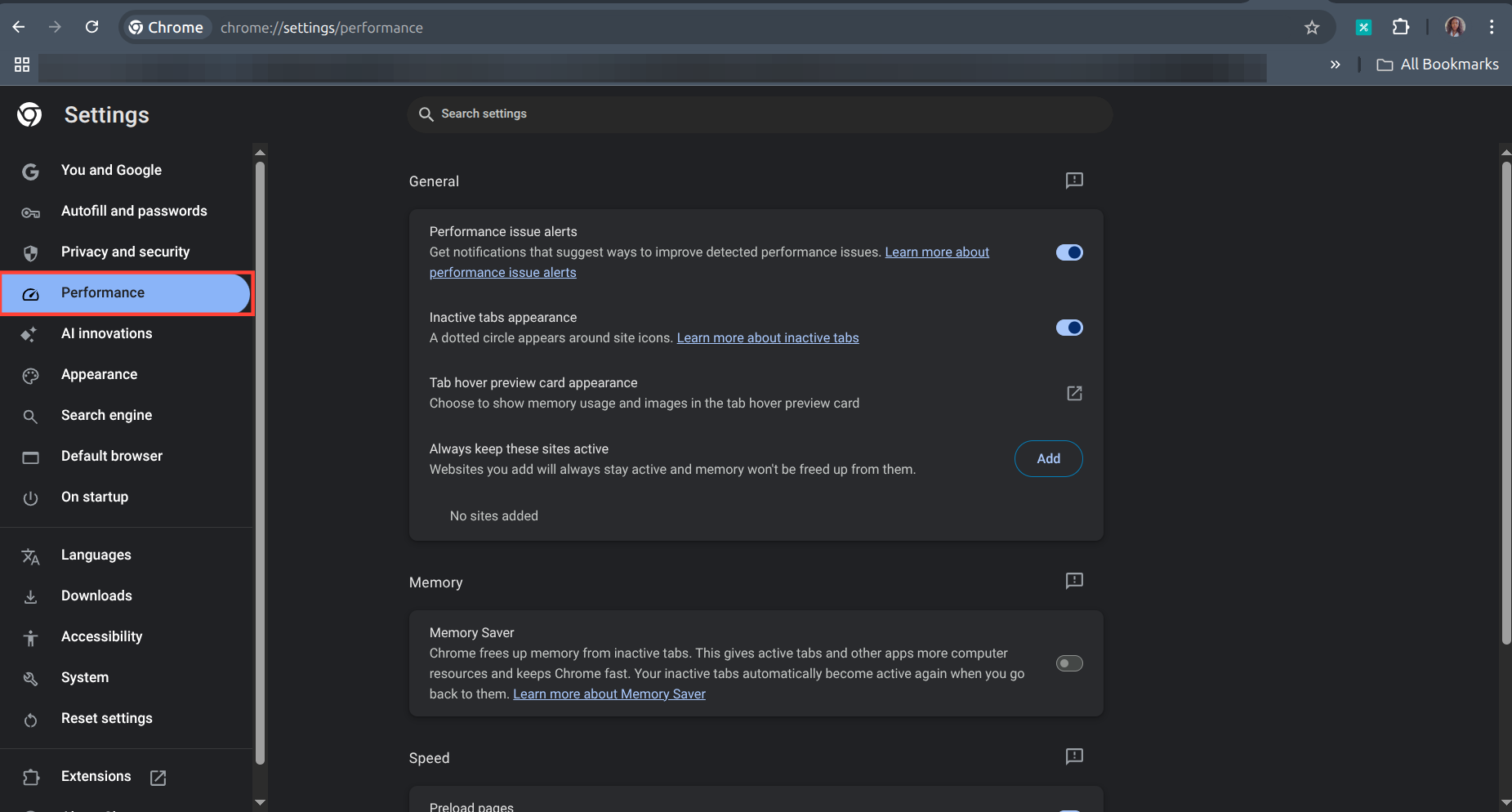
Step 2: Select Performance on the left panel.
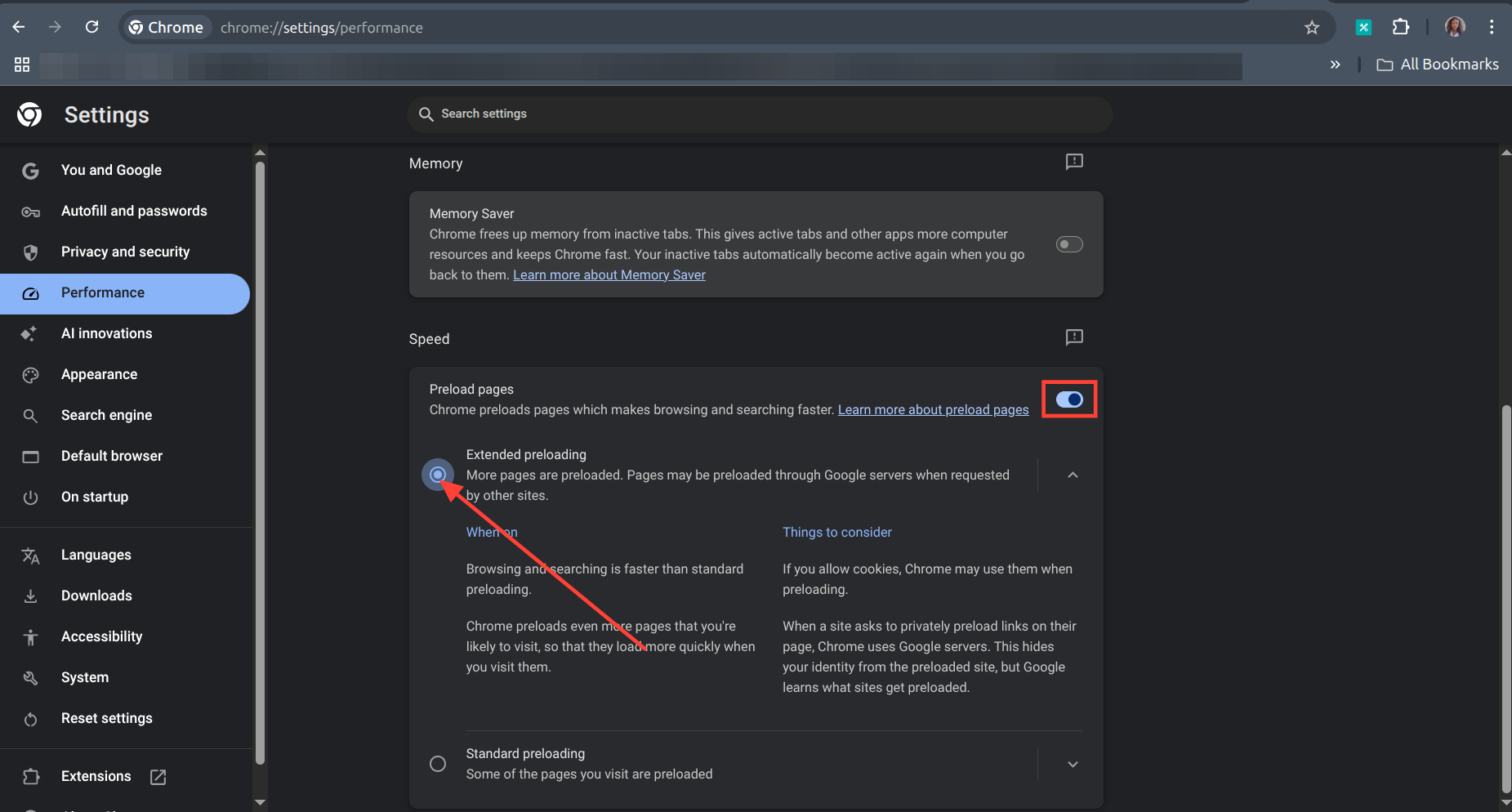
Step 3: Scroll down to Speed on the right panel. Toggle on Preload pages; if it's not enabled, then check the Extended preloading box.
- That is all. You can close the settings page. Your browser should load pages even faster now.
 Oluwaseun Bamisile
Conclusion
Enabling Extended Preloading in Chrome is a simple change with rewards like faster page loads, smoother browsing, and less staring at loading screens.
Just head to your performance page in your settings and let Chrome (and Google’s servers) do the heavy lifting. Sure, it might use a tad more data, but for most users, the speed boost is worth it.
Whether you’re browsing on a slow connection or just hate waiting, this underrated feature can make your web experience feel snappier with almost no effort.
Image Credit: Oyinebiladou Omemu/Techloy.com


