Imagine trying to scroll, text, or check your notifications without being able to see your screen. For millions of people with visual impairments, that’s not a thought experiment; it’s their everyday reality.
That’s why Android’s TalkBack feature on Google Pixel exists. It gives your phone a voice, reading aloud everything you touch and letting you control your device through gestures and spoken feedback. It’s not just a tool; it’s how many users fully experience their phones, no screen needed. Whether you’re setting it up for yourself or someone else, here’s how to get TalkBack up and running on a Google Pixel.
How to Enable TalkBack on Google Pixel
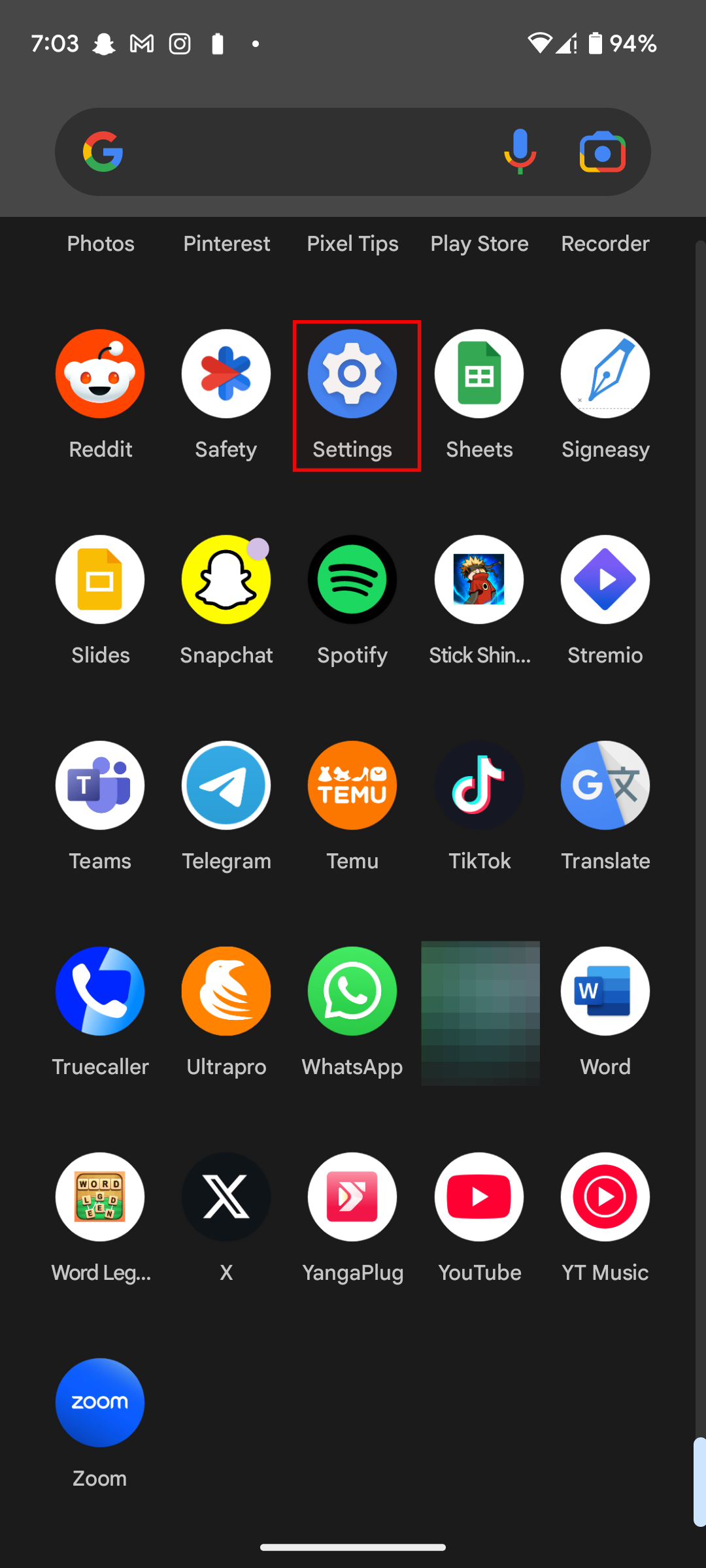
Step 1: Open the Settings app on your device
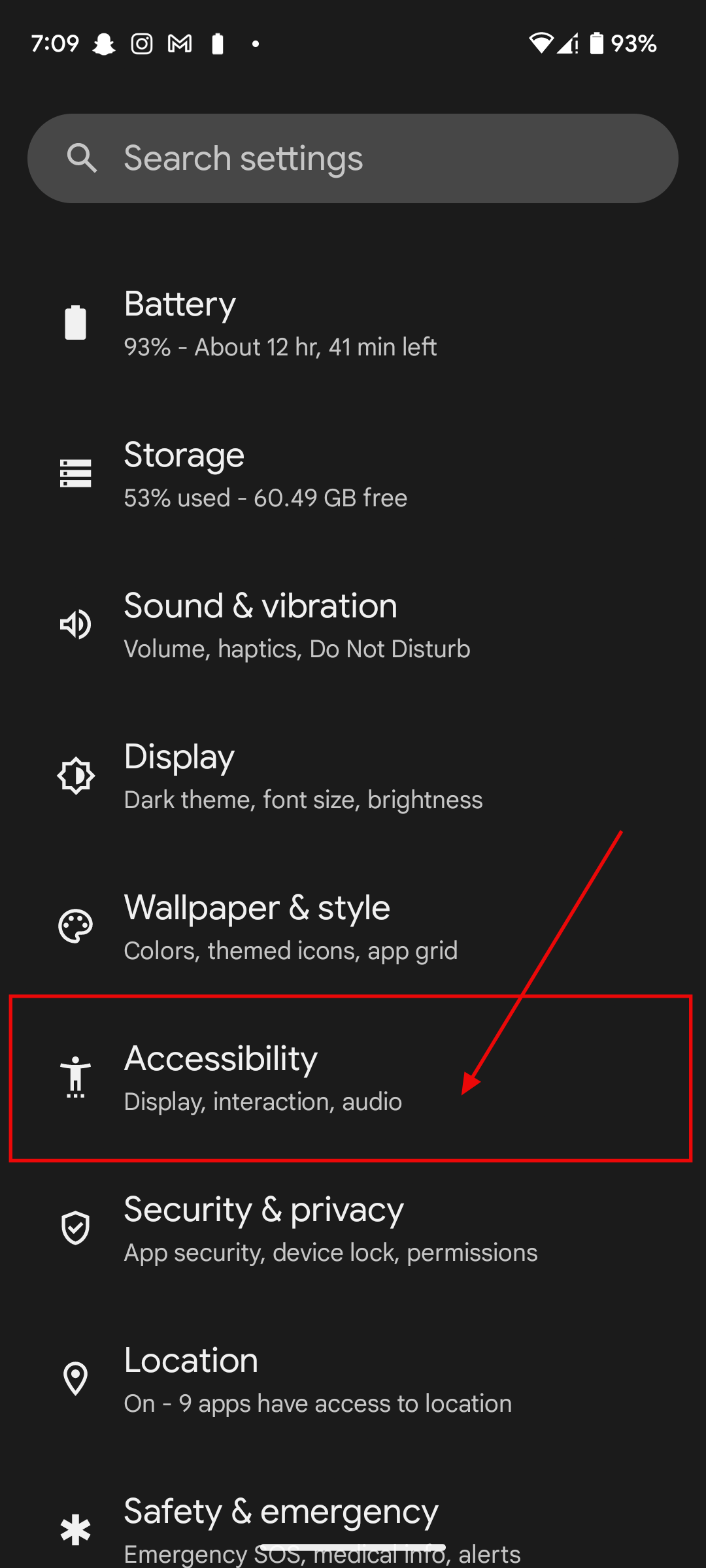
Step 2: In settings, scroll down and click on Accessibility
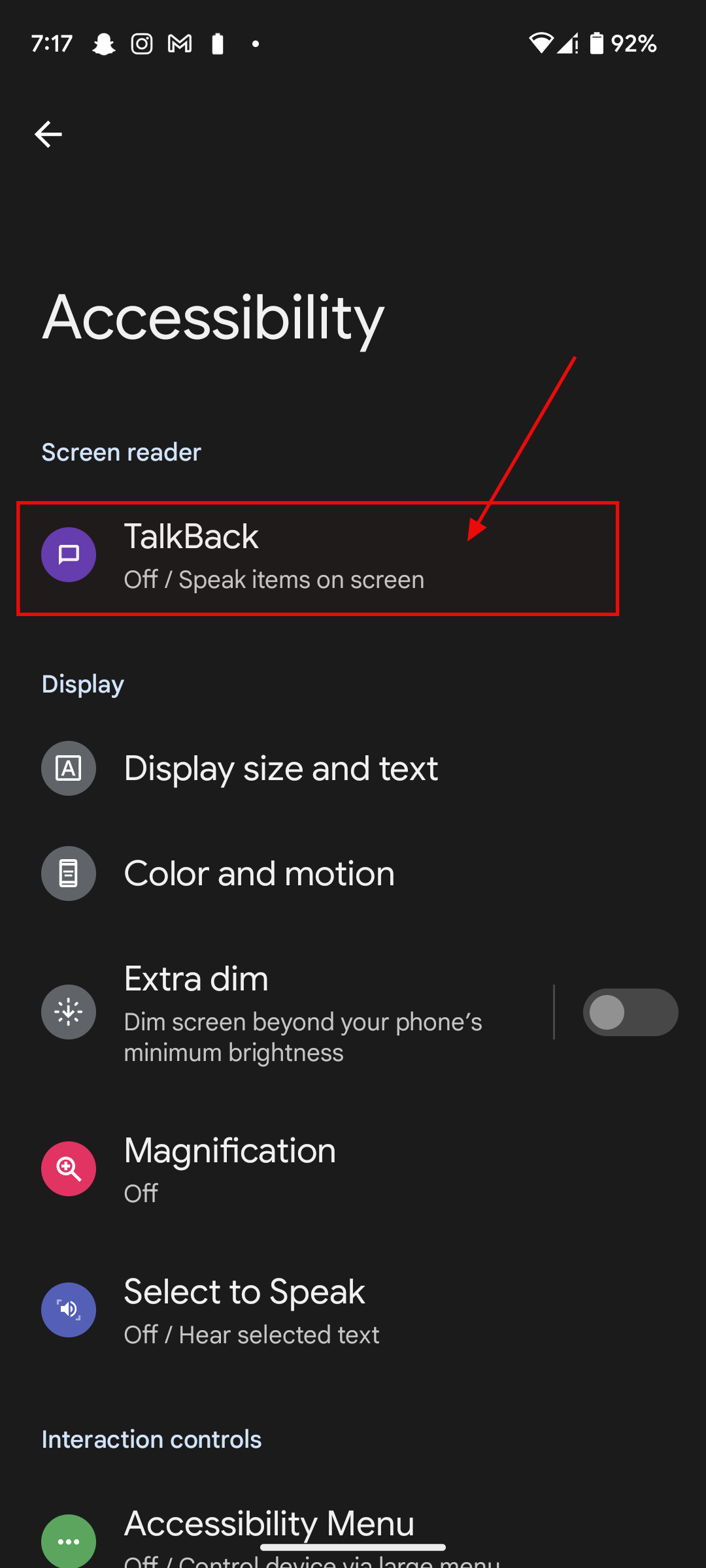
Step 3: Click on TalkBack
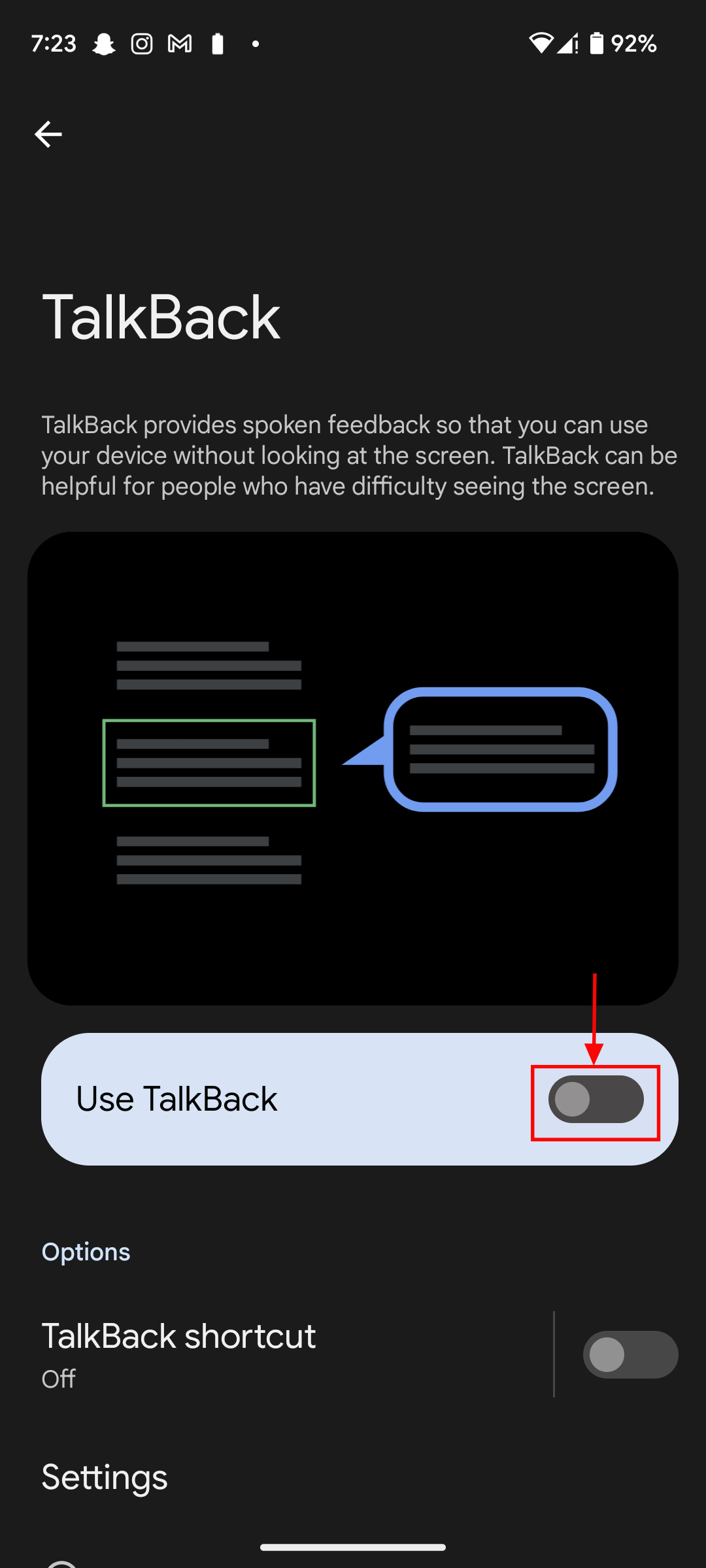
Step 4: Toggle on TalkBack
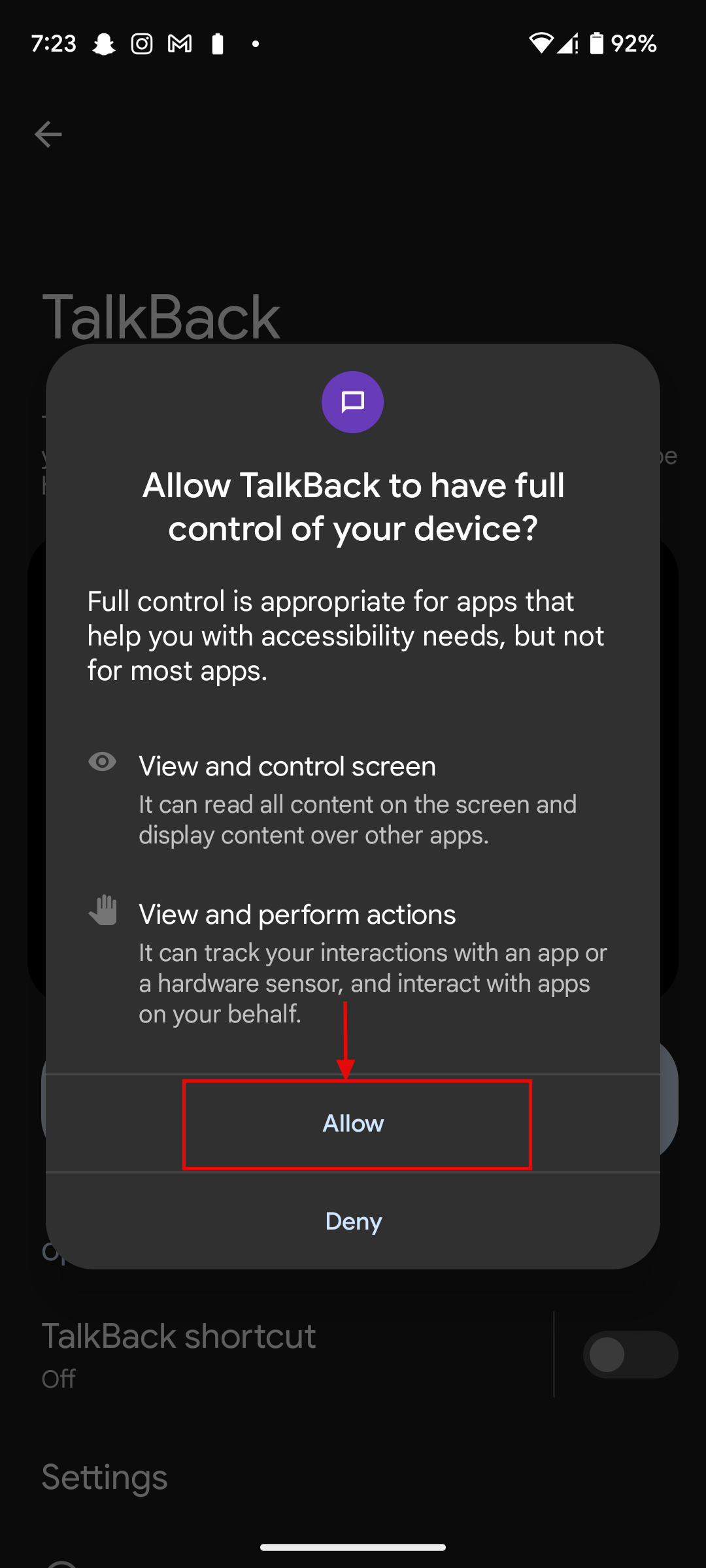
Step 5: Click on Allow
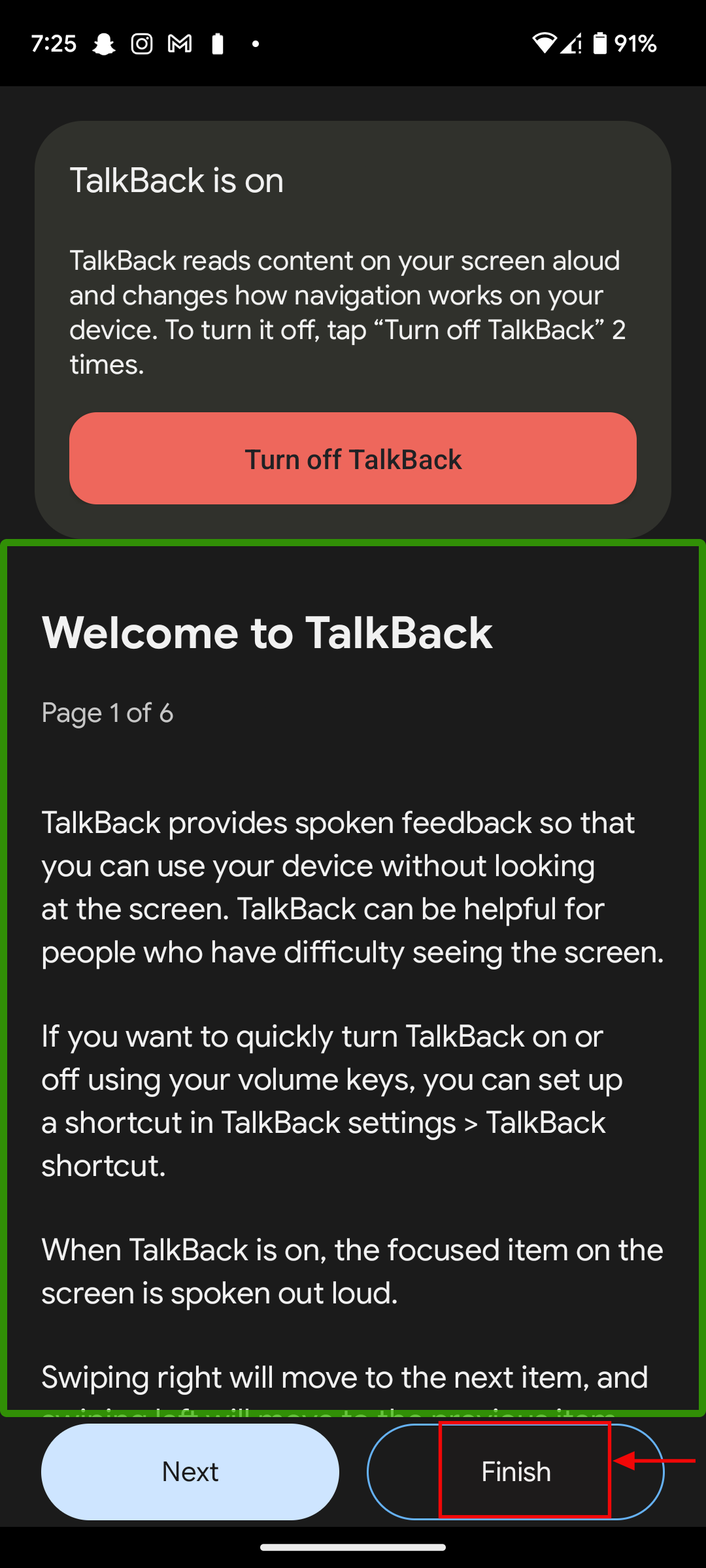
Step 6: Finally click on Finish
Conclusion
Accessibility tools like TalkBack aren’t just technical features, they’re practical solutions that help people with visual impairments use their smartphones independently.
By turning spoken feedback into a navigation tool, TalkBack allows users to read messages, browse the web, manage apps, and interact with content without relying on sight. Whether you’re setting it up for personal use or helping someone else, enabling TalkBack on a Google Pixel opens the door to a more inclusive and user-friendly experience, one where everyone gets to participate fully, no matter their level of vision.
 Ogbonda Chivumnovu