



Have you ever taken a great photo, only to find that the background or unwanted objects ruin the picture? Whether it's a cluttered background in product photos, or a photobomber in your personal shots, cleaning up photos can be a hassle with traditional editing tools.
Luckily, EzRemove offers an easy-to-use, free solution for two key photo editing tasks: remove background from image and remove unwanted objects from photos. Thanks to advanced AI technology, EzRemove allows you to instantly improve your photos with just a few clicks.
this article, we'll show you how to use EzRemove to remove background from image and remove unwanted objects from photos, and how these features can save you time and effort in your photo editing process.
Part 1: How to Remove Background from Image with EzRemove
Removing the background from an image is one of the most common tasks in photo editing. Whether you're working on product photography, creating social media visuals, or just cleaning up personal photos, a clean background can make a huge difference. With EzRemove, you can remove background from image in just a few simple steps.
Steps to Remove Background from Image:
- Upload Your Image:
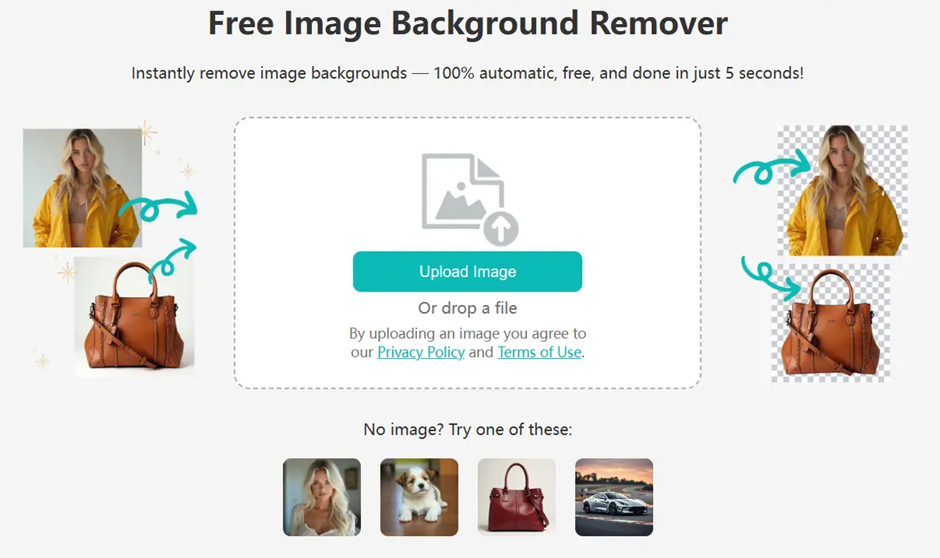
Visit EzRemove and click to upload your image. The tool supports popular formats such as JPG, PNG, and WebP. Simply drag and drop your file, or click to select it from your device. - Let the AI Work:
Once your image is uploaded, the AI-powered tool will automatically detect the subject of your photo and remove the background. The process is fully automatic, so you don’t need to do anything manually. - Download Your Image:
After the background is removed, you can download the result as a transparent PNG or even replace the background with a custom color or image.
Key Features:
- Fast and Easy: Get your clean, background-free image in seconds.
- Free: No hidden costs or subscription fees.
- High Precision: The AI handles fine details like hair and edges, ensuring a professional result.
EzRemove is ideal for product photography, portraits, and social media visuals. It’s trusted by thousands of users who want a fast, professional background remover—without paying a dime.
Part 2: How to Remove Unwanted Objects from Photos with EzRemove
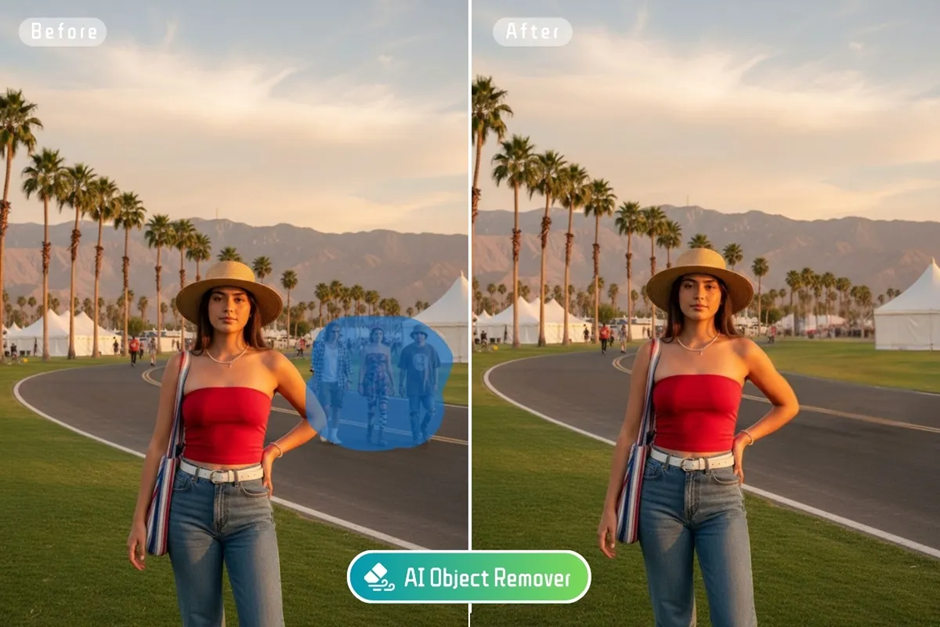
Sometimes, it’s not just the background that needs cleaning up. You might want to remove unwanted people, objects, or other distractions from your photos. The Object Remover tool from EzRemove is designed to help with just that. Powered by AI, it automatically removes unwanted objects while seamlessly filling in the background to look natural—no Photoshop needed.
Steps to Remove Objects:
- Upload Your Photo:
Head to the EzRemove Object Remover page and upload your image. You can easily upload photos in various formats such as JPG, PNG, and WebP. - Highlight the Unwanted Objects:
Use the brush tool to mark the objects or people you want to remove. This could be anything from a photobomber, trash, text, or even watermarks. - Click "Erase":
Once you've marked the area, click the "Erase" button. The AI will automatically remove the highlighted objects and intelligently reconstruct the background to ensure a smooth, natural result.
Key Features:
- Automatic Background Fill: The AI automatically fills in the removed areas with colors and textures that match the surroundings.
- Effortless Editing: Simply brush over the unwanted area, and let the AI do the rest.
- Free to Use: No charges, no subscription fees—just a fast and free solution to cleaning up your images.
Whether you need to remove unwanted people from a vacation photo, eliminate distractions from a product shot, or clean up a portrait, the EzRemove Object Remover tool makes it easy to create the perfect image.
Why Choose EzRemove for Background and Object Removal?
1. No Need for Complex Software
Traditional editing tools like Photoshop can be time-consuming and difficult to use, especially for beginners. EzRemove simplifies the process, making it accessible to everyone—no learning curve, no technical skills required.
2. AI-Powered Precision
Both the background removal and object removal tools use advanced AI technology, ensuring high accuracy and smooth results, even around complex details like hair or small objects.
3. Fast and Free
With EzRemove, you don’t need to wait hours for edits or pay for expensive subscriptions. Both tools are completely free, and the process takes just a few seconds.
4. Perfect for Multiple Use Cases
Whether you're an eCommerce seller, photographer, social media influencer, or just a casual user looking to enhance your photos, EzRemove offers fast, reliable results for everyone.
Real-World Use Cases for EzRemove
1. eCommerce Product Photography
For online sellers, clean product images are a must. EzRemove helps you quickly remove background from image or remove unwanted objects, ensuring that your products stand out and look professional.
2. Social Media Posts
Influencers and content creators can use EzRemove to clean up their photos and create content that catches the eye. Remove unwanted distractions or replace the background to make your posts stand out.
FAQs: Image Background and Object Removal Help
Q1: Is EzRemove really free?
A1: Yes! Both the background remover and object remover are completely free to use with no hidden charges.
Q2: Can I use EzRemove on my phone?
A2: Yes, EzRemove is fully compatible with mobile devices, so you can edit photos on the go.
Q3: What file formats does EzRemove support?
A3: EzRemove supports JPG, PNG, and WebP formats.
Conclusion: Fast, Free, and Powerful Photo Editing with EzRemove
With EzRemove, you no longer have to deal with the complexities of traditional photo editing software. Whether you want to remove background from image or remove unwanted objects from photos, EzRemove offers a simple, fast, free solution.
Try EzRemove now and see how easy it is to create professional-quality photos in seconds!


