



Discord is one of the best platforms for online communication, especially among users with common interests.
A Discord server allows users to set up their own online meeting point within the Discord app to exchange ideas, news, and interests. It is a familiar tool among gaming communities, hobbyists, and professional groups. You can even use a Discord QR code to make it easier for others to join your server quickly and securely.
In this guide, learn the essential steps to create and set up a Discord server from scratch.
A Step-By-Step Guide on How to Set up a Discord Server
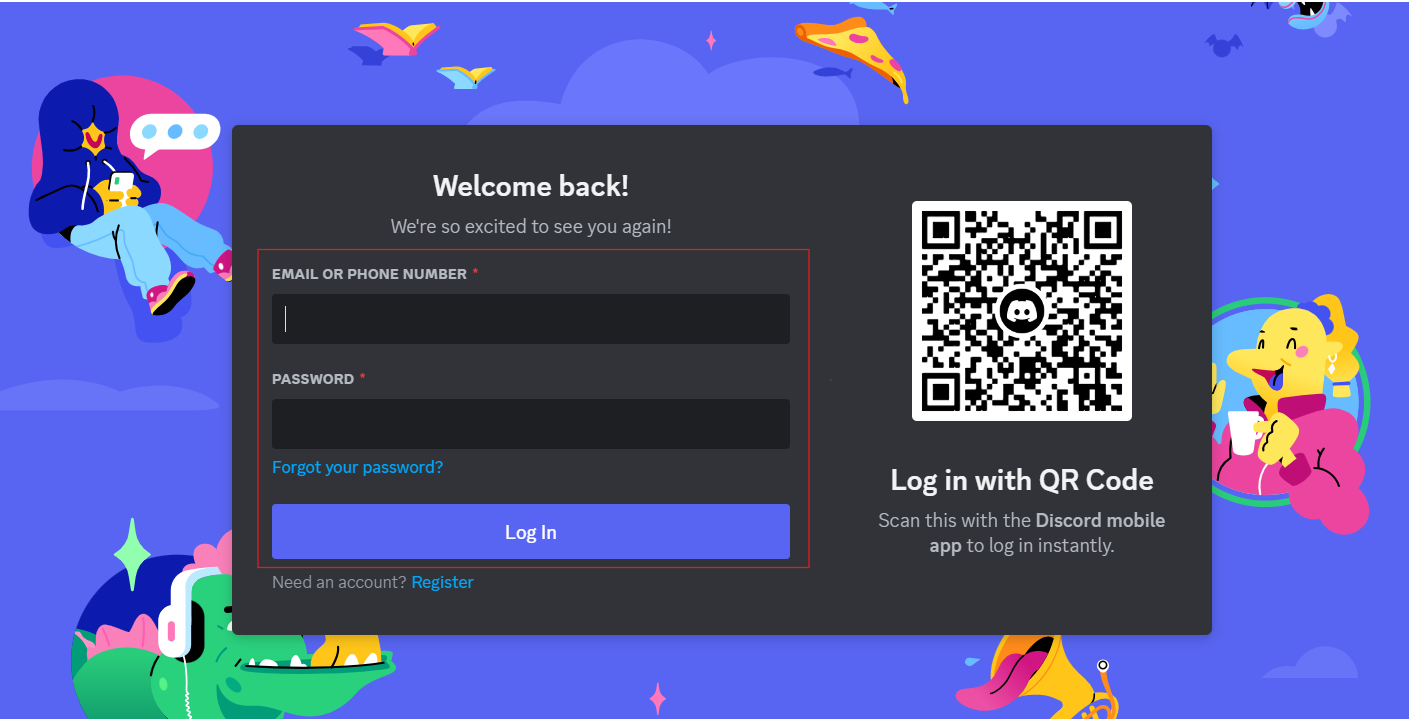
- Step 1: Start the Discord app on your PC or mobile device and log into your Discord account.
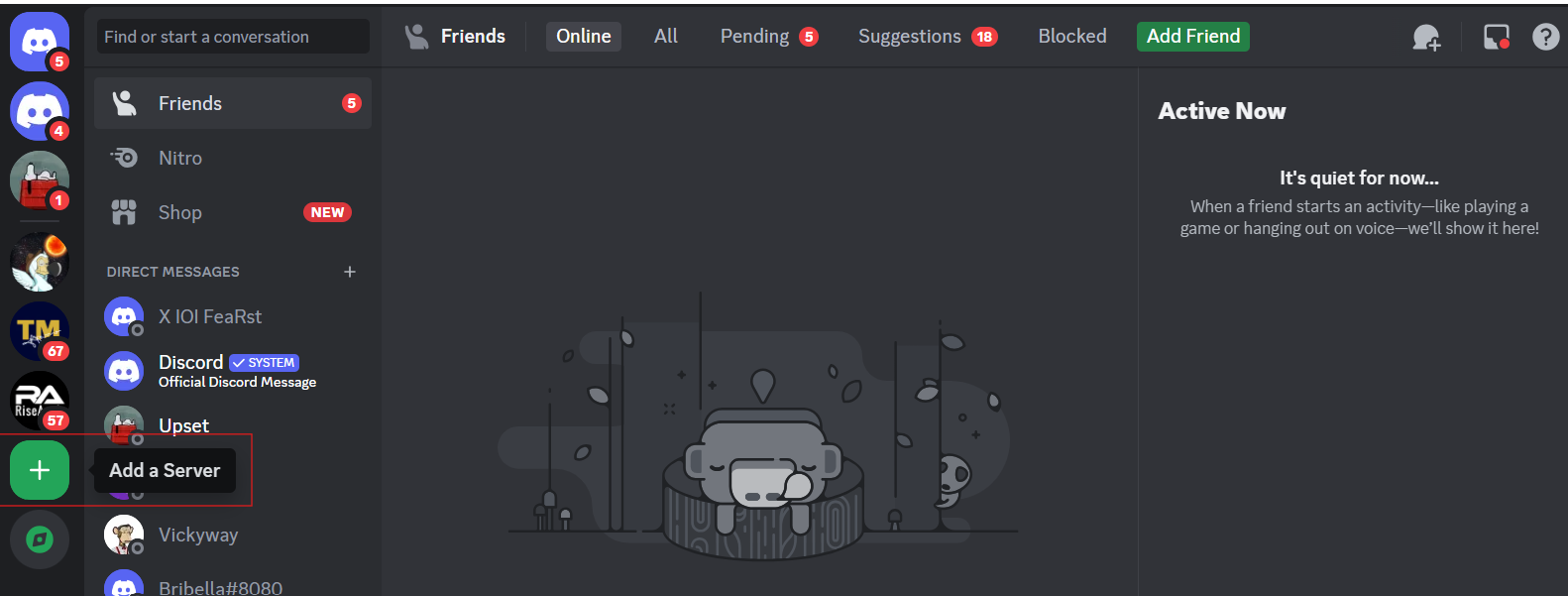
- Step 2: In the Discord app, click on the "Plus" icon at the bottom of the left menu bar to Add a Server.
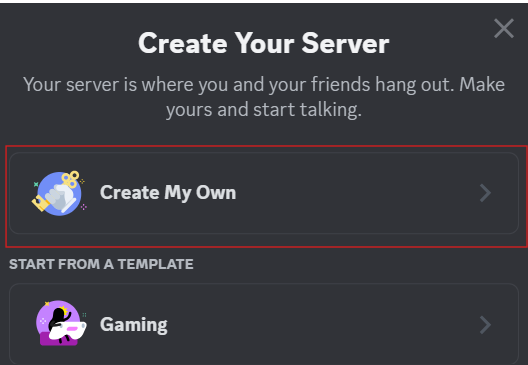
- Step 3: Once a Window pops up, choose to create a server by clicking on "Create My Own."
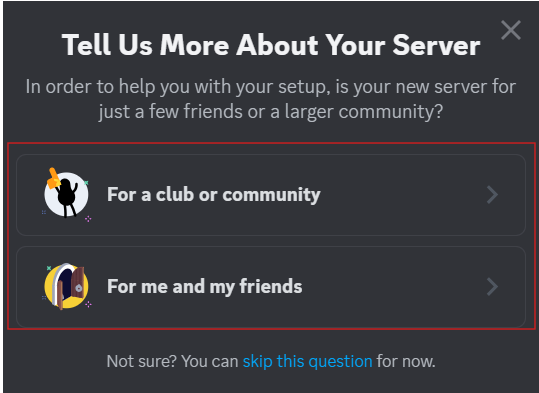
- Step 4: Specify if you are creating a server for a club or community, or for you and your friends.
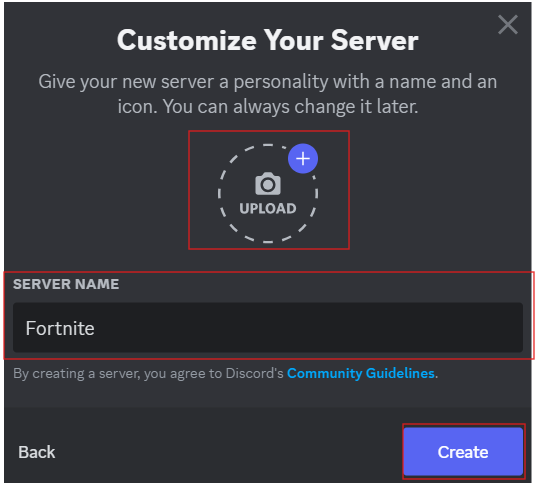
- Step 5: Proceed to create your own server by uploading an icon and having a server name. Once done, click the "Create" button.
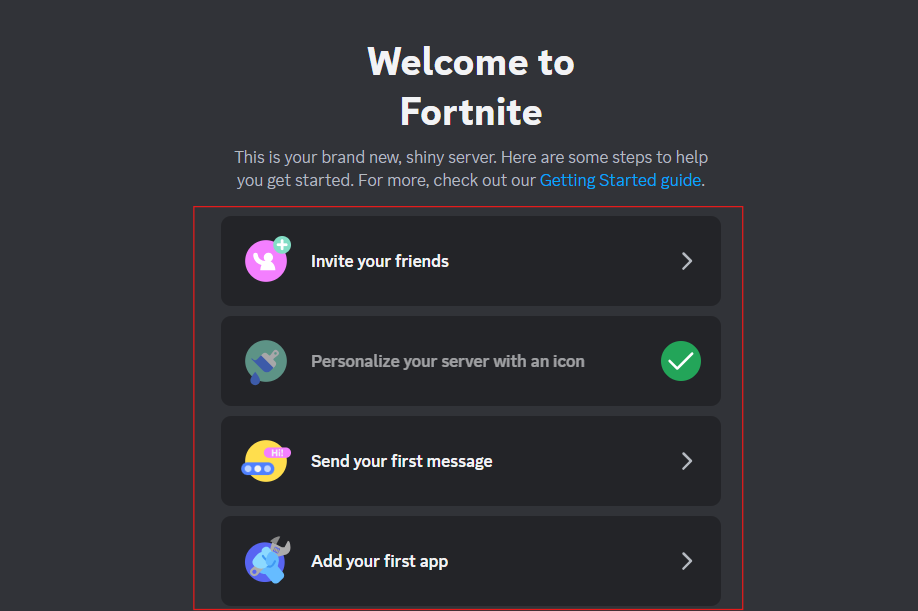
- Step 6: Your Discord server is now up and ready to go. You can now invite your friends, send your first message, and add your first app.
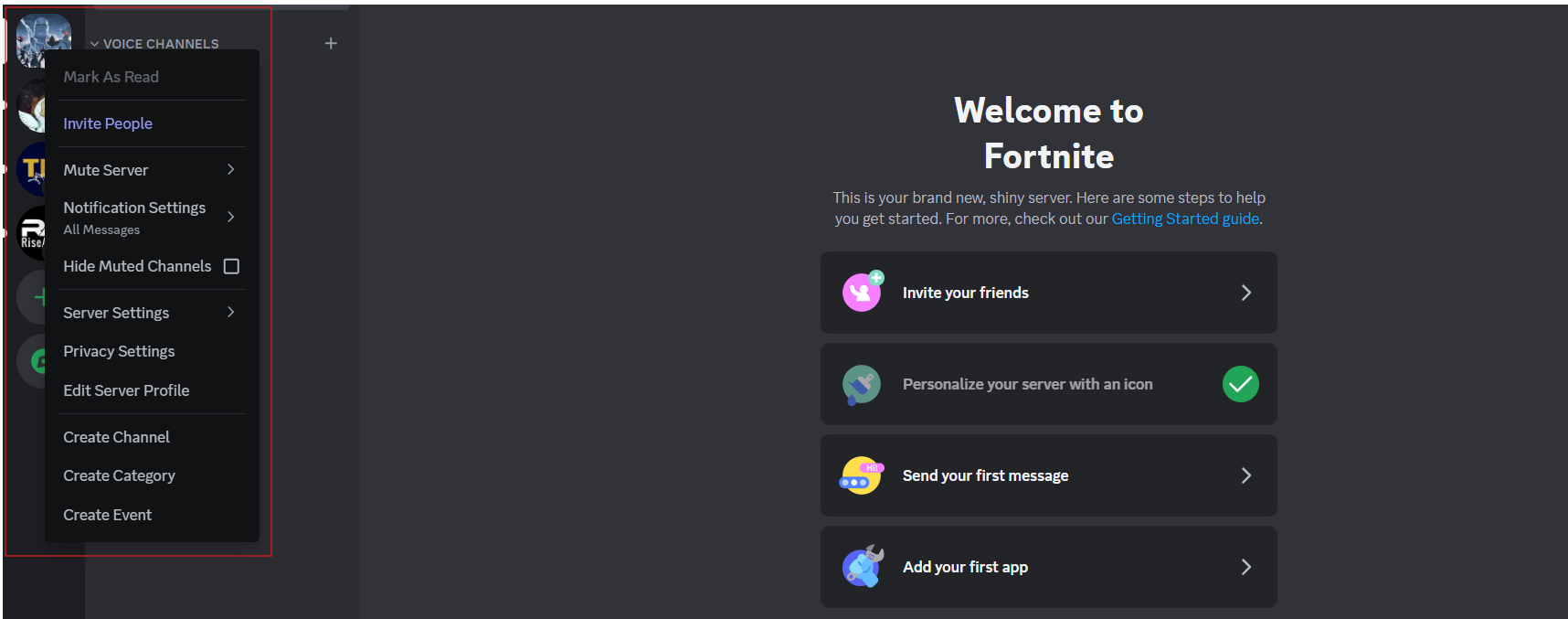
- Step 7: You can make changes to your Discord server by right-clicking on the profile icon of the server in the top left-hand corner. Here you will find options like "Invite People" or "Mute Server." In addition, you can also find the "Server Settings" there, as well as "Notification" and "Privacy settings."
Conclusion
Setting up a Discord server is a rewarding endeavor that allows you to create a space where people can connect, share ideas, and build communities around shared interests.
The key to a successful Discord server lies in fostering a welcoming and engaging environment for your members. Continuously listen to feedback, adapt your server's settings and features to suit the needs of your community, and most importantly, have fun.


