



Whether you’re busy, away from work, or just want to keep your contacts updated, setting up an auto-reply on WhatsApp is a great way to stay responsive.
While the regular WhatsApp app doesn’t offer this feature for personal accounts, WhatsApp Business makes it easy to set up automatic replies in just a few steps.
How to Set up WhatsApp Business for Your Customer Service
This guide will teach you how to set up WhatsApp Business for your customer service.
 Henry Chikwem
How to Set Up an Away Message on WhatsApp Business
Step 1: Tap on the 'Tools' button at the bottom right.
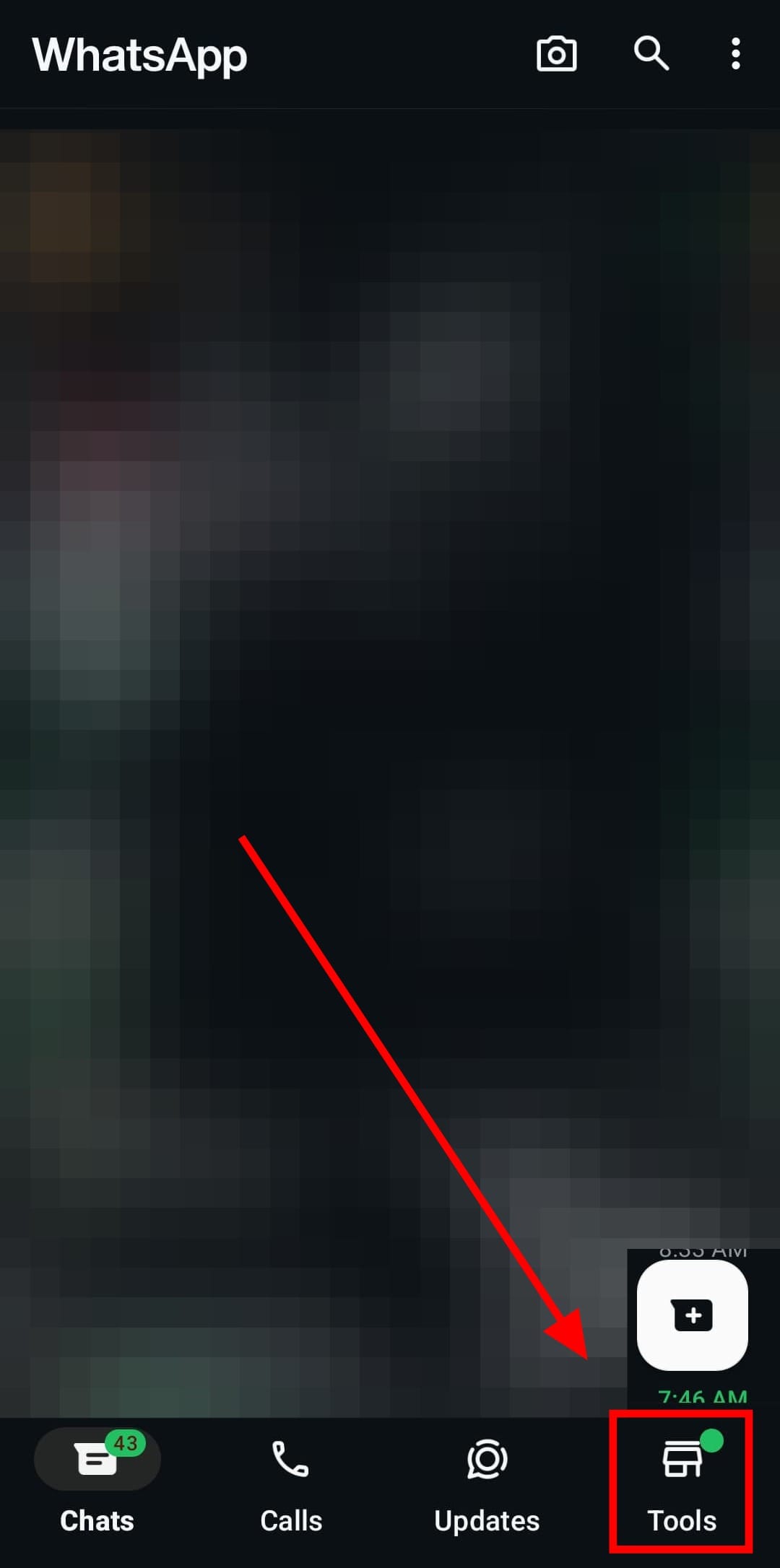
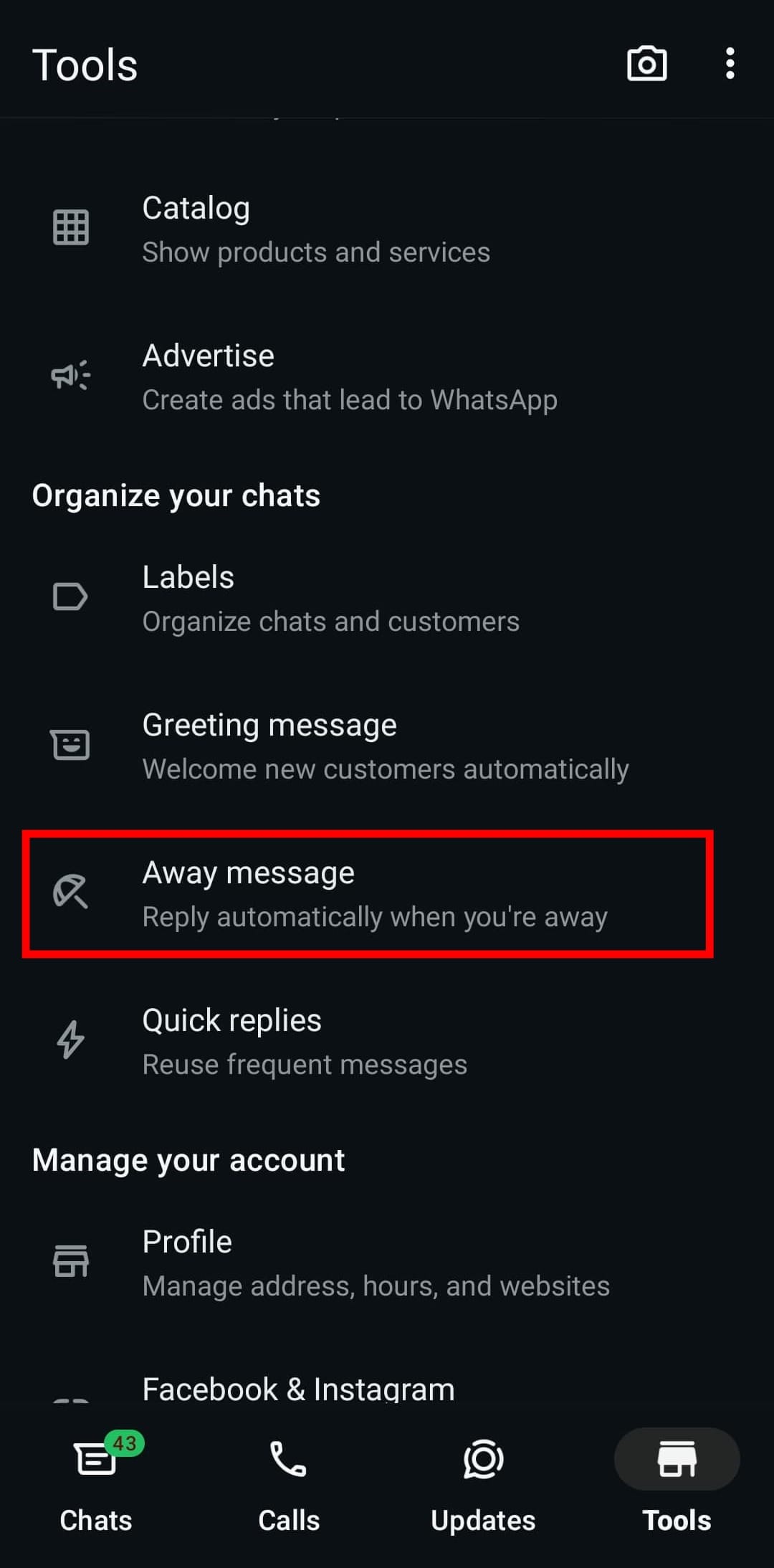
Step 2: Scroll down and select the ‘Away Message’ option.
Step 3: Toggle on the ‘Send away message’ switch
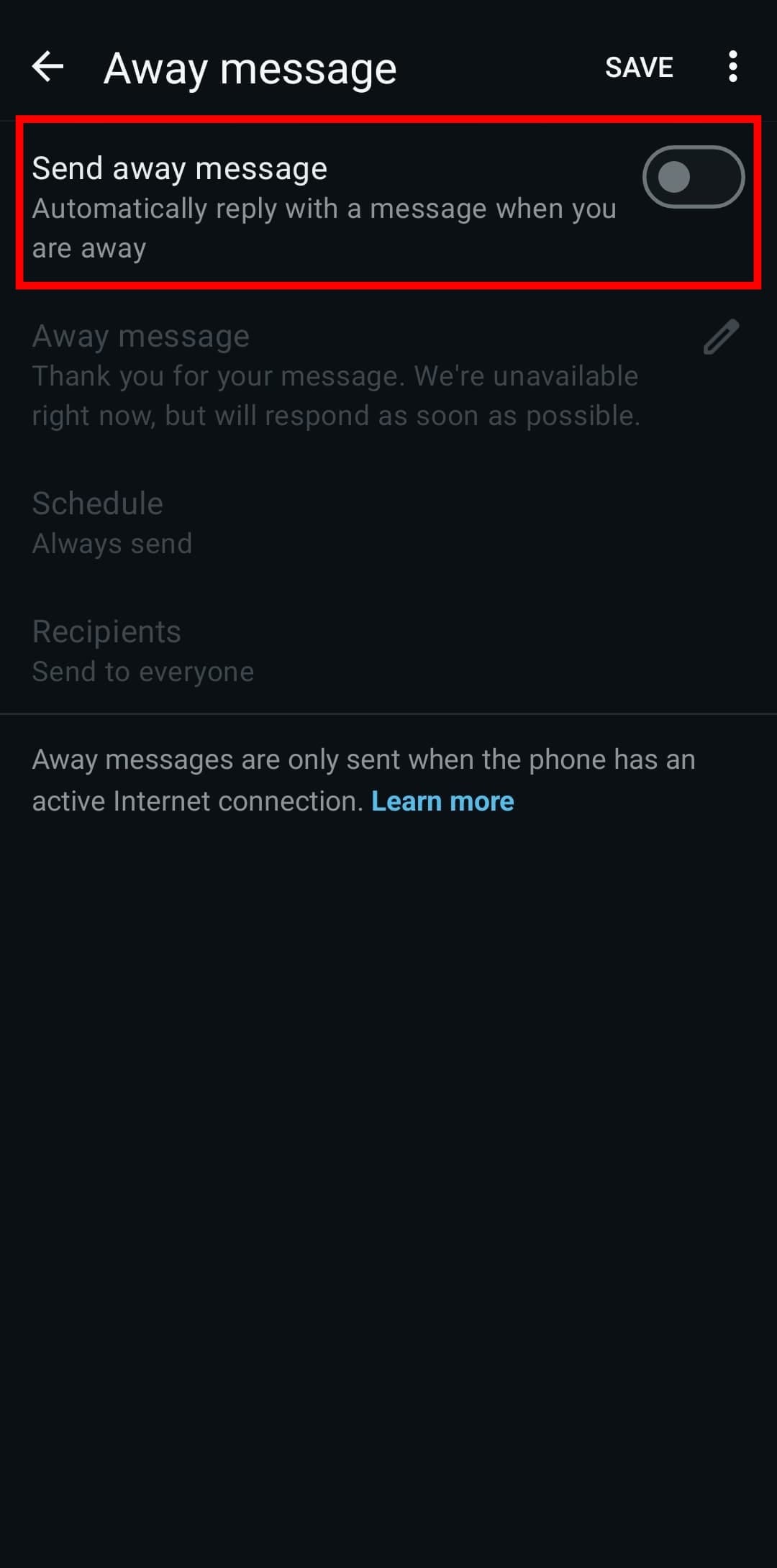
Step 4: Edit your away message by tapping the pencil icon.
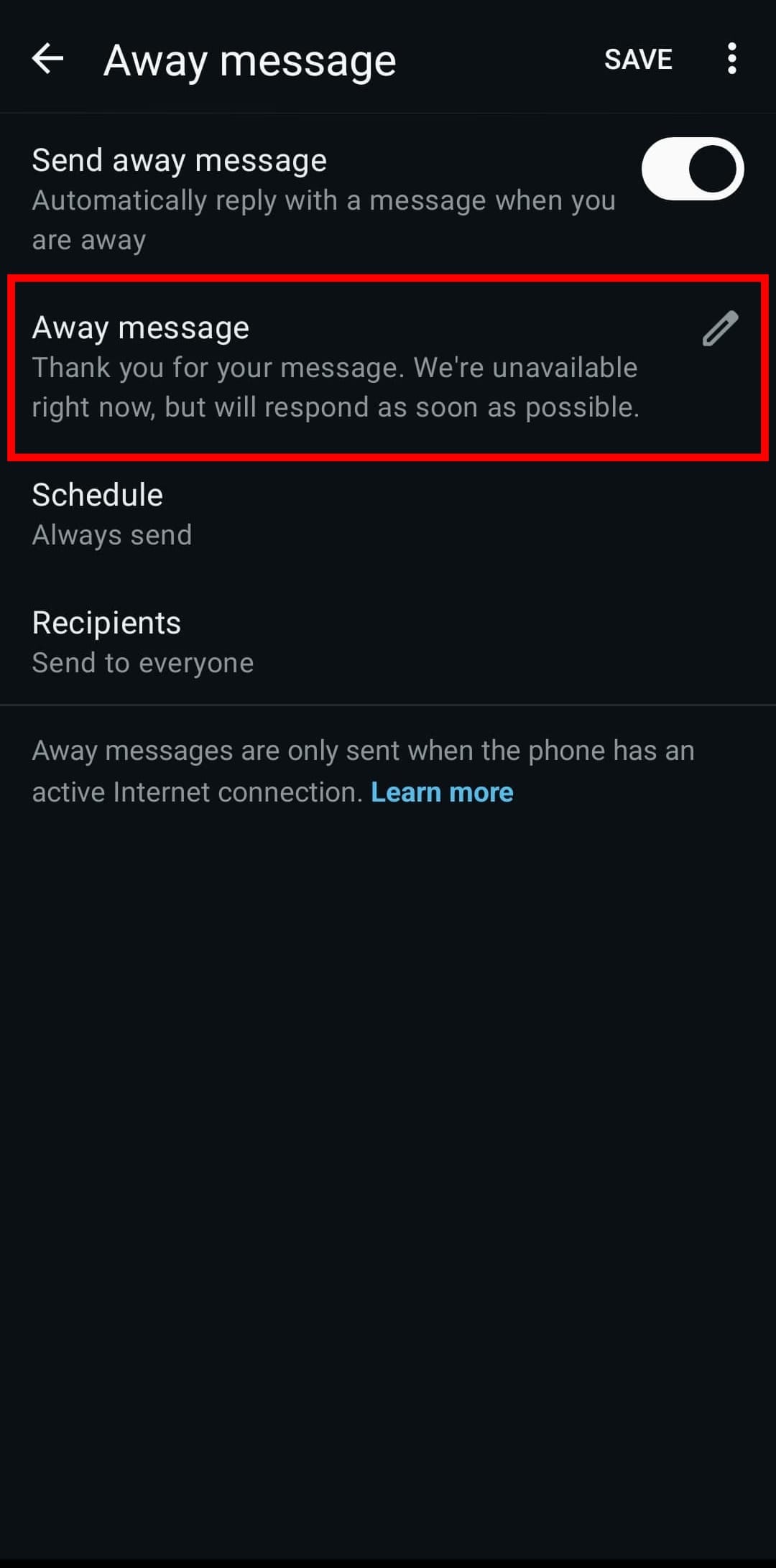
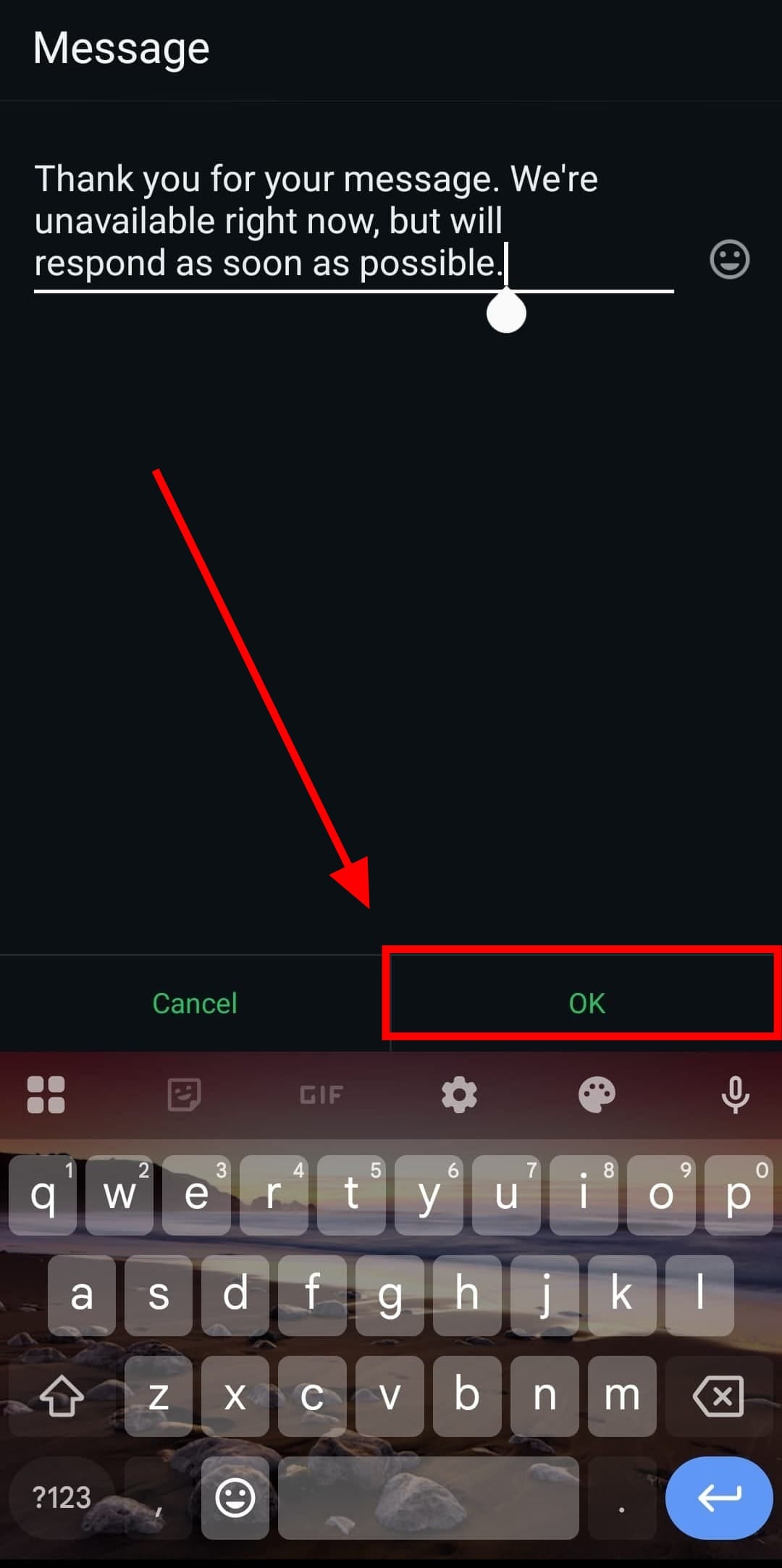
Step 5: Once you've written your message, tap ‘OK.’
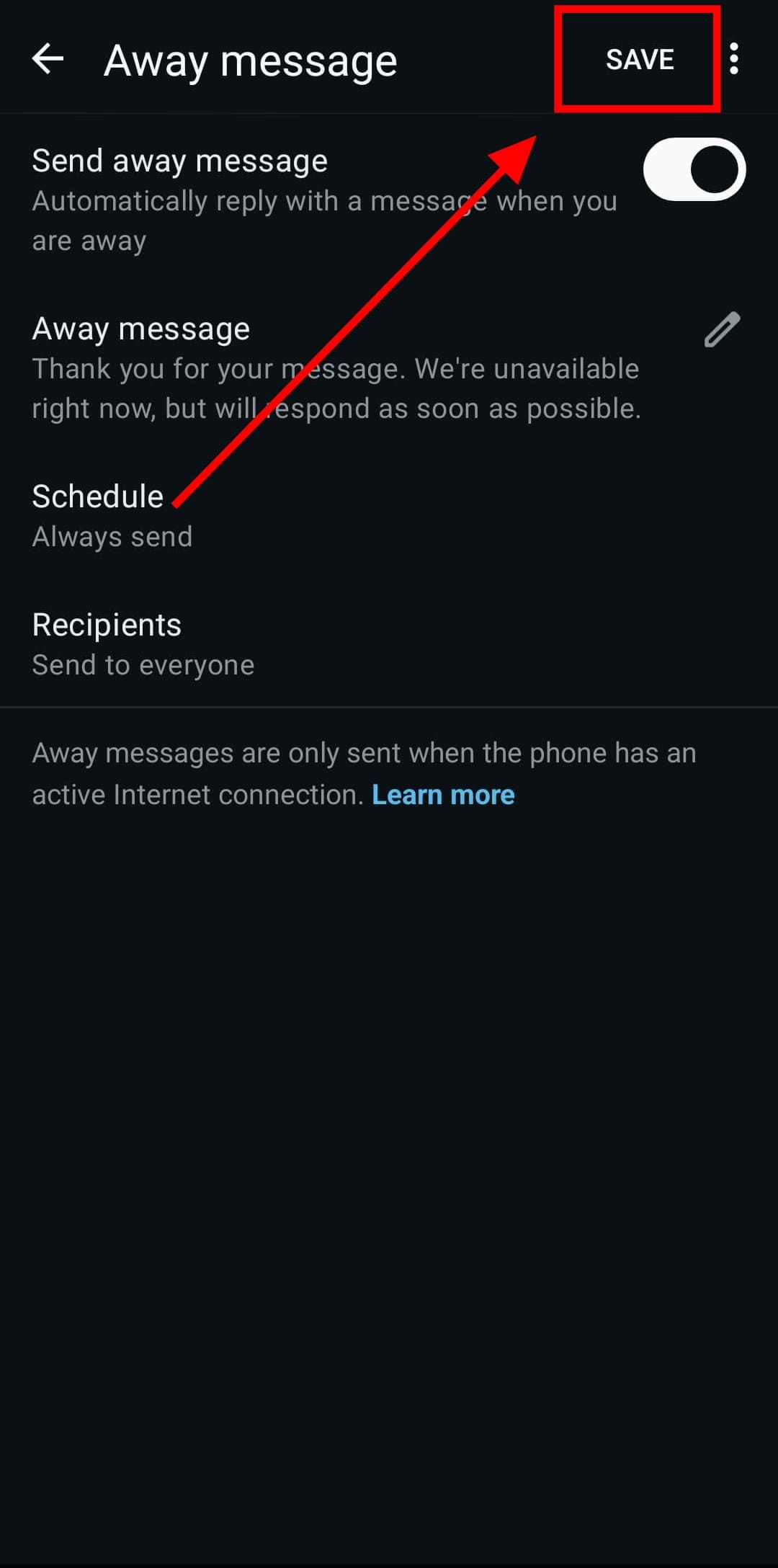
Step 6: Save your changes by tapping ‘SAVE’ at the top right.
Conclusion
Setting up auto-replies on WhatsApp is a simple but effective way to manage conversations when you’re unavailable.
It keeps your contacts informed and maintains smooth communication, whether you’re handling personal chats or business inquiries. With just a few quick steps, you can make WhatsApp work smarter and stay connected, without constantly checking your phone.
How to Change WhatsApp Number without losing your Contacts or Chats
Switching numbers on WhatsApp doesn’t have to mean switching to panic mode.
 David Adubiina
Image Credit: Louis Eriakha / Techloy.com


