



Often times, I share a YouTube tutorial with someone and follow it up with something like: “Start watching from around 4 minutes in.” That's probably because the first few minutes are just intro fluff or setup, and the real value comes later.
But let’s be honest—most people won’t bother scrubbing through the video just to find that golden tip. That’s when I started sharing YouTube links that jump straight to the exact moment that I want people to see.
It only takes a few seconds to do. Here’s how.
 Oyinebiladou Omemu
Steps to Share YouTube Videos from a Specific Start Time on PC
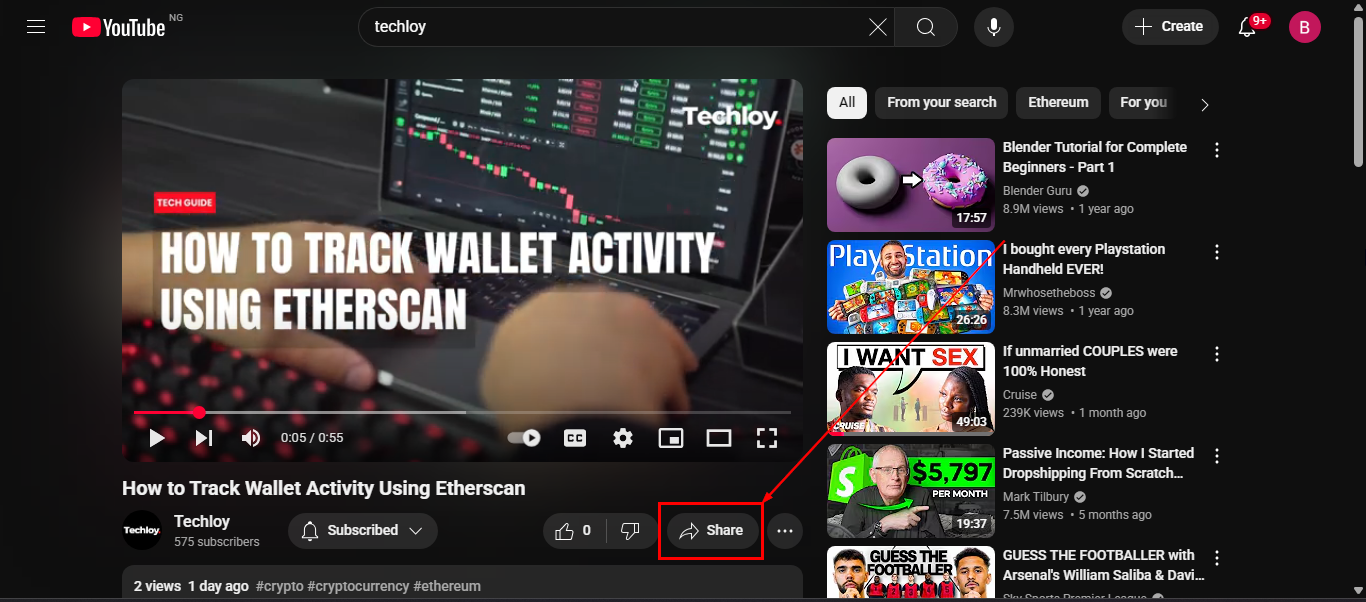
Step 1: Open the YouTube video, pause it at the exact spot you want to share, and click the Share button
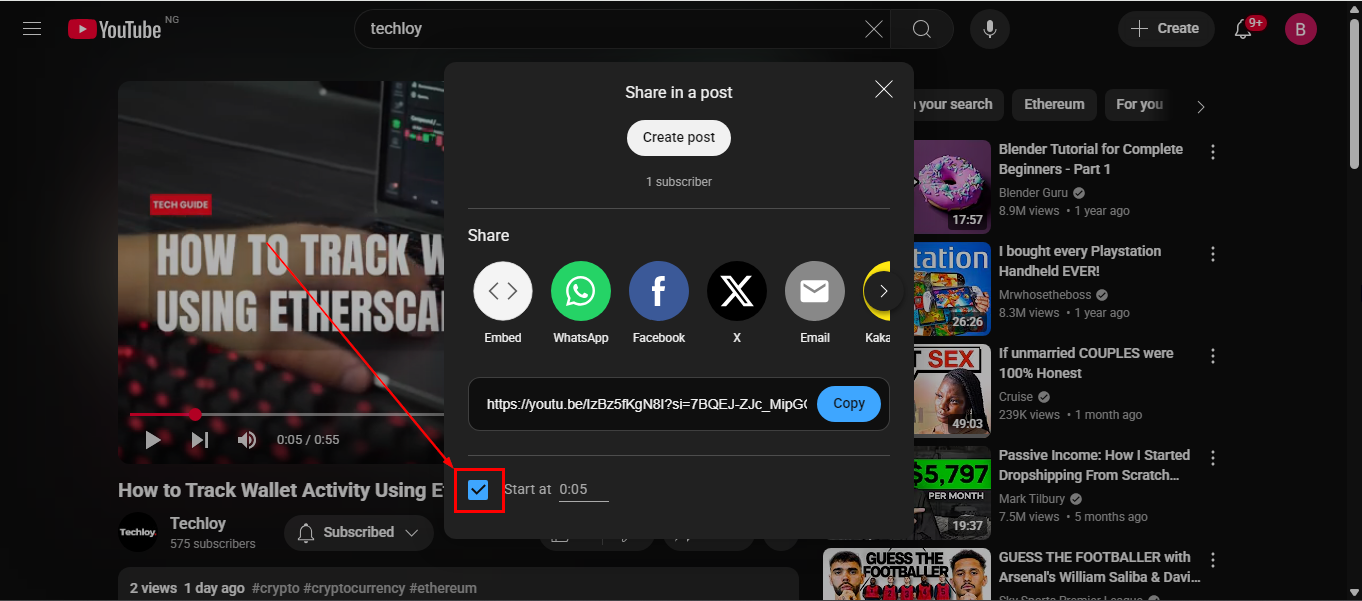
Step 2: In the pop-up, check the Start at box (Adjust the time stamp if needed)
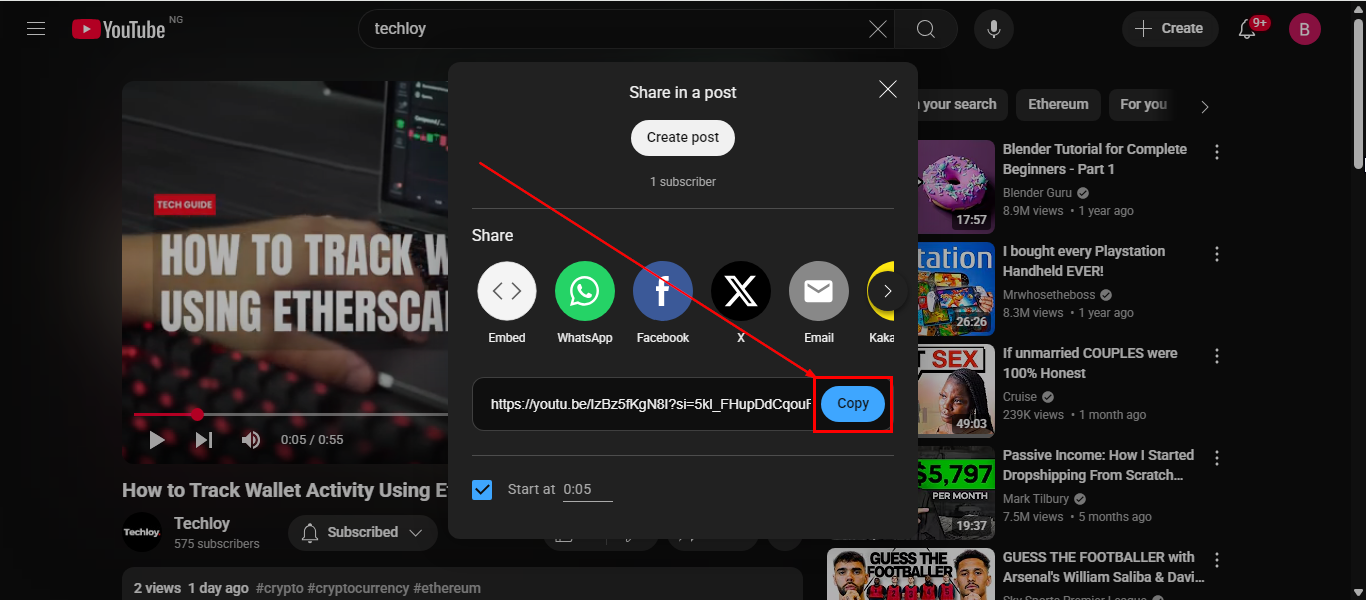
Step 3: Click the Copy button, then paste the link to whoever you wish to share the video with
Steps to Share YouTube Videos from a Specific Start Time on Mobile
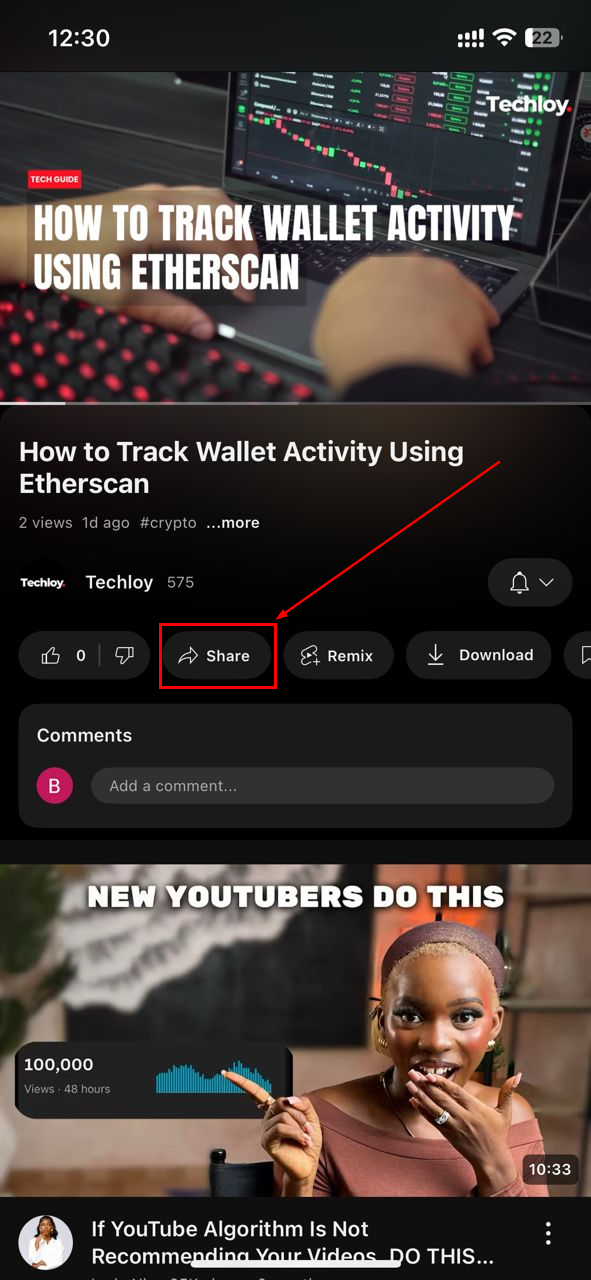
Step 1: Open the YouTube video on your phone, then click the Share button
Step 2: Click "Copy Link"
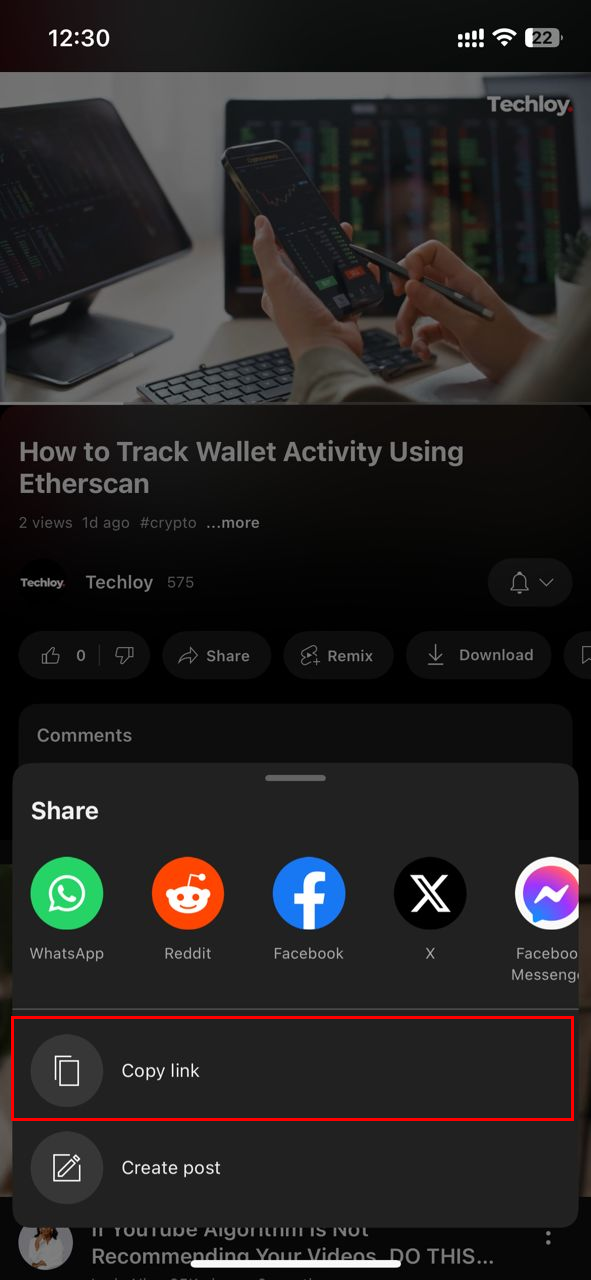
Step 3: Now that you've copied the link, paste it somewhere else, like a notepad
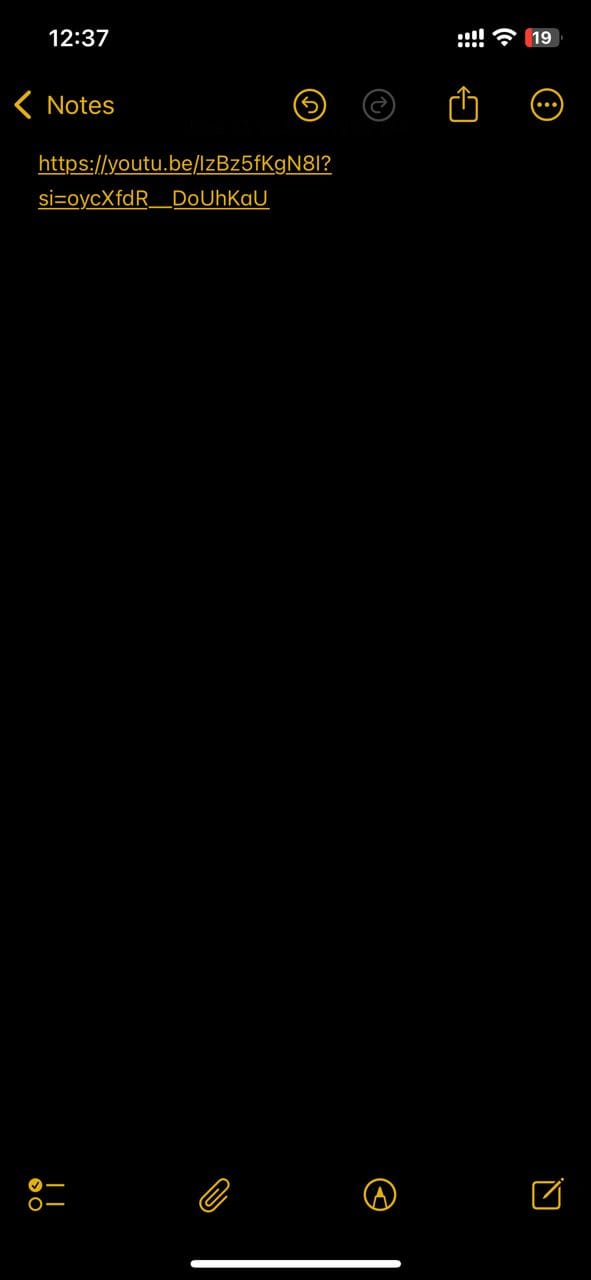
Step 4: Afterwards, add "&t=" to the end of the link
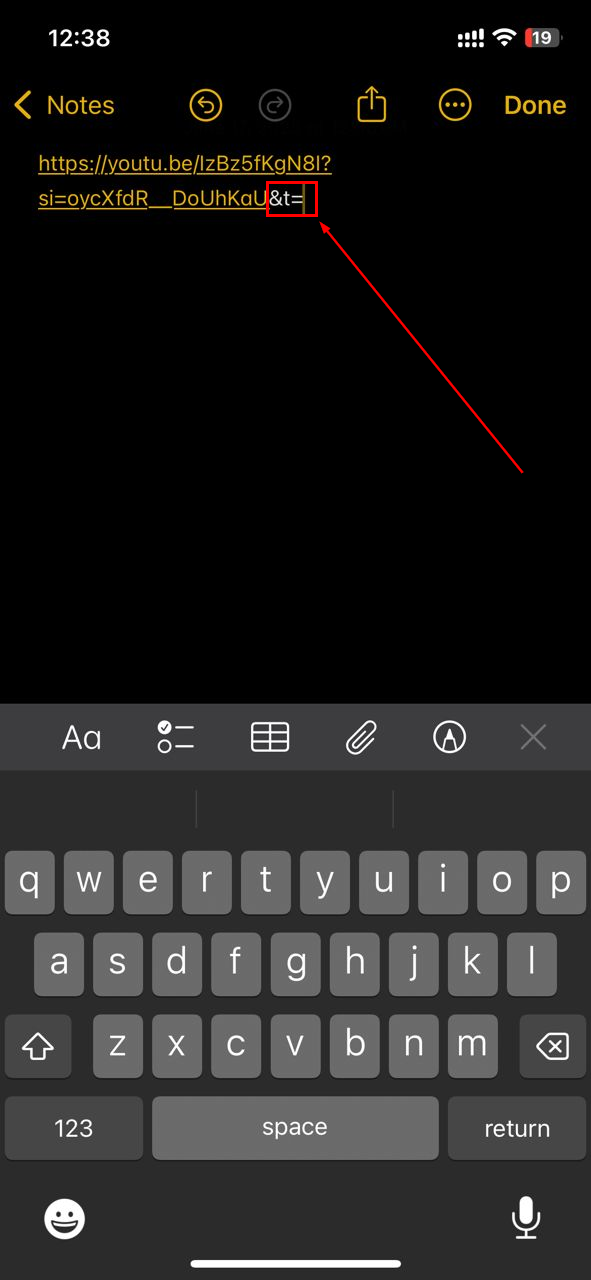
Step 5: Follow that up with the timestamp you wish the video to start from with the hours (h), minutes (m), and/or seconds (s) format
- If you want the video to start after 50 seconds, your timestamp should be "55s"
- If you want the video to start after 1 minute and 20 seconds, your timestamp should be "1m20s"
- If you want the video to start after 1 hour, 30 minutes, and 10 seconds, your timestamp should be "1h30m10s"
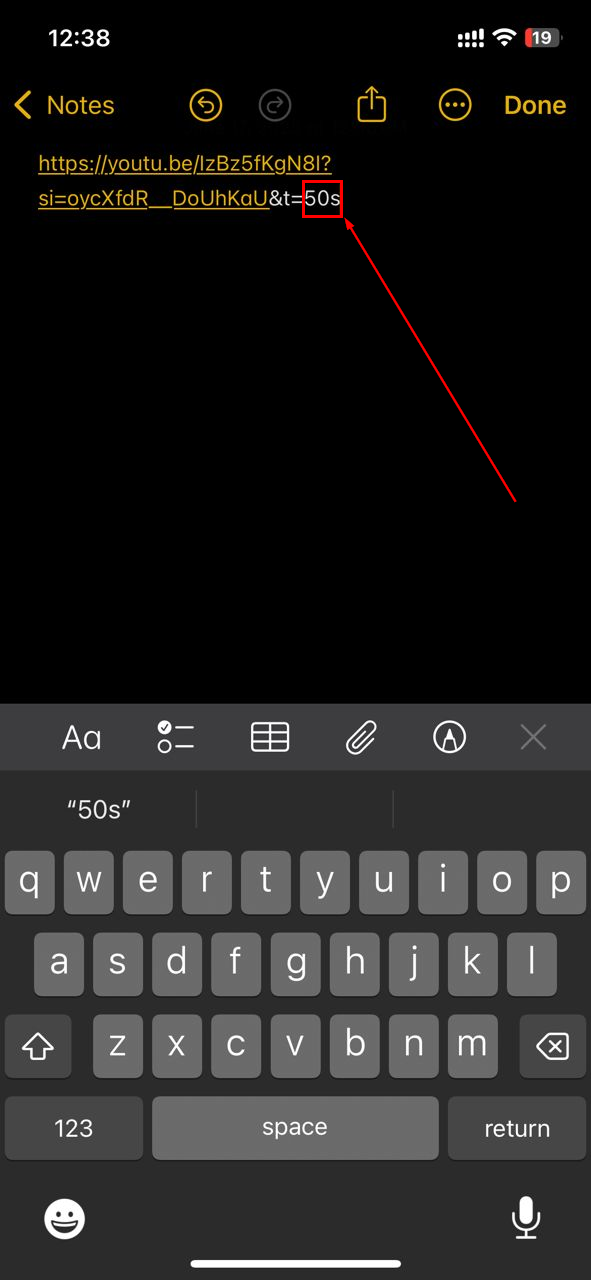
Step 6: Finally, copy the entire link with the extra characters we just added, then send it to anyone you wish to share the video with
 Oyinebiladou Omemu
Conclusion
Sharing a YouTube video starting at a specific time is a small tweak, but it has a big impact. Whether you're helping someone learn faster, spotlighting a funny moment, or guiding viewers to key points, it shows that you respect their time—and makes your link more effective.
The next time you want to highlight a moment, grab the timestamped link. It's the little tool that makes a big difference in getting straight to the good stuff.
Image Credit: Oluwaseun Bamisile/Techloy.com


