



If you’ve ever been hanging out with friends and thought, “We should all be DJing this playlist together,” Spotify Jam is exactly what you need. I recently used it at a small get-together, and it turned a regular playlist into something way more fun and collaborative.
In short, a Jam is a shared listening session on Spotify where you and your friends can queue songs and take control of a playlist in real time—even if you're not all in the same place.
Let's discuss how to start a Jam on Spotify.
Steps to Start a Spotify Jam
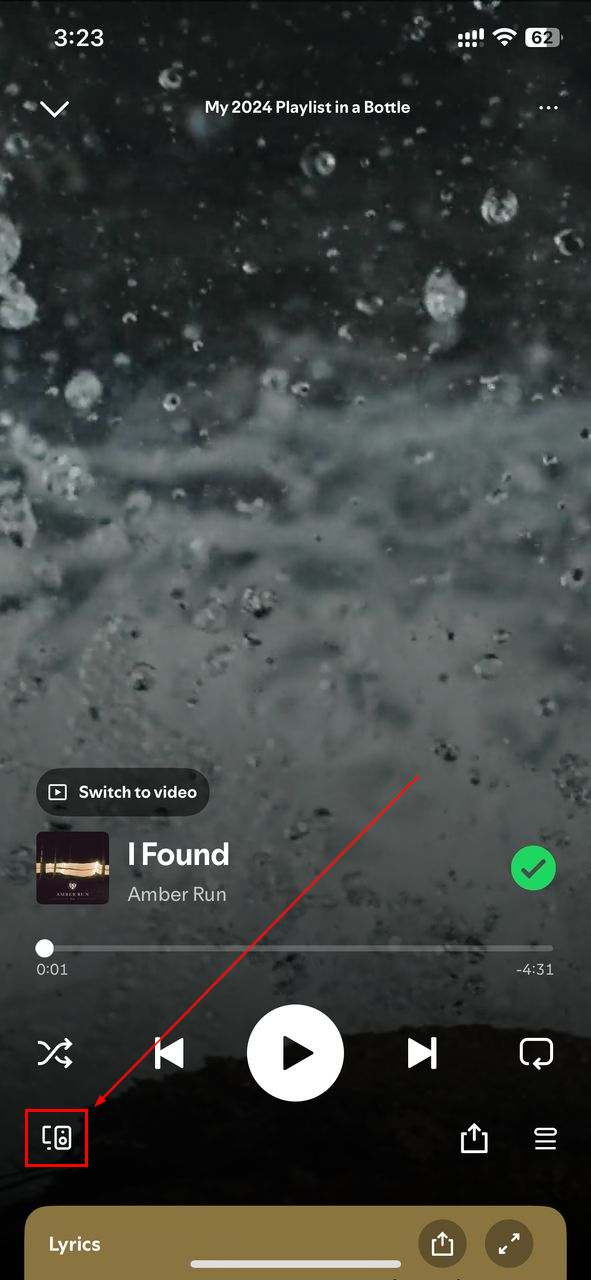
Step 1: Open the Spotify app, then play any song, album, or playlist. You’ll see a small speaker icon at the bottom left; click it
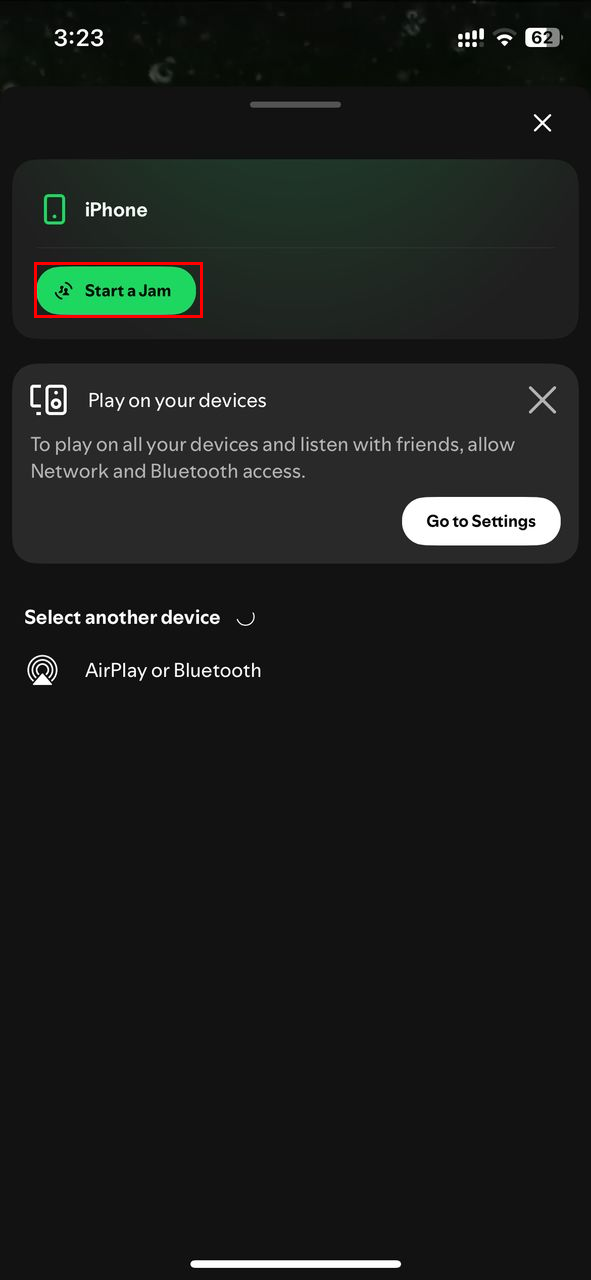
Step 2: Click "Start a Jam" and ensure your phone is connected to a speaker (like a Bluetooth or smart speaker)
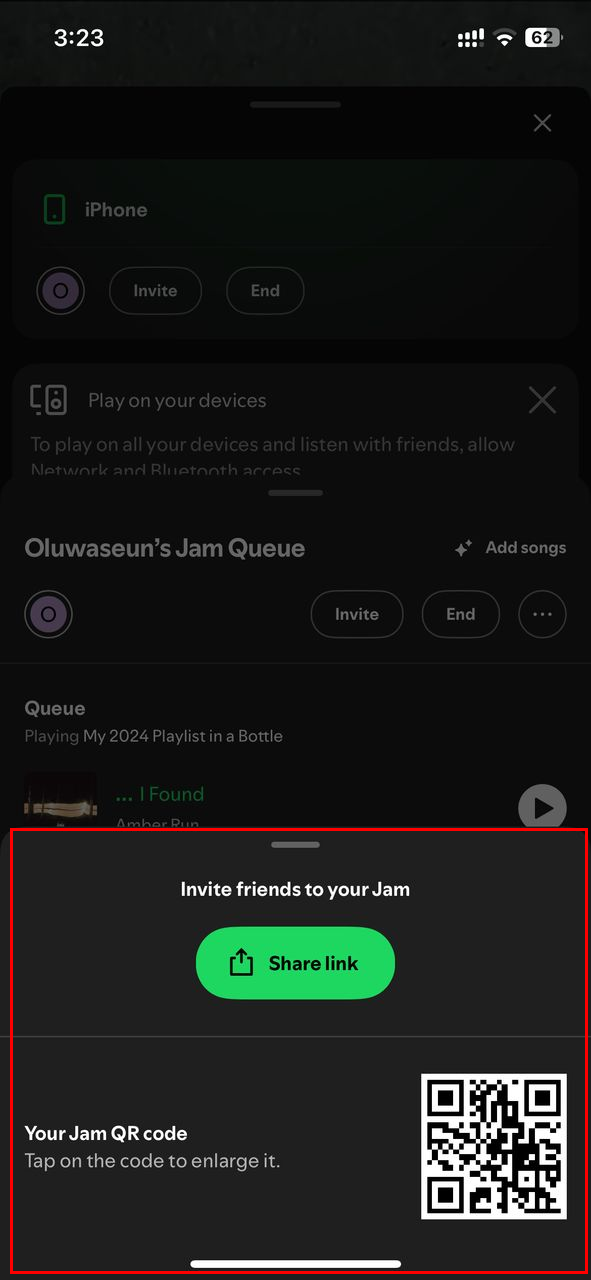
Step 3: You can now share a QR code for others to scan, or tap "Share link" and send the jam link to your friends. Hence, everyone added to the Jam can control what's playing
Conclusion
Spotify Jam makes group listening simple and fun. Whether you’re throwing a party, chilling with friends, or syncing up remotely, it turns a solo playlist into a shared experience. It’s easy to set up, keeps everyone involved, and adds a personal touch to the music. If you haven’t tried it yet, give it a shot—you might be surprised how much more fun music becomes when everyone has a say in the queue.
 David Adubiina
Image Credit: Oluwaseun Bamisile/Techloy.com


