



At some point, most of us have seen Facebook recommend people we barely know, or don’t know at all, with the prompt to “Add Friend.” Sometimes, it’s a coworker you’ve never spoken to; other times, it’s a name you vaguely remember from a decade ago.
While a few of these suggestions might be relevant, more often they’re random and unnecessary. Worse, Facebook doesn’t just show them in your feed; it notifies you about them, too.
If you’re tired of getting pinged about strangers Facebook thinks you should befriend, you’re not alone. Fortunately, there’s a simple way to stop those notifications without affecting your core Facebook experience. Here’s how to do it.
 Oluwaseun Bamisile
Steps to Stop Friend Suggestions Notifications on Facebook
Step 1: Open the Facebook app and tap the menu icon at the top-right corner (bottom-right corner for iPhones)
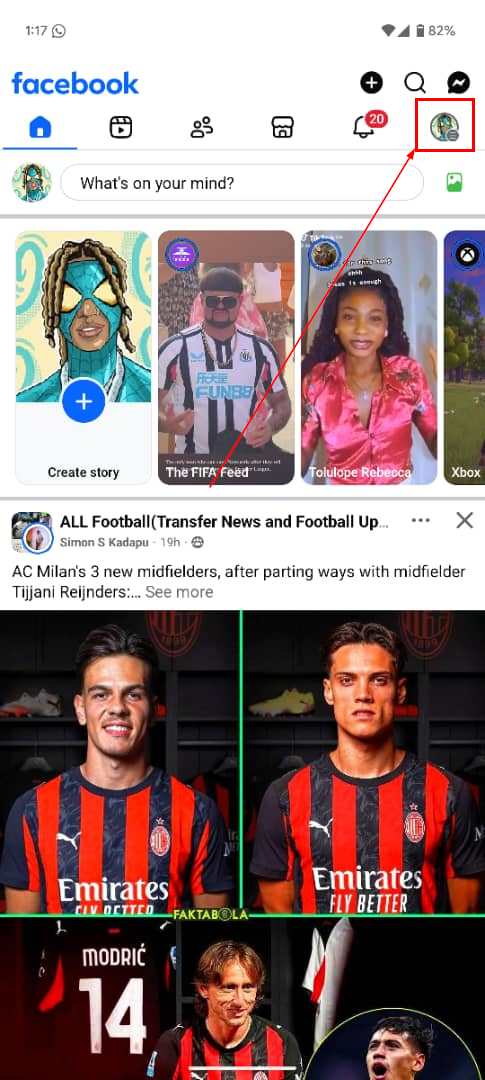
Step 2: Select the Settings & privacy drop-down
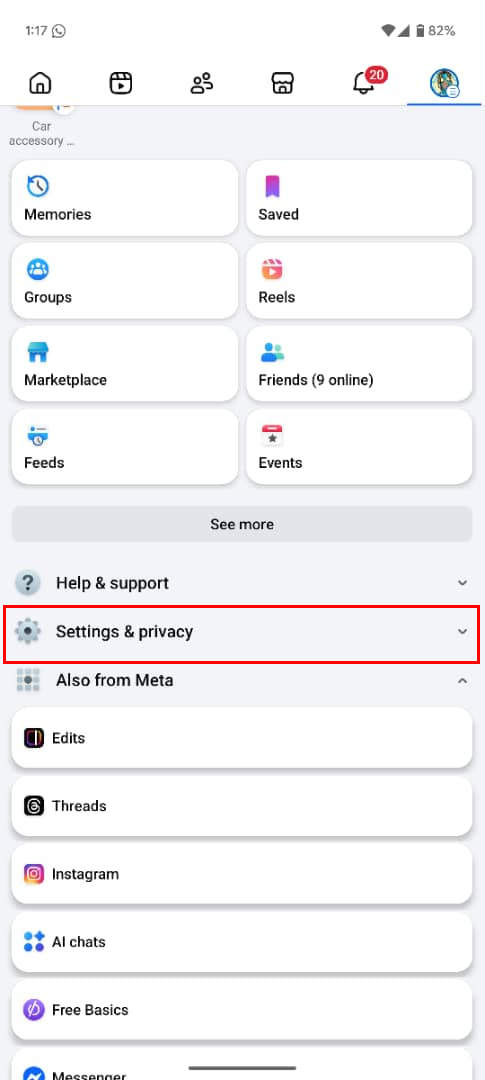
Step 3: Now, click "Settings"
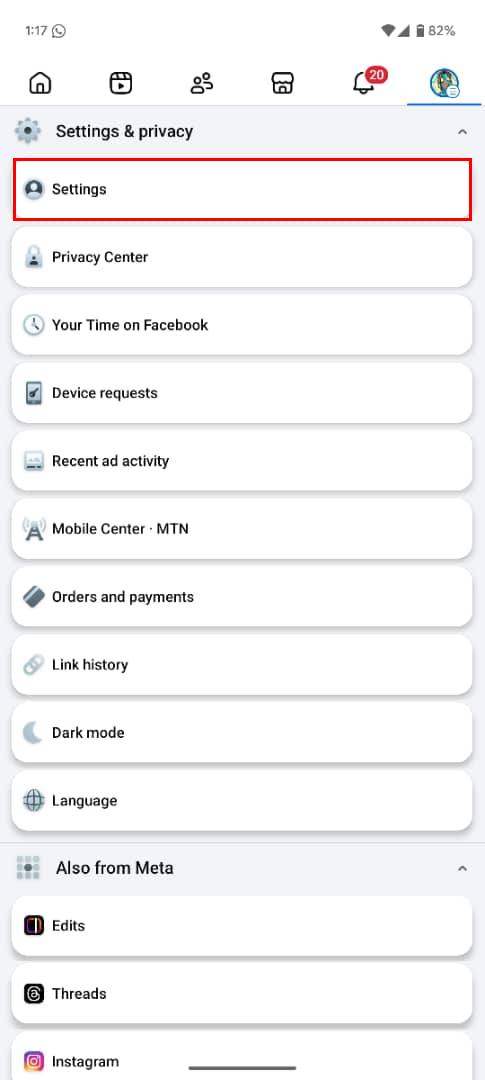
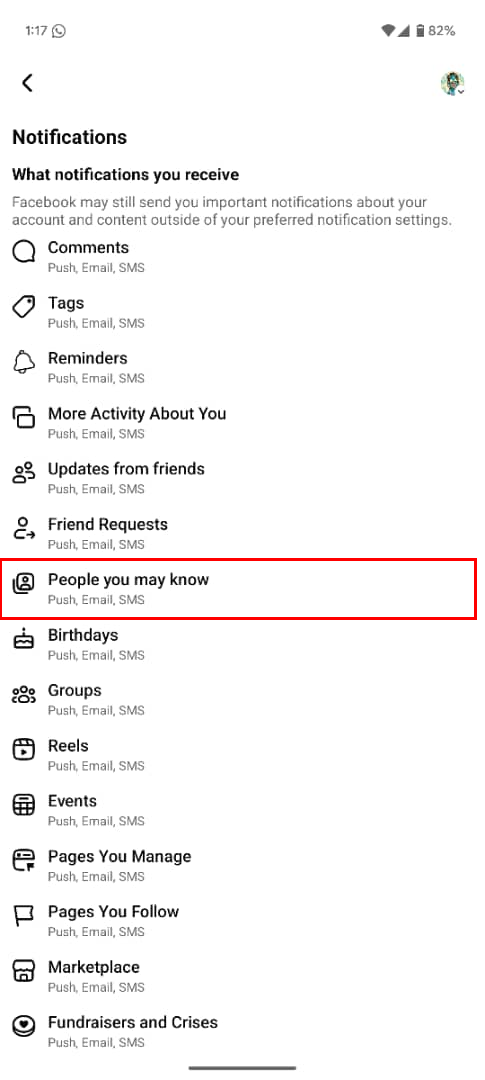
Step 4: Following that, select "Notifications"
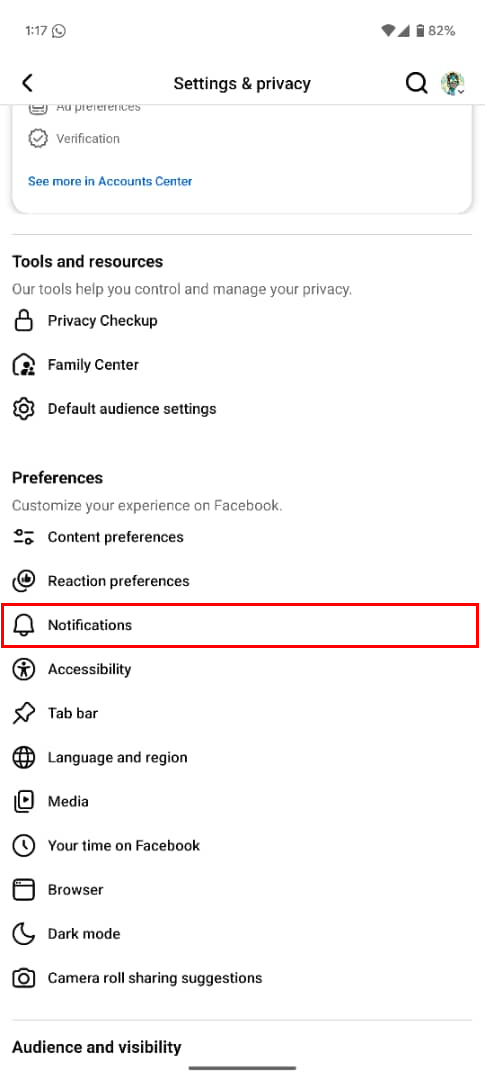
Step 5: Click "People you may know"
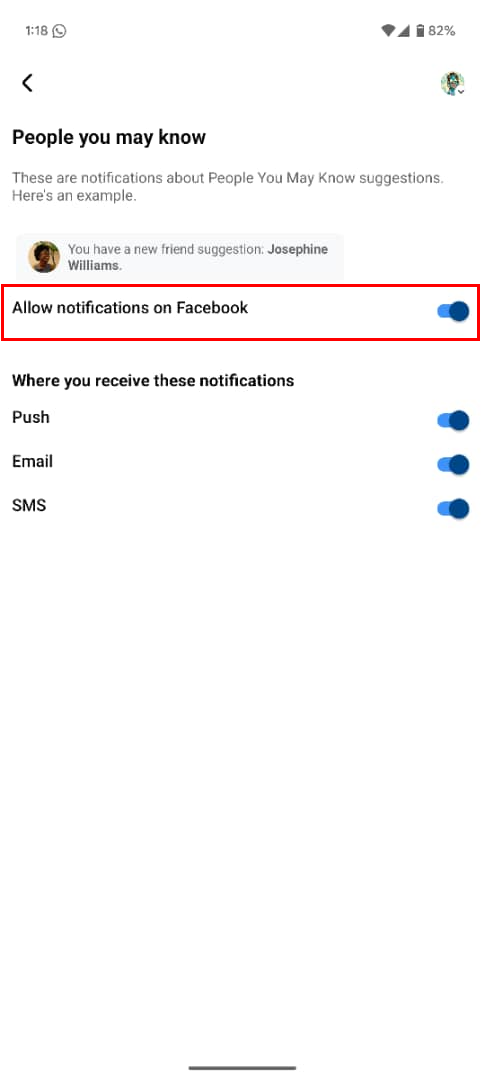
Step 6: Toggle off the Allow notifications on Facebook option
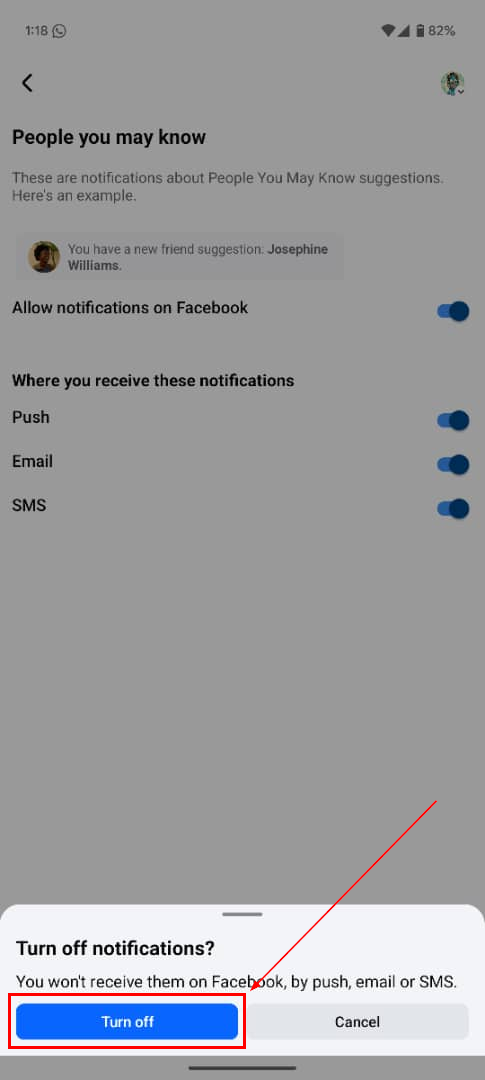
Step 7: Finally, click the blue Turn off button.
 Oluwaseun Bamisile
Conclusion
Friend suggestions can be helpful now and then, but for many users, they’re more noise than value. Turning off the notifications is a simple way to take back a bit of control over your digital space.
It helps reduce distraction, clears out your notifications tab, and keeps your focus on the people you actually care about interacting with. While Facebook still keeps the suggestion feature in the background, muting it makes your app feel cleaner and less invasive.
Image credit: Oluwaseun Bamisile/Techloy.com


