



One of the perks of a dual SIM phone is that you can hardly ever be stuck with slow mobile data. This comes in handy, but not a lot of persons know how to switch data SIMs. But the good thing is that if you’re using a Samsung phone with dual SIMs, swapping between them for calls, texts, or mobile data is easier than you think.
In this guide, you will learn how to change your default data SIM, so you’re always connected at the best speed. No confusing menus or hidden settings, just a straightforward way to make sure your Samsung phone works for you.
 Oyinebiladou Omemu
How to Switch between SIM cards on Samsung Galaxy device
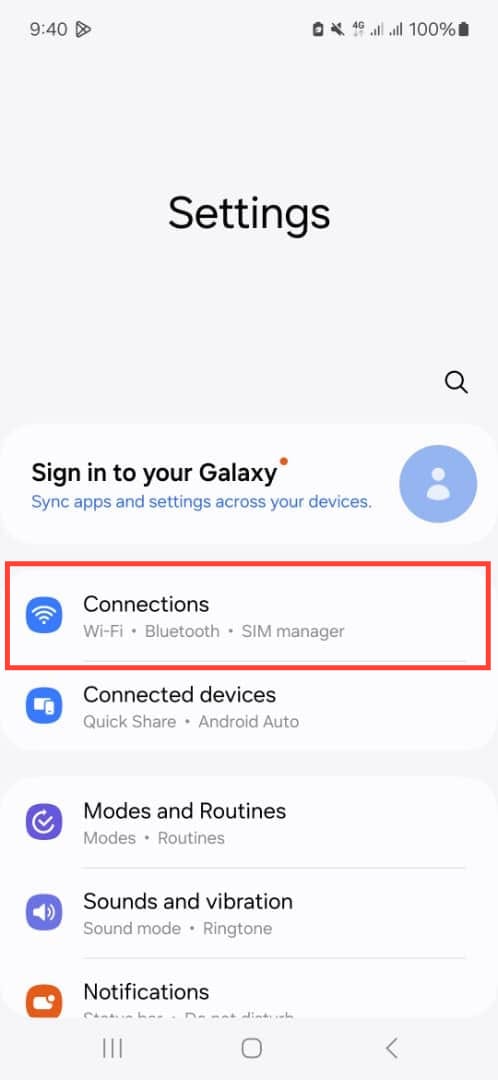
Step 1: Open the Settings App on your phone and select Connections.
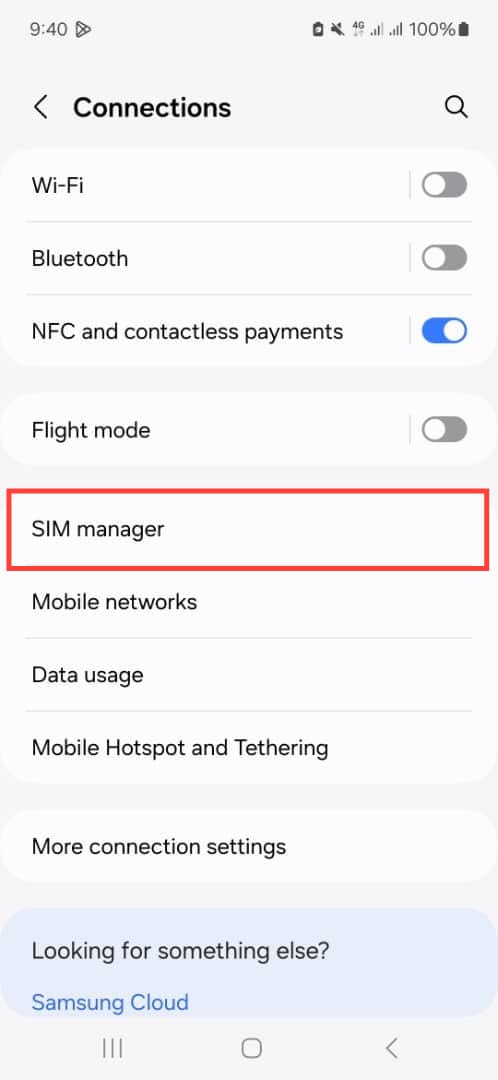
Step 2: Select SIM manager.
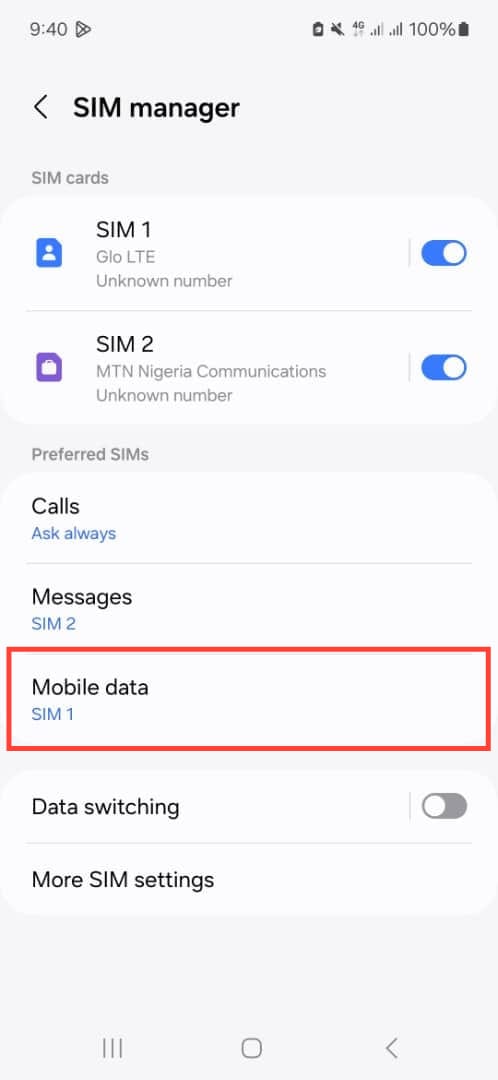
Step 3: Select Mobile data.
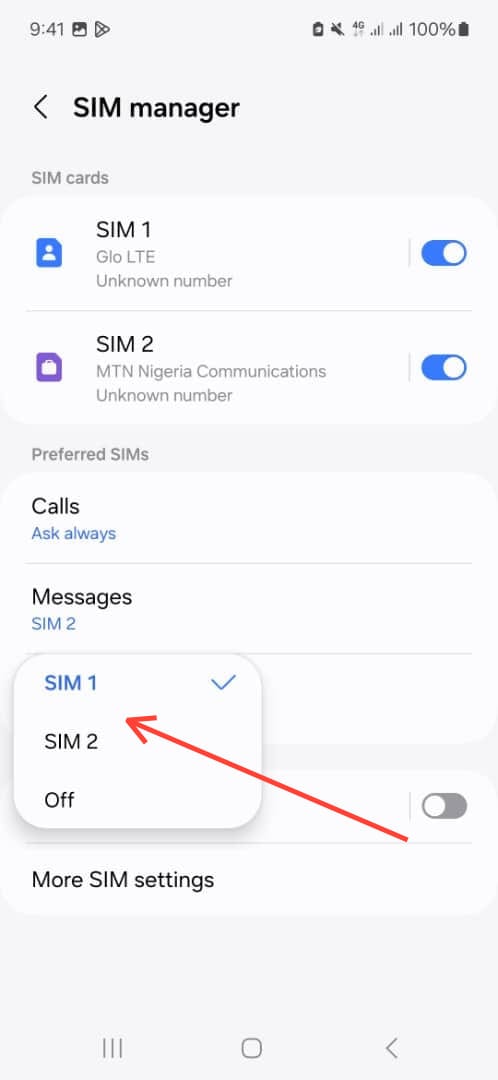
Step 4: Choose the SIM you want to set for data usage.
 David Adubiina
Conclusion
Switching between SIM cards on your Samsung device is a simple yet effective way to take control of your mobile experience. Whether you’re optimizing for better network speeds or avoiding roaming fees, these quick steps ensure you’re always using the right SIM for your needs.
Remember, your Samsung phone is designed to make dual-SIM management effortless. If you ever need to adjust call or text preferences, you can revisit the SIM manager in your settings.
Image credit: Oyinebiladou Omemu/Techloy.com


