Ubuntu’s dock (the panel at the bottom or side of your screen) is handy for quick app access, but sometimes, you just want it out of the way. Maybe you’re working on a small screen and need every pixel of space, or perhaps you prefer a cleaner, distraction-free desktop.
Fortunately, you don’t have to remove the dock completely. Instead, you can set it to auto-hide, meaning it stays invisible until you move your cursor to the edge of the screen. This guide will show you how to enable auto-hide in just a few clicks. No need to uninstall anything, your dock will still be there when you need it, but it’ll stay hidden when you don’t.
 Oyinebiladou Omemu
How to hide the Dock in Ubuntu
Video Script & Editing: Kelechi Edeh / Techloy.com | Content Research: Oyinebiladou Omemu / Techloy.com
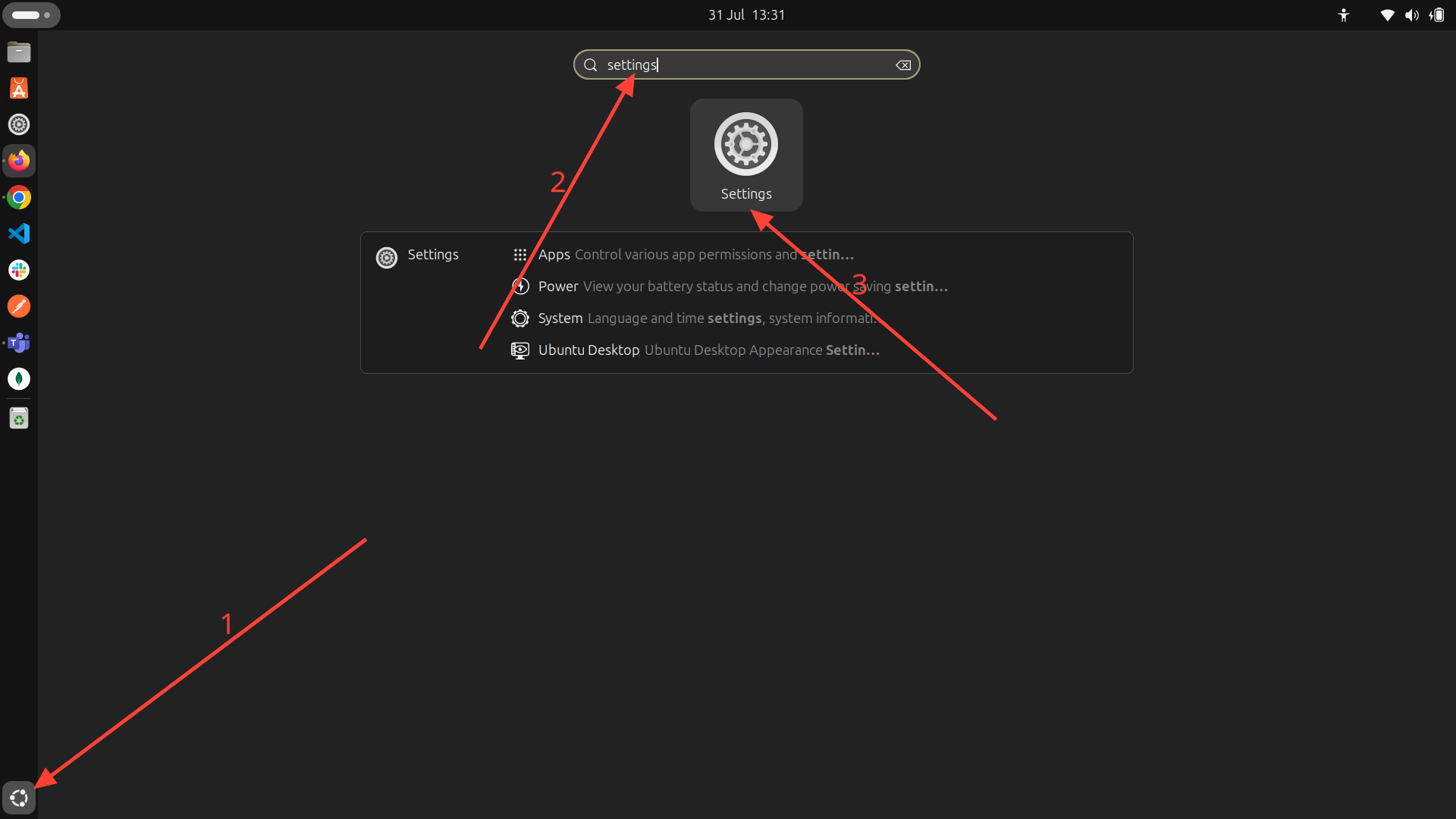
Step 1: Go to settings on your Ubuntu machine.
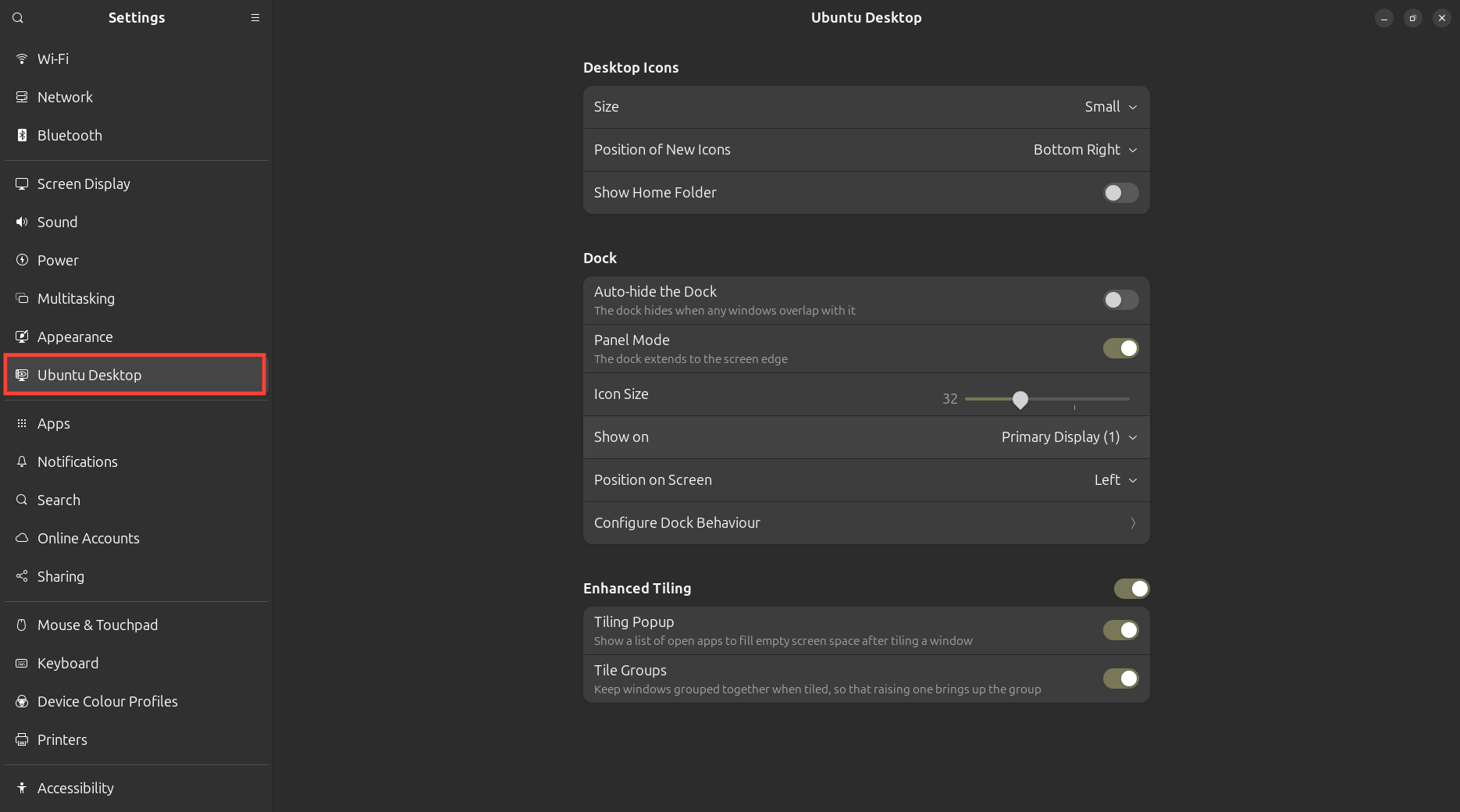
Step 2: Click Ubuntu Desktop on the left panel.
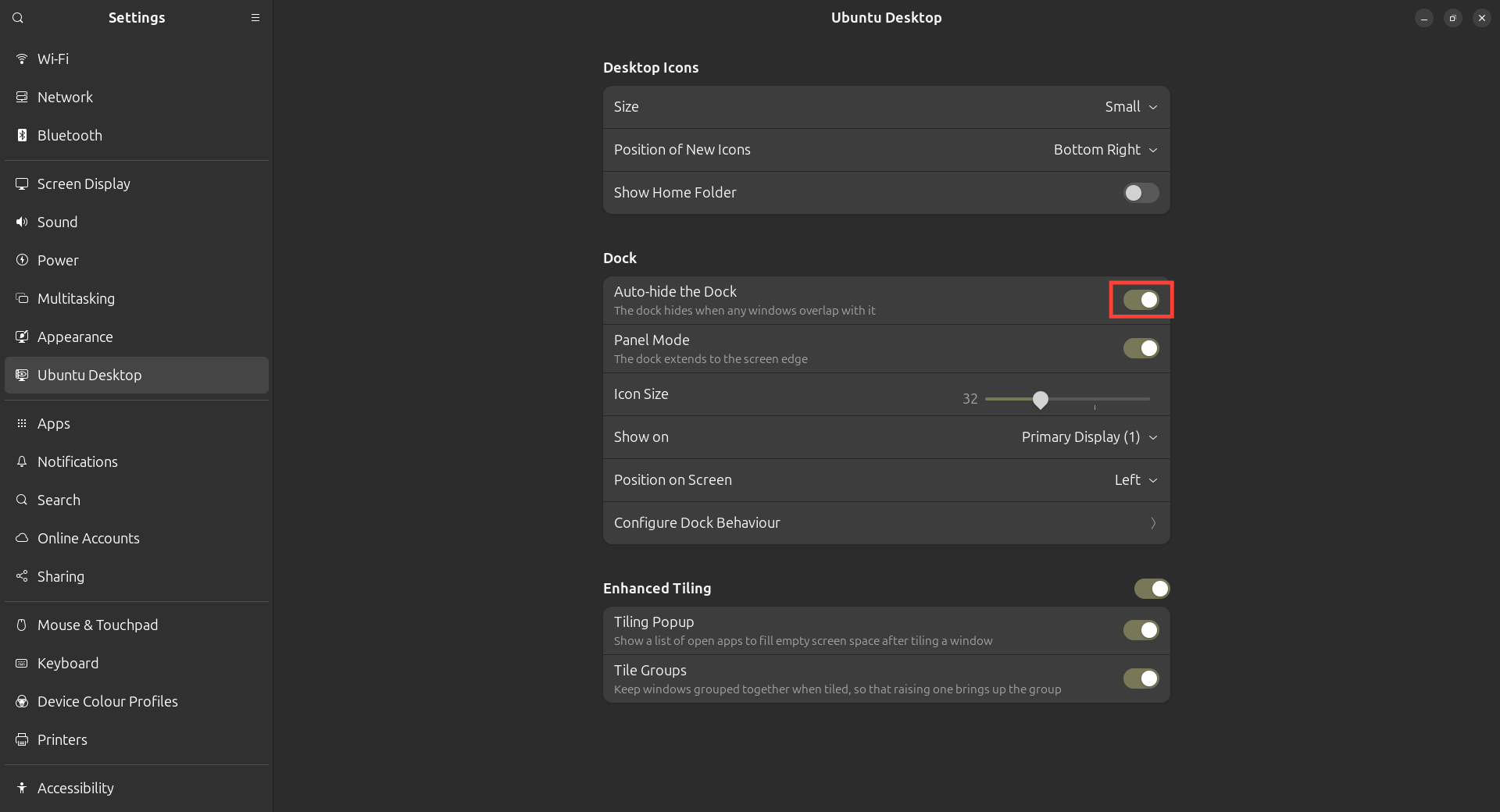
Step 3: On the right panel, scroll to Dock and toggle on the Auto-hide the Dock switch.
Conclusion
Hiding the dock in Ubuntu can go a long way in enhancing your workspace. With auto-hide enabled, you get a cleaner desktop while keeping the convenience of quick app access.
You can easily achieve this from the Settings. Once enabled, the dock will stay tucked away until you summon it with a mouse flick. If you ever change your mind, just revisit the settings and toggle it back.
Image Credit: Oyinebiladou Omemu/Techloy.com
 Oyinebiladou Omemu