



Ask anyone who's spent a weekend building an AI-generated video what actually went wrong, and “it took too long” is rarely the answer. The clips render in seconds now. The problem shows up right after: the main character's face looks slightly different in scene three, the tone swings from comedic to serious for no reason, and four beautifully generated shots just refuse to feel like one story. AI video tools solved speed a while ago. Storytelling is now the real dividing line between platforms.
This article breaks down what separates a "story-first" AI video tool from a "clip-first" one, and compares how four platforms — Anijam AI, Kling 3.0, Runway, and Google Veo 3 — handle that challenge differently. So you can choose which one fits the story you’re trying to tell.
The Evolution of AI Video Creation: From Speed to Creative Control
The Early Stage: AI as a Faster Video Generation Tool
The first wave of AI video tools focused mainly on speed — text-to-video and image-to-video models that generated clips in minutes instead of days. That cut production time dramatically, but it exposed a new problem once creators tried to string clips into something longer than a single shot.
Why Speed Alone Isn't Enough
Early “clip-first” tools were built to nail one shot at a time. What they weren't built for was continuity — a character's face, outfit, or personality could shift the moment a new scene was generated. By 2026, reviewers and creators increasingly treat “narrative consistency” and “character persistence” as real evaluation criteria, pushing a new category of “story-first” tools to emerge.
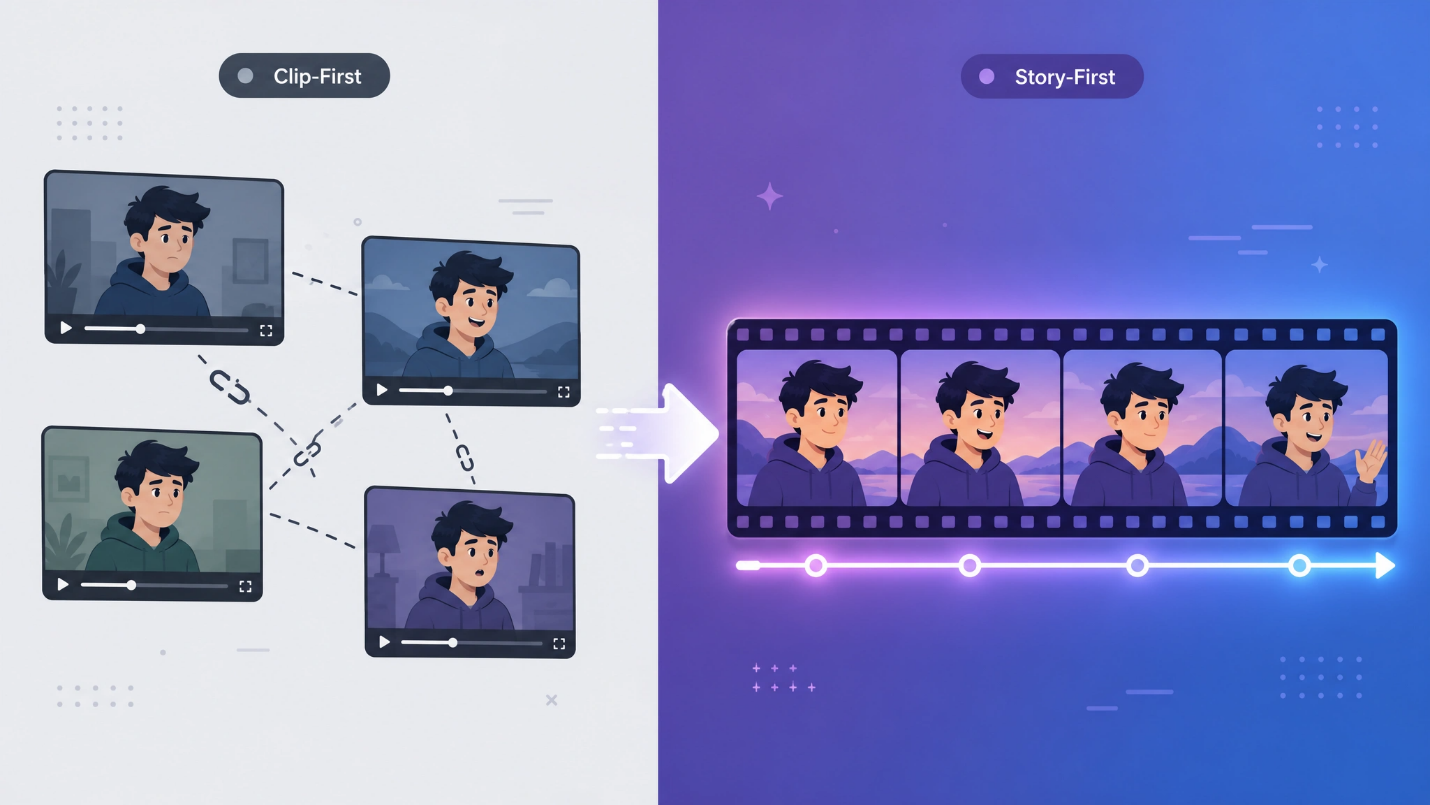
Comparing Leading AI Video Creation Tools for Different Storytelling Needs
As AI video generation improves, the bigger challenge is turning generated clips into meaningful stories with consistent characters, connected scenes, and a clear creative direction. The four tools below take different approaches to solving that.
|
Tool |
Narrative/Character Consistency |
Output Quality |
Learning Curve |
Speed to First Output |
Best For |
|
Anijam AI |
High |
Medium |
Low |
High |
Animated series, brand narratives |
|
Kling 3.0 |
High |
High |
Medium |
Medium |
Ads, product demos |
|
Runway Gen-4.5 |
High |
High |
High |
Medium |
Advertising, professional video |
|
Google Veo 3.1 |
Medium |
High |
Medium |
Medium |
Brand campaigns, commercial video |
Anijam — Trending Video Templates + AI Video Agent
The first tool worth a closer look is Anijam AI. Picture a creator with a script for a five-episode animated series — no animation background, no storyboard experience, no studio budget. Anijam's AI agent breaks the script into scenes, keeps characters consistent episode to episode, and syncs dialogue to mouth movement, all from one canvas — plus a library of ready-made templates for those who'd rather start there than from a blank prompt.
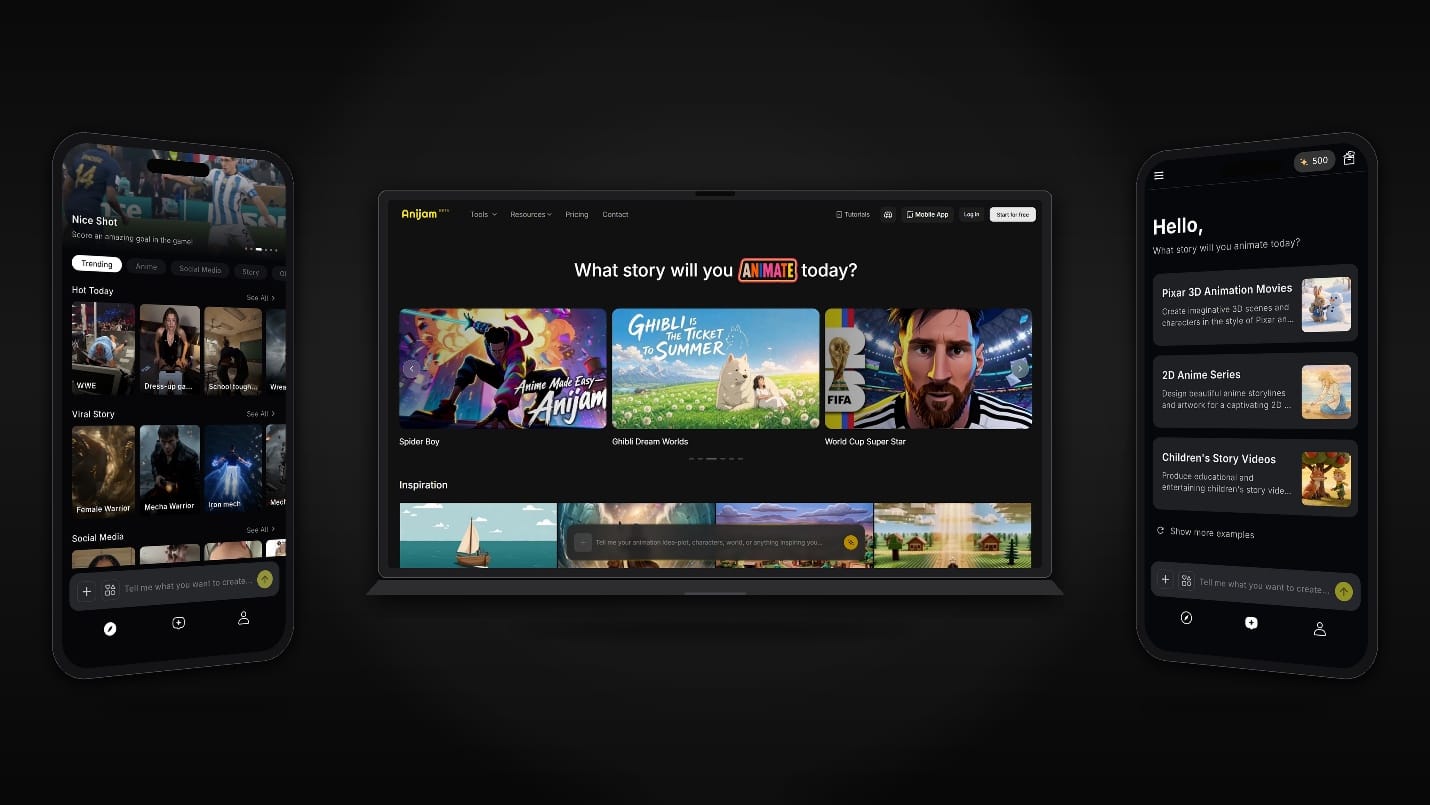
Key Features:
- Script-to-Scene AI Agent — Feed in a script and get back a sequence of linked, continuous scenes, instead of stitching single clips together by hand.
- One-Canvas Creative Workflow — Manage the entire production process in one place, from story planning and character creation to animation and editing.
- Character Consistency Across Episodes — Keeps a character's face, proportions, and style recognizable from scene to scene and episode to episode.
- AI Lip Sync and Voice Generator — Syncs dialogue to a character's mouth movements and generates voiceover in more than 30 languages.
Kling 3.0 — AI-Directed Multi-Shot Sequences
Say a brand needs a 15-second ad with three different camera angles — a wide shot, a push-in, a close-up. That's the case Kling 3.0 is built around: its “AI Director” mode plans up to six shots within a single generation, holding subject and setting consistent across cuts, as one unified model for text, image, audio, and video.
Key Features:
- AI Director Multi-Shot Storyboarding — Plans up to six distinct shots in one generation, each with its own framing and camera movement.
- Native 4K at 60fps — Renders true 4K resolution at up to 60 frames per second, suitable for broadcast use.
- Unified Multimodal Architecture — Processes text, image, audio, and video through a single model.
Runway — From Reference Images to Full Scene Direction
A character's face holds up in one clip, then drifts the moment a new angle or location is generated — that's the problem Runway's latest model, Gen-4.5, solves. Creators feed in reference images once, and Gen-4.5 holds that character's face, proportions, and style across scenes and camera angles, making it a common tool in ad agencies and film pipelines.
Key Features:
- Gen-4.5 Foundation Model — Generates up to 60 seconds of continuous video with strong temporal and character consistency.
- Reference-Based Character Consistency — Uses uploaded reference images to hold a character's face, outfit, and proportions across scenes and camera angles.
- Aleph In-Video Editing — Enables direct object and scene manipulation inside an already-generated clip, without a full re-render.
Google Veo 3.1 — Built for Cinematic Control and Native Audio
Google Veo 3.1 generates native synchronized audio — dialogue, ambient sound, effects — in the same pass as the video, plus 4K output and native vertical video for mobile platforms. It's built less as a quick-clip generator and more as a production tool for broadcast-ready realism.
Key Features:
- Native 4K Output — Produces true 4K resolution through AI reconstruction, suited for high-end commercial and broadcast use.
- Integrated Audio Generation — Generates dialogue, ambient sound, and effects synchronized with the video in a single pass.
- Native Vertical Video — Generates true 9:16 output for YouTube Shorts, TikTok, and Reels without quality loss.
How to Choose the Right AI Video Tool for Storytelling
- Choose Anijam AI when: you're building an animated series and want a low barrier to entry — templates plus an AI agent, no production team required.
- Choose Kling 3.0 when: you need one generation to behave like a directed, multi-shot sequence, with native 4K and multi-language dialogue.
- Choose Runway when: precise creative control and character consistency across many separate shots matter more than speed.
- Choose Google Veo 3.1 when: realism and native audio-visual sync are non-negotiable, and you need a single shot extended into a longer sequence.
The Future of AI Video Creation: Speed, Creativity, and Storytelling Together
AI video is fast now — that race is basically over. The one that matters next is storytelling: which tools let an ordinary creator, with no studio and no crew, hold a character, a scene, and a narrative together from start to finish.
The practical move isn't chasing the flashiest demo reel — it's matching the tool to the story being told. These platforms are converging on speed, but they're still built for different jobs. That's the gap worth understanding before picking one.


