



Working from home means spending a lot of time in front of a screen, whether you're writing reports, attending video meetings, editing videos, managing spreadsheets, or juggling multiple applications. While a laptop can handle most of these tasks, its relatively small display can become limiting when you spend several hours working.
A dedicated monitor gives you more room to work, makes it easier to manage multiple windows, and can help create a more comfortable workstation. Some also offer USB-C connectivity, allowing you to connect your laptop, charge it, and transfer data through a single cable.
However, not everyone needs an expensive 4K display or an ultrawide monitor. The right choice depends on your workload, desk space, and how much you're willing to spend.
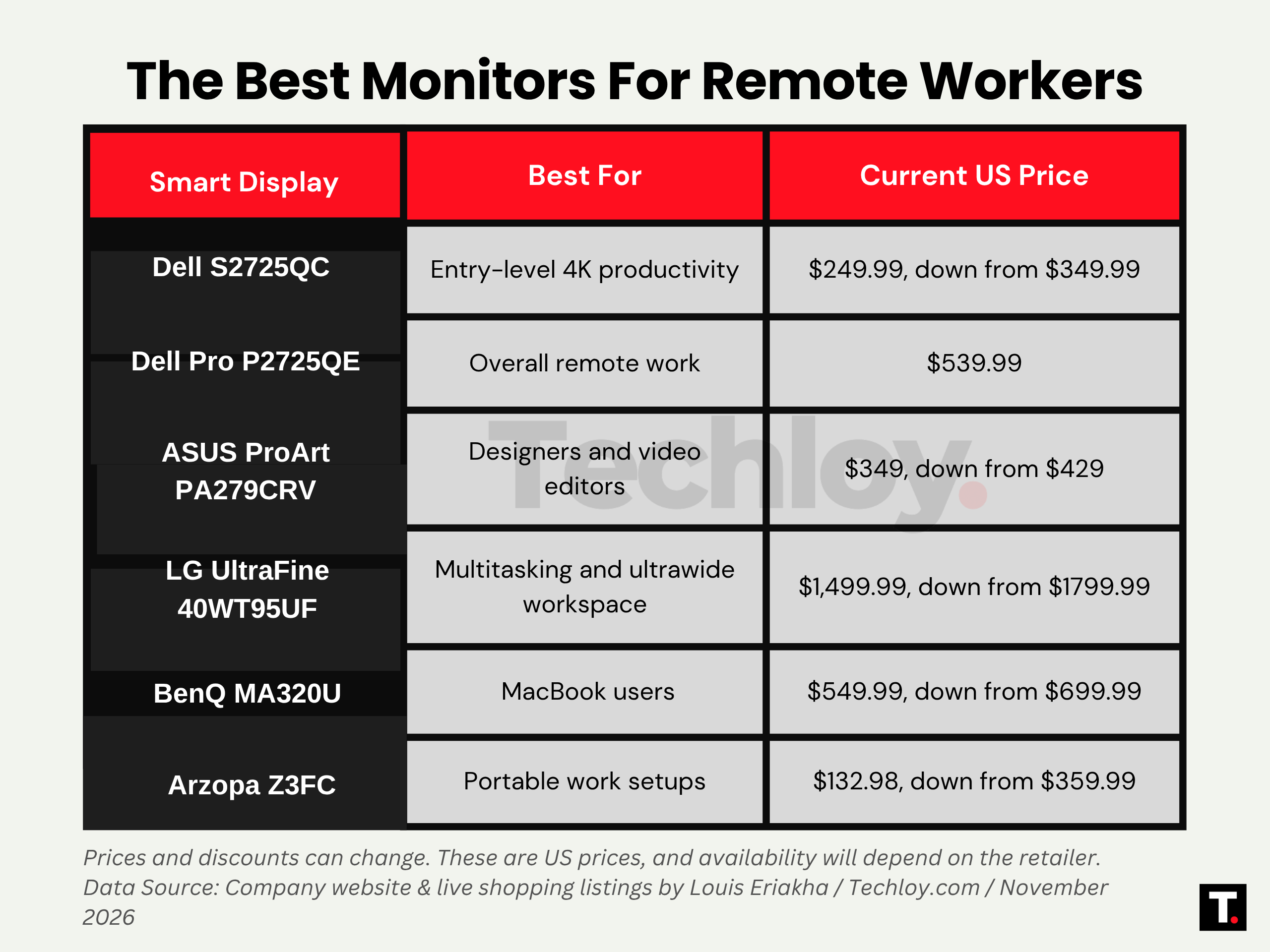
If you're looking to upgrade your home office, these six monitors offer different advantages depending on how you work.
 David Adubiina

/1. Dell S 27 4K USB-C Monitor (S2725QC) — Best entry-level 4K monitor
- Price: $249.99, down from $349.99
- Buy it from Dell
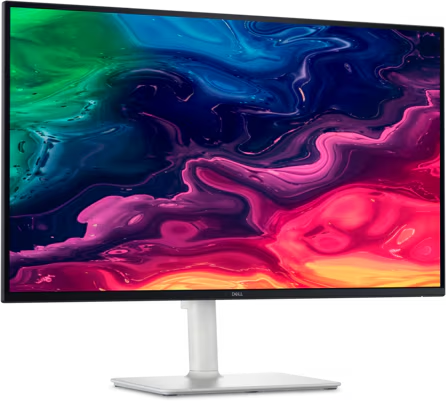
For most people setting up a home office, the Dell S2725QC offers a good starting point without requiring a particularly large investment. Its 27-inch 4K display gives you enough room to work across documents, browser tabs, and spreadsheets, while its relatively affordable price makes it accessible to people who don't need specialised creative features.
One of its biggest advantages is that it doesn't feel like a basic budget monitor. The 4K resolution provides sharper text and more detailed visuals, while its 120Hz refresh rate makes scrolling through documents and navigating applications feel smoother. It also includes two built-in 5W speakers, which can be useful for occasional video meetings or watching content without connecting external speakers.
The USB-C connection is another practical addition. It supports up to 65W power delivery, allowing compatible laptops to receive power while sending video to the monitor through the same cable. Its adjustable stand also supports height, tilt, swivel, and pivot adjustments, making it easier to find a comfortable viewing position.
The compromise is that it doesn't offer the extensive docking features found on more expensive business monitors. Its 65W charging capacity may also be insufficient for some more demanding laptops.
/2. Dell Pro P 27 4K USB-C Hub Monitor (P2725QE) — Best overall monitor for remote workers
- Price: Around $539.99
- Buy it from Dell
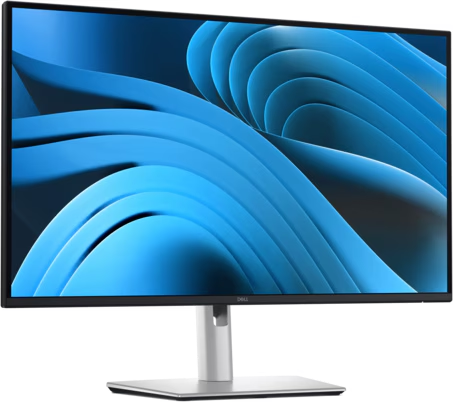
If you're looking for a monitor that can handle almost everything a typical home office demands, the Dell Pro P 27 is worth considering. Its 27-inch 4K display offers plenty of space for everyday productivity, whether you're working on documents, following spreadsheets, or keeping multiple browser windows open.
What makes it particularly useful for remote workers is its connectivity. The monitor has a USB-C port that supports up to 90W power delivery, alongside HDMI, DisplayPort, USB-A and an Ethernet port. This allows compatible laptops to connect to the monitor, charge, and access wired networking without needing a separate docking station.
It also supports a 100Hz refresh rate, which makes everyday navigation and scrolling feel smoother than on traditional 60Hz office displays. Its adjustable stand provides height, tilt, swivel, and pivot controls, while Dell's TÜV-certified eye-comfort features are designed to make extended screen use more comfortable.
The main drawback is its price. At around $540, it's considerably more expensive than the S2725QC, and casual users may not get enough additional value from its docking and connectivity features to justify the difference.
Subscribe for free to continue reading this article
Subscribe SubscribeAlready have an account? Log in