



If you've ever looked at your Adobe Premiere Pro ₦190,920 (~$142) annual subscription and wondered if there's a cheaper way to get your editing done, you're not alone. I know I have.
That's why when I came across Filmcraft, a free, open-source video editor that looks a lot like Premiere Pro, I was curious to see how much of that experience it could replicate without the monthly bill.
At first glance, Filmcraft's interface is familiar, the keyboard shortcuts are similar, and getting started doesn't feel like learning an entirely new application. But looking like Premiere Pro and actually working as well as it are two very different things.
After spending some time with Filmcraft, I found a video editor that's easy to get into but still has some way to go before I'd trust it with serious editing work.
 Louis Eriakha
Filmcraft feels a lot like Premiere Pro
The first thing I noticed about Filmcraft was just how familiar it felt. The layout, timeline, and keyboard shortcuts reminded me of Premiere Pro enough that I could jump straight into basic editing without spending ages figuring out where everything was.
If you've used Premiere Pro before, you'll probably feel at home here, too. I was able to start editing and experiment with masking without having to learn a completely new workflow. There are a few differences, though, like how you access workspaces, but nothing that makes the software particularly difficult to pick up.
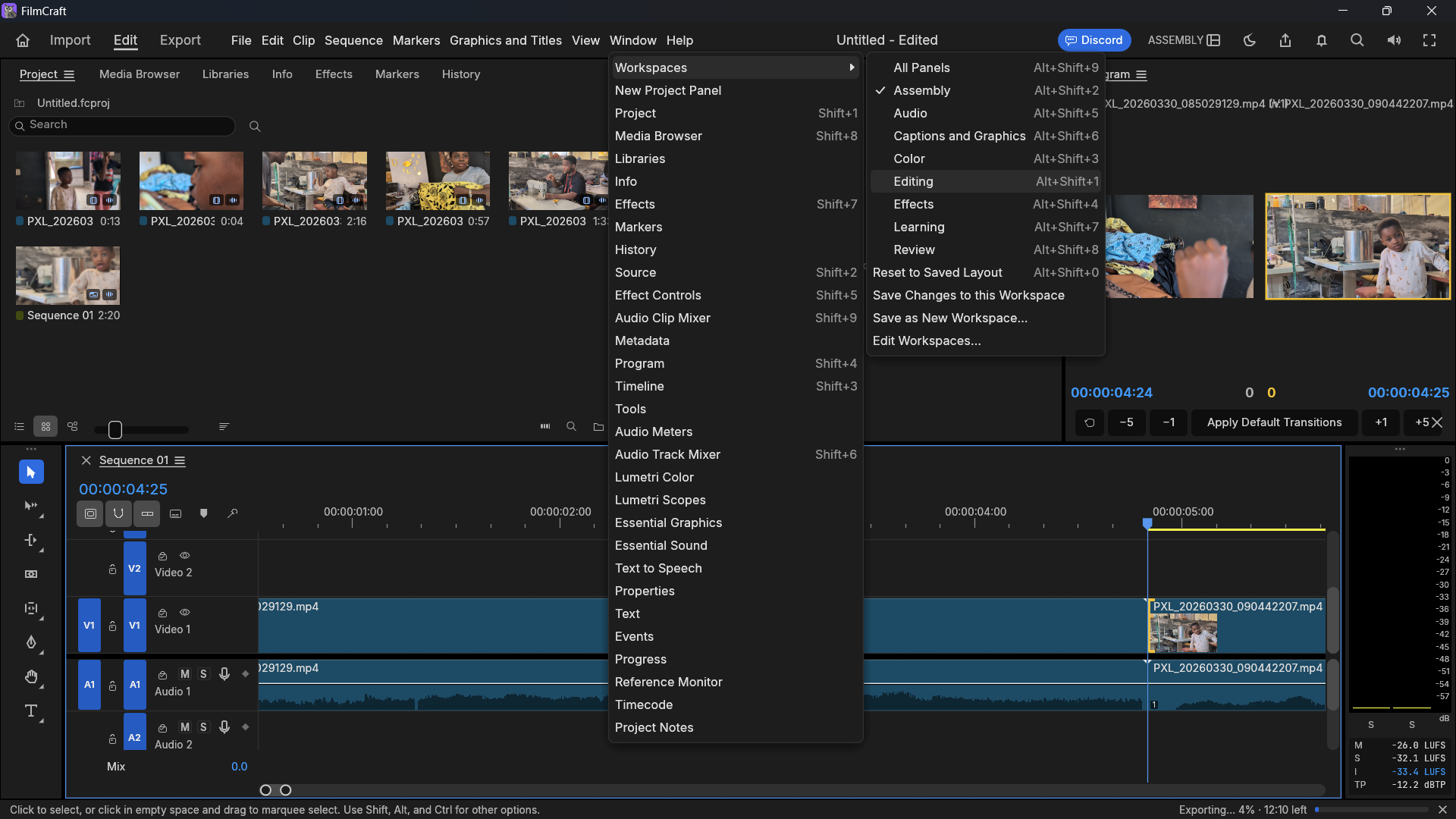
Most of my testing involved masking and stacking video layers on top of one another, and Filmcraft handled those experiments well enough. I also tried a blend transition between two clips, but the result looked rough. Instead of blending the footage smoothly, the transition felt unfinished, so I went back to testing masks.
I ran into another small annoyance when working with keyframes. I couldn't zoom in on the keyframes I'd placed, which made precise adjustments more awkward than they needed to be. It's a minor issue, but these little details add up when you're trying to get an edit just right.
These issues aren't enough to make Filmcraft difficult to understand. If anything, its familiar interface is one of its biggest strengths. The problem is that knowing where everything is doesn't necessarily mean the software will run smoothly once you start using it.
Camera footage compatibility is a problem
Things got frustrating when I tried importing 4K footage from a Fujifilm camera. Instead of loading the clips, Filmcraft repeatedly returned an "unreadable" error.
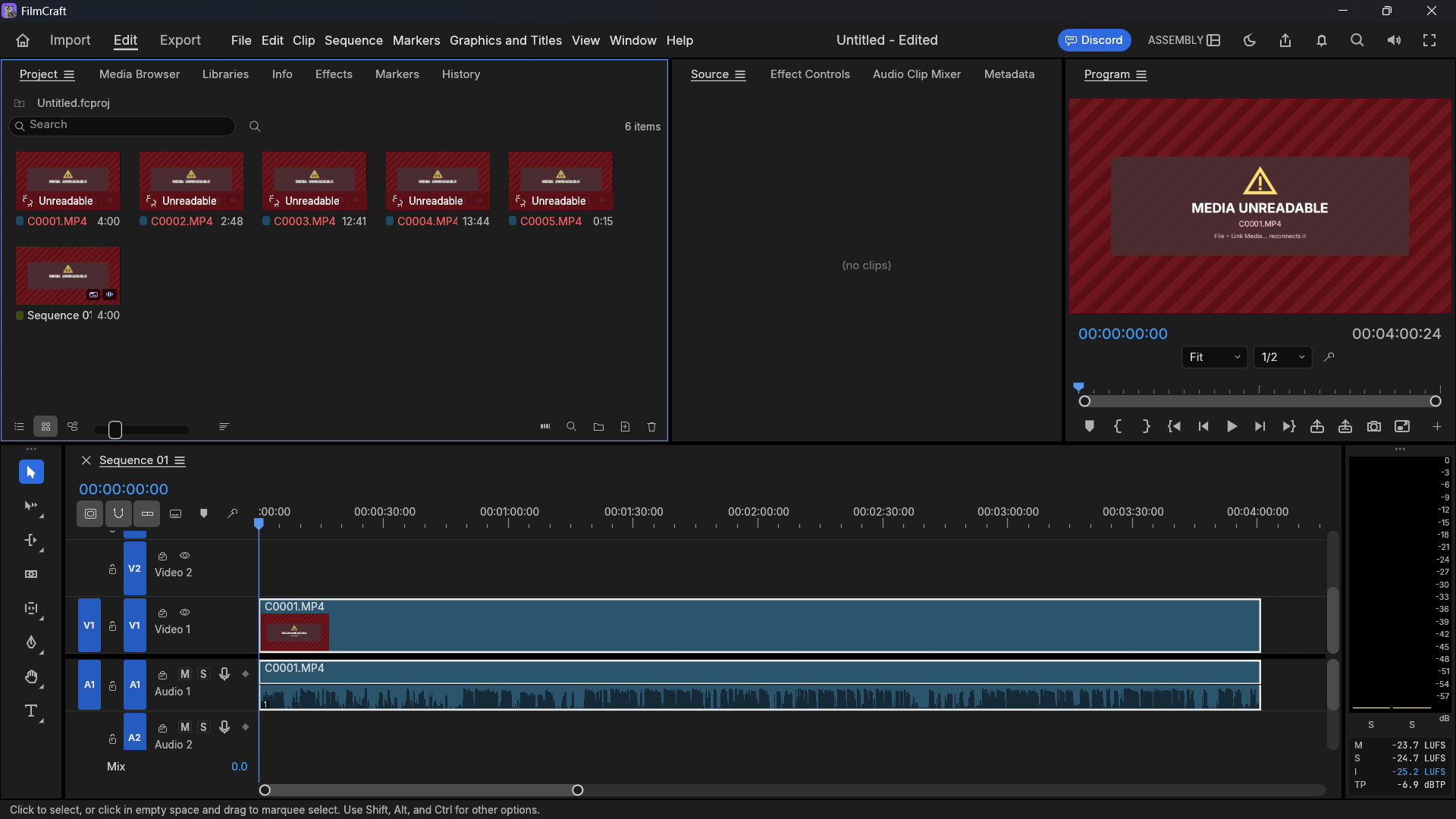
I couldn't pin down exactly what was causing the problem. My other footage imported successfully, but the clips from the camera wouldn't play. I initially suspected it might be related to the footage's codec or 10-bit colour, but I couldn't confirm that.
The project's official roadmap offers some clues. The developers acknowledge that support for 10-bit and 4:2:2 camera footage still needs work, along with testing against real-world media files. That doesn't prove either limitation was responsible for my error, but it suggests the problem I ran into is worth taking seriously.
If you're mainly editing standard MP4 files, you might not run into this issue at all. But if you regularly work with footage from dedicated cameras, don't assume Filmcraft will accept everything you throw at it. I'd test your usual files before making the switch.
Performance is where Filmcraft struggles
Even with footage that imported successfully, I had trouble getting smooth playback. My laptop has a seventh-generation Intel Core i7 processor, 16GB of RAM, and a GPU with 4GB of memory. It's not a high-end editing machine, but it handles basic video editing well enough.
I also had Premiere Pro 2021 installed on the same laptop, which made the comparison hard to ignore. Filmcraft felt noticeably more demanding, with timeline playback stuttering even after I created proxies to make the footage easier to handle. Adding a transition made things worse, and I eventually had to render the timeline just to preview the edit properly.
Things got even less reassuring when I checked Windows Task Manager. Filmcraft was using a lot of CPU capacity while barely putting my GPU to work. I tried enabling GPU rendering to see if that would help, but the application crashed. Thankfully, I was able to recover my progress, although it's not the kind of experience that inspires confidence when you're trying to finish a video.
Screen recording of playback and export that led to it crashing: Louis Eriakha / Techloy.com
Filmcraft's roadmap acknowledges that performance and hardware acceleration still need work. Some effects and colour-processing operations rely on the CPU, while GPU support is available for selected effects and rendering tasks. That could help explain what I saw, although it doesn't tell us exactly why playback was stuttering or why the application crashed.
A more powerful computer might give you a better experience, so my results won't necessarily reflect what everyone will encounter. Still, software that struggles to play back footage smoothly, even with proxies, has some work to do. I'd like to see Filmcraft become better optimised before recommending it for more demanding projects.
It's missing some of Premiere Pro's polish
Performance and compatibility aren't the only things that separate Filmcraft from Premiere Pro. There's also the question of what happens when something goes wrong.
Subscribe for free to continue reading this article
Subscribe SubscribeAlready have an account? Log in


