



Microsoft Phone Link promises to make your Android phone and Windows PC feel like two parts of the same device, letting you access messages, photos, calls and notifications without constantly reaching for your phone.
It sounds pretty useful if you want to make working on a laptop less distracting, especially if you spend most of your day in front of a screen.
But after using Phone Link on my Pixel 8, an Android 17 phone and Windows 11 laptop for a few days, I'm not entirely convinced.
While the app does what it promises in some areas, the setup process felt unnecessarily cumbersome, its notifications weren't as useful as I expected, and connecting my phone introduced a few problems I wouldn't normally have.
By the end of my testing, I found myself wondering why anyone would actually need Phone Link at all.
 Damilare Odedina
Setting up Phone Link takes more work than expected
Getting started with Phone Link wasn't particularly difficult, but it took me about 10 minutes to get through the initial setup. The process involved scanning a QR code, linking my devices and granting a long list of permissions.
I understand why an app that needs access to messages, photos, calls and notifications would require permissions, but having to approve so many things at once made the process feel more intimidating than it needed to be.
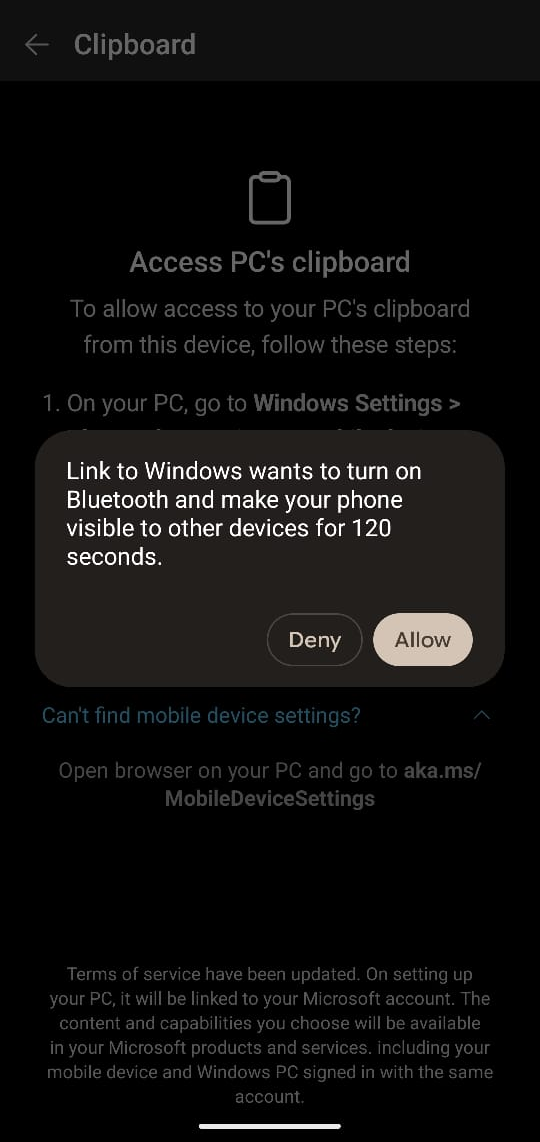
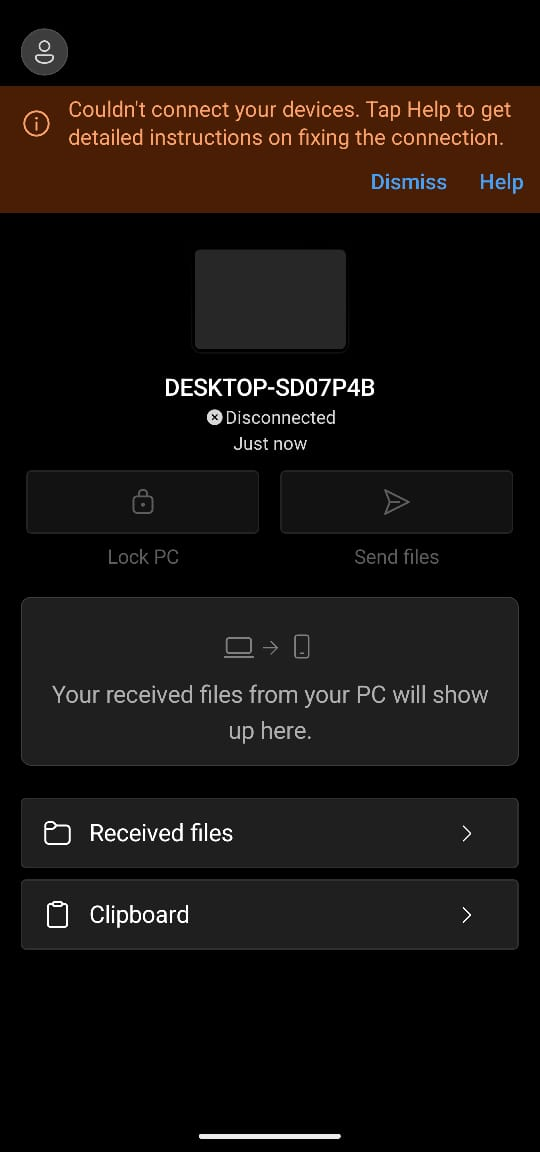
Screenshot: Louis Eriakha / Techloy.com
I eventually got through it, and things seemed straightforward enough at first. I could access my text messages and photos from my PC, which gave me the impression that the bulk of the setup was behind me. That assumption didn't last long.
When I tried to access calls, I had to go through another setup process involving Bluetooth pairing. I ended up troubleshooting the connection on both my phone and laptop before I could get it working.
It wasn't a particularly complicated problem to solve, but it made me question what the initial setup had accomplished if I still needed to configure individual features separately.
The experience became more frustrating when I realised that getting Phone Link up and running didn't necessarily mean every feature was ready to use. Instead of feeling like I was connecting two devices, I felt like I was setting up several smaller features under one app.
Phone Link works, but what can you do with it?
Once everything was connected, Phone Link gave me access to my phone's photos, text messages, calls and notifications from Windows.
Subscribe for free to continue reading this article
Subscribe SubscribeAlready have an account? Log in


