



Google has been steadily bringing Gemini into more of its products, and Chrome is another place where Google's AI assistant is making an appearance.
With Gemini in Chrome, users can access Google's AI assistant directly from the browser, asking questions about webpages, summarising articles, and getting help understanding information without having to open a separate tab.
But how useful is it beyond the convenience of having an AI assistant sitting beside your browser? I decided to put it through a few everyday research tasks to see how well it could understand articles, compare information across multiple tabs, and explain technical concepts.
Here's how that went.
 Damilare Odedina
Using Gemini in Chrome
Getting started is pretty straightforward. Once you open Chrome, you'll find an Ask Gemini button in the top-right corner of the browser.
Clicking it opens a side panel where you can interact with Gemini, ask questions about the page you're viewing, or get help with other browsing-related tasks, all without leaving your current tab. And if you don't see it but want to turn Gemini in Chrome on or off, simply go to Settings > AI Innovations > Gemini in Chrome > Toggle it on or off.
Making sense of long articles
For my first test, I wanted to see how well Gemini could understand a lengthy article. I used Techloy's 2026 tech layoffs tracker and asked it to summarise the story, identify its central argument, highlight five important details, and pull out the statistics supporting them.
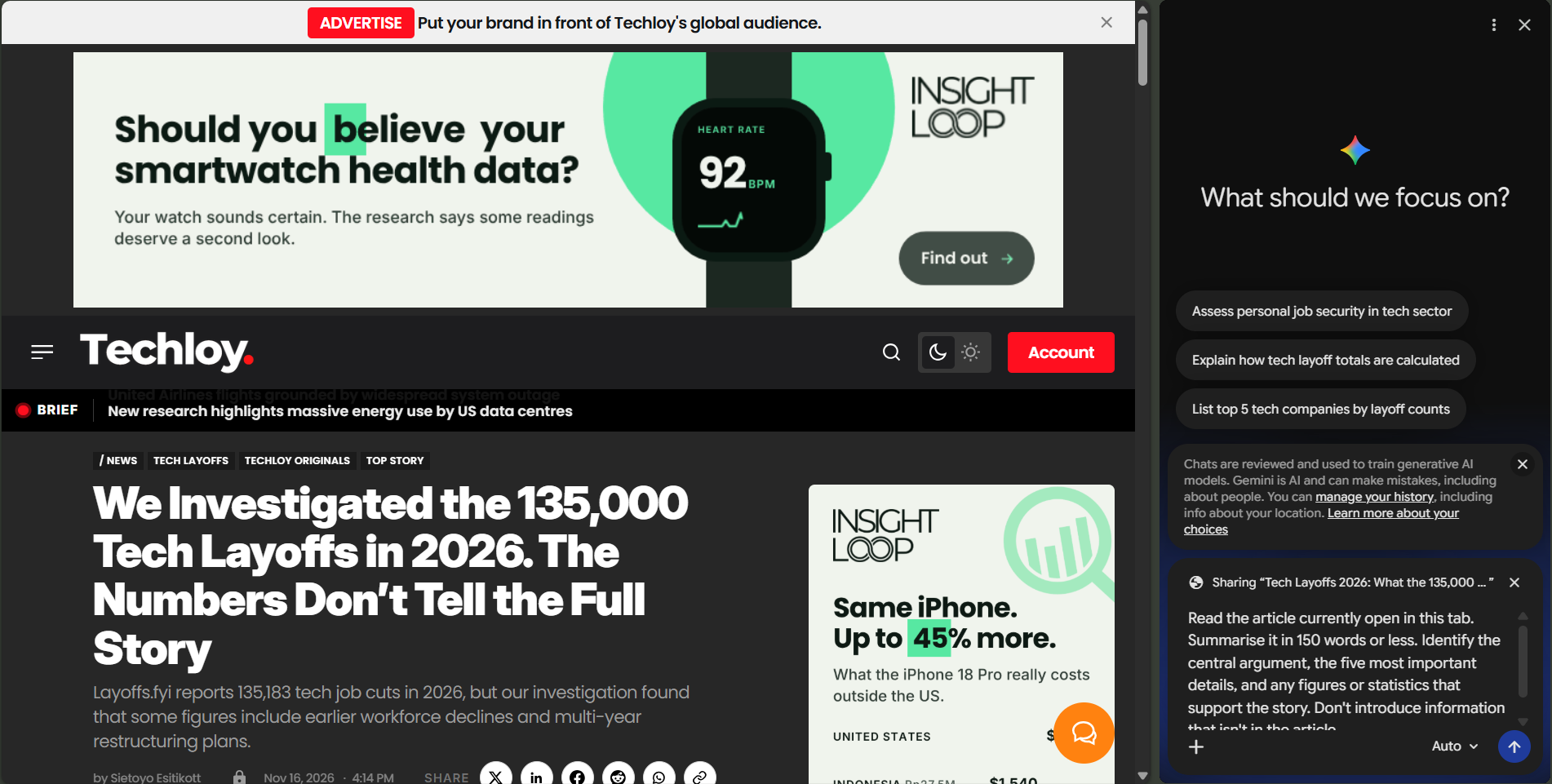
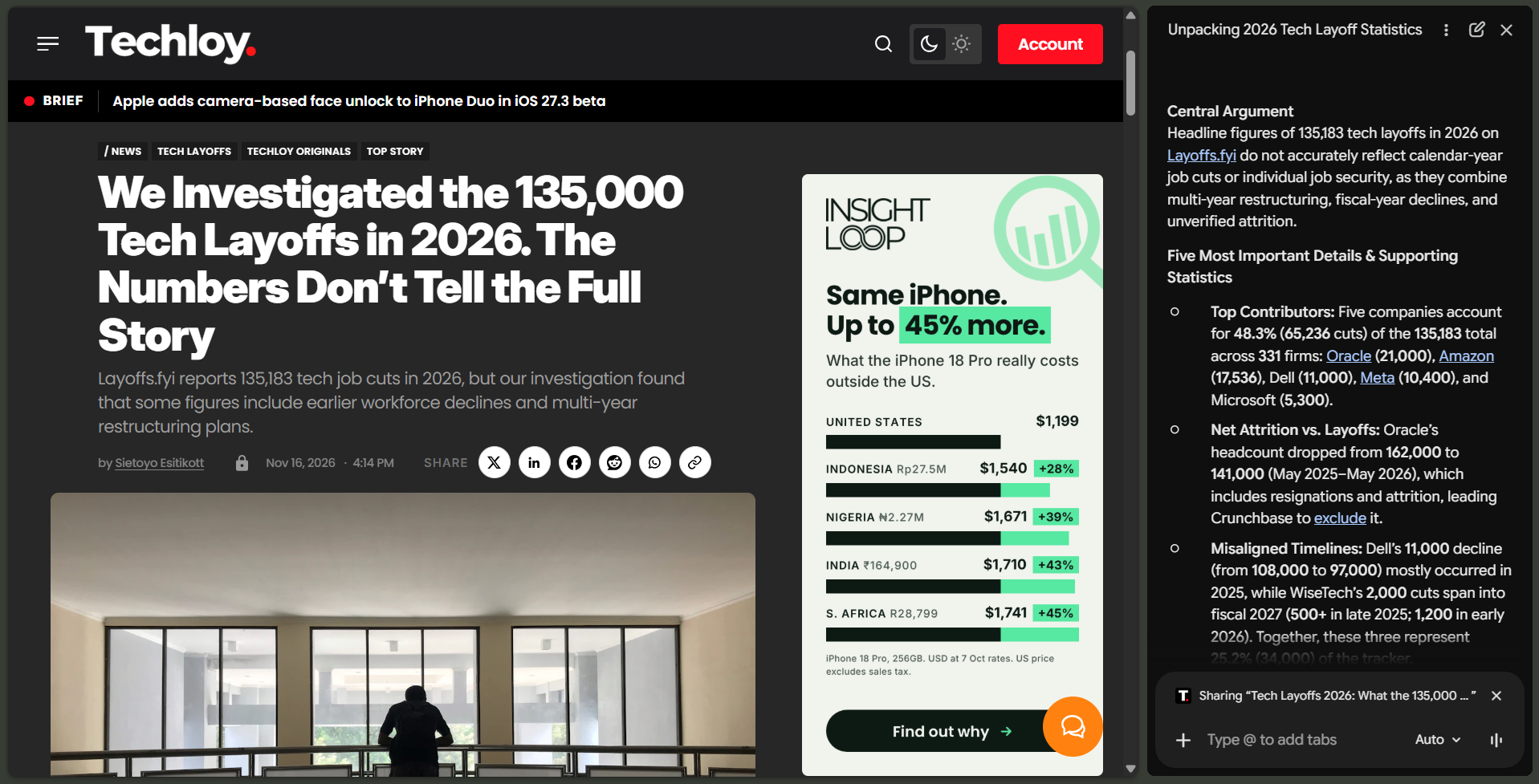
Gemini returned a fairly detailed breakdown that went beyond simply condensing the article into a few paragraphs. For instance, it identified five companies, including Oracle, Amazon, Dell, Meta, and Microsoft, as accounting for 48.3% of the 135,183 reported layoffs across 331 companies.
It also picked up on the article's distinction between actual layoffs and employee attrition, highlighting how Oracle's reported headcount reduction of 21,000 included departures beyond confirmed layoffs. It similarly pointed out that some reported workforce reductions, such as Dell's, largely occurred in 2025 rather than within the 2026 reporting period.
Another detail it highlighted was the contrast between reported layoffs and broader US tech employment figures, which showed employment growth despite the headline job-cut numbers.
I liked how Gemini organised the response. It separated the central argument from the supporting details, making it easier to scan and identify the information I was looking for without having to go through the entire article again.
Of course, summarising an article isn't the same as independently verifying its claims, so I'd still recommend checking important figures against their original sources. But for getting through a lengthy article and understanding its key points more quickly, Gemini did a good job.
Comparing information across multiple tabs
This was probably the most interesting part of my testing. I opened three articles discussing Google's September Pixel Drop and asked Gemini to compare their coverage, identify what they agreed on, highlight what each article left out, and determine which provided the most detail.
Subscribe for free to continue reading this article
Subscribe SubscribeAlready have an account? Log in