



Loading the Elevenlabs Text to Speech AudioNative Player...
You may want to change your Android notification sound for various reasons. Customizing your Android phone's notification sounds can help you distinguish your notifications and add a personal touch to your device.
Whether you want to assign specific tones to different apps or change the default sound entirely, Android offers a range of options.
In this article, you will learn how to change your notification sounds and make your phone feel a lot more like you.
How to Change Your Phone Default Sound
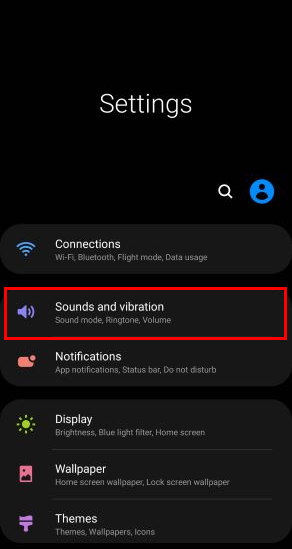
- Go to Settings and select Sound & vibration. (If you use a different Android device, try Settings > Apps & notifications > Notifications > Advanced.)
Subscribe for free to continue reading this article
Subscribe SubscribeAlready have an account? Log in


