



Loading the Elevenlabs Text to Speech AudioNative Player...
There are plenty of reasons you might want to make your X (formerly Twitter) account private. Whether you’re trying to control who can see your posts or simply want more privacy, switching to a private account can give you peace of mind.
Also, with X upcoming feature which will let blocked users to view your posts, it's even more important than ever to secure your tweets. This guide will walk you through the steps to make your X account private, whether you're using desktop or mobile.
Blocked users on X can still view posts in latest update
While blocked users will not be able to interact with those who blocked them, they will soon regain the ability to see their posts.
 Emmanuel Oyedeji
5 steps to make your X account Private on web browser
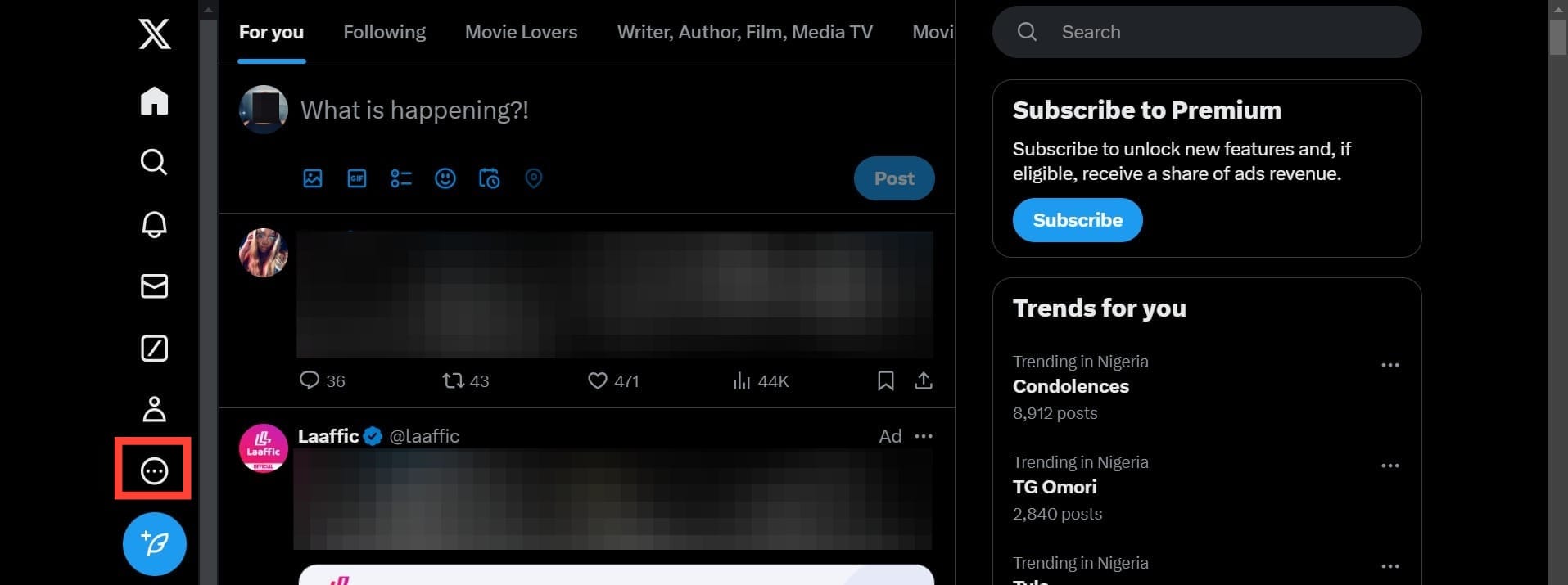
Step 1: Open the X website in your browser and sign in. Then, from the left sidebar, click on More.
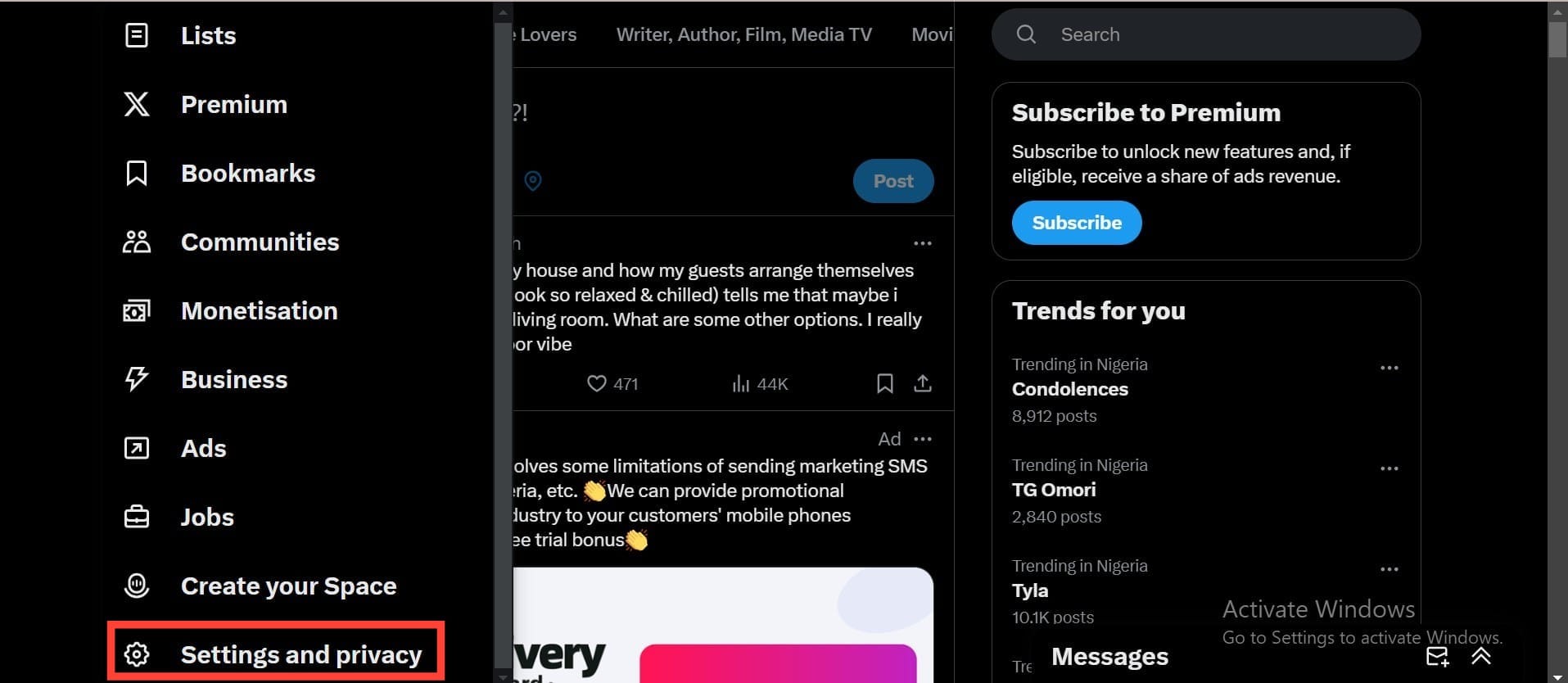
Step 2: Choose Settings and privacy.
Subscribe for free to continue reading this article
Subscribe SubscribeAlready have an account? Log in


