



TikTok is giving its comment section a serious upgrade.
You can now do more than leave a text reaction under a video. TikTok has introduced Voice Comments, Comment Polls, Photo Carousel Comments and Live Photo Comments, giving users new ways to talk, vote and share images without leaving the conversation.
Some of the features are already available globally, while others are still rolling out. Here’s how each one works and what you need to know.
 Ejiro Onose
How to Leave a Voice Comment on TikTok
Voice Comments let you record an audio message and post it directly under a TikTok video.
Instead of typing out a reaction, you can simply record what you want to say. Voice Comments can be up to 60 seconds long, and anyone who can see the comment can tap it to listen.
To leave a Voice Comment:
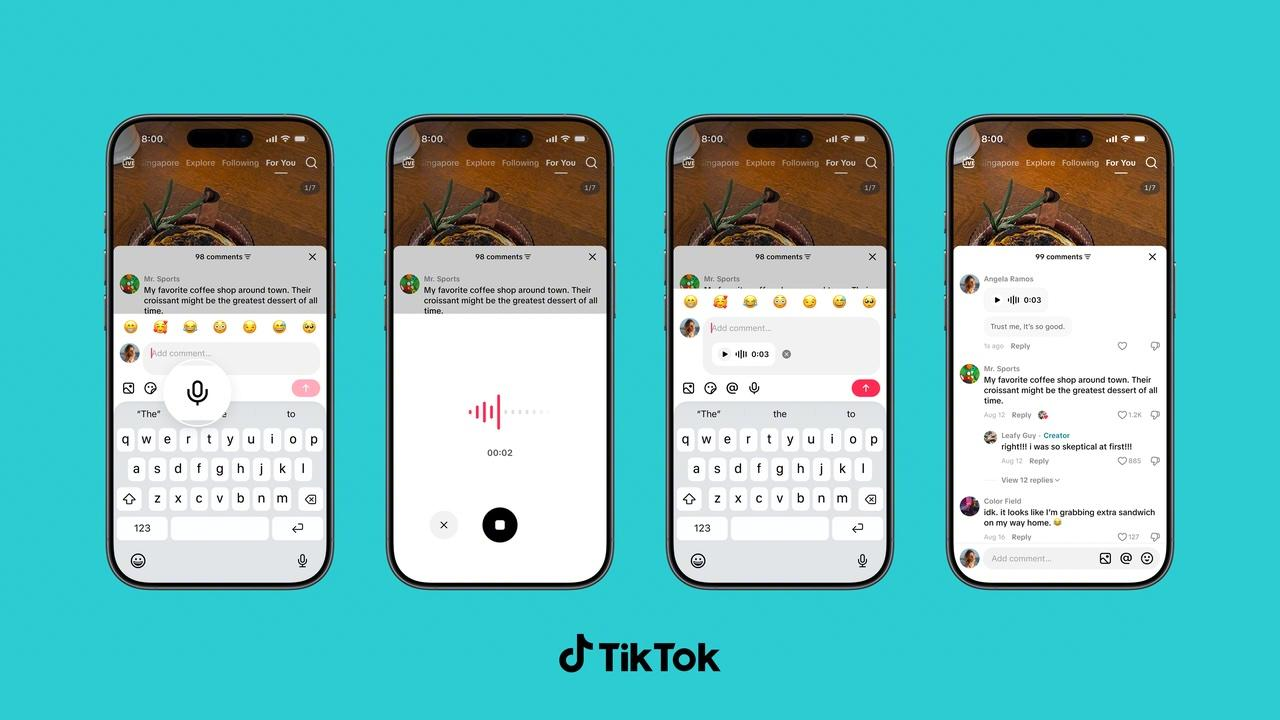
- Open the TikTok video you want to respond to.
- Open the comment section.
- Tap the microphone icon in the comment box.
- Record your message.
- Post the recording as a comment.
The feature is rolling out globally over the next month and is available to accounts belonging to users aged 18 and older. If you don't see the microphone option yet after updating your app, it may simply not have reached your account.
TikTok says Voice Comments are subject to the same Community Guidelines as other content. The company uses automated systems and human moderation, including speech-to-text transcription, to identify potentially violating content.
How to Create a Poll in a TikTok Comment
TikTok is also letting creators put polls directly into the comment section of their own videos.
This can be useful if you want your audience to choose what you make next, settle a debate or simply get involved in a decision.
To create a Comment Poll:
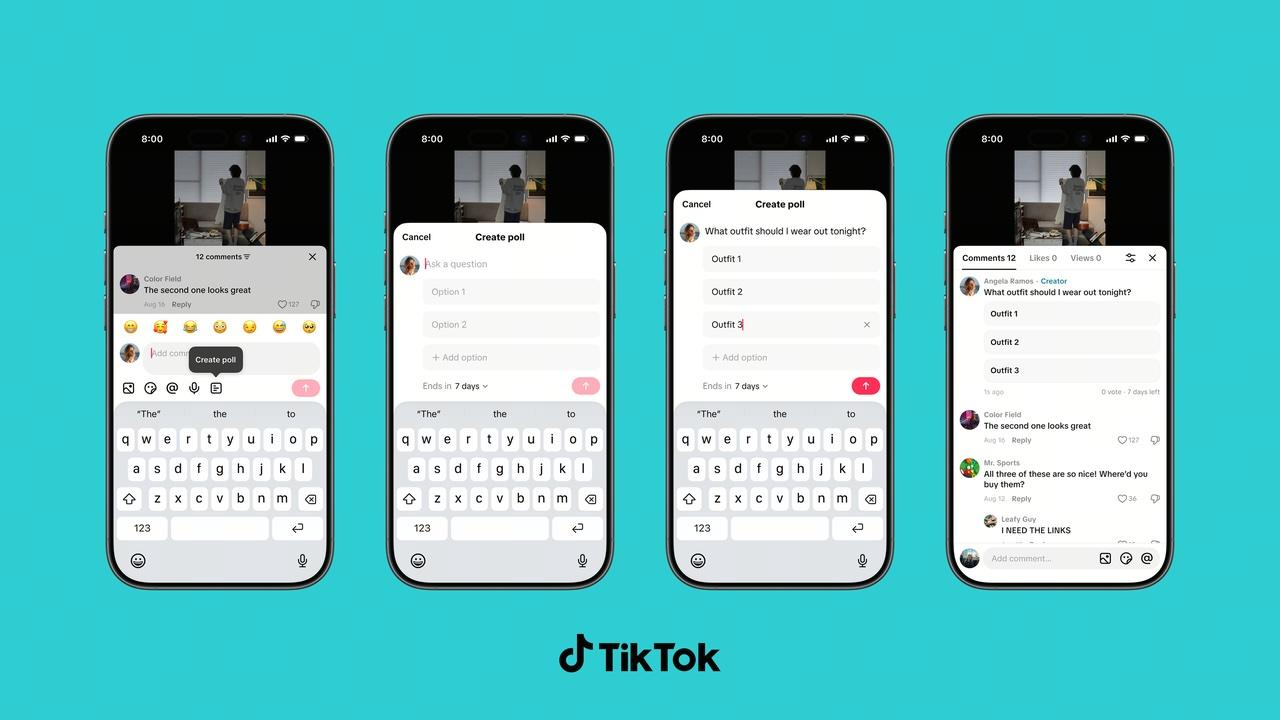
- Go to the comment section of one of your own TikTok videos.
- Tap the poll option in the comment composer.
- Add your question and answer choices.
- Choose up to five options.
- Set how long you want the poll to remain active.
- Post the poll.
Viewers can then vote directly in the comment section, while creators can track the results as votes come in.
Unlike Voice Comments, Comment Polls are already available globally. TikTok had previously made the feature available to some creators, but it's now rolling it out to creators worldwide.
How to Add Multiple Photos to a TikTok Comment
Subscribe for free to continue reading this article
Subscribe SubscribeAlready have an account? Log in


