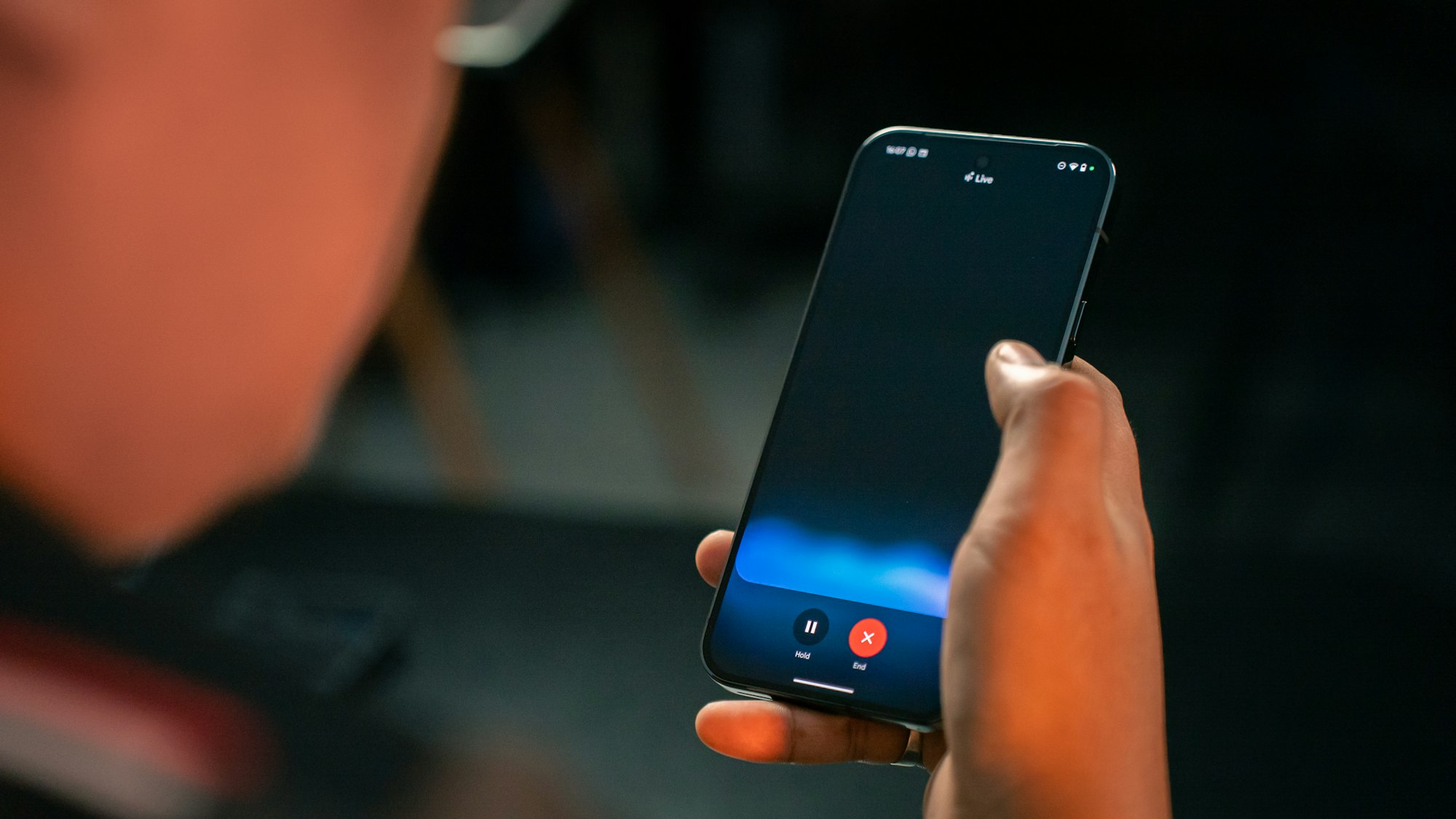
When Google replaced Assistant with Gemini as part of its big push into AI, it felt a bit like losing an old friend, one who actually understood you. At first, Gemini didn’t quite fill those shoes, especially since you had to tap a button just to talk to it.
But things have improved. And the best part? You can now activate Gemini just like you used to with Assistant, using the trusty old "Hey Google" wake phrase.
In this guide, learn how to turn that feature on.
 David Adubiina
How to voice activate Google Gemini
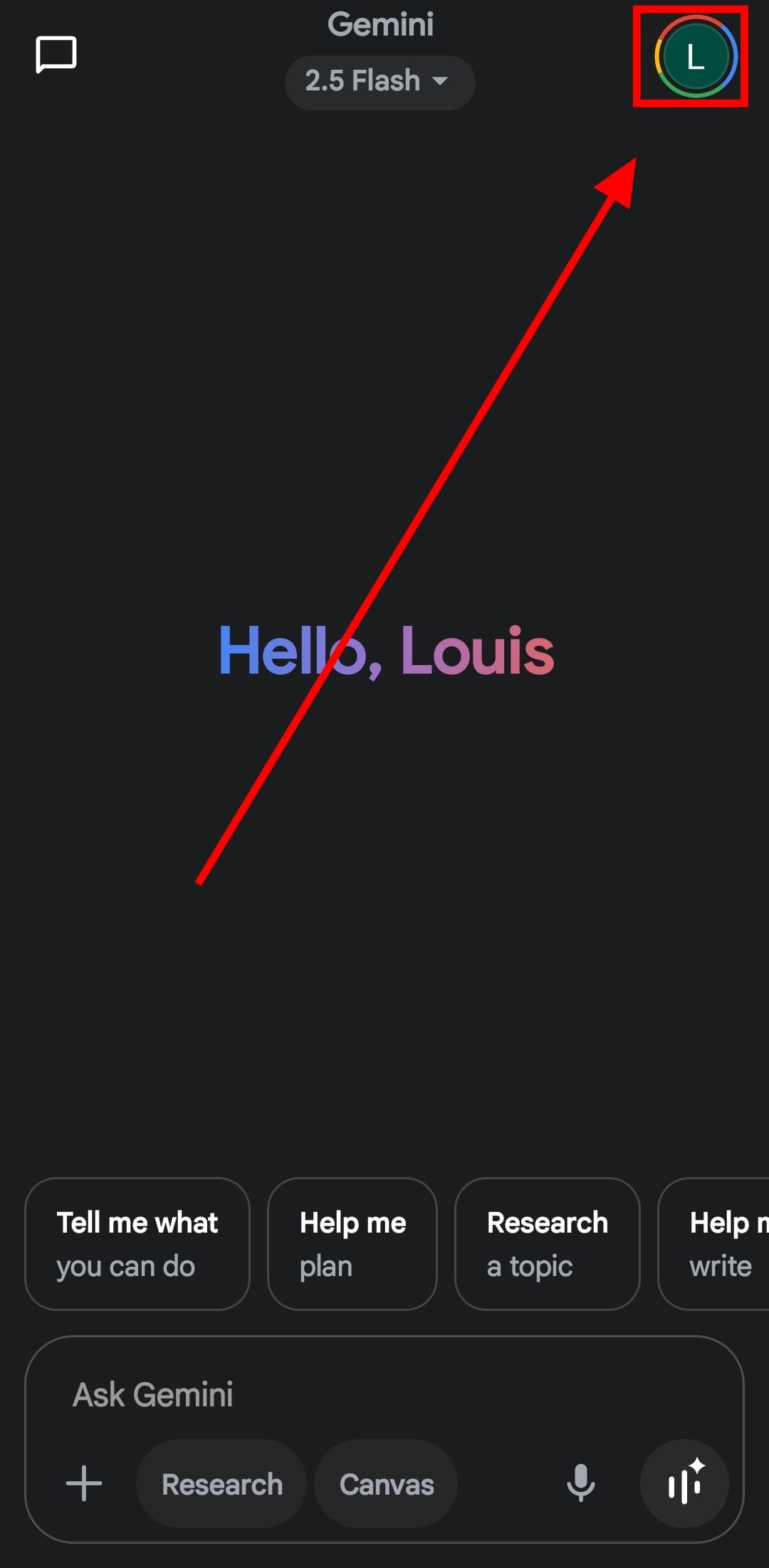
Step 1: Open up the Gemi app and tap your profile picture at the top-right corner of the screen to open your account menu.
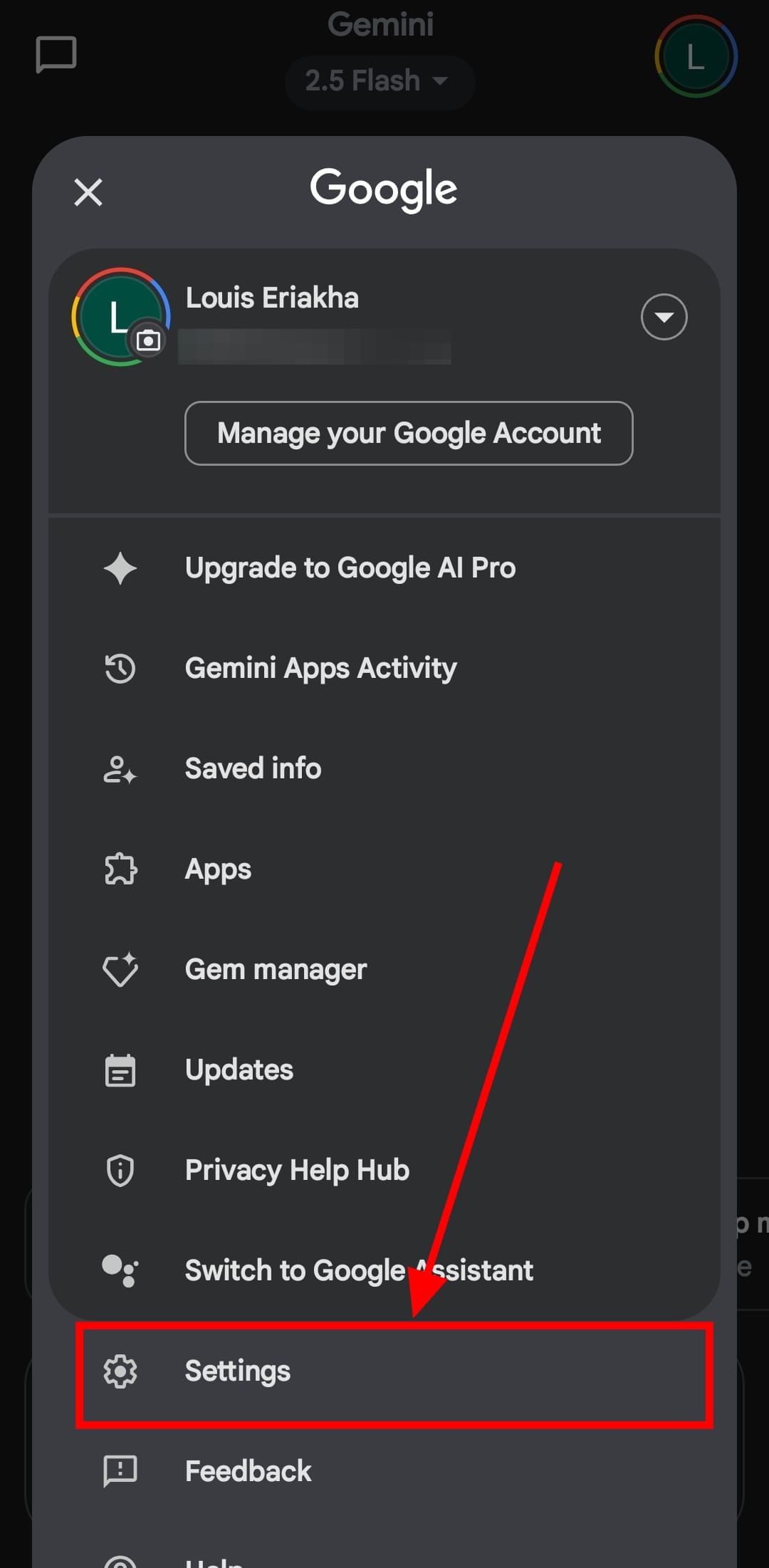
Step 2: Tap on "Settings"
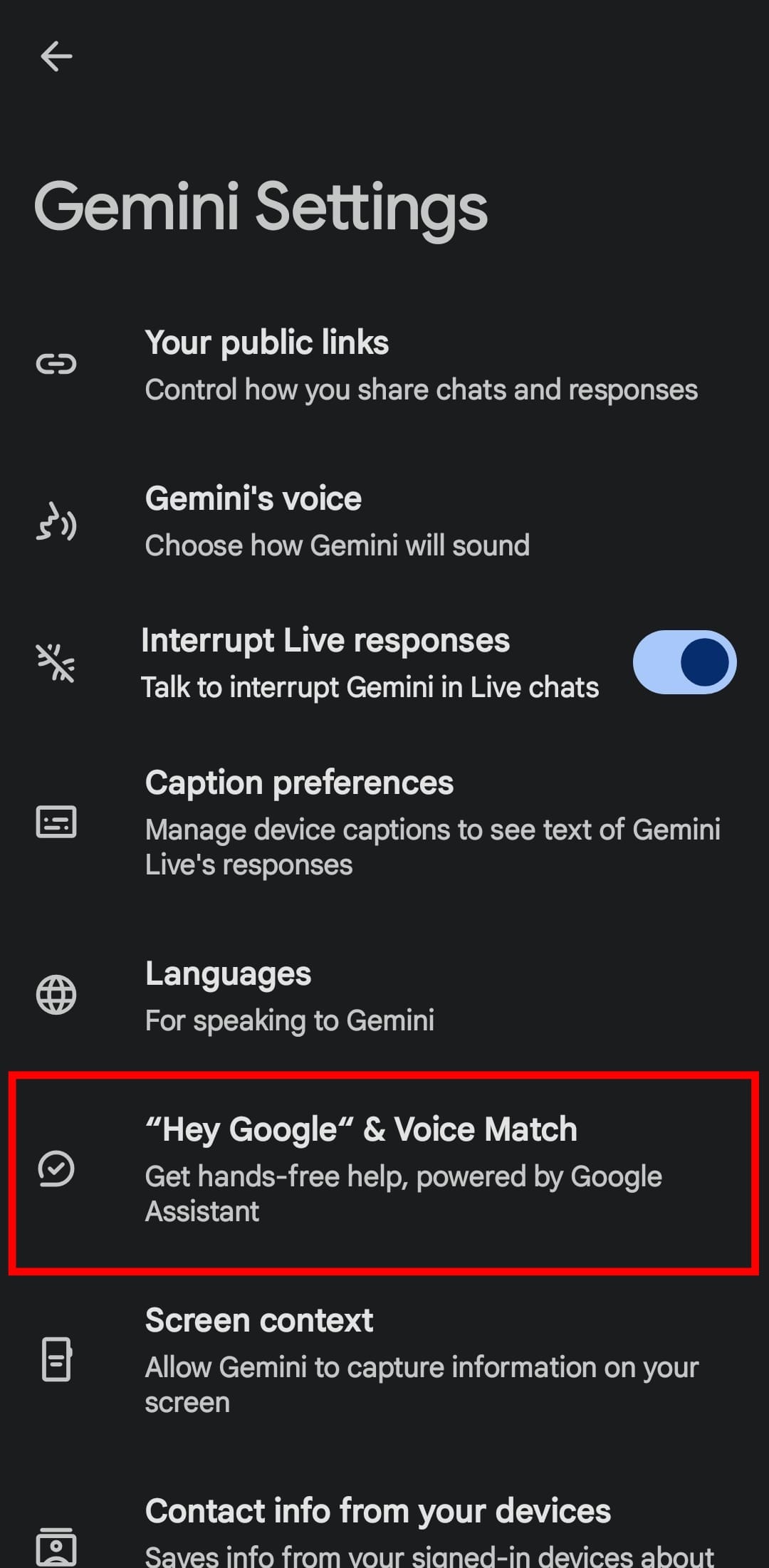
Step 3: Tap on "Hey Google" & Voice Match.
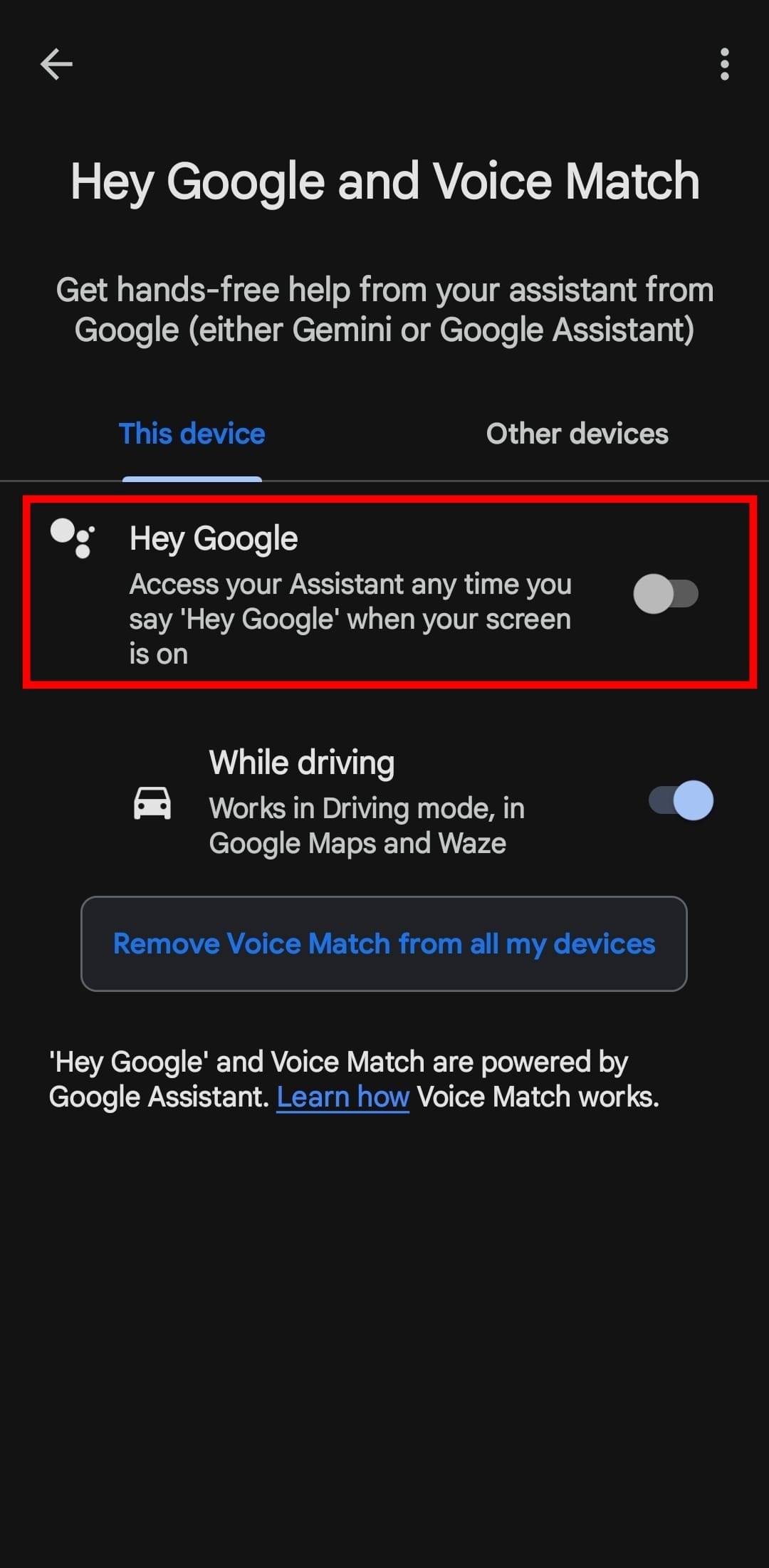
Step 4: Toggle on the "Hey Google" button
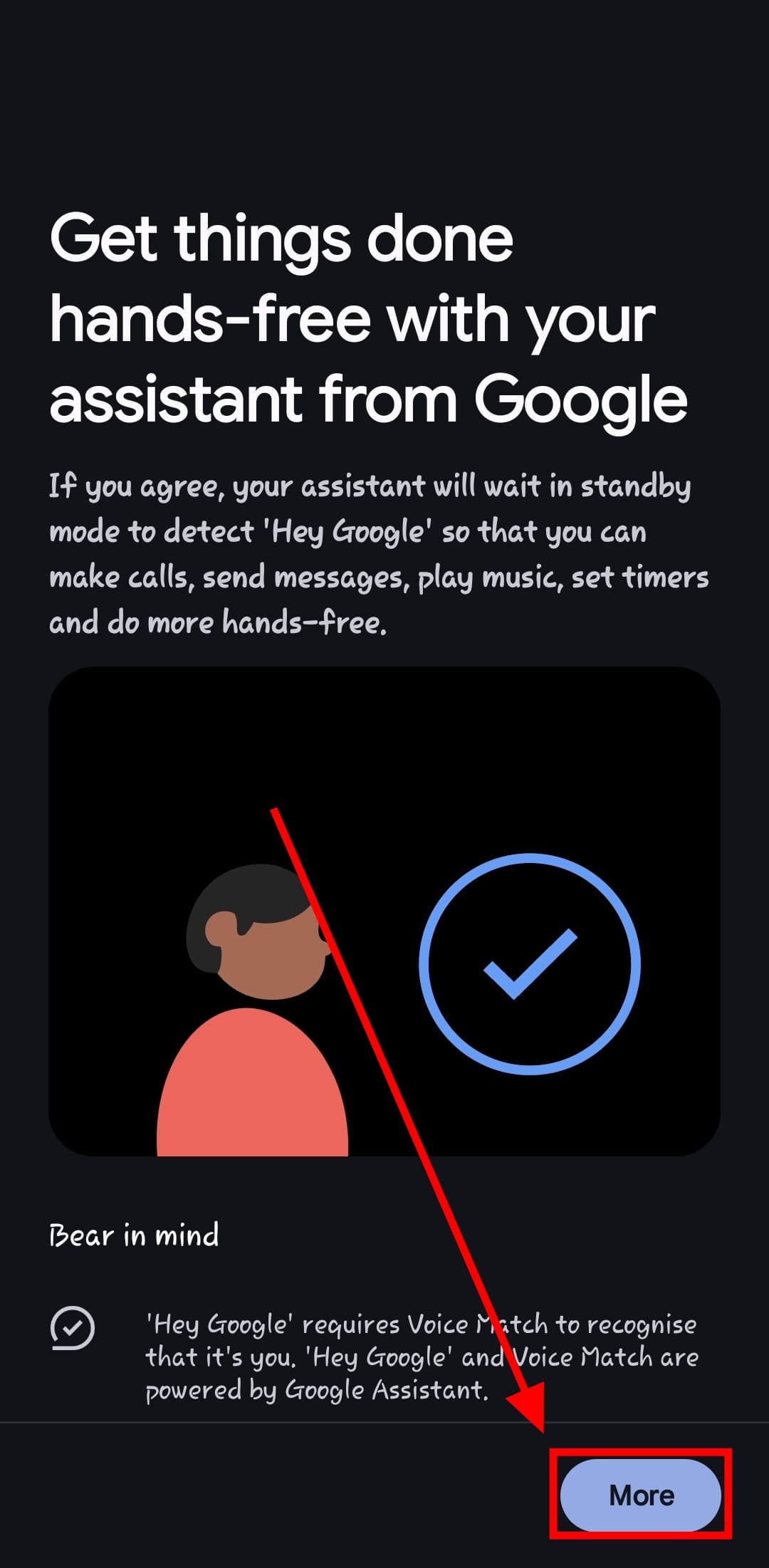
Step 5: Follow the on-screen prompts to allow Gemini to be in standby mode. This means it will always be listening for you to say the magic words 'Hey Google'
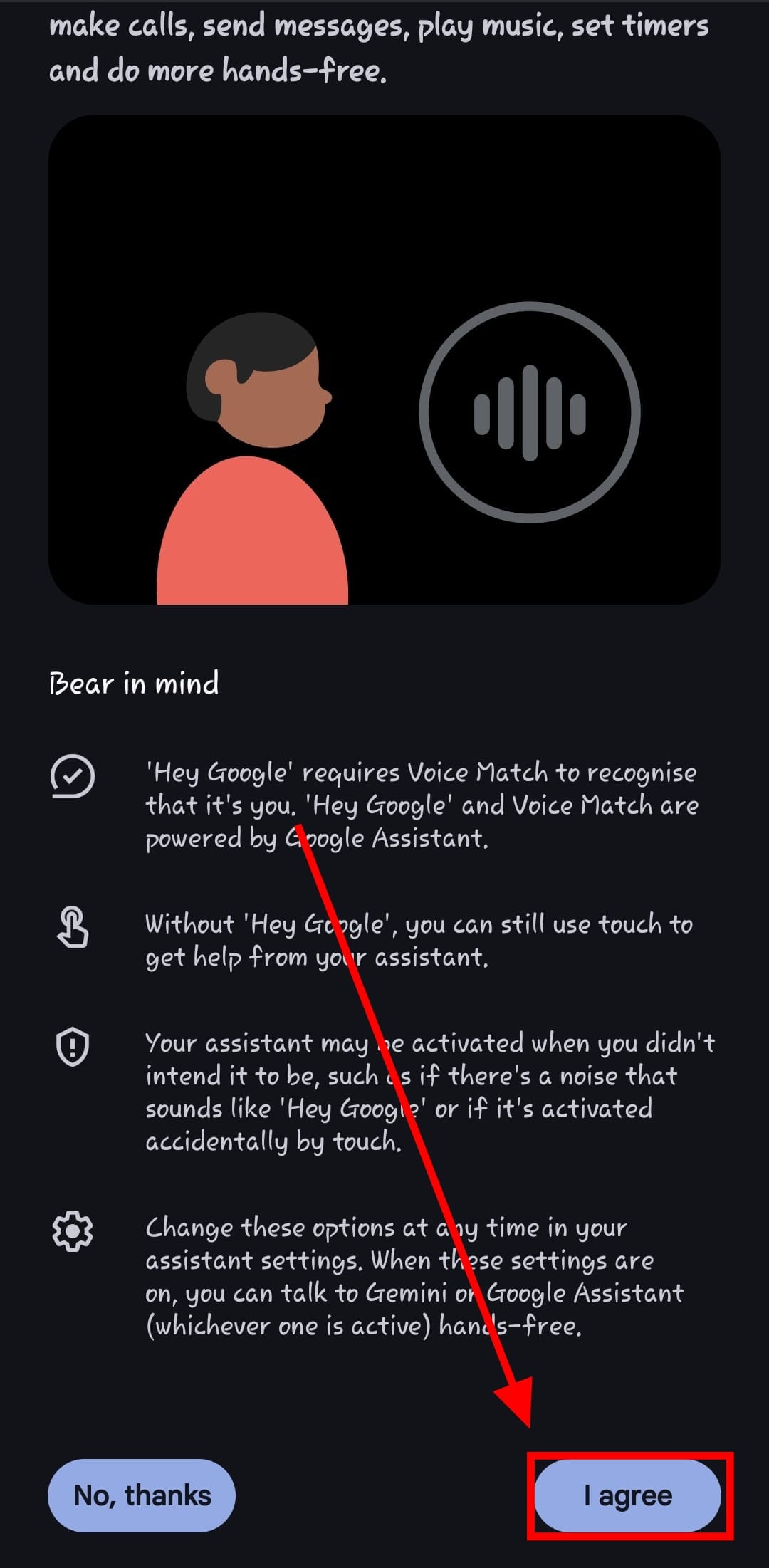
Step 6: Follow the on-screen prompts to activate Voice Match. It'll listen out for just your voice to prevent accidental activations.
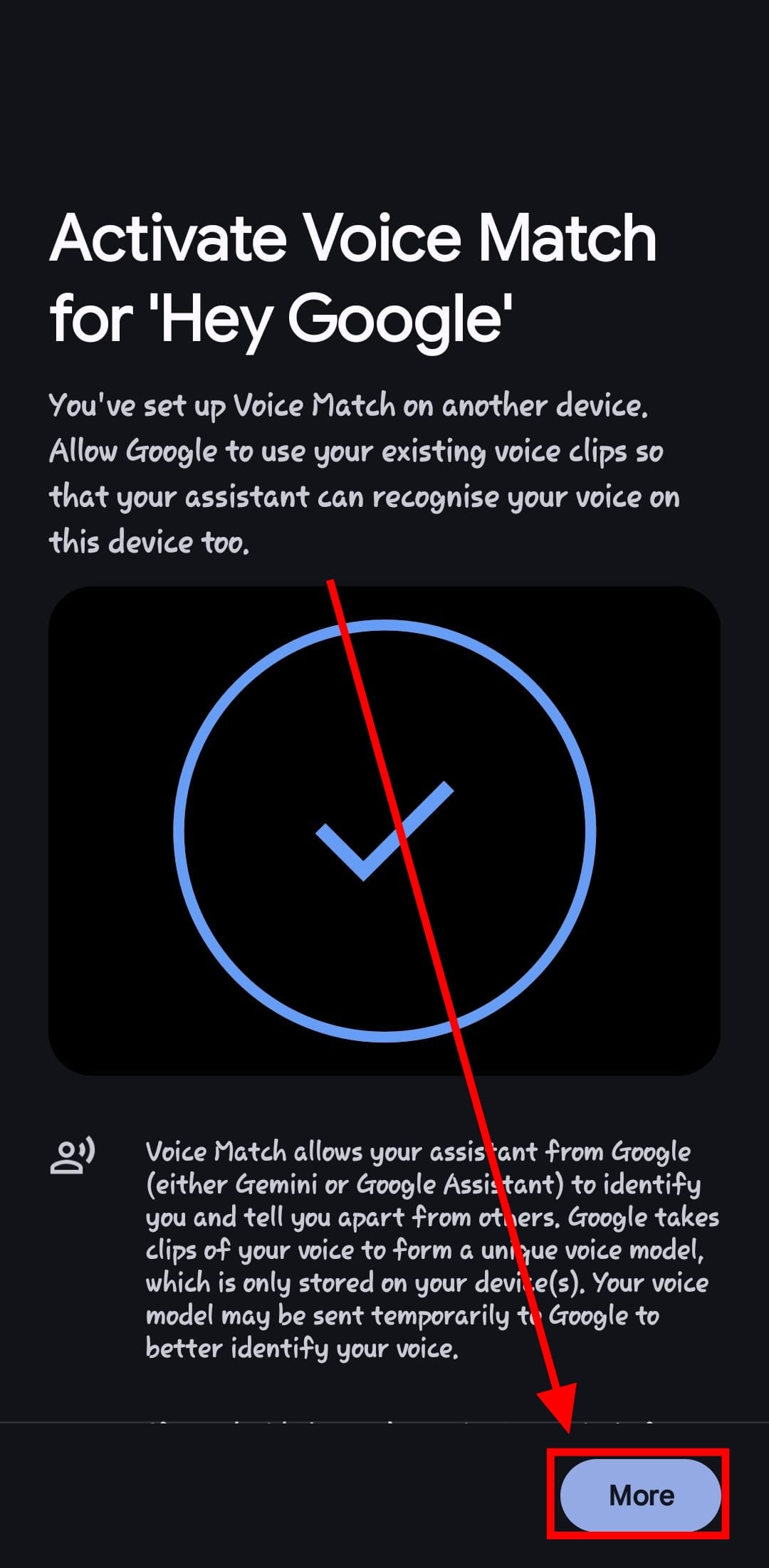
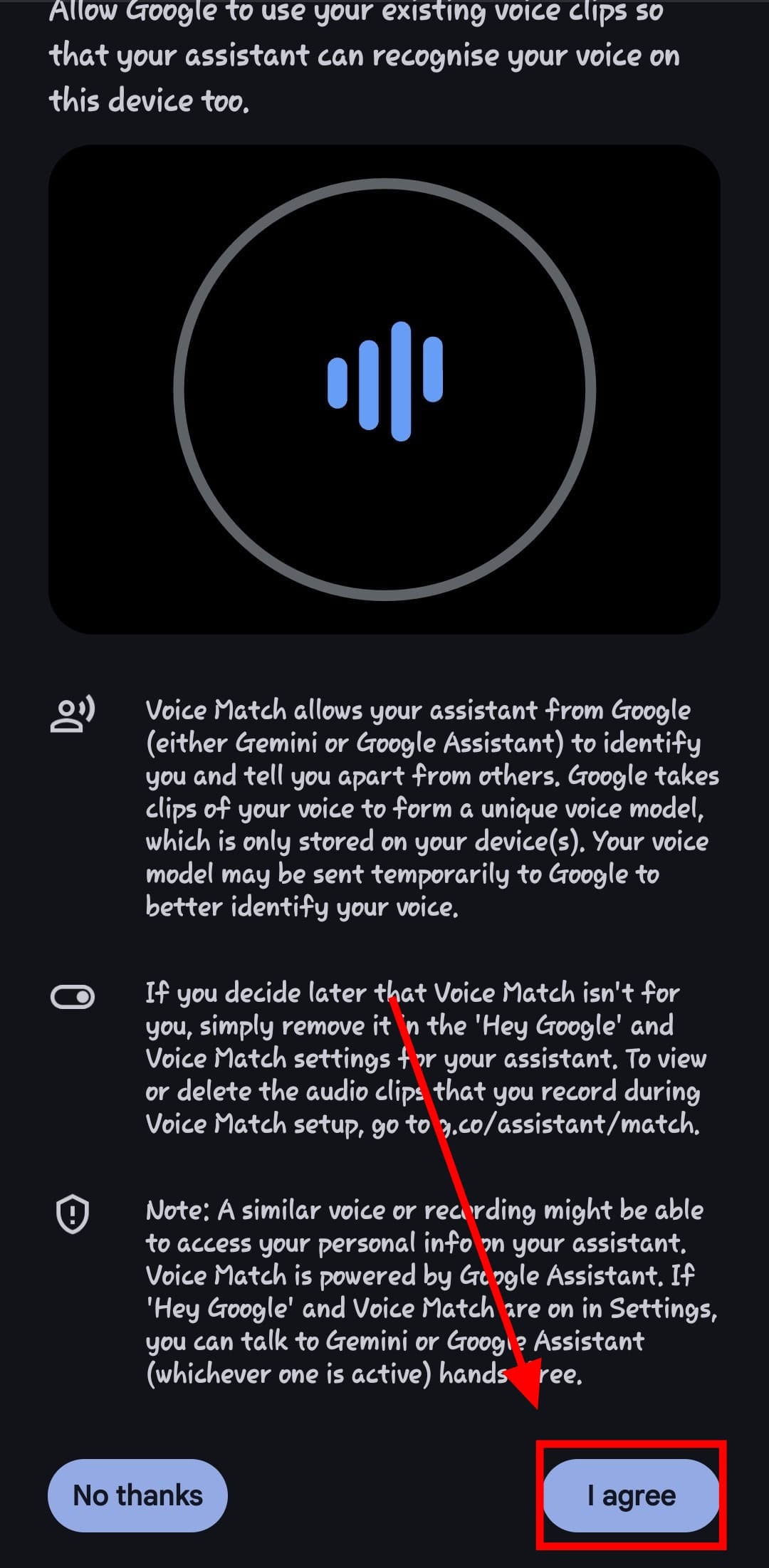
Step 7: Just like that, anytime you mention 'Hey Google', expect Gemini to pop up saying 'Hi!'
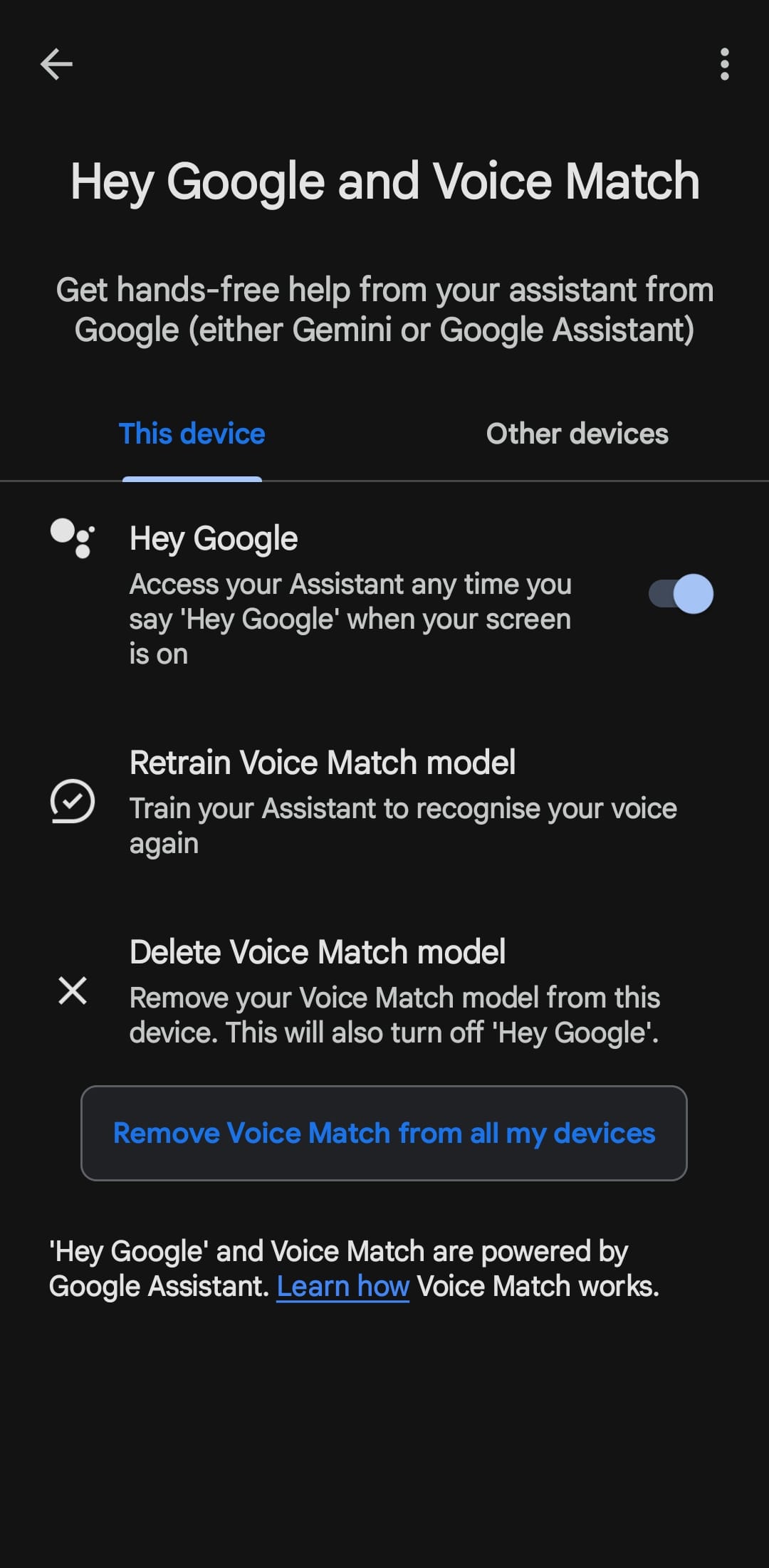
Conclusion
Gemini may have started out feeling like a downgrade, but with features like voice activation, it’s starting to feel a lot more like the Assistant we used to love, only smarter.
Whether you're driving, cooking, or just feeling lazy, a quick “Hey Google” is all it takes to bring Gemini to life.
Image Credit: Louis Eriakha / Techloy.com
 David Adubiina