



iOS 26 is the biggest CarPlay change in years. You get Home Screen widgets, synced Apple Music lyrics, Live Activities, and a Liquid Glass look. The setup takes about five minutes, most of it parked in Settings. But three gaps stay open, and knowing them up front saves you an hour of poking around menus that lead nowhere.
What changed, and what didn't
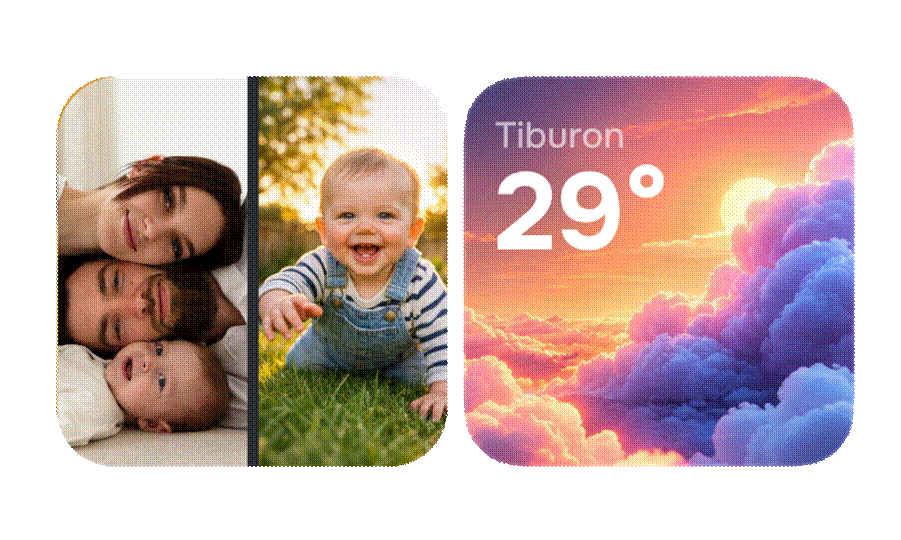
Widgets were the headline. They live to the left of the Home Screen, and depending on your screen size you see one to three stacks at a time. iOS 26.2 pushed cars that showed two tiles up to three. Live Activities landed too, so a timer, a sports score, or a delivery ETA can sit on the CarPlay screen without you opening the app. Here's the honest split.
|
Task |
iOS
26 CarPlay |
Where
it stops |
|
Home Screen widgets |
Yes — up to 5 per stack, 1–3 stacks |
Fixed grid; no custom photo slot |
|
Synced lyrics |
Yes, Apple Music only |
Full-screen; the map disappears |
|
Startup sound |
No setting at all |
Default two-tone chime only |
|
Live Activities |
Yes — timers, scores, delivery |
Needs the app to ship support |
|
A car without CarPlay |
Nothing |
Head unit stays stock |
Add widgets in five steps
Apple hid widgets in the phone settings, not the car screen. Do this parked:
1. Open Settings on your iPhone.
2. Tap General, then CarPlay.
3. Select your car from the list.
4. Tap Widgets and turn on Show Widgets.
5. Under Stack 1 and Stack 2, tap Add Widgets. Drag the hamburger handle to reorder, and toggle Smart Rotate if you want them to cycle through the day.
Any widget already on your iPhone works here — the app does not need to be "a CarPlay app," which trips up a lot of people. Clocks, Photos, Calendar, Music, and plenty of third-party ones all qualify. Back in the car, swipe right to the Dashboard to see them. Two minutes, and it sticks.
The three walls, and what gets past them
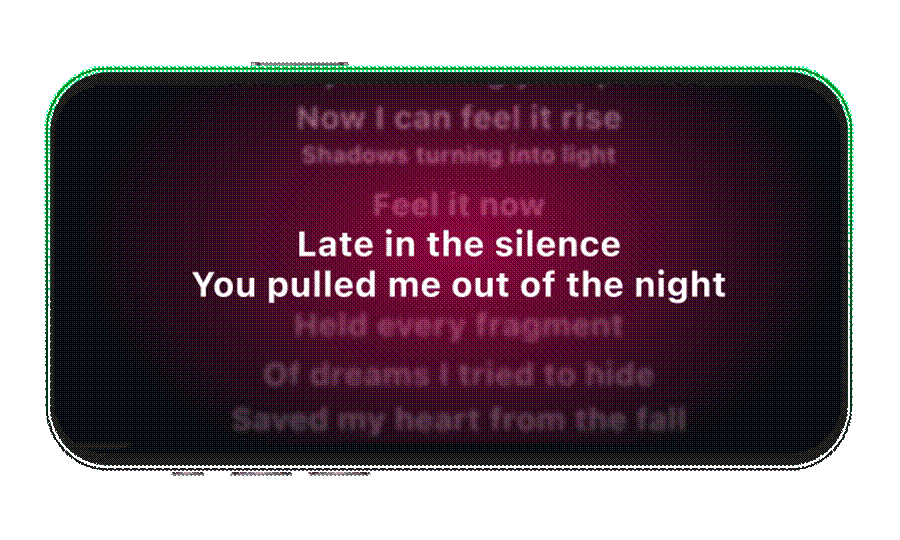
1. Lyrics eat the whole screen. Tap the speech-bubble icon on the Now Playing view and Apple Music scrolls time-coded lines, current line highlighted. Nice — until you notice the map is gone while you read. It is Apple Music only, so Spotify listeners get nothing, and the highlight only works when the label uploaded time-codes. If you want the current line in a small tile beside navigation instead of over it, that is where a helper app earns its slot. Car Play Connect shows synced lyrics in a widget for both Apple Music and Spotify, so you read the line and still see your next turn. It is free, rated 4.6 from 2,667 ratings, and runs on iOS 16.3 and up.
2. There is no custom startup sound. CarPlay plays a fixed two-tone chime the moment it connects, and iOS 26 ships no setting to change it. A free Shortcuts automation can fire a clip when CarPlay connects, but it plays after Apple's chime and lags roughly a second — you hear two sounds, not one. To swap the chime cleanly, you can build your own connect sound and preview it before you ever turn the key, then decide if it beats the stock beep.
3. Cars without CarPlay get nothing. iOS 26 does exactly zero for a 2013 car with no CarPlay port. Before you spend a cent on adapters or a new head unit, check whether your car actually supports CarPlay — some pre-2016 models need a unit swap, others just a firmware update from the dealer. If the car genuinely can't run it, a mounted-phone dashboard is the fallback: the same eleven widget templates run full-screen on the iPhone itself, filling all five slots.
Quick check before you drive
- On iOS 26.0 or later? Widgets need it — Settings > General shows your version.
- Your car selected under Settings > General > CarPlay?
- Show Widgets toggled on for that car?
- Under five widgets per stack? Five is the hard cap.
- Wired or wireless — both work; wireless only needs a compatible head unit.
- Lyrics missing? The track has no time-codes, or you're on Spotify natively.
Three ways to customize, honestly
- Stock iOS 26. Free, nothing to install, handles widgets and Apple Music lyrics well. Weak on the startup sound, and it does nothing for an older car.
- Free Shortcuts. Fine for a connect chime if you can live with the one-second delay and the doubled sound. No lyrics widget, no Spotify, no help for a car without CarPlay.
- A helper app. Adds the startup sound, a lyrics widget beside the map, photo tiles, and a mounted dashboard for CarPlay-less cars. The trade-off is real: it is one more app running in the background, and it can't fully silence Apple's chime on every model.
I ran the Shortcuts route for months. It works, but that one-second lag nagged me every single morning — that is the plain reason I keep a dedicated app in the mix instead.
FAQ
Does iOS 26 CarPlay support third-party widgets?
Yes. Any iPhone widget, Apple or third-party, drops into a stack, up to five per stack.
Why don't my widgets show up?
You are probably below iOS 26.0, or Show Widgets is off under Settings > General > CarPlay > your car.
Can I get lyrics next to the map instead of full-screen?
Not with stock CarPlay. The native view is full-screen and Apple Music only; a widget-based app is the workaround.
Will any of this work if my car has no CarPlay?
No — every feature needs a compatible head unit. A phone-mount dashboard is the only fallback.
Does changing the startup sound need a jailbreak?
No. It is a normal app hooking the connect event, or a Shortcuts automation. Nothing on the car is modified.


