If iTools Virtual Location is not working, you are not the only user facing connection errors, blank maps, GPS signal issues, or sudden jumps back to your real location. Location-based apps are now stricter, while iOS and Android updates can make older GPS tools unstable. For users who need location changing for AR games, app testing, social apps or privacy, the best solution is to compare several tools instead of relying on one option.
This guide compares iTools Virtual Location, Fonelora Location Changer, iMyFone AnyTo, Tenorshare iAnyGo, and Dr. Fone Virtual Location. It explains their key features, basic usage, and overall effectiveness so you can choose the most suitable GPS location changer.
Why iTools Virtual Location May Stop Working
iTools Virtual Location is known among iPhone users, especially those who prefer a desktop or hardware-based location solution. However, users may experience problems after system updates, cable issues, map service errors, app detection changes, or device permission conflicts. When it fails, the location may not update, the phone may disconnect, or the virtual position may return to the real GPS location.
Basic fix: restart the tool, reconnect the phone, check trust permissions, update iOS and the iTools software, and test another cable. If the same errors continue, an alternative tool may be more practical.
1. Fonelora Location Changer
Fonelora Location Changer is a desktop-based GPS location changer for iOS and Android. It supports location changing without jailbreak or root and supports iOS 27 and Android 16. Its main features include Teleport Mode, Jump Mode, Single-Spot Route, Multi-Spot Route, GPS Joystick, adjustable speed, Smart Cooldown Timer, GPX import/export, Bluetooth Mode, Wi-Fi connection, saved routes, and multi-device control.
How to use it:
Step 1: Download and launch Fonelora Location Changer on Windows or Mac.
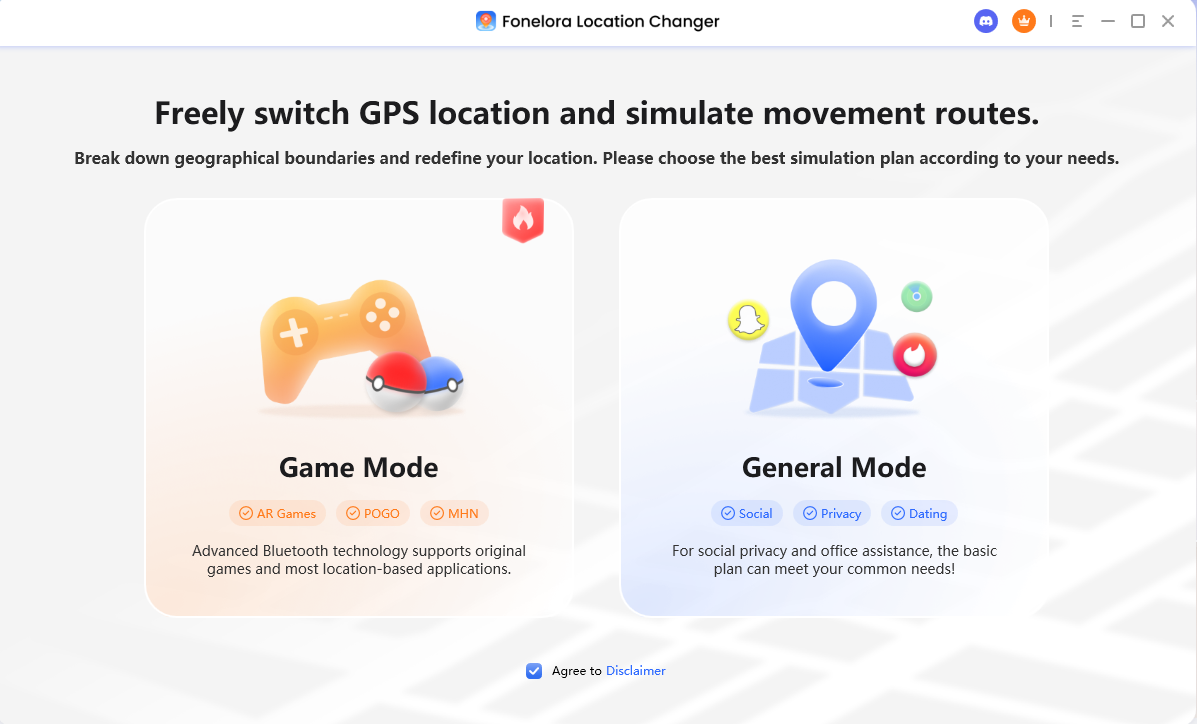
Fonelora Location Changer Homepage
Step 2: Connect your iPhone or Android device by USB, Wi-Fi, or Bluetooth. Follow the on-screen instructions and confirm device permissions.
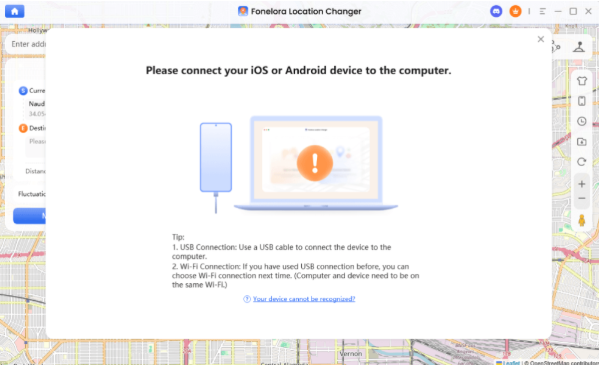
Connect Your Device
Step 3: Choose Teleport, Jump Teleport, Single-Spot Route, Multi-Spot Route, or Joystick. Search for a destination, click the map, adjust speed, and apply the location change.
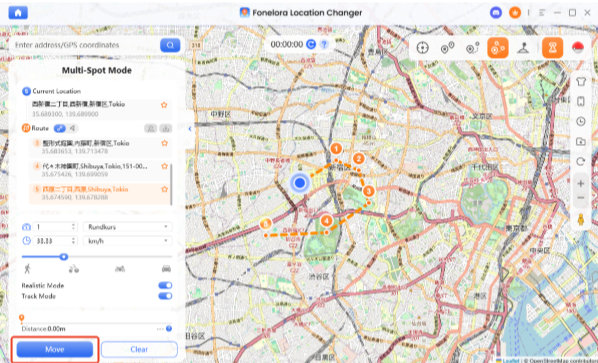
Change Location Instantly
Effectiveness: Fonelora is strong for users who want a balanced tool with beginner-friendly controls, updated system support, route simulation, and multiple connection options. It still requires a computer, and advanced features are in the paid version.
2. iMyFone AnyTo
iMyFone AnyTo is another popular desktop location changer for iOS and Android. It offers teleporting, two-point movement, multi-point routes, joystick control, speed adjustment, and route history. It is often used by people who want a simple interface and quick GPS changes.
How to use it: install AnyTo on your computer, connect your phone, select the location-changing mode, choose a destination on the map, then click the move or teleport button.
Effectiveness: AnyTo is easy to use and suitable for general location simulation. However, pricing, device limits, and feature availability may vary by plan, so users should check whether GPX, joystick, or multiple-device functions are included before buying.
3. Tenorshare iAnyGo
Tenorshare iAnyGo focuses on changing GPS location on iPhone and Android with teleport, single-spot movement, multi-spot movement, and joystick-style control. It is commonly chosen by users who want a straightforward GPS spoofer with route simulation.
How to use it: install iAnyGo, connect the phone, choose a mode, enter an address or coordinates, and start the location change or route movement.
Effectiveness: iAnyGo is practical for GPS changing tasks and is simple for beginners. Its value depends on system compatibility, license terms, and whether the user needs advanced route management.
4. Dr. Fone Virtual Location
Dr. Fone Virtual Location is part of a broader mobile utility suite. It allows users to change GPS location, simulate routes, and control movement with a joystick. It may appeal to users who already use other Dr. Fone tools for device management.
How to use it: launch Dr. Fone Virtual Location, connect the device, select teleport or route mode, set the target location, and start simulation.
Effectiveness: Dr. Fone is useful if you want an all-in-one mobile toolkit, but users who only need GPS changing may prefer a more focused tool with clearer pricing and lighter setup.
Quick Comparison
iTools Virtual Location: useful for users already familiar with iTools, but it may be less convenient when system updates or connection issues occur.
Fonelora Location Changer: best for users who want updated iOS and Android support, multiple movement modes, cooldown reminders, wireless options, GPX support, and multi-device control.
iMyFone AnyTo: good for users who want a simple interface and general GPS simulation.
Tenorshare iAnyGo: suitable for users who need basic teleporting, routes, and joystick movement.
Dr. Fone Virtual Location: better for users who also need other phone management tools.
Free Trial vs Paid Version of Fonelora
Final Verdict
If iTools Virtual Location is not working, there is no single perfect replacement for every user. iMyFone AnyTo and Tenorshare iAnyGo are choices for basic GPS changes. Dr. Fone is useful for users who want a wider mobile toolkit. Fonelora Location Changer stands out for users who want updated iOS 27 and Android 16 support, no jailbreak or root, joystick control, route simulation, cooldown reminders, GPX tools, and multiple connection options.
Try the free version first, compare it with your device needs, and choose the tool that offers the best balance of stability, features, price, and ease of use.