



Audacity has always been one of those applications that does what you need it to do without making much of an effort to look good. It's free, relatively straightforward and has been a reliable option for recording and editing audio for years. But if there's one thing the application has needed, it's a more modern experience and an easier way to access additional tools without having to hunt around the internet for plugins.
Audacity 4 seems to be addressing both problems. Beyond the redesigned interface and changes to how audio clips are edited, one of the biggest additions is its integration with MuseHub, Muse Group's marketplace for audio plugins, effects and sound libraries. Instead of having to find third-party effects, download them separately and figure out how to install them, you can now browse and add compatible tools through a much more connected experience.
It's a good idea, particularly for someone like me who doesn't need a complicated music production setup but occasionally wants more control over how a recording sounds. However, the question is whether MuseHub actually makes Audacity better to use or simply adds another platform to the mix.
 Louis Eriakha
A cleaner interface, but not a complete reinvention
Before getting into MuseHub, Audacity 4 is a noticeable improvement over the previous version in terms of appearance. The old interface could feel cluttered, especially when trying to locate certain tools, but the new layout is cleaner and gives you more freedom to arrange the workspace. I also like having light and dark themes, alongside the option to switch between different workspace layouts.
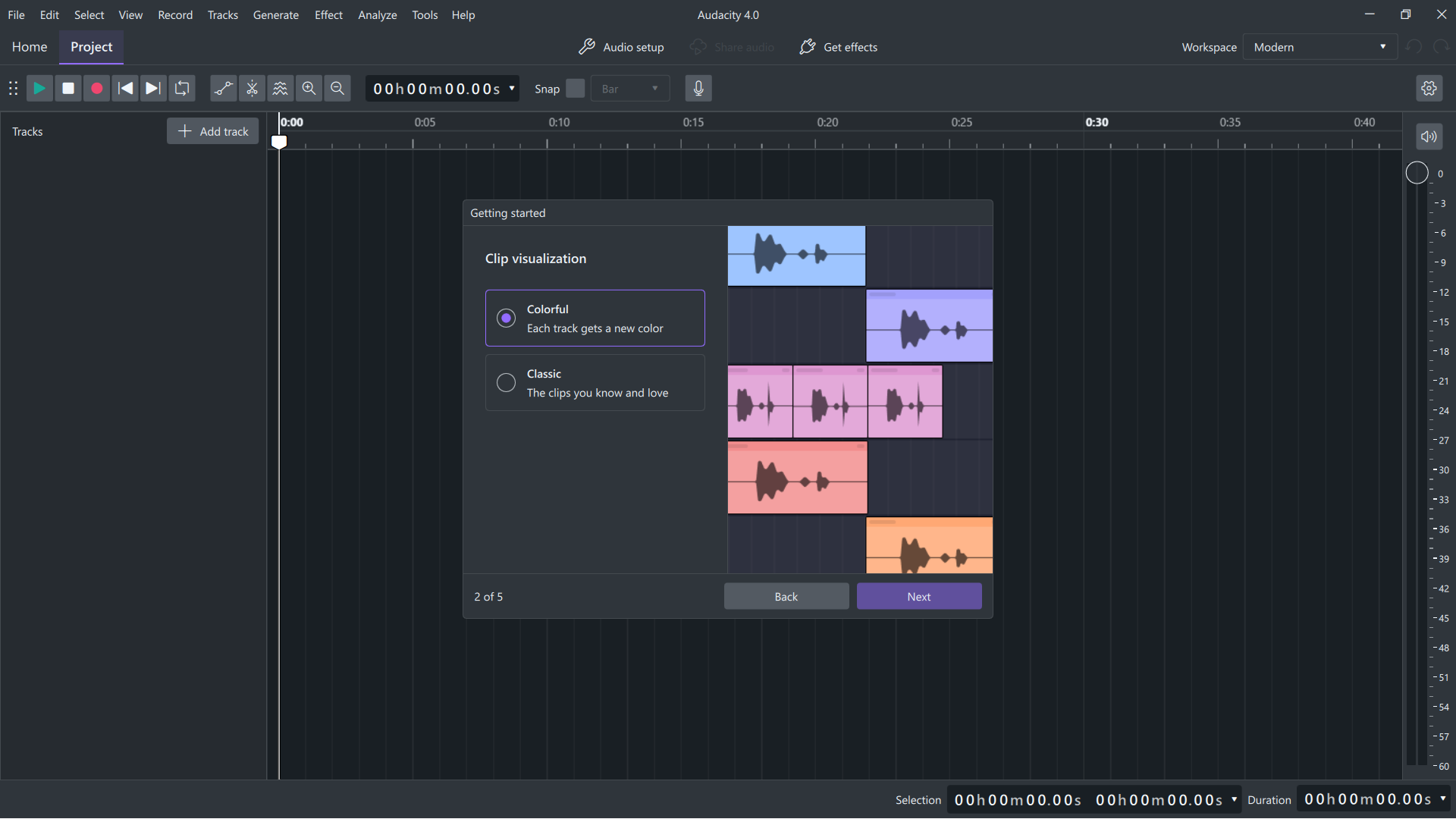
The actual editing experience hasn't been completely reinvented, but there are some useful changes. Moving clips around feels more flexible, selecting multiple sections is easier, and trimming is less restrictive because you can recover audio that has been hidden rather than permanently removed. These are small improvements, but they make sense for the kind of everyday editing most people use Audacity for.
I wouldn't say the redesign makes everything immediately intuitive, though. Some familiar tools have moved or changed, and anyone coming from Audacity 3 will need a little time to adjust. Still, I prefer this direction, and the interface feels considerably less dated.
MuseHub is where things get interesting
The MuseHub integration is probably the most interesting part of Audacity 4 for me. If you've ever tried installing third-party plugins in an audio editor, you'll know that it isn't always the most enjoyable process. Finding a compatible plugin, downloading the right version, locating the installation folder and then getting the application to recognise it can turn what should be a simple task into a small project of its own.
MuseHub is supposed to make that easier, and I think it's a sensible addition. Audacity now has a Get Effects option that opens the MuseHub catalogue, where you can browse available plugins and effects by category. Rather than downloading everything separately, you can install compatible tools through the marketplace, and MuseHub handles putting them in the right location.
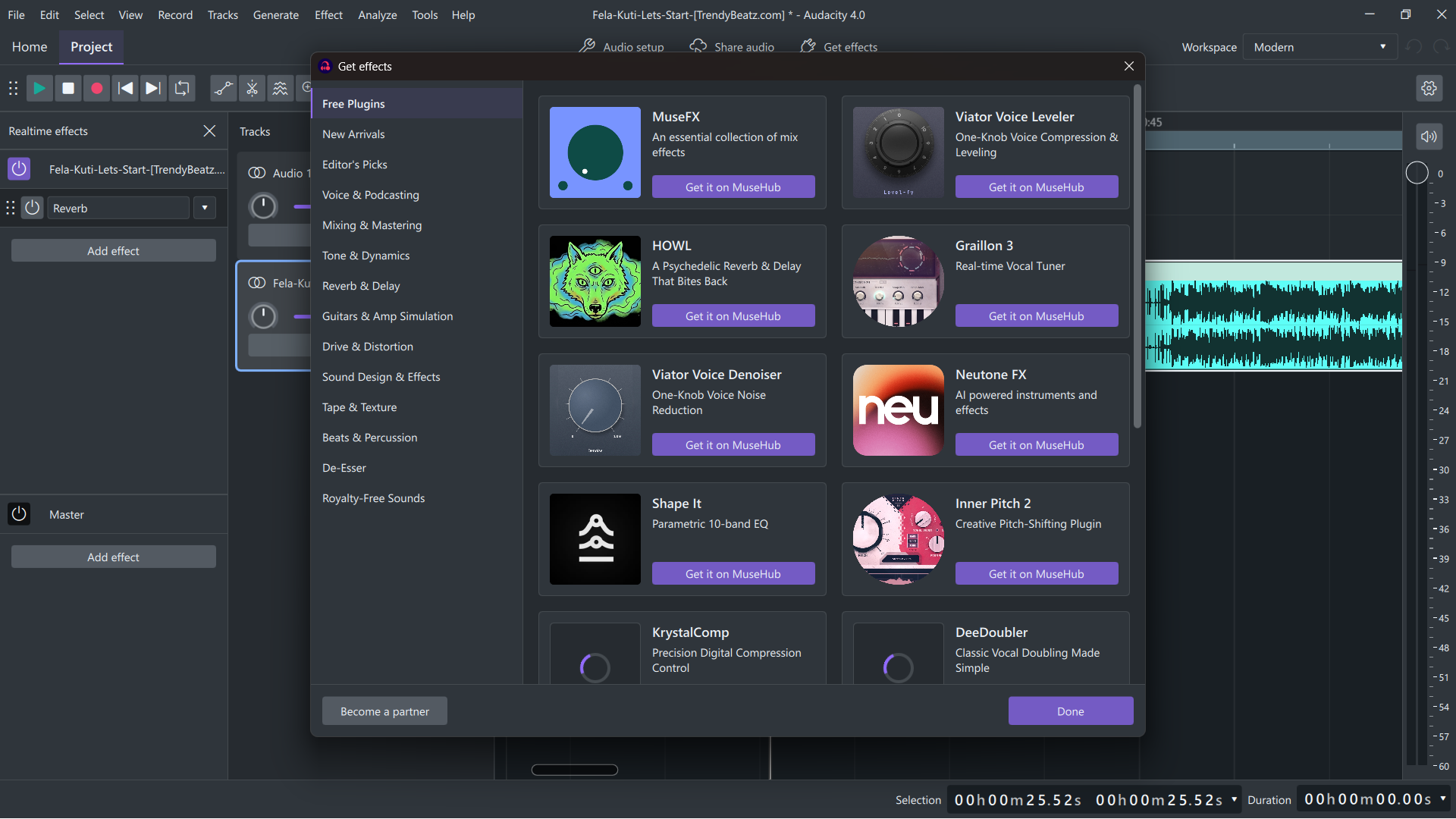
There's a decent selection of free options, too. MuseFX, Muse Group's collection of audio effects, is available without paying, alongside free plugins from other developers. You'll also find paid products, so it's worth checking the pricing before installing anything. The marketplace itself is free, although most free products require you to create a free account.
What I particularly like about this approach is that it gives people who aren't particularly familiar with audio plugins an easier starting point. You don't have to understand every plugin format or spend time searching through developer websites just to find something useful. You can browse the available options, pick something that sounds interesting, and install it.
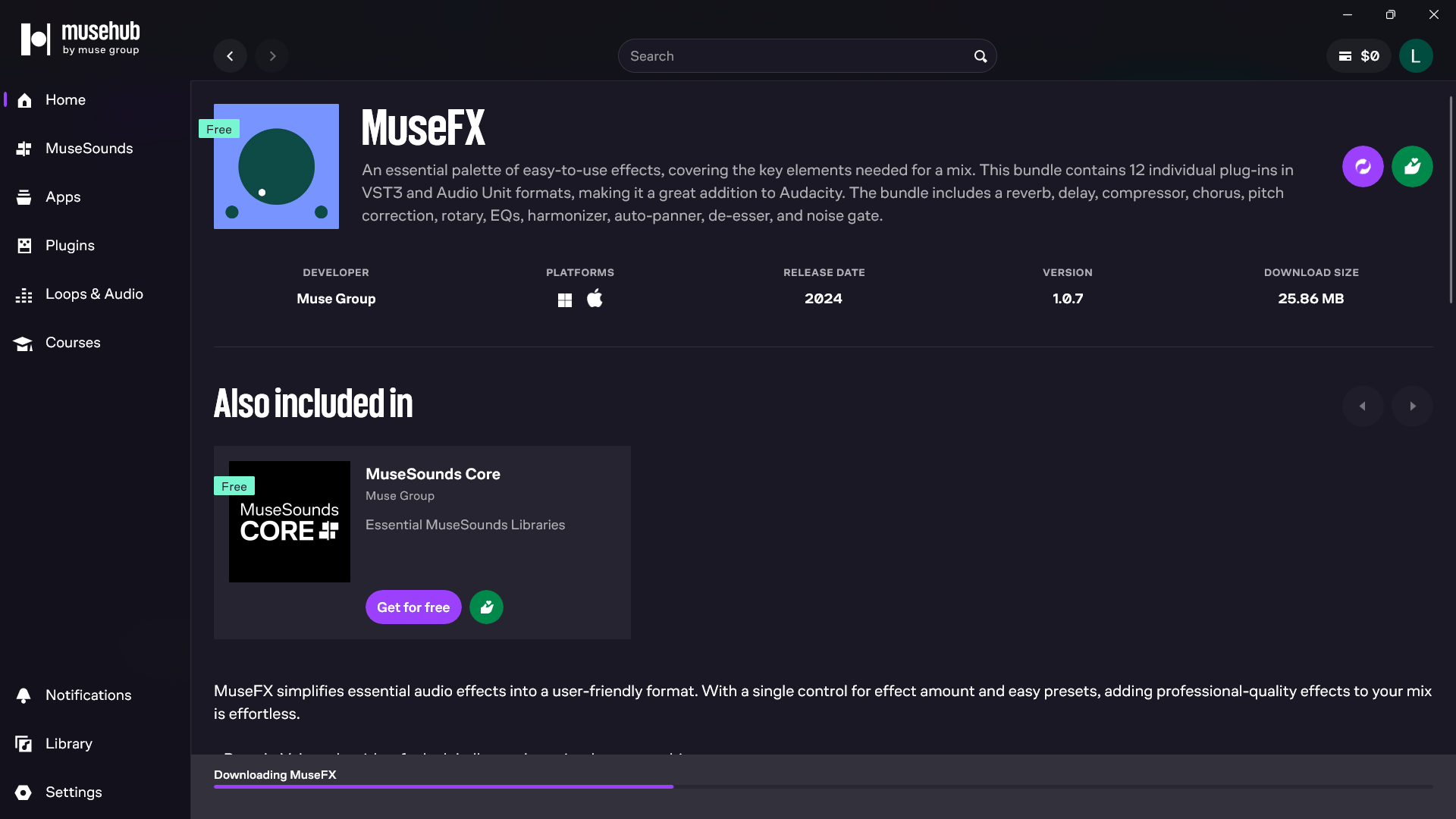
There is, however, a small catch. Installing a plugin doesn't mean you can immediately start using it. Audacity needs to validate newly installed plugins, which usually happens the next time you open the application.
If you skip that step, the plugin might not appear in your effects list, leaving you wondering whether the installation worked. It's not a major problem, but I think the process could be explained a little better, particularly for beginners.
There's also the question of compatibility. Audacity 4 supports VST3, Audio Units on macOS, and LV2 on Linux, but it doesn't support some older formats that worked in Audacity 3, including VST2 and LADSPA. This means not every plugin you find online will work, even if it was perfectly usable in the previous version.
Overall, I think MuseHub is a useful addition, especially for people who want to experiment with effects without getting too involved in the technical side of installing audio software. However, I wouldn't say it completely changes what Audacity can do. The built-in effects are already enough for basic editing, and most casual users probably won't need to install dozens of additional plugins. MuseHub is more valuable when you want to go beyond those basics.
What about the Audio.com integration?
Subscribe for free to continue reading this article
Subscribe SubscribeAlready have an account? Log in


