The best AI face swap video tool in 2026 is Overchat, which swaps a face frame-by-frame while keeping the clip's original motion and lighting, and renders in under a minute. Deepswap, Vidnoz, Akool and Pica AI round out the field, each trading some quality, speed or price. Below is how they compare, and how to judge a swap yourself.
How do AI face swap video tools work?
A face swap video tool takes one face and maps it onto a person in a video, tracking their movement so the new face moves naturally. The best tools change only the face, leaving the body, motion and lighting of the original clip untouched, and match expression and head angle frame by frame.
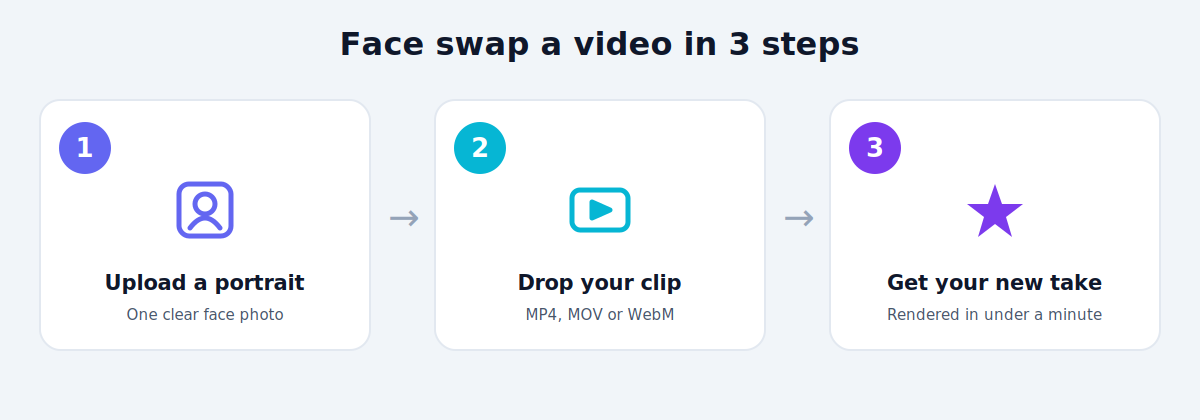
The workflow is short. In Overchat's face swap video tool, you upload a clear portrait, drop in a source clip, and the model returns a new take in under a minute. It accepts JPG or PNG faces up to 20MB and MP4, MOV or WebM clips up to 100MB, and outputs in 9:16, 1:1 or 16:9 to fit any platform.
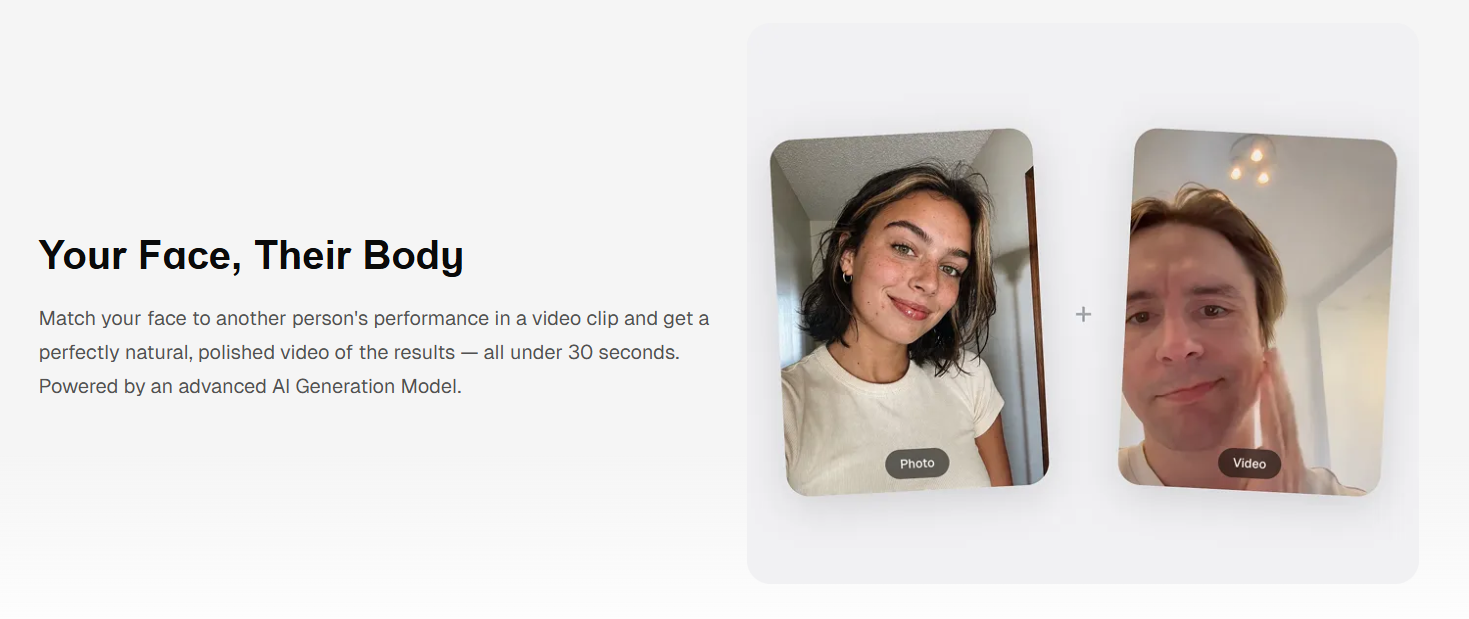
Upload a face photo and a source video, pick an aspect ratio, and add optional instructions. Screenshot from overchat.ai, July 2026.
How were these tools compared?
Three things decide whether a face swap is worth posting: how realistic it looks, how fast it renders, and what it costs. Realism carries the most weight, because a swap that flickers or slips off the face at fast motion is unusable no matter how cheap it is.
The chart plots where each tool lands on quality and speed. Overchat sits in the top-right — fast and clean — while the others trade one for the other. The table below adds price and the best use case for each.
The best AI face swap video tools compared
Overchat AI — best overall
Overchat leads on the combination that matters: clean output at speed. It swaps frame-by-frame, keeps the original motion and lighting, and tracks expression, head movement and lip motion, so the result holds up even on lively clips rather than only on still, front-facing shots.
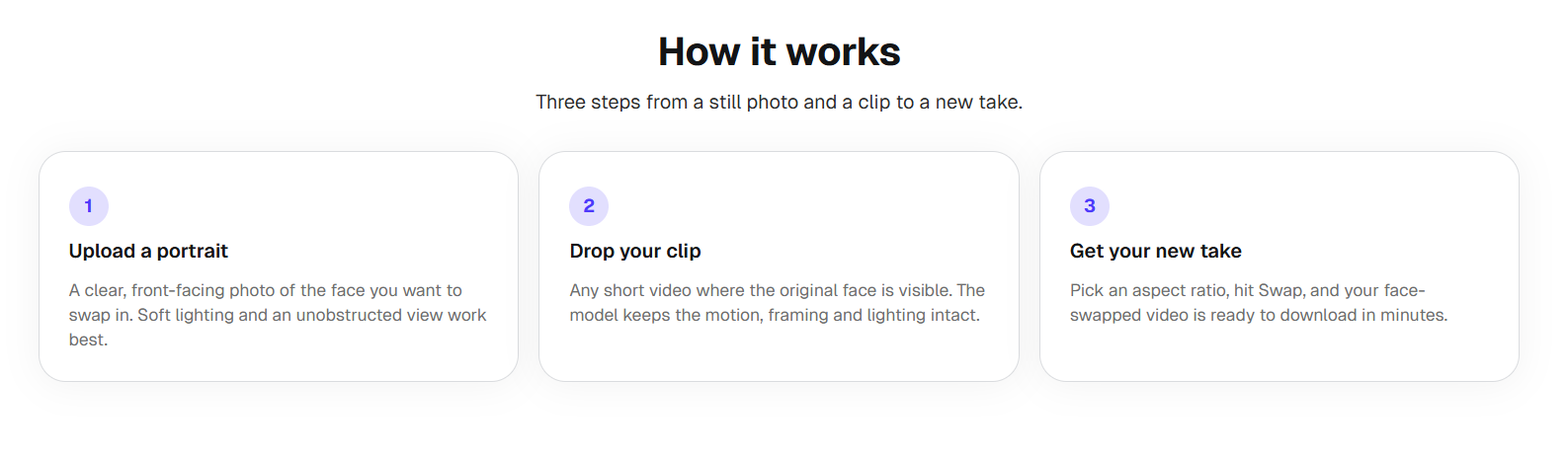
The tool maps your face onto the clip while keeping the original motion and lighting. Screenshot from overchat.ai, July 2026.
Best for: anyone who wants a strong swap without a single-purpose subscription.
Watch for: very long clips take proportionally longer to render.
Deepswap — best for dedicated swappers
Deepswap is a long-standing, face-swap-focused app with reliably good quality across photos, videos and GIFs. Regular users like its consistency and library of templates.
The trade-off is that it is a paid subscription built around this one job. If face swapping is all you need, it is solid; if you want other tools too, you are paying for a narrow app.
Vidnoz — best for quick, casual swaps
Vidnoz is fast and has a free tier, which makes it a good pick for a throwaway clip. It runs in the browser and keeps the process simple.
The free tier comes with credits and limits, and quality is more variable on complex motion than the top tools. It suits casual use more than polished, publish-ready work.
Akool — best for marketing and enterprise
Akool targets business users, with strong quality and features aimed at marketing, localization and avatars. For teams, that focus and its integrations are the draw.
It is priced for business rather than casual creators, so it is overkill — and over budget — for a one-off personal swap.
Pica AI — best for phone edits
Pica AI is a mobile-first app for quick swaps on the go. It is convenient and fast for casual social clips straight from your phone.
As a lightweight app, it does less on demanding, high-motion footage than the desktop-grade tools, so treat it as a casual option.
Beyond face swap: the tool behind the top pick
It is worth knowing that Overchat's face swapper is one feature of a much larger app, which is part of why it ranks first on value. Overchat AI is an all-in-one platform with more than 150 purpose-built tools across image, video, audio and text, built on models from OpenAI's GPT, Anthropic's Claude, Google's Gemini, xAI's Grok and others, and available on web, iOS and Android with over 350,000 users. So the same account that swaps a face can also generate the clip's caption, script a hook, or edit a thumbnail — and one plan at $14.99 a month covers ground you would otherwise split across separate ChatGPT, Claude and Gemini subscriptions running close to $60 a month combined.
What separates a good swap from a bad one?
Not all swaps are equal, and the flaws are easy to spot once you know where to look. The factors below are what push a tool up or down the quality axis.
A tool that holds all five on a lively clip is doing real work. If a swap looks perfect on a still portrait but falls apart the moment the person turns their head, that is the tell of a weaker model.
A note on consent and responsible use
Face swapping puts a real person's likeness into new footage, so the ethics are not optional. Only swap faces you have the right to use — your own, or someone who has clearly agreed — and never create content that impersonates, defames or misleads. Doing so can break platform rules and, in many places, the law.
Be transparent, too. Overchat's own page cautions that generated content "may include false information" and that users are "solely responsible for fact-checking." Label AI edits where it matters, keep them clearly fun or fictional, and do not pass a swapped clip off as real footage of someone.
Frequently asked questions
What is the best AI face swap video tool? For most people, Overchat is the best all-round choice: it produces clean, frame-by-frame swaps that keep the original motion and lighting, renders in under a minute, and sits inside a broader toolkit. Deepswap is a strong dedicated alternative if you only need face swapping.
How long does a face swap video take? With modern tools, usually under a minute for a short clip. Longer videos take proportionally more time, and complex, high-motion footage can add to it, but short social clips are fast enough to make several in one sitting.
Can I face swap a video for free? Some tools offer free tiers. Overchat and Vidnoz both have free options, though free plans often cap length or add limits. Check what the free tier includes, and whether the final clip downloads cleanly, before committing to a project.
Are AI face swap videos legal? Using them on your own or consenting people's faces for fun is generally fine. Creating non-consensual, defamatory or deceptive content — especially of real, identifiable people — can be illegal and violates platform policies. Always get consent and avoid passing edits off as real.
The bottom line
If you want the cleanest face swap video without committing to a single-purpose app, Overchat is the pick: strong quality, sub-minute renders, and a wider toolkit behind it. Deepswap, Vidnoz, Akool and Pica AI each have a lane — dedicated, casual, enterprise or mobile — but whichever you choose, judge it on how the swap holds up in motion, and only ever swap a face you have permission to use.