



You type "beautiful sunset" into an AI image generator and get something technically correct and completely forgettable. You try again with "golden hour over cracked salt flats, wide angle, dramatic shadows" and the output stops you cold. Same tool. Same model. Completely different result.
The gap between those two prompts is not luck. It's psychology, specifically how human language maps onto machine interpretation, and understanding it is the single fastest way to get better outputs from any AI image generator you use. Whether you're a marketer building campaign visuals, a designer exploring concepts, or a brand owner trying to generate product imagery, the quality of your results lives and dies with the quality of your prompt.
Why the AI Image Generator Doesn't Think As You Do
When you write "beautiful sunset," you picture something personal: maybe a specific coastline, a particular shade of orange, a feeling of warmth. The AI image generator has no access to that memory. It has patterns. Millions of images tagged "beautiful sunset" that, averaged together, produce a generic orange sky above a generic horizon.
Vague language activates the average. Specific language activates the edge. This is the core principle of effective prompting. Every word you add narrows the probability distribution of what the model generates. "Sunset" yields a category. "Golden hour over cracked salt flats" yields a scene. "Wide-angle, dramatic shadows" yield a composition. Stack enough specifics, and the AI image generator has no choice but to produce something precise.
The psychology behind this mirrors how you'd brief a human photographer or illustrator. You wouldn't say "make something beautiful." You'd describe the shot: the angle, the light, the mood, the subject, the context. The AI image generator responds to the same level of direction.
The Anatomy of a Prompt That Works
Strong prompts across any AI image generator tend to share the same structural elements. Think of each one as a layer you're adding to the creative brief.
Subject
What is the image actually of? Be specific. Not "woman" but "woman in her 40s, natural expression, soft focus background."
Environment
Where is this taking place? Not "outdoors" but "overgrown botanical garden, late afternoon, dappled light through glass panels."
Lighting
Light is arguably the most powerful prompt element in any AI image generator. "Soft natural light," "hard side lighting," "overcast diffused," and "golden hour backlight" will each produce a dramatically different image of the same subject.
Composition and angle
Wide angle, close crop, bird's eye view, low angle looking up. These are the terms cinematographers and photographers use because they communicate intent precisely, and the AI image generator has learned from enough visual content to understand them.
Style and reference
Is this photorealistic? Editorial? Shot on film? Illustrated? Cinematic? Pulling from a recognized aesthetic ("Wes Anderson color palette," "1970s documentary photography," "minimalist product photography on white") gives the AI image generator strong stylistic context to work from.
Mood or atmosphere
Words like "melancholy," "energetic," "tense," "playful," and "serene" function as tonal cues. They shift saturation, contrast, and even compositional choices in ways that are subtle but consistently effective.
How Different AI Image Generators Interpret Prompts
Not all tools interpret language the same way, and understanding the differences helps you get more from each one.
Midjourney is trained to respond well to aesthetic and mood language. Words like "ethereal," "cinematic," and "painterly" land particularly well. It tends to take creative liberties, which can produce stunning results but makes predictability harder. For highly specific commercial outputs, you'll often need to iterate more.
Adobe Firefly is designed to be prompt-friendly for non-designers. It handles plain language reasonably well and integrates reference image inputs effectively. Because it's trained on licensed Adobe Stock content, it's commercially safe out of the box but can trend toward stock-photo aesthetics even when you're trying to break away from them.
DALL·E (via ChatGPT) handles conversational, descriptive prompts effectively. It's accessible and fast for quick iteration. Where it struggles is in maintaining consistency across multiple outputs, which matters significantly when you're building visual systems rather than single images.
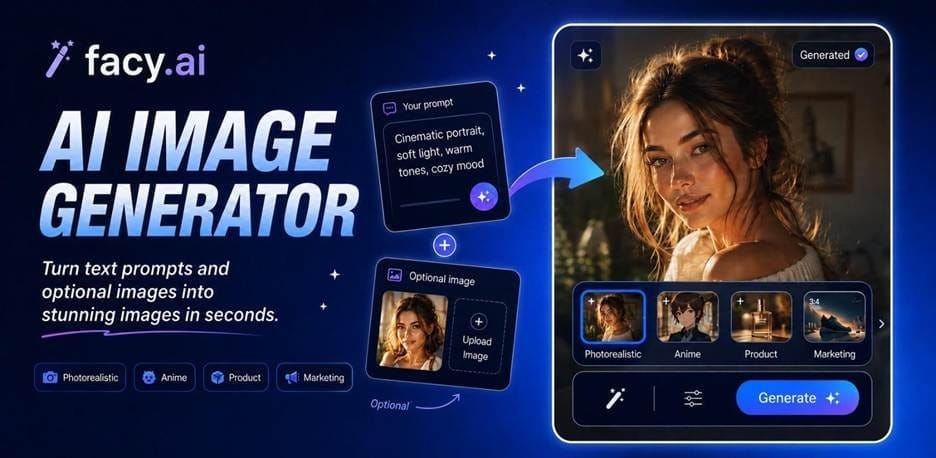
FacyAI structures its process around guided inputs and preset style selections rather than open-ended text prompts. Users choose from a set of parameters instead of composing a full written description, which is a different workflow than tools built primarily around freeform prompt writing, such as Midjourney or DALL·E.
The Most Common Prompt Mistakes (And How to Fix Them)
Over-relying on adjectives
Words like "stunning," "amazing," and "perfect" carry no visual information. Replace them with specifics. "Stunning landscape" becomes "fog-covered mountain valley at dawn, muted blues and greens, shot from a ridge."
Forgetting the negative space
Most AI image generators support negative prompting: explicitly telling the model what to leave out. "No text," "no watermarks," "no extra limbs," and "no lens distortion" can save you multiple rounds of regeneration.
Describing the feeling instead of the image
"Something that feels professional" doesn't help. "Clean white background, sharp product focus, soft drop shadow, editorial style" does. Translate feelings into visual instructions.
Treating all prompts the same across tools
A prompt optimized for Midjourney may produce flat results in an AI image generator like DALL·E or Firefly. Pay attention to how each tool responds to your language and adjust accordingly. What reads as evocative poetry to one model reads as noise to another.
Ignoring technical specs
Adding technical photography language, things like "f/1.8 aperture," "85mm lens," "shallow depth of field," and "ISO 100 clean exposure," signals to the AI image generator that you want photorealistic precision rather than an illustrated or stylized interpretation.
Start Writing Prompts Like a Creative Director
The best prompt writers think like creative directors. They don't describe what they want to feel. They describe what they want to see: the subject, the light, the angle, the texture, the palette, the mood translated into visual instruction.
Every AI image generator rewards that kind of specificity. "Beautiful sunset" is a feeling. "Golden hour over cracked salt flats, wide angle, dramatic shadows, warm amber and deep violet tones, shot on medium format film" is a brief.
One produces an average. The other produces an image worth using. Whichever AI image generator you use, closing that gap comes down to the same discipline: write the brief you'd give a photographer, not the feeling you're chasing.


