



Facebook and TikTok are key growth channels for gaming companies, app publishers, agencies, affiliate marketers, and cross-border sellers. They offer fast reach, but their review systems can also make ad account stability a daily concern.
An account may run normally for days, then face a login check, payment review, restriction, or shutdown. To reduce avoidable risk, advertisers need steady proxy, clean browser environments, clear team access rules, and compliant campaign practices.
Why Facebook and TikTok Ad Accounts Get Restricted
Ad platforms review more than the ad itself. They also look at how the account is accessed and managed.
For gaming advertisers and performance teams, risk can increase when campaigns involve:
- High volume creative testing
- Several ad accounts under one team
- Cross region targeting
- Remote staff logging in from different places
- Frequent device or IP changes
- Fast scaling after a new campaign starts
These patterns are not always wrong. Many real teams work this way. The issue is that some patterns can look similar to risky behavior when they are not managed well.
Common Risk Signals
Ad accounts may become unstable when platforms detect unusual or inconsistent signals.
1. IP Changes
If an account logs in from the United States in the morning, then from another country a few hours later, that can raise risk. Proxies can help control location, but the setup must stay consistent.
2. Browser Fingerprint Overlap
A browser fingerprint includes many details, such as:
- Canvas and WebGL data
- Fonts
- Device type
- Operating system
- Time zone
- Language settings
- Screen size
- WebRTC signals
If several accounts share very similar browser data, platforms may connect them.
3. WebRTC and Metadata Leaks
A proxy may hide the visible IP address, but WebRTC leaks can expose the real network. Other metadata can also create mismatch between the proxy location and device settings.
4. Team Access Problems
When too many people access the same account from different networks and devices, the account may look less trustworthy. This often happens with agencies and remote media buying teams.
5. Policy and Payment Issues
Technical setup is only one part of account protection. Weak landing pages, rejected creatives, payment failures, and unclear business details can also lead to restrictions.
How Proxy Tools Help
Proxy tools are still useful for ad operations. They allow advertisers to manage IP location and keep accounts closer to the markets they serve. Check the proxy types below:
Proxy providers can all be useful depending on budget, target regions, speed, and session control. Choose proxies that match the account’s country, time zone, and usage pattern, not just the lowest price.
Where Proxy Tools Have Limits
A proxy mainly handles the IP layer. It does not fully control the browser environment.
For example, an advertiser may use a US residential proxy, but the browser could still show:
- A different time zone
- A different system language
- WebRTC leaks
- Old cookies from another account
- Similar canvas data across several profiles
- Repeated login behavior from one device
Thus some teams pair proxies with browser profile tools, giving each account its own cookies, fingerprint settings, storage, and proxy.
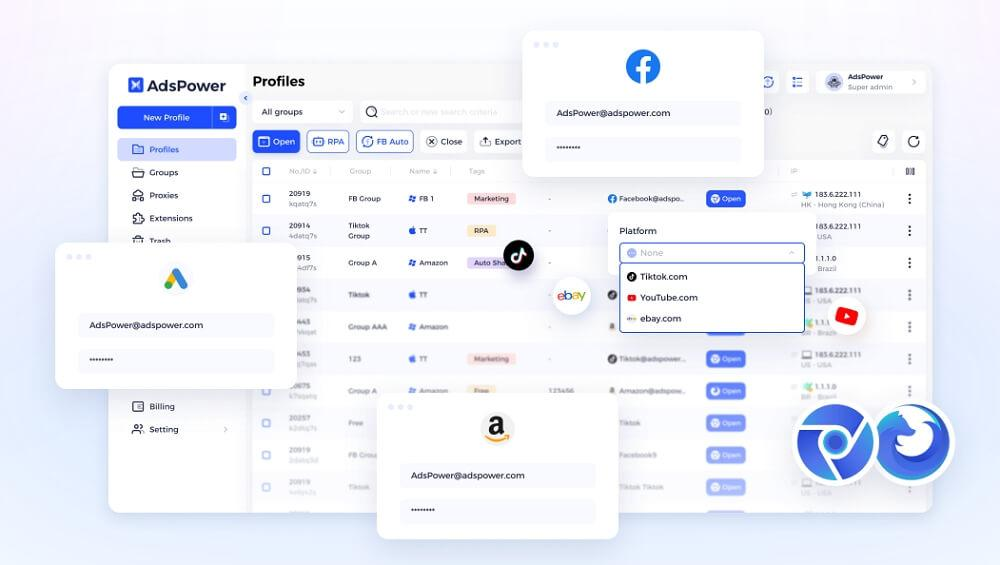
For teams that need profile separation, tools such as AdsPower antidetect browser can be part of the workflow, along with other proxy and account security tools. The goal is not to rely on one product alone. The goal is to keep each account environment clean, stable, and easier to manage.
A Practical Setup for Account Protection
A stronger setup usually has several layers.
Proxy Layer
Use a proxy that matches the account’s market and purpose. For US campaigns, a stable US proxy is usually better than rotating countries. Avoid always-free or unknown proxies, as they may carry risk from past use.
Browser Environment Layer
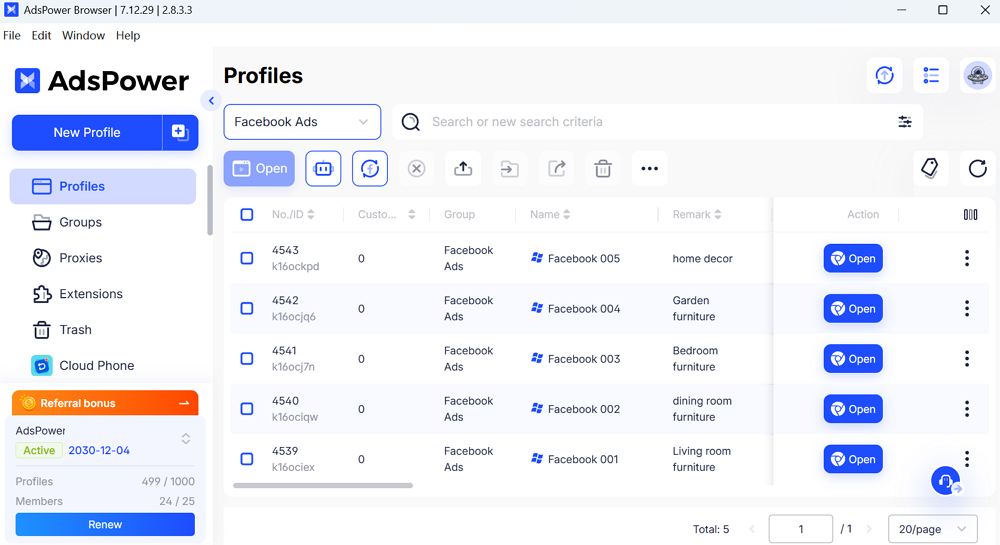
Each important ad account should have its own browser profile. This keeps cookies, cache, local storage, and fingerprint settings separate.
The browser profile should also match the account’s normal region. Time zone, language, WebRTC behavior, and proxy location should make sense together.
Team Management Layer
Teams should define who can access each account, which profile and proxy to use, and how login codes are handled. If an account gets a warning, pause and review the cause before adding more campaigns.
Compliance Layer
Advertisers should review ad copy, claims, landing pages, payments, privacy policies, and business details. A clean browser setup can reduce technical risk, but it cannot protect misleading ads or repeated policy violations.
Example Workflow for a Gaming Ad Team
A mobile game publisher may run campaigns in the United States, Brazil, and Southeast Asia. The team has several media buyers and different ad accounts for each market.
A simple workflow would give each ad account one browser profile and one stable proxy from the correct region. The US account uses a US proxy, English language settings, and a matching time zone. The Brazil account uses a Brazil-based proxy and local settings. Team members only open the accounts assigned to them.
Before launching new creatives, the team checks the ad copy, landing page, app store page, and payment status. If one account receives a warning, the team reviews the cause before repeating the same campaign elsewhere.
This does not remove all risk, but it reduces avoidable problems such as messy access patterns and account overlap.
Final Thoughts
Facebook and TikTok ad account protection works best when planned early. Proxies help manage IP location, while tools like AdsPower support separate browser profiles.
Together with consistent login habits, clear team rules, and compliant campaigns, this setup helps advertisers manage multiple accounts more cleanly and reduce avoidable risk.


